
1. Entwodiksyon
This manual provides detailed instructions for the setup, operation, maintenance, and troubleshooting of your Cosmic Byte ARES Wired Controller for PC. Designed for an enhanced gaming experience, this controller features Hall Effect joysticks and triggers, dual vibration, and customizable Turbo functions.
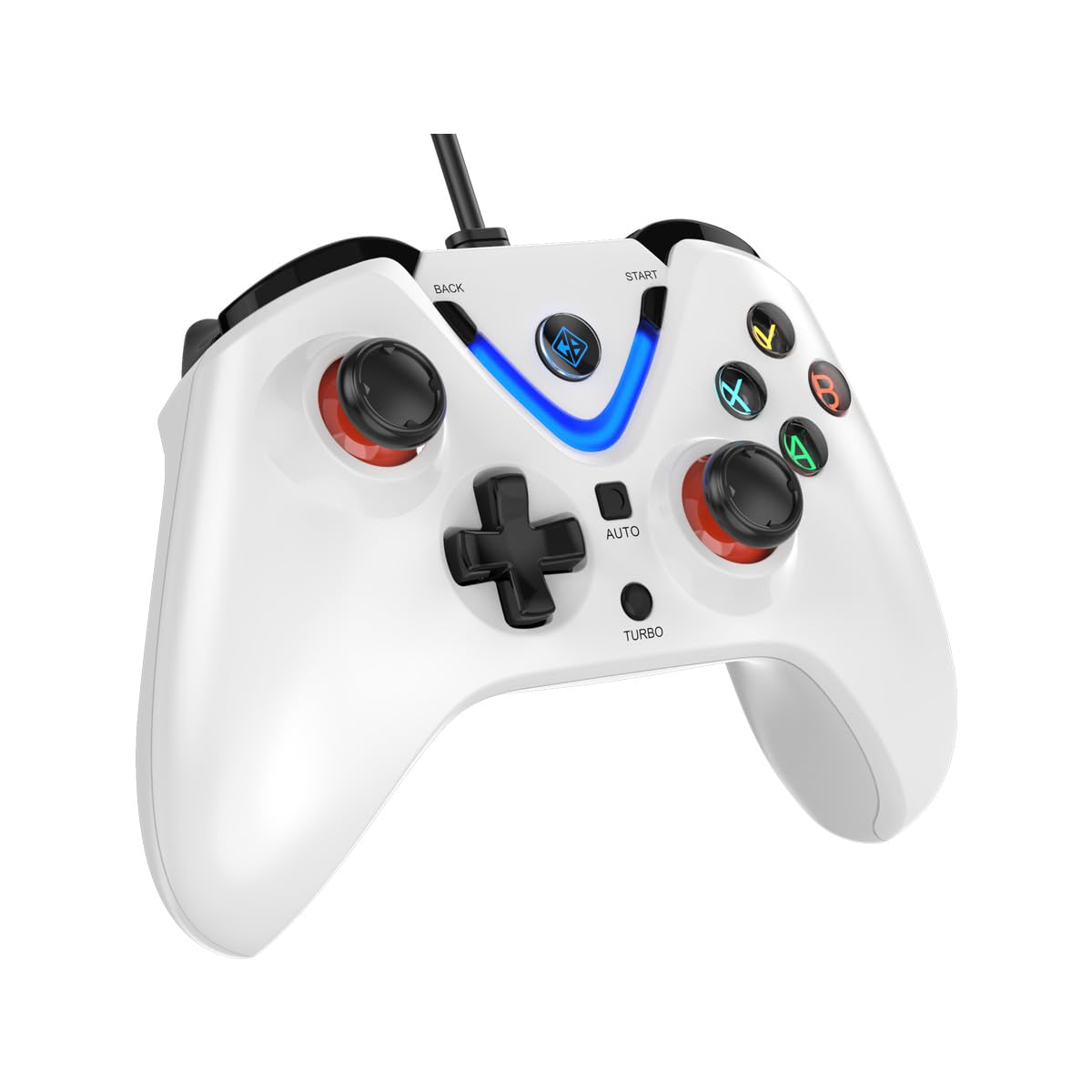
Image 1: The Cosmic Byte ARES Wired Controller in white, showcasing konsepsyon ergonomik li yo.
2. Enstriksyon Enstalasyon
2.1 Konekte ak PC
- Asire w ke PC ou limen.
- Jwenn yon pò USB ki disponib sou òdinatè w lan.
- Plug the USB connector of the Cosmic Byte ARES Wired Controller into the USB port.
- Sistèm operasyon an pral otomatikman detekte epi enstale chofè ki nesesè yo. Pwosesis sa a ka pran kèk minit.
- Once installation is complete, the controller is ready for use.

Image 2: The controller connected via its wired USB connection, ensuring fast response.
3. Operasyon Enstriksyon
3.1 Kontwòl debaz yo
The Cosmic Byte ARES controller features standard gamepad layouts, including:
- Left and Right Analog Joysticks: Pou mouvman presi ak kontwòl kamera.
- D-Pad: Pou antre direksyonèl, souvan yo itilize li nan meni oswa pou aksyon espesifik nan jwèt.
- Bouton Aksyon (A, B, X, Y): For primary game interactions.
- Shoulder Buttons (L1, R1) and Triggers (L2, R2): For various in-game functions like shooting, aiming, or accelerating.
- Start and Back Buttons: For pausing games, accessing menus, or specific in-game commands.
- bouton Turbo: For activating rapid-fire functions.
- Bouton Auto: For activating automatic rapid-fire functions.
3.2 Joysticks ak deklanchè efè Hall
The controller is equipped with Hall Effect joysticks and triggers, which use magnetic sensors instead of physical contacts. This technology provides:
- Ogmante presizyon: More accurate and responsive input.
- Ogmantasyon Durabilite: Reduces wear and tear, preventing stick drift over time.
- Operasyon lis: Consistent and linear response for triggers, allowing for nuanced control in games.

Imaj 3: Yon eksplozyon view illustrating the Hall Effect joystick mechanism and the Hall Effect triggers.
3.3 Doub Vibrasyon Feedback
The controller features dual vibration motors that provide tactile feedback during gameplay, enhancing immersion by simulating in-game events such as impacts, explosions, or engine rumbling.
3.4 Backlit LED Buttons
The action buttons (A, B, X, Y) and the central V-shaped indicator feature LED backlighting, providing visibility in low-light conditions and adding to the controller's aesthetic.

Image 4: The controller with its LED buttons illuminated and visual representation of vibration effects.
3.5 Turbo and Auto Turbo Functions
The Turbo and Auto Turbo functions allow for rapid, repeated input of a button press without continuously pressing the button.
- Aktive Turbo: Press and hold the desired action button (e.g., A) and then press the Turbo button. The button will now rapidly repeat its input as long as you hold it down.
- Activating Auto Turbo: Press and hold the desired action button (e.g., A) and then press the Oto button. The button will now rapidly repeat its input automatically without needing to be held down.
- Deactivating Turbo/Auto Turbo: To deactivate, repeat the activation steps for the specific button, or press the Klè button (if available) or disconnect and reconnect the controller.

Image 5: Close-up of the controller showing the Turbo and Auto function buttons.
4. Antretyen
- Netwayaj: Sèvi ak yon twal mou epi sèk pou netwaye kontwolè a. Pou pousyè tè ki difisil pou retire, yon ti kras twal mouye.amp cloth can be used, ensuring no liquid enters the controller. Avoid harsh chemicals or abrasive cleaners.
- Depo: Sere kontwolè a nan yon kote ki fre epi sèk, lwen limyè solèy dirèk ak tanperati ekstrèm. Evite mete objè lou sou kontwolè a.
- Swen kab: Do not sharply bend or pull the USB cable. Always grasp the plug when disconnecting from the PC.
NAN. Depanaj
- Kontwolè a pa rekonèt:
- Ensure the USB cable is securely connected to both the controller and the PC.
- Eseye branche kontwolè a nan yon lòt pò USB.
- Rekòmanse òdinatè w lan.
- Check Device Manager on Windows to see if the controller is listed and if there are any driver issues.
- Bouton/joystick yo pa reponn:
- Verify the controller is recognized by your PC (see above).
- Test the controller in a different game or a controller testing utility to rule out game-specific issues.
- Asire w pa gen okenn lòt aparèy opinyon k ap entèfere.
- Vibrasyon an pa fonksyone:
- Tcheke paramèt nan jwèt la pou asire w ke vibrasyon an aktive.
- Gen kèk jwèt ki ka pa sipòte vibrasyon oswa ki ka gen efè vibrasyon limite.
6. Espesifikasyon
| Karakteristik | Detay |
|---|---|
| Mak | Cosmic Byte |
| Non modèl | Ares |
| Aparèy konpatib | PC |
| Kalite kontwolè | Gamepad |
| Koneksyon Teknoloji | USB |
| Karakteristik pwodwi | Ergonomik |
| Kantite bouton | 16 |
| Platfòm pyès ki nan konpitè | PC |
| Kalite sous pouvwa | Fil elektrik, kab USB |
| Pwa atik | 220 gram |
| Dimansyon atik | 6 x 10 x 4 santimèt |
| Koulè | Blan |
| Peyi orijin | Lachin |

Image 6: A comparison table highlighting features of different ARES controller models.
7. Garanti ak sipò
7.1 Enfòmasyon sou Garanti
The Cosmic Byte ARES Wired Controller comes with a 1 ane garanti kont defo fabrikasyon apati dat acha a. Tanpri konsève prèv acha ou pou reklamasyon garanti.
7.2 Enfòmasyon sou kontak manifakti
For support, service, or warranty inquiries, please contact:
Cosmic BytePrakash Warehousing, S. No.163, Hissa No 1-2-3-4-5A-5B/2/1,
Phursungi, Pune 412308, Maharashtra, India
For further assistance, please visit the official Cosmic Byte websit oswa kontakte sèvis kliyan yo.