
1. Entwodiksyon
Thank you for choosing the Havit MS1038 Programmable RGB Gaming Mouse. This manual provides essential information for setting up, operating, maintaining, and troubleshooting your new gaming mouse. Please read this guide thoroughly to ensure optimal performance and longevity of your device.
2. Pwodwi souview
The Havit MS1038 is a high-performance wired gaming mouse designed for precision and customization. It features a high-precision optical sensor, adjustable DPI settings up to 8000, 7 programmable buttons, and dynamic RGB backlighting to enhance your gaming experience.
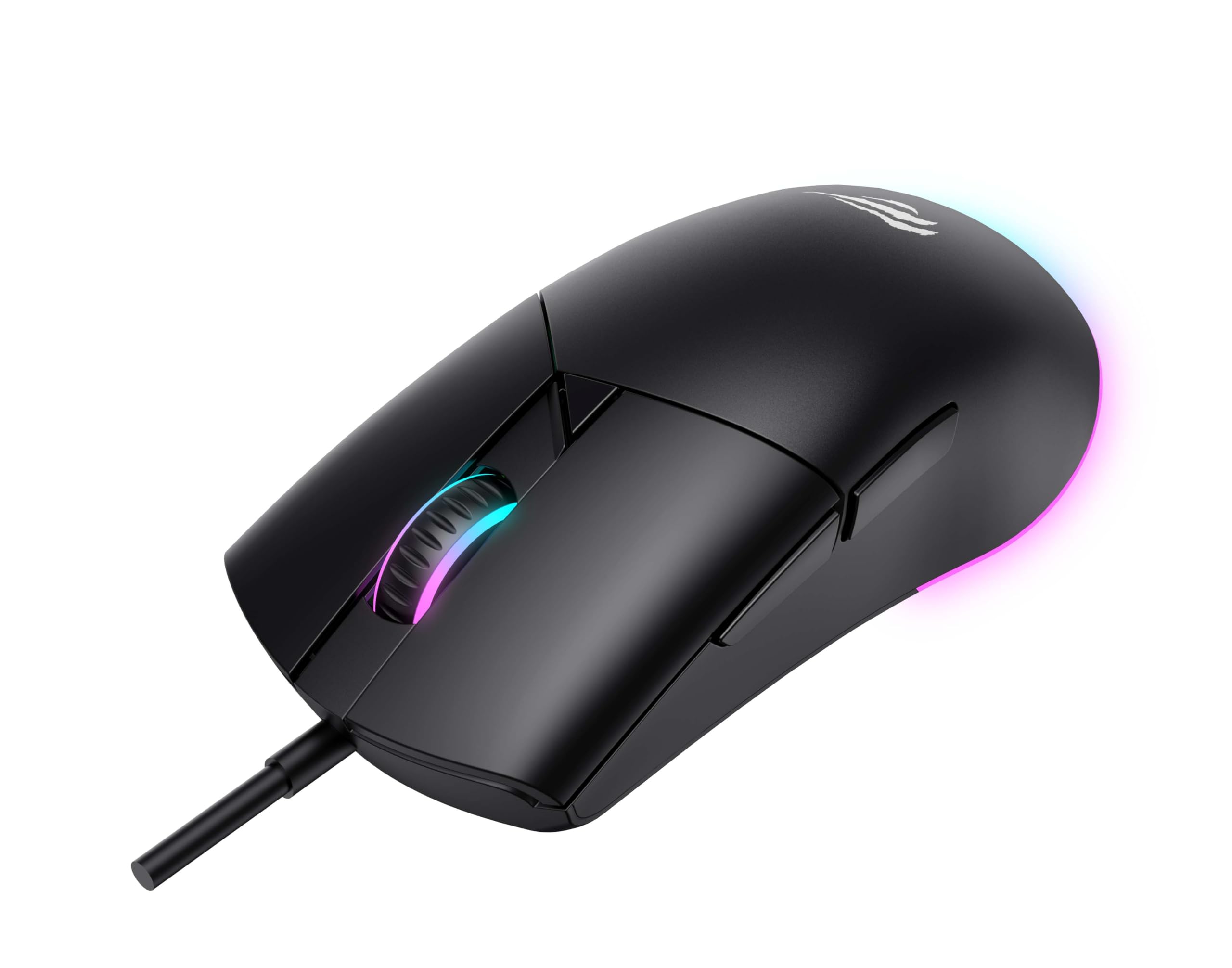
Figi 1: Devan view of the Havit MS1038 Gaming Mouse, showcasing konsepsyon ergonomik li yo ak ekleraj RGB li yo.
3. Espesifikasyon
| Karakteristik | Detay |
|---|---|
| Mak | Havit |
| Modèl | MS1038 |
| Koulè | Nwa |
| Koneksyon | USB (branche) |
| Karakteristik espesyal | RGB Backlight, Programmable Buttons, High-Precision Optical Sensor |
| Aparèy konpatib | PC, Laptop, tablèt |
| Deteksyon Mouvman | Optik |
| Anviwònman DPI | 1200-2400-3200-4800-6400-8000 DPI |
| Kantite bouton | 7 |
| Dire lavi kle | 3,000,000 klik |
| Longè kab | 1.6 mèt |
| Opere Voltage | 5V |
| Fonksyone aktyèl | 150mA |
| Chip | SPCP199C |
| Dimansyon (L * W * H) | 121 x 64 x 42 mm |
| Pwa pwodwi | 82g |
| Batri obligatwa | Non |
| Sous pouvwa | Kòde |
| OS konpatib | Windows, Mac, Linux |
| Peyi orijin | Lachin |
4. Gid Enstalasyon
- Depake Sourit la: Carefully remove the Havit MS1038 mouse from its packaging.
- Konekte ak òdinatè: Ploge konektè USB sourit la nan yon pò USB ki disponib sou òdinatè w lan.
- Enstalasyon chofè: The mouse is typically plug-and-play. Your operating system (Windows, Mac, Linux) should automatically detect and install the necessary drivers. Allow a few moments for the installation to complete.
- Enstalasyon lojisyèl (Si ou vle): For advanced customization of programmable buttons and RGB lighting, download the official Havit MS1038 software from the manufacturer's websit la. Swiv enstriksyon ki sou ekran an pou enstalasyon an.
5. Operasyon Enstriksyon
5.1 Fonksyon debaz
- Klike Goch: Aksyon prensipal.
- Klike sou dwa: Secondary action, typically opens context menus.
- wou woulo liv: Scrolls content up or down. Pressing the scroll wheel often acts as a middle click.
5.2 DPI Ajisteman
The Havit MS1038 features a dedicated DPI button (usually located behind the scroll wheel) to cycle through different sensitivity settings. Each press will switch to the next DPI level, indicated by a change in the RGB lighting color or pattern.
- Available DPI settings: 1200, 2400, 3200, 4800, 6400, 8000.
- Select the DPI that best suits your preference for gaming or general use.
5.3 Bouton pwogramasyon
The mouse has 7 buttons, including the standard left/right click, scroll wheel, DPI button, and additional side buttons. These additional buttons can be customized using the Havit MS1038 software.

Figi 2: Side view of the Havit MS1038 Gaming Mouse, highlighting the additional programmable buttons.
6. Personnalisation
To unlock the full potential of your Havit MS1038 mouse, utilize the dedicated software (available for download from the Havit official website). This software allows you to:
- Remap Buttons: Bay nenpòt nan 7 bouton pwogramasyon yo fonksyon pèsonalize, makro, oswa rakoursi klavye.
- Adjust DPI Stages: Fine-tune the DPI levels and assign specific values to each stage.
- Control RGB Lighting: Choose from various lighting effects, colors, and brightness levels to personalize your mouse's appearance.
- Kreye Profiles: Sove diferan konfigirasyon pou plizyè jwèt oswa aplikasyon.
7. Antretyen
Proper care ensures the longevity and performance of your mouse.
- Netwayaj: Sèvi ak yon twal mou epi sèk pou siye sifas sourit la. Pou pousyè tè ki difisil pou retire, siye yon ti kras.ampRense twal la avèk dlo oswa yon solisyon netwayaj dou. Evite pwodui chimik ki agresif.
- Swen Capteur: Keep the optical sensor on the underside of the mouse clean and free from dust or debris. Use a cotton swab if necessary.
- Jesyon kab: Evite pliye byen file oswa rale kab USB a twòp pou anpeche li domaje.
- Depo: Lè w pa ap itilize sourit la, sere l nan yon anviwònman pwòp epi sèk, lwen tanperati ekstrèm.
NAN. Depanaj
If you encounter issues with your Havit MS1038 mouse, refer to the following common solutions:
- Sourit la pa reponn:
- Asire w kab USB a byen branche nan yon pò USB ki fonksyone.
- Eseye branche sourit la nan yon lòt pò USB.
- Rekòmanse òdinatè w lan.
- Mouvman Kurseur Iregilye:
- Netwaye detèktè optik ki anba sourit la.
- Asire w ke w ap itilize sourit la sou yon sifas pwòp ki pa reflete limyè oswa sou yon tapi sourit.
- Tcheke pou nenpòt konfli lojisyèl oswa chofè ki pa ajou.
- Ekleraj RGB pa travay:
- Verify that the mouse is properly connected.
- If using customization software, ensure lighting effects are enabled and configured correctly.
- Bouton ki pa fonksyone:
- If programmable buttons are not working as expected, check the settings in the Havit MS1038 software.
- Ensure no other software is interfering with mouse button assignments.
9. Garanti ak sipò
The Havit MS1038 Programmable RGB Gaming Mouse comes with a 1-ane garanti apati dat acha a. Garanti sa a kouvri domaj fabrikasyon anba itilizasyon nòmal.
For technical support, warranty claims, or further assistance, please contact Havit customer service through their official website or your local retailer. Please have your proof of purchase ready when contacting support.