
RUPA 9b62a641-bc61-465b-9d1d-af65cf124577
RUPA Android TV Box 11.0 User Manual
Model: 9b62a641-bc61-465b-9d1d-af65cf124577
Brand: RUPA
1. Entwodiksyon
Thank you for choosing the RUPA Android TV Box 11.0. This device is designed to transform your television into a smart entertainment hub, offering access to a vast array of streaming content, applications, and multimedia experiences. With its powerful hardware, including 8GB RAM and 128GB ROM, and support for advanced video technologies like 8K Ultra HD and HDR, this TV box delivers exceptional performance and visual quality. Please read this manual carefully to ensure proper setup, operation, and maintenance of your device.
2. Enfòmasyon sou Sekirite
To ensure safe and optimal operation of your RUPA Android TV Box, please observe the following safety precautions:
- Pa ekspoze aparèy la nan dlo, imidite, oswa tanperati ekstrèm.
- Evite mete aparèy la toupre sous chalè tankou radyatè, recho, recho, oswa lòt aparèy (ki gen ladan amplifiers) ki pwodui chalè.
- Use only the power adapter supplied with the device. Using unauthorized power adapters may damage the device and void the warranty.
- Pa louvri aparèy la casing. Servicing should only be performed by qualified personnel.
- Ensure proper ventilation around the device to prevent overheating. Do not block ventilation openings.
- Kenbe aparèy la lwen gwo chan mayetik.
- Dekonekte adaptè kouran an pandan tanpèt zèklè oswa lè ou pa itilize li pou yon bon bout tan.
3. Pake kontni
Tanpri tcheke kare a pou atik sa yo:
- RUPA Android TV Box 11.0
- IR Remote Control
- HDMI kab
- Adaptè pouvwa
- Manyèl Itilizatè (dokiman sa a)
4. Pwodwi souview
The RUPA Android TV Box is a compact and powerful device designed for home entertainment. It features multiple ports for connectivity and a user-friendly interface.

Image: RUPA Android TV Box and its accompanying remote control. The box is black with a circular design on top, displaying "RUPA Ultra HD 8K". The remote is sleek, black, with various navigation and function buttons.

Imaj: Anwo-anba view of the RUPA Smart TV Box with various ports labeled. These include DC (power), SPDIF (digital audio), HD (HDMI), LAN (Ethernet), AV (audio/video), USB 2.0, USB 3.0, and TF (MicroSD card slot).
4.1. Pò ak Koneksyon
- DC Port: Pou konekte adaptè pouvwa a.
- SPDIF: Digital audio output for connecting to audio receivers.
- HDMI2.1: High-definition video and audio output for connecting to your TV or monitor.
- LAN (Etènèt): Pò Gigabit Ethernet pou koneksyon rezo filaire.
- DE: Analog audio/video output for older televisions.
- Pò USB 2.0: For connecting peripherals like keyboards, mice, or USB storage devices.
- USB 3.0 pò: High-speed USB port for faster data transfer with compatible devices.
- TF Kat plas: Pou ogmante espas depo a avèk yon kat MicroSD (jiska 1TB).

Image: Diagram illustrating the speed difference between USB 2.0 (480Mbps) and USB 3.0 (5Gbps), highlighting the faster data transfer capabilities of the USB 3.0 port on the device.
5. Gid Enstalasyon
Follow these steps to set up your RUPA Android TV Box:
- Konekte ak televizyon an: Connect one end of the HDMI cable to the HDMI port on the TV Box and the other end to an available HDMI input on your television. Note the HDMI input number (e.g., HDMI 1, HDMI 2).
- Konekte ak pouvwa: Plug the power adapter into the DC port on the TV Box, then plug the other end into a wall outlet.
- Pouvwa sou: Aparèy la ta dwe limen otomatikman. Si se pa sa, peze bouton pouvwa a sou kontwòl remote la.
- Chwazi Antre: On your TV, use the remote control to select the corresponding HDMI input you connected the TV Box to.
- Inisyal Enstalasyon Sòsye: Swiv enstriksyon ki sou ekran an pou konplete konfigirasyon inisyal la, ki anjeneral gen ladan l:
- Seleksyon lang.
- Network connection (Wi-Fi or Ethernet). For Wi-Fi, select your network and enter the password. For Ethernet, simply connect a LAN cable to the LAN port.
- Google account sign-in (optional, but recommended for app downloads).
- Paramèt dat ak lè.
6. Operasyon Enstriksyon
6.1. Navigasyon ak Entèfas Itilizatè
The RUPA Android TV Box runs on Android 11.0 OS, providing a user-friendly interface. Use the included IR remote control to navigate through menus and select applications.
Image: Screenshot of the Android 11.0 OS interface on a TV screen, showing various app icons like YouTube, Twitter, Skype, and a settings icon, indicating a modern and intuitive user experience.
6.2. Enstalasyon aplikasyon an
Access thousands of applications through the pre-installed App Store (Google Play Store if signed in with a Google account). Navigate to the App Store, search for your desired application, and select "Install".

Image: A RUPA Android TV Box connected to a television displaying the Android 11.0 OS home screen with various streaming service logos such as Netflix, Google Play, YouTube, Prime Video, Facebook, Twitter, and Skype, demonstrating its entertainment capabilities.
6.3. Media Playback and Video Quality
The TV Box supports 8K@60fps, 6K, 4K, 3D, and HDR10+ video playback, ensuring a high-quality viewing experience. It is compatible with VP9 and AV1 codecs for next-generation streaming platforms.
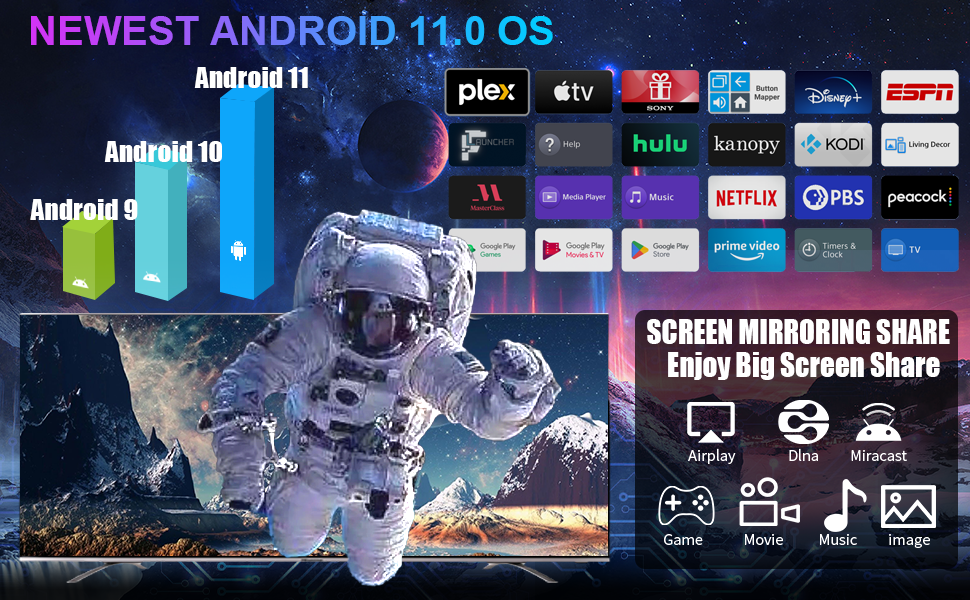
Image: A visual comparison demonstrating the benefits of H.265 decoding and HDR. The left image shows "H.265 Decoding+HDR" with smooth play, while the right image shows "Ordinary Decoding+No HDR" which is prone to freezing, highlighting improved performance and visual quality.

Image: Two sets of comparisons. The top compares H.264 (slow loading/stuttering) with H.265 (loads fast/clear), indicating H.265 saves 50% bandwidth. The bottom compares "NO HDR" (dull color) with "HDR" (brighter and more colorful), showing enhanced visual detail and realism.

Image: A split image demonstrating the difference between 4K (3840*2160) and 8K (7680*4320) resolutions, with a scenic waterfall. Below, icons indicate support for Android 11.0, 8K, and HDR, emphasizing the device's advanced video capabilities.
6.4. Koneksyon
The device offers robust connectivity options for a stable and fast experience.
- Wi-Fi: Supports Dual-band Wi-Fi 2.4G/5.8G for flexible wireless connections.
- Ethernet: 1000M LAN (Gigabit Ethernet) for ultra-stable wired internet.
- Bluetooth 5.0: For seamless pairing with external devices like speakers, headphones, game controllers, and keyboards.

Image: A graphic highlighting the stable network connection features of the RUPA TV Box, including LAN1000M (Gigabit Ethernet) and 2.4G/5G dual-band Wi-Fi. Icons below show compatibility with Bluetooth, headsets, speakers, mice, gamepads, keyboards, and remote controls.
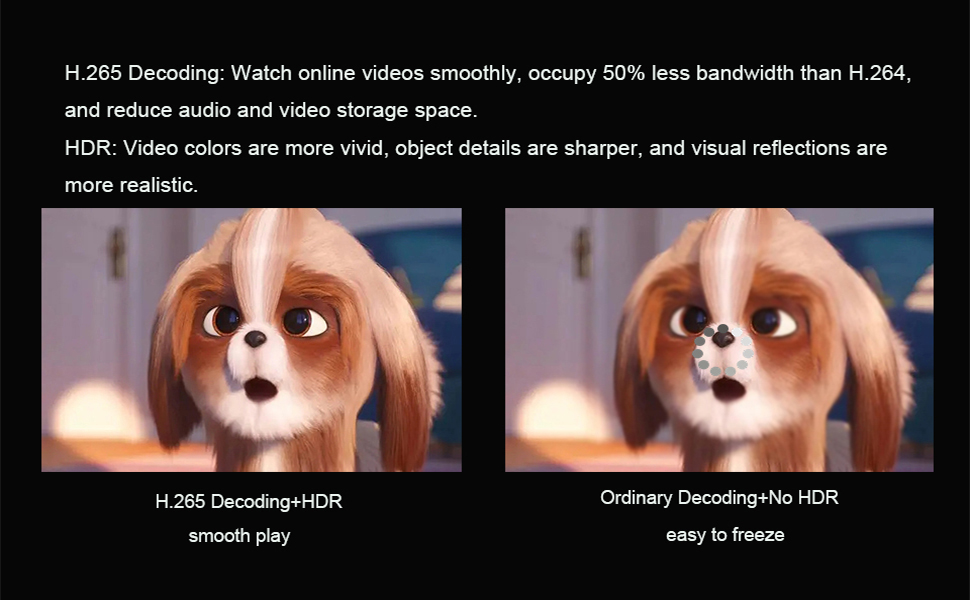
Image: A diagram illustrating the universal compatibility of the RUPA TV Box, showing connections to a USB drive, headphones, gamepad, smartphone, and laptop, emphasizing its versatility for various peripherals and devices.
6.5. Ekran Mirroring
The RUPA TV Box supports screen mirroring technologies like Airplay, DLNA, and Miracast, allowing you to cast content from your smartphone or tablet to your TV.
Video: A short demonstration of the RUPA Android TV Box's video playback capabilities, showcasing a scene from a movie on a television screen. This video highlights the visual quality and smooth performance of the device.
7. Antretyen
To ensure the longevity and optimal performance of your RUPA Android TV Box, follow these maintenance tips:
- Netwayaj: Sèvi ak yon twal mou epi sèk pou netwaye aparèy la. Pa sèvi ak pwodui netwayaj likid oswa espre ayewosòl.
- Vantilasyon: Ensure the ventilation holes are not blocked. Do not place the device on soft surfaces like carpets or beds that may obstruct airflow.
- Mizajou lojisyèl: Tcheke regilyèman pou wè si gen mizajou sistèm nan nan meni paramèt yo pou asire w ke ou gen dènye fonksyonalite ak patch sekirite yo.
- Jesyon Depo: Vide kach la regilyèman epi netwaye tout sa ki pa nesesè yo. files to free up storage space and maintain performance.
- Sik pouvwa: If the device becomes unresponsive, disconnect the power adapter for a few seconds and then reconnect it to perform a power cycle.
NAN. Depanaj
If you encounter issues with your RUPA Android TV Box, refer to the following common problems and solutions:
| Pwoblèm | Kòz posib | Solisyon |
|---|---|---|
| Pa gen pouvwa | Adaptè kouran an pa konekte; Priz kouran an gen pwoblèm. | Asire w adaptè kouran an byen konekte ak aparèy la epi li nan yon priz kouran ki fonksyone. Eseye yon lòt priz. |
| Pa gen imaj sou televizyon | Incorrect HDMI input selected; HDMI cable loose or faulty. | Verify the TV is on the correct HDMI input. Check HDMI cable connections; try a different HDMI cable or port. |
| Pa gen koneksyon entènèt | Wi-Fi password incorrect; Ethernet cable loose; Router issue. | For Wi-Fi, re-enter password. For Ethernet, ensure cable is connected. Restart your router and the TV Box. |
| Remote Control pa travay | Batteries low or inserted incorrectly; Obstruction between remote and device. | Replace batteries. Ensure line of sight to the TV Box's IR receiver. |
| Apps Crashing or Slow Performance | Too many apps running; Low storage; Outdated software. | Close background apps. Clear app caches. Check for system updates. Consider a factory reset if issues persist (backup data first). |
9. Espesifikasyon
| Karakteristik | Detay |
|---|---|
| Modèl | 9b62a641-bc61-465b-9d1d-af65cf124577 |
| Sistèm operasyon | Android 11.0 |
| Processeur | Quad-core Cortex-A55 CPU (RK3566 chipset) |
| GPU | Mali-G52 |
| RAM | 8GB |
| ROM | 128GB (ou ka ogmante l jiska 1TB ak yon kat TF) |
| Sòti videyo | HDMI 2.1 (supports 8K@60fps, 6K, 4K, 3D, HDR10+) |
| Koneksyon | Dual-band Wi-Fi (2.4G/5.8G), Gigabit Ethernet (1000M LAN), Bluetooth 5.0 |
| Pò | DC, SPDIF, HDMI, LAN, AV, USB 2.0 (x2), USB 3.0 (x1), TF Card Slot |
| Dimansyon | 7 x 3 x 2 pous |
| Pwa | 11.7 ons |
10. Garanti ak sipò
RUPA products are designed for reliability and performance. For warranty information and technical support, please refer to the warranty card included in your package or visit the official RUPA websit la. Ou kapab kontakte vandè a dirèkteman tou pou jwenn asistans.
For common inquiries, please visit the RUPA Store on Amazon.
Ask a question about this manual
Ask about setup, troubleshooting, compatibility, parts, safety, or missing instructions. Manuals+ will review the question and use this page’s manual context to help answer it.