1. Entwodiksyon
Thank you for choosing the Generic Sernoby Android 11 Car Stereo. This manual provides essential information for the proper installation, operation, and maintenance of your new multimedia system. Please read this manual thoroughly before using the product to ensure safe and optimal performance. Keep this manual for future reference.
2. Enfòmasyon sou Sekirite
- Enstalasyon pwofesyonèl rekòmande: Due to the complexity of car electrical systems, professional installation is highly recommended to prevent damage to the unit or your vehicle.
- Pwovizyon pou pouvwa: Ensure the unit is connected to a 12V DC power supply with a negative ground. Incorrect voltage ka lakòz domaj.
- Evite dlo ak imidite: Do not expose the unit to water or excessive moisture. This can lead to electric shock or fire.
- Tanperati: Operate the unit within recommended temperature ranges. Extreme temperatures can affect performance and lifespan.
- Sekirite Kondwi: Pa sèvi ak aparèy la yon fason ki distrè w pandan w ap kondui. Toujou bay sekirite wout priyorite.
- Vantilasyon: Asire bon vantilasyon alantou inite a pou anpeche surchof.
3. Pake kontni
Verifye ke tout atik ki nan lis anba a yo enkli nan pakè ou a:
- Inite prensipal (machin)
- Enstalasyon ankadreman
- Pouvwa kab
- RCA Cable
- USB kab (x2)
- GPS antèn
- 4G RCA Cable (for 4G function)
- Installation Tool (Gift)
- Kamera Antre Kab
- Manyèl itilizatè

Imaj: Complete package contents including the main unit, frame, and all necessary cables and accessories.
4. Enstalasyon ak Enstalasyon
This section provides general guidelines for installing your car stereo. Specific vehicle wiring may vary. Consult a professional installer if you are unsure.
- Dekonekte batri: Before starting, disconnect the negative terminal of your car battery to prevent electrical shorts.
- Retire ansyen inite a: Carefully remove your existing car stereo and any associated trim panels.
- Konekte ekipay fil elektrik: Connect the provided power cable, RCA cables, USB cables, and GPS antenna to the corresponding ports on the new head unit. Ensure all connections are secure.
- Enstale ankadreman an: Mount the new head unit into the installation frame, ensuring a snug fit for your Honda Civic 8.
- Koneksyon tès: Before fully reassembling, temporarily reconnect the car battery and test the basic functions of the stereo (power, audio, radio).
- Inite Sekirite: Once tested, secure the head unit and frame into the dashboard. Reinstall any removed trim panels.
- Tcheke final la: Reconnect the battery and perform a full system check.
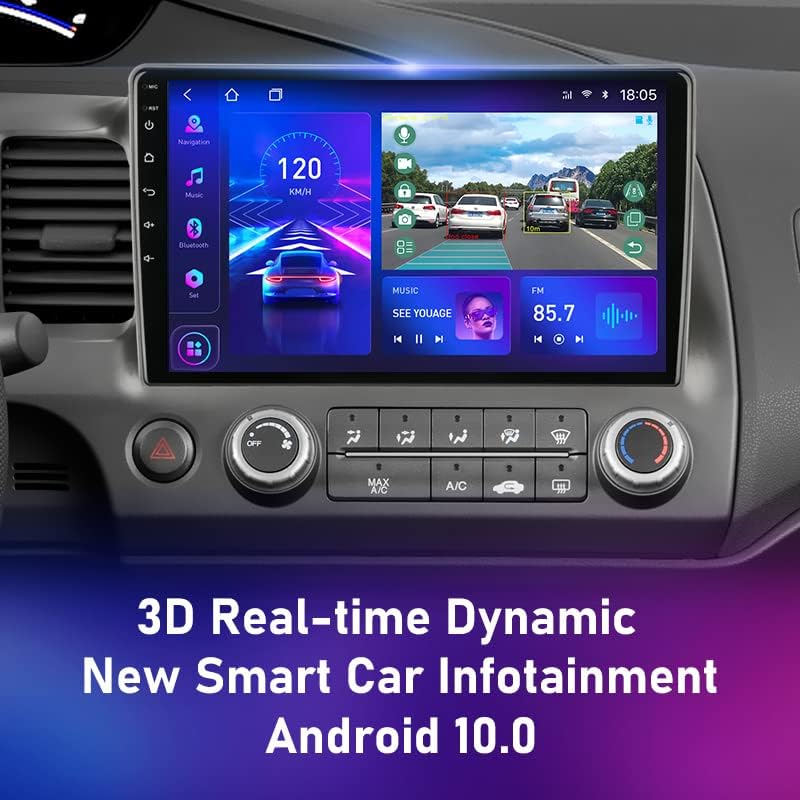
Imaj: The Android 11 Car Stereo seamlessly integrated into the Honda Civic 8 dashboard.
5. Operasyon Enstriksyon
Your Android 11 Car Stereo offers a wide range of features. Here are some basic operating instructions:
5.1. Power On/Off
The unit will typically power on automatically when the vehicle's ignition is turned on. To manually power off or put into standby, press and hold the power button (usually located on the front panel).
5.2. Navigasyon
Access the pre-installed navigation application from the main menu. Ensure the GPS antenna is properly connected for accurate positioning. You can download additional navigation apps from the Google Play Store.
5.3. Lekti Miltimedya
The stereo supports various multimedia formats. Play audio and video files from USB drives, internal storage, or streaming services. Navigate through your media library using the touchscreen interface.
Imaj: Real-time dynamic infotainment display showing navigation, speed, and music playback.
5.4. Fonksyonalite Ekran Fann
Your stereo supports split-screen mode, allowing you to run two applications simultaneously. For example, you can have navigation on one side and a video player on the other. To activate, long-press the recent apps button or follow the specific instructions within the Android interface.
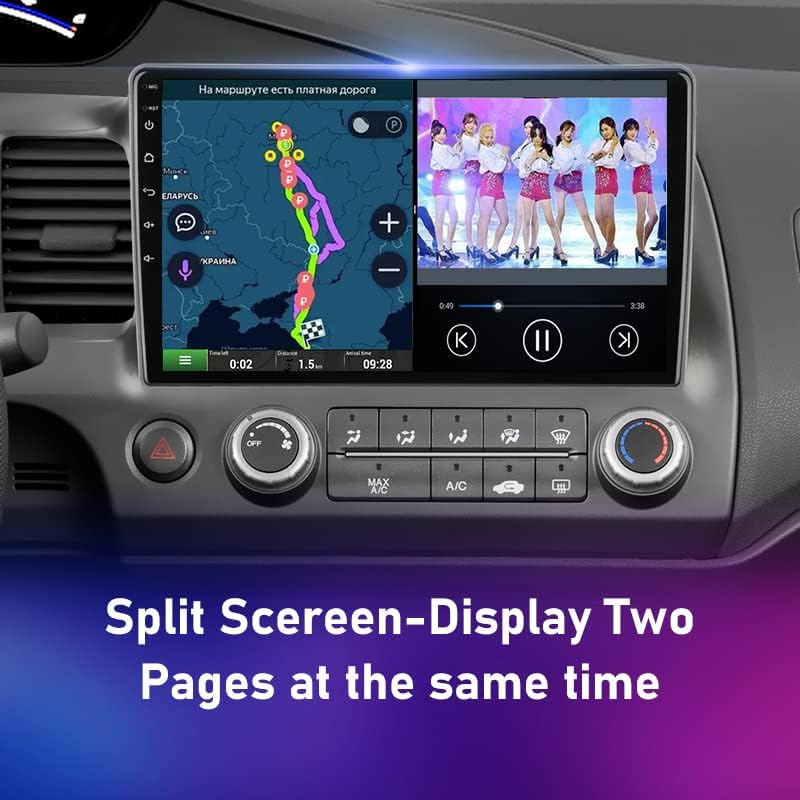
Imaj: Split-screen display showing navigation and video playback simultaneously.
5.5. Bluetooth Koneksyon
Pair your smartphone via Bluetooth for hands-free calling and audio streaming. Go to the Bluetooth settings, enable Bluetooth, and search for your device. Select the stereo from your phone's Bluetooth list to pair.
5.6. Wi-Fi and 4G Connectivity
Connect to Wi-Fi networks for internet access, app downloads, and online streaming. If your unit supports 4G (requires a SIM card and the 4G RCA cable), you can also use mobile data for connectivity.
5.7. Car Play / Mobile Phone Connection
Connect your mobile phone to the stereo for enhanced integration, including mirroring your phone's screen or using specific car play applications. Refer to the system's specific settings for wired or wireless connection options.
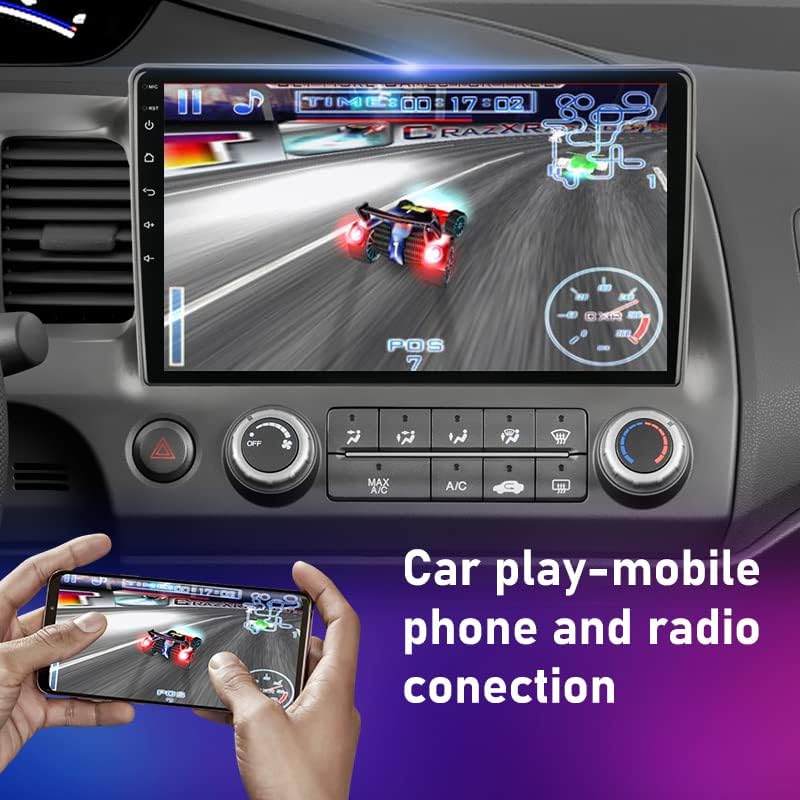
Imaj: Car play or mobile phone connection demonstrating screen mirroring for gaming or other applications.
5.8. Sound Equalizer (DSP)
Utilize the built-in Digital Sound Processor (DSP) to customize your audio experience. Adjust equalizer settings, bass, delay, and channel balance to suit your preferences.

Imaj: Digital Sound Processor (DSP) interface for advanced audio customization.
6. Antretyen
- Netwayaj: Sèvi ak yon twal mou epi sèk pou netwaye ekran an ak deyò aparèy la. Evite pwodui netwayaj abrazif oswa solvan.
- Mizajou lojisyèl: Periodically check for software updates to ensure optimal performance and access to new features. Updates can usually be found in the system settings or on the manufacturer's websit.
- Evite tanperati ekstrèm: Do not leave the unit exposed to direct sunlight or extreme cold for extended periods, as this can damage components.
NAN. Depanaj
Si ou rankontre pwoblèm ak stereo machin ou an, gade pwoblèm ak solisyon komen sa yo:
- Pa gen pouvwa:
- Tcheke tout koneksyon kouran yo ak fizib yo.
- Ensure the car battery is properly connected and charged.
- Pa gen son:
- Verifye koneksyon oratè yo.
- Tcheke nivo volim yo ak paramèt silans yo.
- Asire w ke ou chwazi bon sous odyo a.
- GPS la pa fonksyone:
- Ensure the GPS antenna is securely connected and has a clear view nan syèl la.
- Check GPS settings within the navigation app.
- Pwoblèm Bluetooth Pairing:
- Ensure Bluetooth is enabled on both the stereo and your phone.
- Delete previous pairings and try pairing again.
- Mete telefòn ou pi pre stereo a.
- Ekran taktil la pa reponn:
- Restart the unit (turn off car ignition and restart).
- If the issue persists, a factory reset might be necessary (consult support).
8. Espesifikasyon
| Sistèm operasyon | Android 11 |
| Konpatibilite | Honda Civic 8 (2005-2012) |
| Nimewo Modèl | T3L-Camera-32G |
| Chipset | T10/S10/X10: 8 core 2*A75+6*A55 |
| Vitès processeur | T10/S10/X10: 1.8GHz |
| Kalite processeur | T10/S10/X10: Octa-UIS7862 (Octa Core 2*A75+6*A55) |
| Kalite sentonizè | FM/AM |
| Estasyon Prereglaj | FM 87.50 |
| Lektè DVD entegre | Non |
| Bati-an jwè CD | Non |
| Digital Sound Processor (DSP) | DSP*2 UMS 512+Rohm 32107, 48EQ+5.0 Channel+Delay + Bass amplifier +Digital signal |
| Koneksyon | 4G, Wi-Fi, Bluetooth |
9. Garanti ak sipò
9.1. Règleman Garanti
Pwodwi sa a vini ak yon 12-mwa garanti from the date of purchase. This warranty covers manufacturing defects and malfunctions under normal use. It does not cover damage caused by improper installation, misuse, accidents, or unauthorized repairs. In case of a valid warranty claim, you may be eligible for a full refund or product replacement.
9.2. Sipò pou Kliyan
Our customer service team is dedicated to providing excellent support. If you encounter any issues with product quality or require assistance with installation or operation, please do not hesitate to contact us. Our staff are friendly, knowledgeable, and responsive, committed to ensuring your satisfaction.
Pou asistans, tanpri al gade enfòmasyon kontak ki soti nan magazen ou an oubyen ki sou anbalaj pwodwi a.


