
1. Entwodiksyon
1.1 Pwodwi souview
The NACON Meta Quest 2 A/C Adapter is designed to provide efficient and reliable power to your Meta Quest 2 VR headset. This manual contains important information regarding the safe and proper use of your adapter. Please read it thoroughly before use and retain it for future reference.

Figure 1: NACON Meta Quest 2 A/C Adapter retail packaging, showing the white charger and USB-C cable.
1.2 Sa ki nan bwat la
- 1 x NACON A/C Adapter (Wall Charger)
- 1 x USB-C to USB-C Cable (1.20m)

Figure 2: Contents of the NACON Meta Quest 2 A/C Adapter package, including the white wall charger and USB-C cable.
2. Enstalasyon
- Depake adaptè a: Carefully remove the A/C adapter and USB-C cable from their packaging.
- Konekte kab la: Insert one USB-C end of the charging cable into the USB-C port on the A/C adapter.
- Ploge nan pouvwa: Insert the A/C adapter into a standard wall outlet. Ensure the outlet provides the correct voltage (100-240V, 50/60Hz).
- Konekte ak aparèy: Plug the other USB-C end of the cable into the charging port of your Meta Quest 2 headset.
The adapter is now ready to charge your device.
3. Operasyon Enstriksyon
Once connected as described in the "Setup" section, the NACON Meta Quest 2 A/C Adapter will automatically begin charging your Meta Quest 2 headset. The charging indicator on your Meta Quest 2 headset will typically illuminate to confirm that charging is in progress.
- Ensure the adapter and cable are securely connected at all times during charging.
- Avoid disconnecting the adapter abruptly during an active charging cycle if possible.
- The adapter is designed for continuous use but should be unplugged from the wall outlet when not in use for extended periods.
4. Antretyen
- Netwayaj: Disconnect the adapter from the power outlet and your device before cleaning. Use a soft, dry cloth to wipe the surface of the adapter and cable. Do not use liquid cleaners or abrasive materials.
- Depo: Store the adapter and cable in a cool, dry place away from direct sunlight and extreme temperatures.
- Swen kab: Evite pliye oswa tòde kab la twòp, sitou toupre konektè yo, pou anpeche li domaje.
NAN. Depanaj
| Pwoblèm | Kòz posib | Solisyon |
|---|---|---|
| Aparèy pa chaje. | Loose connection, faulty outlet, damaged cable/adapter. |
|
| Chaje dousman. | Using a non-optimal power source, background processes on device. |
|
| Adapter feels warm. | Normal operation, excessive load. |
|
6. Espesifikasyon
| Karakteristik | Detay |
|---|---|
| Nimewo Modèl | 1244252 |
| Mak | NACON |
| Aparèy konpatib | Meta Quest 2 |
| Kalite Connector | USB Kalite C |
| Antre Voltage | 100-240V, 50/60Hz |
| Sòti | 5V === 3.0A (15W) |
| Ampepòk | 3000 Miliamps (3A) |
| Total pò USB | 1 (USB-C) |
| Longè kab | 1.20 mèt (apeprè 3.94 pye) |
| Dimansyon pwodwi | 3.94 x 1.97 x 0.5 inches (Adapter only) |
| Pwa atik | 4.2 ons |
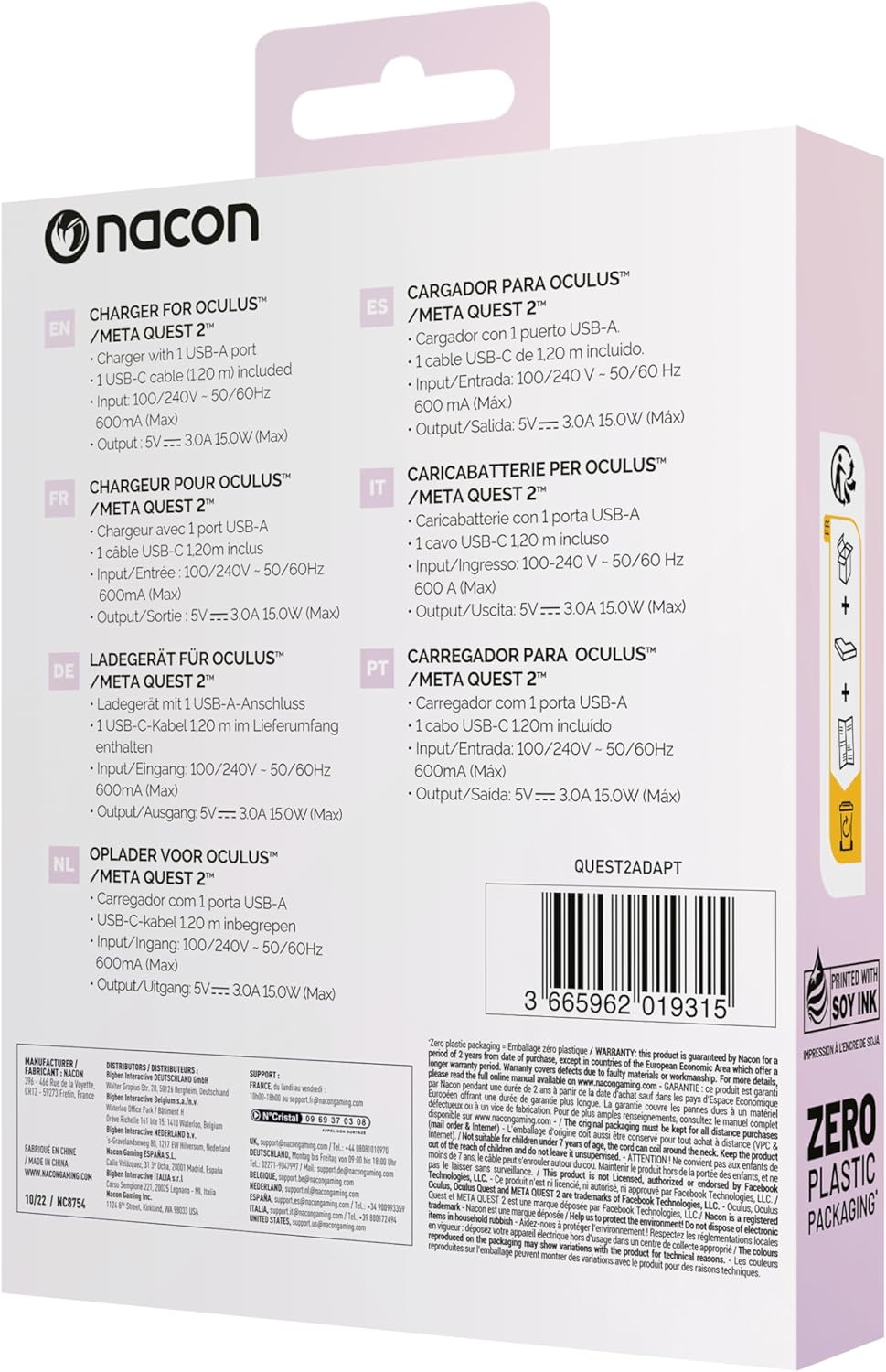
Figure 3: Back of the product packaging showing multilingual specifications, including input and output details.
7. Garanti ak sipò
NACON products are manufactured to the highest standards and are warranted against defects in materials and workmanship for a specified period from the date of purchase. Please refer to your local consumer protection laws for specific warranty details.
For technical support or warranty claims, please visit the official NACON website or contact your local retailer. Keep your proof of purchase for warranty service.
Sipò sou entènèt: www.nacongaming.com/en-GB/support