
1. Entwodiksyon
This manual provides essential information for the safe and effective use of your Lovskoo Mini Video Projector. Please read these instructions thoroughly before operating the device and retain them for future reference.
2. Enfòmasyon sou Sekirite
- Pa ekspoze pwojektè a ak lapli oswa imidite pou anpeche dife oswa chòk elektrik.
- Pa ouvri c laasing. Konfye tout antretyen bay pèsonèl kalifye.
- Asire bon vantilasyon. Pa bloke ouvèti vantilasyon yo.
- Sèvi sèlman ak adaptè kouran ki espesifye pou aparèy sa a.
- Avoid direct eye exposure to the projector lens when the device is operating.
- Kenbe pwojektè a lwen sous chalè ak limyè solèy dirèk.
3. Pake kontni
Verifye ke tout atik yo prezan nan pakè a:
- Lovskoo Mini Video Projector (Host)
- USB pouvwa kab
- Kontwòl Remote
- Manyèl itilizatè
4. Pwodwi souview
Familiarize yourself with the components and dimensions of your projector.

Figi 4.1: Devan view of the Lovskoo Mini Video Projector.

Figure 4.2: Dimensions of the Lovskoo Mini Video Projector (approximately 4.3 x 1.9 x 3.5 inches).
The projector features a compact design with a lens at the front and control buttons on the top surface. Connectivity ports are located on the sides or rear, typically including USB and a 3.5mm audio output.
5. Enstalasyon
Follow these steps to set up your projector for first use:
- Koneksyon pouvwa: Connect the provided USB power cable to the projector's micro USB input and then to a compatible 5V 2A power source (e.g., a wall adapter or power bank).
- Plasman: Place the projector on a stable, flat surface. Ensure there are no obstructions in front of the lens. The recommended projection distance is 2-13.1 feet for a 14-100 inch screen size. For optimal viewing, a 9.32 feet distance is suggested for a 100-inch display.
- Pouvwa sou: Peze bouton pouvwa a sou pwojektè a oswa kontwòl remote la pou limen aparèy la.
- Ajisteman konsantre: Adjust the focus ring (if available) near the lens until the projected image is clear and sharp.
Video 5.1: This video demonstrates the projector's capability to display various screen sizes (40" to 60") and shows the projector in different color variants. It illustrates the projection distance and how the image scales.
6. Opere
Once powered on, the projector will display its main interface. Use the remote control or the buttons on the projector to navigate menus and select input sources.
6.1 Kontwòl debaz yo
- Bouton pouvwa: Limen oswa etenn pwojektè a.
- Bouton Navigasyon: Used to move through menu options (Up, Down, Left, Right).
- Bouton OK/Antre: Konfime seleksyon yo.
- Bouton Retounen/Sòti: Returns to the previous menu or exits the current function.
- Bouton Volim: Ajiste nivo pwodiksyon odyo a.
6.2 Koneksyon
The projector supports various input methods:
- USB Antre: Connect a USB drive to play media files dirèkteman.
- Sòti odyo 3.5mm: Konekte moun kap pale ekstèn oswa kas ekoutè pou odyo amelyore.
- Koneksyon telefòn mobil: Connect your Android or iOS phone to the projector to mirror content. Specific connection methods (e.g., wired screen mirroring) may vary by phone model and require additional adapters (not included).

Figure 6.1: The projector can be powered by a mobile power supply (power bank) for portable use.
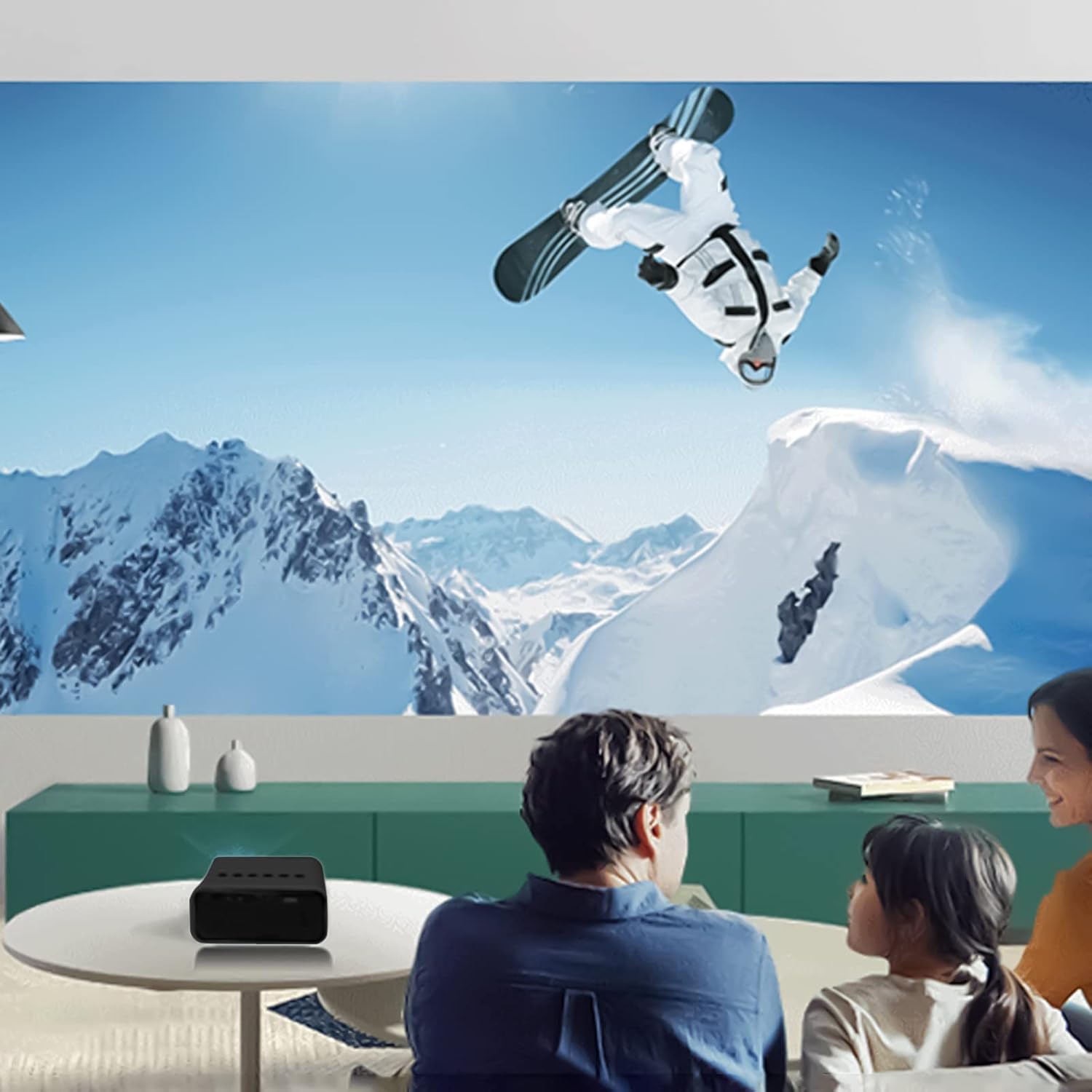
Figi 6.2: Egzample of indoor projection setup.

Figi 6.3: Egzample of outdoor projection setup, ideal for camping.
7. Antretyen
Bon antretyen asire lonjevite ak pèfòmans pwojektè ou a.
- Netwayaj lantiy: Sèvi ak yon twal mou ki pa gen pousyè, espesyalman fèt pou lantiy optik, pou siye lantiy pwojektè a dousman. Pa sèvi ak pwodui netwayaj abrazif oswa fòs twòp.
- Retire pousyè: Periodically clean the projector's exterior with a soft, dry cloth. Ensure ventilation openings are free from dust and debris.
- Depo: Lè w pa ap itilize pwojektè a, sere l nan yon kote ki fre epi sèk, lwen limyè solèy dirèk ak tanperati ekstrèm.
NAN. Depanaj
Si ou rankontre pwoblèm ak pwojektè ou a, gade pwoblèm ak solisyon komen sa yo:
| Pwoblèm | Kòz posib | Solisyon |
|---|---|---|
| Pa gen pouvwa | Power cable not connected properly; faulty power source. | Ensure the USB power cable is securely connected. Try a different power adapter or USB port. |
| Pa gen Imaj | Incorrect input source selected; lens cap on; focus issue. | Select the correct input source (e.g., USB). Remove any lens cap. Adjust the focus. |
| Imaj twoub | Out of focus; incorrect projection distance. | Adjust the focus ring. Ensure the projector is within the recommended projection distance. |
| Pa gen Son | Volume too low; external speakers not connected or faulty. | Increase the volume. Check external speaker connections if used. |
9. Espesifikasyon
Key technical specifications for the Lovskoo Mini Video Projector:
- Modèl: Mini videyo pwojektè
- Rezolisyon sipòte: 1080P HD (1920 x 1080 Max)
- Rezolisyon natif natal: 320 x 180
- Teknoloji ekspozisyon: TFT LCD
- Gwosè pwojeksyon: 14-100 pous
- Distans pwojeksyon: 2-13.1 pye
- Dirije lavi: Jiska 30,000 èdtan
- Konsomasyon pouvwa: 10 W
- Voltage/Kounye a: 5V 2A
- Mòd kontwòl: Manual buttons / Remote control
- Entèfas: USB x 1, 3.5mm Audio Output x 1, Micro USB (Power Input)
- Dimansyon: Approximately 4.3 x 1.9 x 3.5 inches (11 x 4.7 cm)
- Pwa: Apeprè 11.3 ons
- Oratè entegre: Wi
10. Garanti ak sipò
For warranty information and customer support, please refer to the documentation provided at the time of purchase or contact Lovskoo customer service through their official channels. Keep your purchase receipt as proof of purchase.