
Entwodiksyon
Thank you for choosing the Setty 10000 mAh Solar Power Bank. This portable charger is designed to provide reliable power for your mobile devices, featuring a high-capacity battery, integrated charging cables, and a solar panel for emergency charging. Please read this manual carefully to ensure proper use and maintenance of your device.
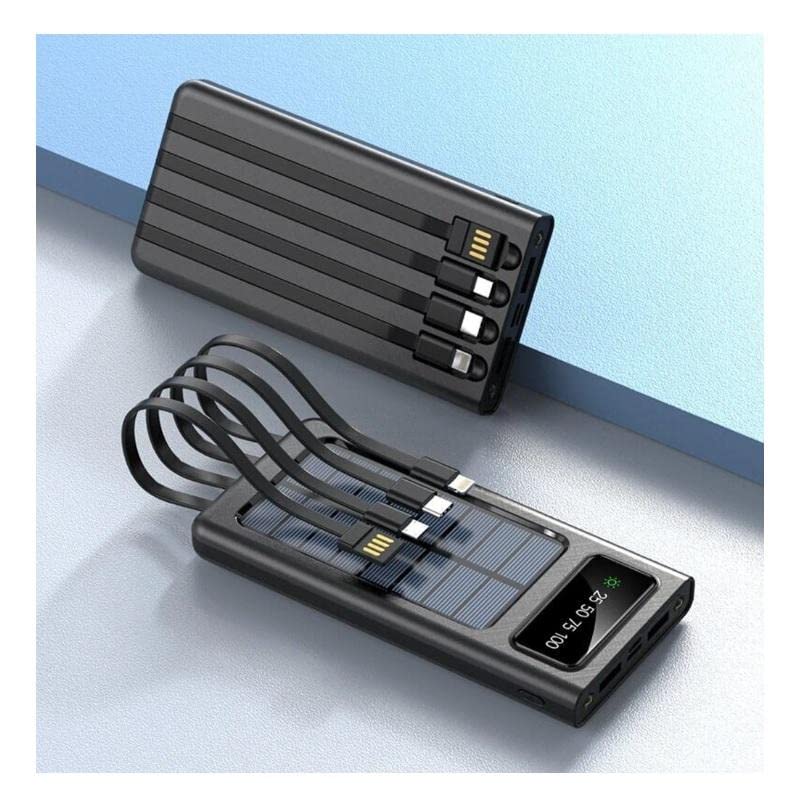
Karakteristik pwodwi
- 10000 mAh High Capacity: Ofri plizyè chaj pou pifò smartphones.
- Kab chaje entegre: Includes built-in USB, USB-C, MicroUSB, and Lightning cables for universal compatibility.
- Kapasite Solè chaje: Equipped with a solar panel for emergency power replenishment when conventional power sources are unavailable.
- Plizyè pò Sòti: Features a standard USB output port for charging various mobile devices.
- Ekspozisyon LCD: Digital screen indicates battery charge level.
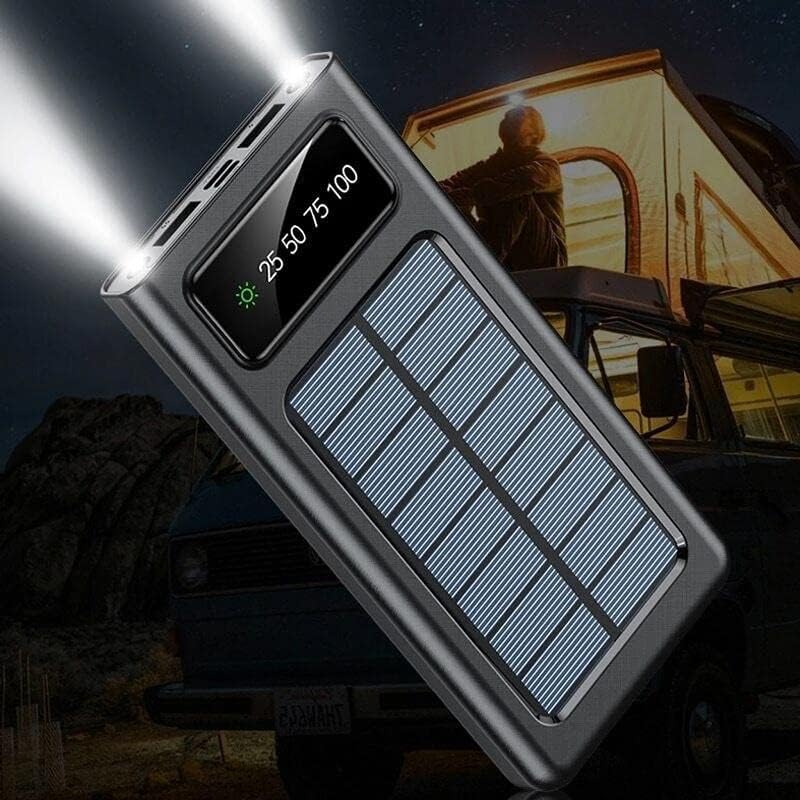
- Flach ki ap dirije: Built-in flashlight for convenience in low-light conditions.
Kontni pake
- Setty 10000 mAh Solar Power Bank (Model 84730235)
- Manyèl itilizatè
Idantifikasyon konpozan

- Panèl solè: For emergency solar charging.
- Ekspozisyon LCD: Montre percen batritage ak estati chaje.
- Câbles entegre: USB, USB-C, MicroUSB, Lightning output cables.
- USB-A Sòti Port: Standard USB port for connecting external cables.
- Pò Antre USB-C: Pou chaje bank pouvwa a.
- MicroUSB Input Port: Pou chaje bank pouvwa a.
- Bouton pouvwa: To turn on/off the device and activate the flashlight.
- Flach ki ap dirije: Sous limyè entegre.
Enstalasyon
Inisyal chaje
Before first use, fully charge the power bank using a wall adapter. This ensures the internal battery is properly calibrated and ready for optimal performance.
- Connect a USB-C or MicroUSB cable to the corresponding input port on the power bank.
- Konekte lòt bout kab la nan yon adaptè USB nan miray (pa enkli).
- Ploge adaptè miray la nan yon priz kouran.
- The LCD display will show the charging progress. Charge until the display shows 100%.
Enstriksyon Operasyon
Chaje Power Bank la
The power bank can be charged via a wall adapter or its solar panel.
Via Wall Adapter (Recommended for fastest charge)
- Use the USB-C or MicroUSB input port with a compatible cable and wall adapter.
- The LCD display will show the charging percentage.
Via Solar Panel (Emergency Charging)

- Mete bank pouvwa a anba solèy dirèk. Asire w ke panèl solè a fè fas a solèy la.
- The solar charging indicator on the LCD display will illuminate when charging via solar energy.
- Solar charging is slower than wall charging and is intended for emergency use to extend battery life, not as a primary charging method.
Chaje Aparèy Ekstèn yo
The power bank can charge up to four devices simultaneously using its integrated cables and USB-A output port.
- Identify the correct integrated cable (USB, USB-C, MicroUSB, or Lightning) for your device.
- Connect the appropriate integrated cable to your device's charging port.
- Alternatively, use your device's original charging cable and connect it to the USB-A output port on the power bank.
- Batri ekstèn lan ap kòmanse chaje aparèy ou an otomatikman. Si se pa sa, peze bouton pouvwa a yon fwa.
- The LCD display will show the remaining battery level of the power bank.
Sèvi ak flach la ki ap dirije
- Pou limen flach la, peze epi kenbe bouton pouvwa a pandan apeprè 3 segonn.
- To turn off the flashlight, press and hold the power button again for approximately 3 seconds.
LCD Display Enfòmasyon

- Ekspozisyon an montre nivo chaj batri a kòm yon pousantajtage (e.g., 25, 50, 75, 100).
- A sun icon will appear when the power bank is actively charging via its solar panel.
Antretyen
- Netwayaj: Siye bank pouvwa a avèk yon twal mou epi sèk. Pa sèvi ak pwodui chimik ki agresif oswa materyèl abrazif.
- Depo: Sere bank pouvwa a nan yon kote ki fre epi sèk, lwen limyè solèy dirèk ak tanperati ekstrèm.
- Swen batri: Pou pwolonje lavi batri a, chaje bank ekstèn lan nèt omwen yon fwa chak twa mwa si w pa itilize l regilyèman. Evite dechaje batri a nèt souvan.
- Ekspozisyon dlo: Aparèy sa a pa enpèmeyab. Evite ekspoze li a dlo oswa imidite twòp.
Depanaj
| Pwoblèm | Kòz posib | Solisyon |
|---|---|---|
| Bank pouvwa pa chaje | Cable not connected properly; faulty cable/adapter; power bank fully charged. | Ensure cables are securely connected. Try a different cable or wall adapter. Check LCD display for 100% charge. |
| Aparèy pa chaje nan bank pouvwa | Power bank battery low; incorrect cable; device not compatible; power bank not activated. | Charge the power bank. Use the correct integrated cable or a known good external cable. Press the power button to activate output. |
| Chajman solè a ralanti oswa li pa fonksyone | Insufficient sunlight; solar panel obstructed; solar charging is inherently slow. | Place the power bank in direct, unobstructed sunlight. Solar charging is supplementary; use wall charging for faster results. |
| LED flach pa travay | Power bank battery low; incorrect operation. | Charge the power bank. Press and hold the power button for 3 seconds to activate/deactivate. |
Espesifikasyon
| Karakteristik | Detay |
|---|---|
| Nimewo Modèl | 84730235 |
| Mak | Setty |
| Manifakti | TelForceOne |
| Kapasite batri | 10000 mAh |
| Kalite batri | Lithium-polymer (1 Lithium-ion battery included) |
| Pò Antre | USB Type C, MicroUSB |
| Sòti pò | USB Type A, Integrated USB, USB-C, MicroUSB, Lightning cables |
| Voltage | 5 Volts |
| Ampepòk | 2.1 A |
| Koulè | Nwa |
| Itilizasyon Rekòmande | Telefòn mobil yo |
| Aparèy konpatib | Telefòn mobil yo |
Enfòmasyon sou Sekirite
- Do not expose the power bank to extreme temperatures, direct sunlight for prolonged periods (especially when not charging), or fire.
- Do not immerse the power bank in water or expose it to rain or excessive moisture.
- Pa demonte, modifye, oswa eseye repare aparèy la tèt ou.
- Kenbe soti nan atenn timoun yo.
- Sèvi ak sèlman kab chaje konpatib ak adaptè.
- Evite jete oswa soumèt bank pouvwa a nan gwo enpak.
- If the power bank swells, overheats, or shows any other abnormal behavior, discontinue use immediately.
Garanti ak sipò
This product is covered by a standard manufacturer's warranty. For specific warranty terms and conditions, please refer to the documentation provided at the time of purchase or contact your retailer. For technical support or inquiries, please visit the official Setty websit oswa kontakte depatman sèvis kliyan yo.