
1. Entwodiksyon
Thank you for choosing the XTRONS TIX125L 10.1-inch Android 12 Car Stereo. This advanced multimedia system features an Octa-core processor, 8GB RAM, 128GB ROM, built-in GPS, Wi-Fi, 4G connectivity, Apple CarPlay, Android Auto, and a Digital Sound Processor (DSP). Its rotatable QLED display offers a versatile and intuitive user experience. This manual provides essential information for installation, operation, maintenance, and troubleshooting to ensure optimal performance and user satisfaction.
2. Enfòmasyon sou Sekirite
- Enstalasyon pwofesyonèl rekòmande: Due to the complexity of car electrical systems, professional installation is highly recommended to prevent damage to the unit or your vehicle.
- Pwovizyon pou pouvwa: Ensure the unit is connected to a 12V DC power supply with a negative ground. Incorrect voltage ka lakòz domaj.
- Fil elektrik: Follow all wiring diagrams carefully. Improper wiring can lead to malfunctions, electrical shorts, or fire.
- Sekirite Kondwi: Pa sèvi ak aparèy la yon fason ki distrè w pandan w ap kondui. Toujou bay sekirite wout priyorite.
- Tanperati: Evite ekspoze aparèy la nan tanperati ekstrèm oswa anba limyè solèy dirèk pou yon peryòd tan pwolonje.
- Imidite: Keep the unit dry. Exposure to moisture can cause damage.
- Vantilasyon: Asire w ke gen ase vantilasyon toutotou aparèy la pou anpeche l chofe twòp.
3. Pake kontni
Tanpri verifye sa ki nan pake a avèk lis ki anba a:
- XTRONS TIX125L Main Head Unit
- Ekipay fil elektrik
- RCA Output/Input Cables
- GPS antèn
- Kab USB (x2)
- 4G LTE Antèn
- Mounting Brackets (x2 pairs)
- Vis
- Mikwofòn ekstèn
- Manyèl Itilizatè (dokiman sa a)

Figi 3.1: Akseswa ki enkli yo ak inite prensipal la.
4. Enstalasyon ak Enstalasyon
This section provides general guidelines for installing your XTRONS TIX125L car stereo. For specific vehicle models, additional adapters or professional assistance may be required.
4.1 Etap Pre-Enstalasyon
- Dekonekte batri: Anvan ou kòmanse, dekonekte tèminal negatif batri machin ou an pou evite kous kout.
- Retire ansyen inite a: Retire stereo machin ou an ki deja egziste a nan tablodbò a avèk prekosyon.
- Enspekte fil elektrik: Identify the vehicle's wiring harness. You may need a vehicle-specific adapter harness (not included) to connect to the XTRONS unit.
4.2 Koneksyon fil elektrik
- Fil elektrik: Connect the provided power wiring harness to the unit and then to your vehicle's wiring. Ensure all connections (power, ground, ACC, illumination) are correct.
- GPS Antèn: Konekte antèn GPS la epi monte l nan yon kote ki gen limyè klè. view of the sky (e.g., on the dashboard or under the windshield).
- 4G LTE Antenna: Connect the 4G LTE antenna for cellular data connectivity.
- Antèn Wi-Fi: The unit has a built-in Wi-Fi module. Ensure no obstructions block its signal.
- Câbles USB: Route the USB cables to an accessible location (e.g., glove compartment) for connecting USB drives or smartphones.
- Mikwofòn ekstèn: Connect the external microphone for improved call quality during Bluetooth hands-free operation. Position it near the driver.
- Kab RCA: Konekte kab RCA pou ekstèn amplifiers, subwoofers, or auxiliary video inputs/outputs as needed.
- Koneksyon opsyonèl: Connect optional accessories such as a rear-view camera, DVR camera, DAB+ box, or TPMS kit according to their respective manuals.
4.3 Monte inite a
- Secure the Main Unit: Use the provided mounting brackets and screws to secure the main unit into the dashboard opening.
- Ajiste Ekspozisyon an: The 10.1-inch display is rotatable and adjustable. Position it for optimal viewing angle and accessibility.
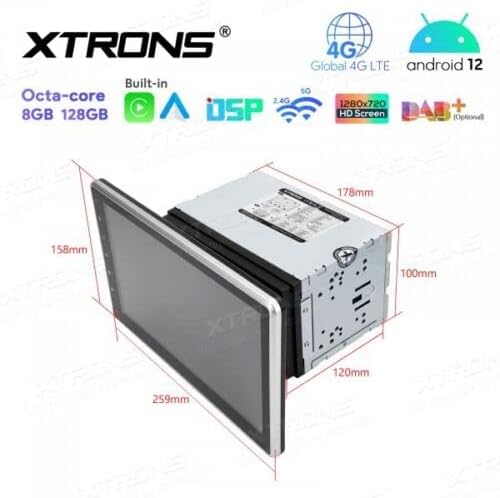
Figure 4.1: Unit dimensions for installation planning.
4.4 Apre Enstalasyon
- Rekonekte batri: Rekonekte tèminal negatif batri machin ou an.
- Premye pouvwa sou: Turn on the vehicle ignition and power on the stereo.
- Fonksyon tès: Verify all functions, including audio, radio, GPS, Bluetooth, and touchscreen responsiveness.
5. Operasyon Enstriksyon
This section details the operation of the XTRONS TIX125L car stereo's various features.
5.1 Operasyon debaz
- Limen/Etenyen: Press and hold the power button (usually on the front panel) to turn the unit on or off. A short press typically mutes/unmutes audio.
- Entèfas tactile: Navigate the Android 12 interface by tapping, swiping, and pinching on the capacitive touchscreen.
- Kontwòl Volim: Adjust volume using the physical buttons or on-screen controls.
- Ekran Kay: The main screen provides access to frequently used applications and widgets.

Figure 5.1: Main user interface with navigation and media playback.
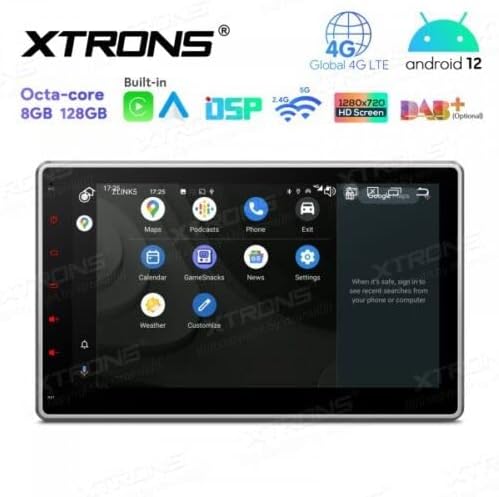
Figure 5.2: Android app drawer with various applications.
5.2 Navigasyon GPS
The unit comes with a built-in GPS module. You can use pre-installed navigation apps or download others from the Google Play Store.
- GPS Antèn: Asire w antèn GPS la byen konekte epi li gen yon vizyon klè. view nan syèl la pou yon pozisyonman egzak.
- Mizajou kat jeyografik: Keep your navigation maps updated for the best routing experience.
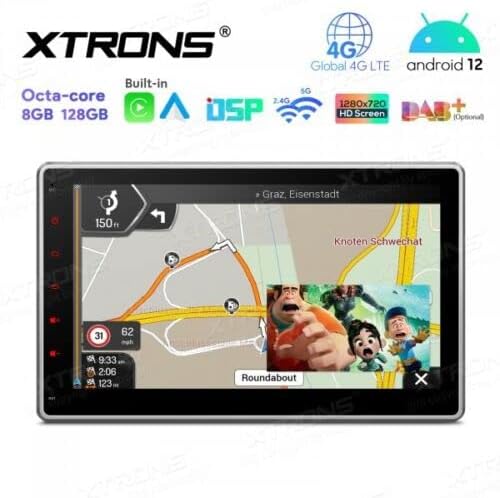
Figure 5.3: Navigation interface with split-screen functionality.
5.3 Bluetooth 5.0
Konekte smartphone ou atravè Bluetooth pou apèl men lib ak difizyon odyo.
- Peyaj: Go to Bluetooth settings on the unit and your phone. Chèche pou available devices and select the XTRONS unit to pair.
- Apèl men lib: Make and receive calls directly from the unit's screen. Use the external microphone for clear voice transmission.
- Difizyon odyo: Play music from your phone through the car stereo speakers.
5.4 Wi-Fi and 4G Connectivity
Access the internet and online services using Wi-Fi or a 4G SIM card.
- Wi-Fi: Connect to a Wi-Fi hotspot (e.g., from your phone or home network) via the Wi-Fi settings.
- 4G LTE: Insert a compatible 4G SIM card into the designated slot (if available) and connect the 4G antenna for mobile data access.
5.5 Apple CarPlay / Android Auto
Integrate your smartphone for a safer and smarter driving experience.
- Koneksyon: Connect your iPhone or Android phone via USB or wirelessly (if supported by your phone and the unit's software).
- Karakteristik: Access navigation, music, messages, and other compatible apps directly on the stereo display.

Figure 5.4: Apple CarPlay / Android Auto interface.
5.6 Pwosesè Son Dijital (DSP)
Customize your audio experience with the built-in DSP.
- Revolve: Adjust frequency bands to fine-tune the sound output to your preference.
- Efè son: Explore various sound presets and effects.
5.7 Miroir ekran
Display your smartphone's screen directly on the car stereo.
- Koneksyon: Follow the instructions within the Screen Mirroring app on the unit to connect your phone (usually via Wi-Fi or USB).
5.8 Lekti USB/SD
Jwe medya files from USB drives or SD cards.
- Pò USB: Connect USB flash drives (up to 128GB) to the provided USB ports.
- Plas kat SD: Insert an SD card (up to 64GB) into the designated slot.
- Media Player: Use the built-in media player app to browse and play audio or video files.
5.9 Radio (FM/AM, DAB+)
Koute estasyon radyo ou pi renmen yo.
- FM/AM: Use the radio app to scan for stations, save presets, and switch between FM and AM bands.
- DAB+ (Digital Audio Broadcasting): This feature requires an optional DAB+ receiver box (not included). Once connected, you can enjoy higher quality digital radio broadcasts.
5.10 Kontwòl Volan
Control the stereo using your vehicle's steering wheel buttons.
- Konfigirasyon: This feature typically requires a vehicle-specific CAN-Bus adapter (not included) and configuration within the unit's settings.
5.11 Rear Camera and DVR Input
Enhance driving safety with optional camera systems.
- Kamera dèyè: Connect an optional rear-view camera. The display will automatically switch to the camera view lè machin nan an vitès bak.
- DVR Camera: Connect an optional DVR (Digital Video Recorder) camera to record your driving.
5.12 TPMS Support
Monitor your tire pressure with an optional TPMS (Tire Pressure Monitoring System) kit.
- Koneksyon: This feature requires an optional TPMS kit (not included). Once connected, tire pressure data will be displayed on the unit.
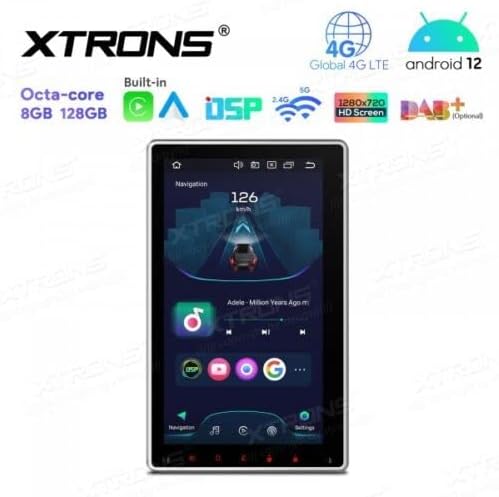
Figure 5.5: Vertical screen orientation for navigation.
6. Antretyen
Bon antretyen asire lonjevite ak pèfòmans optimal stereo machin ou an.
- Netwaye ekran an: Sèvi ak yon twal mou ki pa gen pousyè pou siye ekran tactile a dousman. Pou tach ki difisil pou retire, siye yon ti kras.ampSiye twal la avèk dlo oswa yon pwodui netwayaj ki an sekirite pou ekran. Evite pwodui chimik ki agresif.
- Netwayaj jeneral: Keep the unit and surrounding area free from dust and debris.
- Mizajou lojisyèl: Tcheke ofisyèl XTRONS yo detanzantan. website for available software or firmware updates to improve performance and add new features. Follow update instructions carefully.
NAN. Depanaj
If you encounter issues with your XTRONS TIX125L, refer to the following common problems and solutions.
| Pwoblèm | Kòz posib | Solisyon |
|---|---|---|
| Aparèy pa limen. | No power connection, blown fuse, incorrect wiring. | Check power wiring, vehicle fuse box, and the unit's fuse. Ensure battery is connected. |
| Pa gen son. | Volume muted, incorrect audio source, speaker wiring issues. | Check volume level, ensure correct audio source is selected. Verify speaker connections. |
| Poor GPS signal or no signal. | GPS antenna not connected, antenna obstructed, faulty antenna. | Ensure GPS antenna is securely connected and mounted in a clear location. Replace antenna if necessary. |
| Pwoblèm koneksyon Bluetooth. | Device not in pairing mode, interference, incorrect pairing process. | Asire w ke tou de aparèy yo an mòd koneksyon. Efase koneksyon anvan yo epi eseye ankò. Pwoche pi pre aparèy la. |
| Touchscreen pa reponn. | Software glitch, screen dirty, hardware issue. | Restart the unit. Clean the screen. If problem persists, contact support. |
| Apps crash or freeze. | Insufficient memory, software bug, incompatible app. | Close background apps. Clear app cache. Update software if available. Uninstall and reinstall problematic apps. |
If the problem persists after trying these solutions, please contact XTRONS customer support for further assistance.
8. Espesifikasyon
Below are the technical specifications for the XTRONS TIX125L car stereo:
- Mak: XTRONS
- Modèl: TIX125L
- Gwosè ekran: 10.1 pous
- Kalite ekspozisyon: QLED, Capacitive Touchscreen, LED
- Sistèm operasyon: Android 12
- Processeur: Octa-Nwayo
- RAM: 8GB
- ROM: 128GB (Expandable via USB/SD)
- Koneksyon: Bluetooth 5.0, USB, Wi-Fi, 4G LTE (SIM card reader included)
- Navigasyon: Built-in GPS (Supports various map types)
- Karakteristik espesyal: Apple CarPlay, Android Auto, Digital Sound Processor (DSP), Screen Mirroring, Rotatable Display, Equalizer
- Depo Sipòte: USB (up to 128GB), SD (up to 64GB)
- Metòd kontwòl: Touchscreen
- Kalite montaj: In-dash
- Kalite machin konpatib: Motorcycle (Note: Product description states 'Motocicletta', but typically these units are for cars. Please verify compatibility with your specific vehicle.)
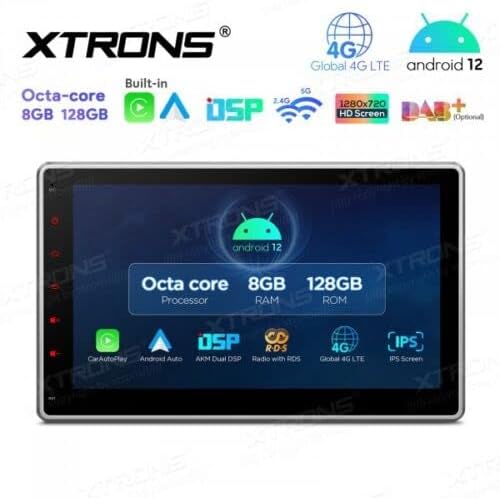
Figure 8.1: Key features and specifications overview.
9. Garanti ak sipò
For warranty information, please refer to the warranty card included with your product or visit the official XTRONS website. If you require technical assistance, have questions about installation, or need troubleshooting beyond what is covered in this manual, please contact XTRONS customer support. Have your product model number (TIX125L) and purchase details ready when contacting support.
XTRONS Official Websit: www.xtrons.com (Please verify the exact support contact details on their websit.)


