
deye SUN-12K-SG04LP3-EU
Manyèl Itilizatè Envèstisè Ibrid Twa Faz DEYE SUN-12K-SG04LP3-EU
Modèl: SUN-12K-SG04LP3-EU
1. Entwodiksyon
This manual provides essential instructions for the installation, operation, and maintenance of the DEYE SUN-12K-SG04LP3-EU Three-Phase Hybrid Inverter. Please read this manual thoroughly before installation and operation to ensure proper use and to prevent damage to the device or injury to personnel. Keep this manual for future reference.

Figi 1: DEYE SUN-12K-SG04LP3-EU Hybrid Inverter and included accessories. This image displays the main inverter unit along with various cables, connectors, and current transformers that are part of the product package.
2. Enstriksyon Sekirite
Toujou obsève prekosyon sekirite sa yo pou diminye risk chòk elektrik, dife, oswa blesi:
- Se sèlman pèsonèl kalifye ki dwe fè enstalasyon ak antretyen.
- Ensure the inverter is disconnected from all power sources (PV array, battery, grid) before performing any service or maintenance.
- Pa sèvi ak envèstisè a si li domaje oswa si li sanble pa ap fonksyone byen.
- Do not attempt to repair the inverter yourself. Contact authorized service personnel.
- Kenbe timoun yo lwen varyateur la.
- The inverter can reach high temperatures during operation. Avoid touching it directly.
- Asire bon vantilasyon alantou varyateur la pou anpeche surchof.
3. Pwodwi souview
The DEYE SUN-12K-SG04LP3-EU is a three-phase hybrid inverter designed for solar energy systems. It features two Maximum Power Point Trackers (MPPTs), a WLAN module for monitoring, and an IP65 rating for outdoor installation. It supports low-voltage 48V batteries and offers flexible DC/AC coupling options.
3.1 Karakteristik kle
- 12 kW Three-Phase Hybrid Inverter
- 48 V Volim ki batage Battery Compatibility (Lead-Acid or Lithium-Ion)
- Two MPPTs for optimized solar energy harvesting
- Integrated WLAN module for remote monitoring
- IP65 protection rating for outdoor use
- Supports three-phase unbalanced output
- Equipped with CAN (x2) and RS485 (x1) ports for BMS and parallel communication
- Smart Load application and Grid-Peak-Shave function
3.2 Dimansyon livrezon

Figi 2: Components included in the DEYE SUN-12K-SG04LP3-EU package. This image shows the various accessories such as communication cables, DC connectors, current transformers, and the user manual that come with the inverter.
Verifye ke tout konpozan ki nan lis anba a yo prezan nan pake a:
- DEYE SUN-12K-SG04LP3-EU Hybrid Inverter Unit
- WLAN Modil
- Manyèl itilizatè
- Mounting Bracket
- Communication Cables (e.g., Ethernet, RS485)
- Konektè DC
- Transformateur aktyèl yo (CTs)
- Capteur Tanperati
4. Enstalasyon ak Enstalasyon
Proper installation is crucial for the safe and efficient operation of the inverter. Follow these steps carefully.
4.1 Seleksyon Sit
- Install the inverter in a well-ventilated area, away from direct sunlight, rain, and dust.
- Ensure the ambient temperature is within the operating range (-40 °C to 60 °C).
- Maintain adequate clearance around the inverter for heat dissipation.
- The inverter is IP65 rated, allowing for outdoor installation, but protection from extreme weather is recommended.
4.2 Monte varyateur la
The inverter is designed for wall mounting.
- Use the provided mounting bracket as a template to mark drilling points on the wall.
- Drill holes and insert appropriate wall plugs.
- Tache bracket la aliye sou miray la.
- Carefully lift the inverter and hang it onto the mounting bracket.
- Secure the inverter to the bracket using the provided screws.

Figi 3: Top view of the inverter showing mounting points for wall installation. This image highlights the design features that facilitate easy and flexible installation of the unit on a wall.
4.3 Koneksyon elektrik
All electrical connections must comply with local electrical codes and standards.

Figi 4: Anba view of the DEYE inverter, illustrating all connection ports. This includes battery connections, communication ports (CAN, RS485), PV input, grid connection, load connection, and generator/smart load ports.
- Koneksyon Antre PV: Connect the DC cables from the solar array to the PV input terminals (DC1, DC2). Ensure correct polarity. The inverter has 2 MPPTs.
- Koneksyon batri: Connect the battery cables to the BATTERY terminals. The inverter supports 48V low-voltage batteries (Lead-Acid or Lithium-Ion). Ensure correct polarity.
- AC Grid Connection: Connect the AC grid cables to the GRID terminals. This is a three-phase inverter.
- Koneksyon chaj: Connect the load cables to the LOAD terminals.
- Generator/Smart Load Connection: If applicable, connect the generator or smart load to the GEN terminals.
- Pò kominikasyon: Connect BMS (Battery Management System) via CAN (COM1, COM2) or RS485 (COM3) ports. An RS232 port is also available for remote control.
- Modil WLAN: Insert the WLAN module into its designated port for remote monitoring capabilities.
- Capteur Tanperati: Connect the external temperature sensor.
Nòt: The inverter supports parallel connection of up to 10 units for increased capacity.
5. Operasyon Enstriksyon
This section details the startup procedure and basic operation of the DEYE Hybrid Inverter.
5.1 Premye demaraj
- After all electrical connections are securely made, switch on the DC switch located on the side of the inverter.
- Switch on the AC breaker from the grid side.
- Envèstisè a pral fè yon tès otomatik epi apre sa li pral kòmanse fonksyone.
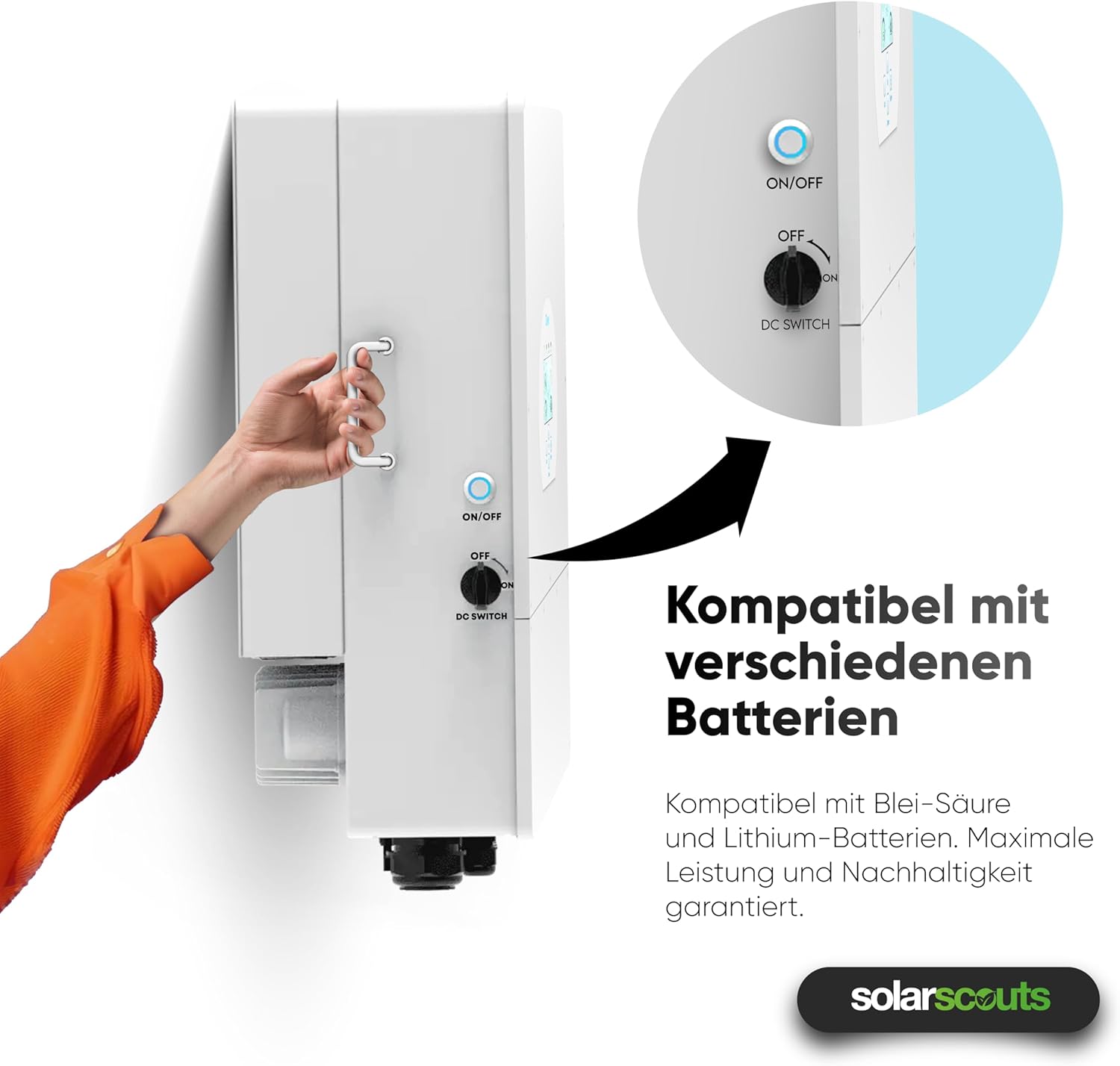
Figi 5: A hand operating the ON/OFF and DC switch on the side of the inverter. This switch controls the power flow and is essential for safe startup and shutdown procedures.
5.2 Ekspozisyon ak Entèfas
The inverter features an intuitive touchscreen interface for monitoring and configuration.

Figi 6: Fèmen view of the inverter's touchscreen display. This interface provides real-time operational data, status indicators (AC, DC, Normal, Alarm), and navigation buttons (Up, Down, Esc, Enter) for system control and monitoring.
- Endikatè Status: AC, DC, Normal, Alarm LEDs indicate the current operational status.
- Bouton Navigasyon: Use "Up", "Down", "Esc", and "Enter" buttons to navigate through menus and adjust settings.
- Done an tan reyèl: The display shows real-time power flow, battery status, and grid interaction.
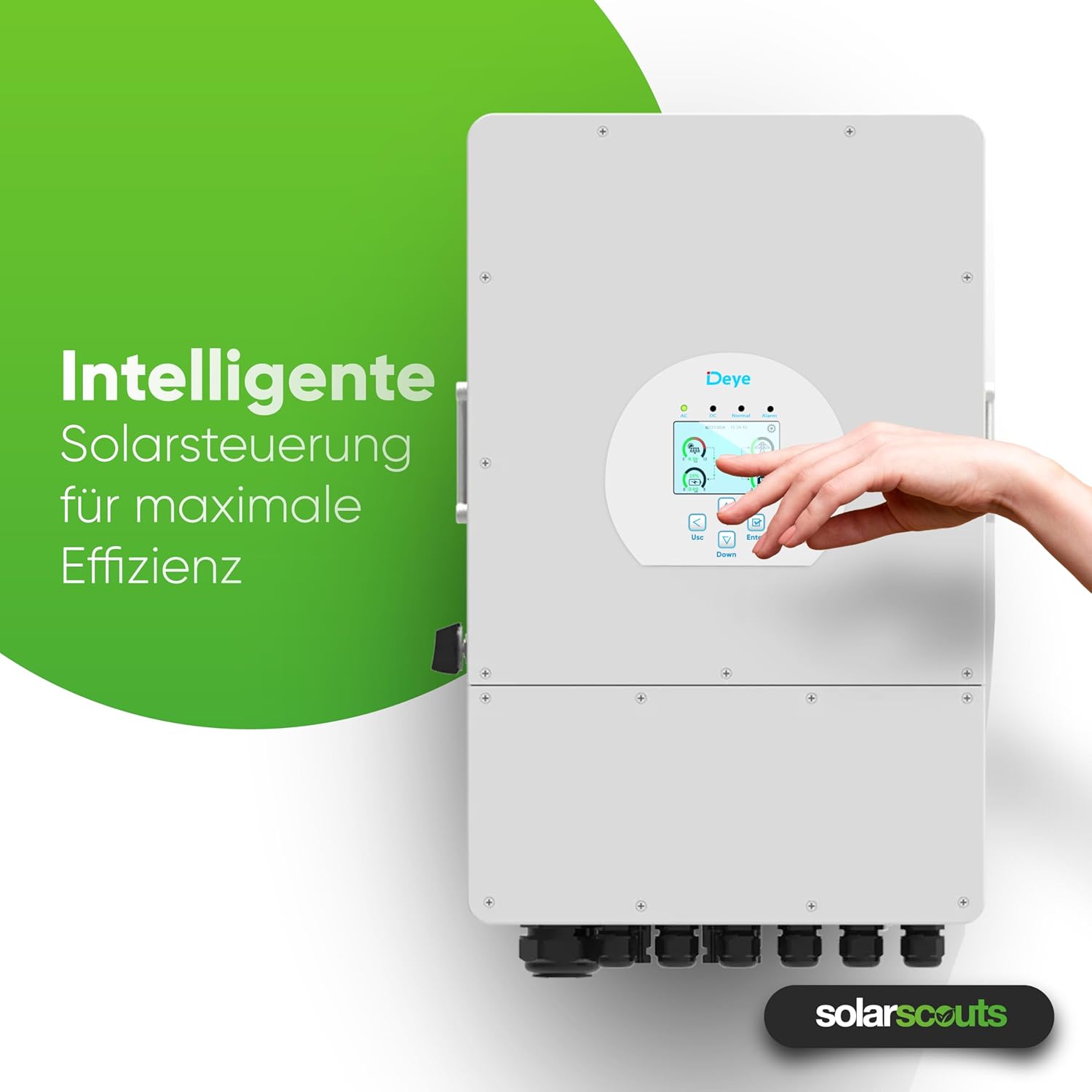
Figi 7: A hand interacting with the inverter's intelligent solar control display. This demonstrates the user-friendly interface for managing solar power and maximizing system efficiency.
5.3 Mòd Operasyon ak Paramèt
The inverter offers various operating modes and configurable settings, including:
- Battery Charge/Discharge: Configure up to 6 periods for charging and discharging the battery.
- Grid-Tie Mode: Injects excess solar power into the grid.
- Mòd Off-Grid: Provides power to loads from PV and battery during grid outages.
- Smart Load Function: Manages connected loads intelligently.
- Grid-Peak-Shave Function: Optimizes energy usage to reduce peak demand from the grid.
Refer to the detailed sections in the full user manual for specific parameter settings and advanced configurations.
5.4 Smart Monitoring Platform
The integrated WLAN module allows connection to the Deye intelligent monitoring platform. This platform enables:
- Remote shutdown in case of emergencies.
- Remote parameter adjustment.
- Remote firmware updates.
- Real-time performance monitoring of the PV system.
6. Antretyen
Antretyen regilye asire lonjevite ak pèfòmans optimal envèstisè ou a.
- Netwayaj: Periodically clean the inverter's exterior to remove dust and debris. Ensure ventilation openings are clear. Use a soft, dry cloth. Do not use liquid cleaners.
- Enspeksyon: Regularly check all electrical connections for tightness and signs of corrosion or damage. Inspect cables for wear and tear.
- Vantilasyon: Ensure that the area around the inverter remains clear to allow for proper airflow and cooling.
- Mizajou mikrolojisyèl: Keep the inverter's firmware updated through the smart monitoring platform to benefit from performance improvements and new features.
Avètisman: Dekonekte tout sous kouran anvan ou fè nenpòt antretyen oswa netwayaj.
NAN. Depanaj
This section provides solutions for common issues you might encounter. For more complex problems, contact technical support.
| Pwoblèm | Kòz posib | Solisyon |
|---|---|---|
| Envèstisè a pa limen | DC switch off, AC breaker off, no PV input, battery disconnected/low voltage | Check DC switch, AC breaker, PV connections, and battery voltage. |
| Pa gen pwodiksyon pouvwa | Grid disconnected, overload, inverter fault | Check grid connection, reduce load, check display for error codes. |
| WLAN connection issues | Incorrect network settings, weak signal, module not inserted correctly | Verify WLAN settings, ensure strong signal, reinsert WLAN module. |
| Batri a pa chaje/pa dechaje | Incorrect battery settings, BMS communication error, battery fault | Check battery type and settings, verify BMS connection, inspect battery. |
8. Espesifikasyon teknik
The following table provides detailed technical specifications for the DEYE SUN-12K-SG04LP3-EU Hybrid Inverter.

Figi 8: A detailed table outlining the technical specifications of the DEYE Hybrid Inverter. This includes data on battery input, PV input, AC output, efficiency, protection, and general characteristics.
| Paramèt | Valè |
|---|---|
| Modèl | SUN-12K-SG04LP3-EU |
| Faz | Twa-faz |
| External AC Output Power | 12000 W |
| DC Antre pouvwa (Max) | 15600 W |
| MPPT yo | 2 |
| Batri Voltage | 40 V - 60 V (48 V nominal) |
| Kalite batri | Lead-Acid or Lithium-Ion |
| Max. Kouran chaj / egzeyat | 240 A |
| Klas pwoteksyon | IP65 |
| Tanperati Fonksyònman | -40 °C a 60 °C |
| Dimansyon (L x W x H) | 42.2 cm x 69.9 cm x 27.9 cm |
| Pwa | 33.6 kg |
| Koneksyon paralèl | Max. 10 inite |
9. Garanti ak sipò
DEYE provides a comprehensive warranty for its products.

Figi 9: The DEYE Hybrid Inverter displayed with a badge indicating a 10-year warranty, signifying product quality and reliability.
- Peryòd garanti: The DEYE SUN-12K-SG04LP3-EU Hybrid Inverter comes with a 10-year warranty. Please refer to the official warranty document for detailed terms and conditions.
- Sipò teknik: For technical assistance, troubleshooting beyond this manual, or warranty claims, please contact your local DEYE distributor or visit the official DEYE websit pou enfòmasyon kontak sipò.
- Mizajou lojisyèl: Guaranteed software updates are available for the product.
Ask a question about this manual
Ask about setup, troubleshooting, compatibility, parts, safety, or missing instructions. Manuals+ will review the question and use this page’s manual context to help answer it.