
Entwodiksyon
This manual provides instructions for the Azwok AXD7661 replacement remote control, designed for use with various Pioneer AV receiver models. This remote offers full functionality without the need for programming, ensuring a straightforward user experience.
Enstalasyon
Enstalasyon batri
The Azwok AXD7661 remote control requires two AAA batteries (not included) for operation. Follow these steps to install the batteries:
- Jwenn lòj batri a sou do a nan kontwòl remote la.
- Peze sou ti lang lan epi glise kouvèti batri a anba pou ouvri li.
- Mete de pil AAA ladan l, asire w ke tèminal pozitif (+) ak negatif (-) yo byen aliyen ak mak ki anndan konpatiman an.
- Glise kouvèti batri a tounen nan plas li jiskaske li klike byen.

Once batteries are installed, the remote is ready for immediate use with compatible Pioneer AV receivers; no programming is required.
Enstriksyon Operasyon
Operasyon debaz
This replacement remote control is designed to function identically to the original Pioneer AXD7661 remote. Simply point the remote at your Pioneer AV receiver and press the desired function button.
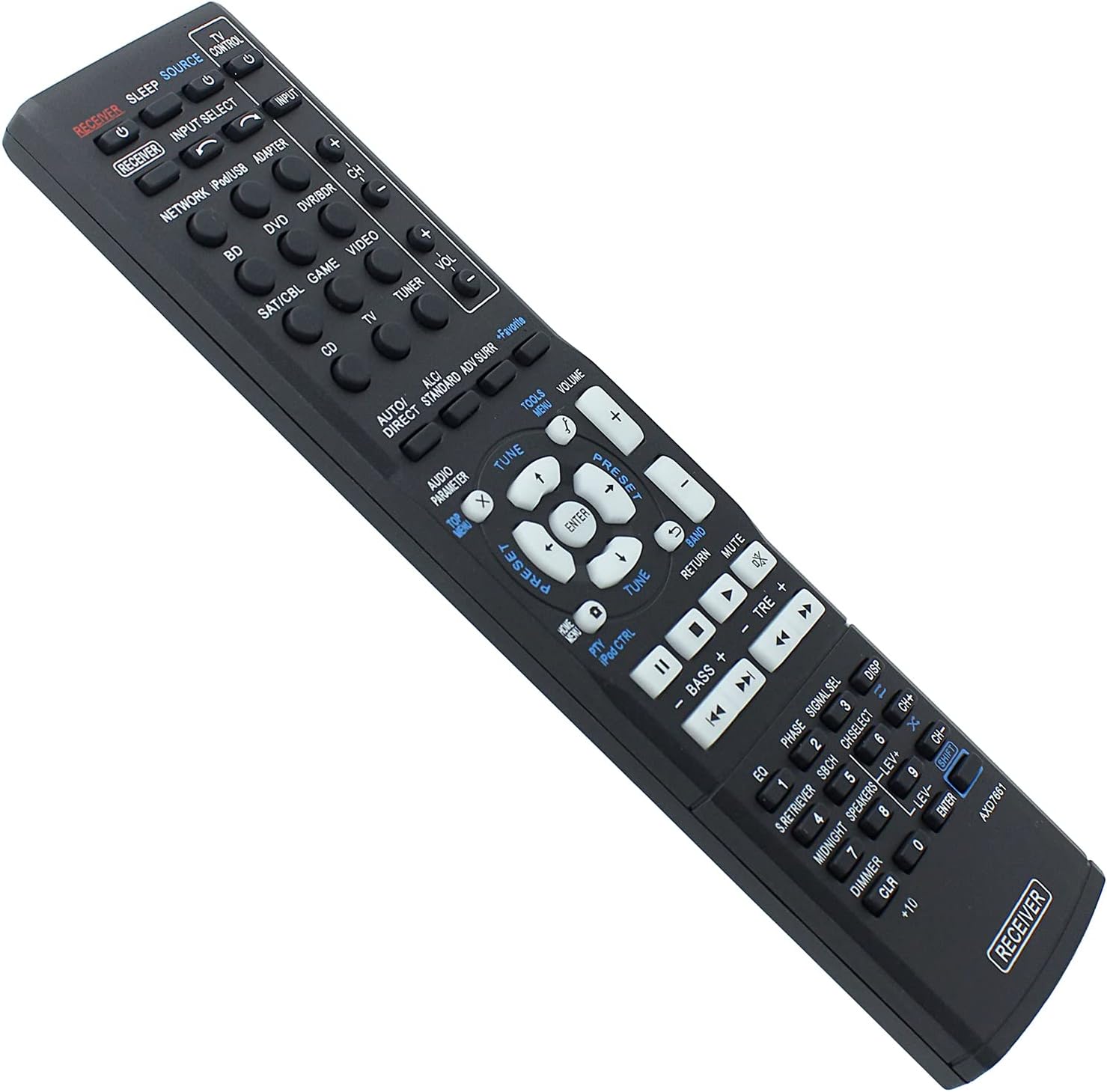
Modèl konpatib
This remote control is compatible with a wide range of Pioneer AV receiver models, including but not limited to:
- VSX-422-K, HTP-071, VSX-321-K-P, VSX-827, VSX42, VSX819VK, VSX921, VSX527, VSX827, VSX-422, VSX-521, VSX-1019, VSX521, VSX1019, VSX822, VSX1022, VSX-824-K
- HTP-070, VSX-421-K, VSX-421, VSX-422-S, VSX-529-K, VSX-529-S, VSX-424-K, VSX-329-K
- VSX-42, VSX-819V-K, VSX-921, VSX-527, VSX-822, VSX-1022
- AXD7662, AXD7621, AXD7622, AXD7624, AXD7660
If your specific model is not listed, or if you are unsure about compatibility, please refer to the support section for assistance.
Antretyen
Netwayaj
To clean the remote control, use a soft, dry cloth. For stubborn dirt, lightly dampRense twal la avèk dlo oswa yon pwodui netwayaj dou ki pa abrazif. Evite itilize pwodui chimik ki agresif oswa materyèl abrazif, paske sa yo ka domaje sifas telekòmand lan oswa konpozan entèn yo.
Swen batri
- Replace batteries when the remote's performance diminishes or stops working.
- Remove batteries if the remote will not be used for an extended period to prevent leakage and potential damage.
- Jete pil yo itilize yon fason responsab selon règleman lokal yo.
Depanaj
Remote pa reponn
- Tcheke batri yo: Asire w pil yo byen mete ak polarite ki kòrèk la (+/-) epi yo pa fin itilize. Ranplase yo ak pil AAA nèf si sa nesesè.
- Liy Vizyon: Make sure there is a clear line of sight between the remote control and the AV receiver. Obstructions can block the infrared signal.
- Distans: Operate the remote within its effective range (up to 10 meters).
- Pouvwa reseptè: Confirm that your Pioneer AV receiver is powered on.
Specific Functions Not Working
- Konpatibilite: While this remote is broadly compatible, some highly specific functions might vary slightly depending on your exact receiver model. Refer to your receiver's original manual for detailed function mapping.
- Fonksyone bouton: If only one or a few buttons are unresponsive, gently clean around the buttons. If the issue persists, contact support.
Espesifikasyon
- Mak: Azwok
- Nimewo Modèl: AU-AXD7661-PE002
- Karakteristik espesyal: Pa gen pwogramasyon obligatwa
- Max Kantite Aparèy Sipòte: 1
- Aparèy konpatib: Home Theater (Pioneer AV Receivers)
- Koneksyon Teknoloji: Enfrawouj (IR)
- Kalite kontwolè: Kontwòl bouton
- Ranje maksimòm: 10 mèt (apeprè 33 pye)
- Batri obligatwa: 2 x AAA (Alkalin rekòmande)
- Pwa atik: 77 gram
Enfòmasyon sou Garanti
This Azwok AXD7661 replacement remote control comes with a 12-mwa garanti from the date of purchase. This warranty covers manufacturing defects and malfunctions under normal use. For warranty claims or further details, please contact customer support.
Sipò pou Kliyan
If you encounter any issues not covered in this manual, or if you require further assistance with your Azwok AXD7661 remote control, please contact the seller or manufacturer directly through your purchase platform. When contacting support, please provide your product model number (AU-AXD7661-PE002) and a detailed description of the issue.