
Sharp CP-SS30(BK)
Sharp CP-SS30(BK) Active Bookshelf Speakers User Manual
Model: CP-SS30(BK)
1. Entwodiksyon
Mèsi pou acha aasing the Sharp CP-SS30(BK) Active Bookshelf Speakers. These speakers are designed to provide superior sound reproduction with versatile connectivity options. Please read this manual carefully before using the product to ensure proper operation and to maximize your listening experience.
The CP-SS30(BK) features a robust plywood cabinet, 60W RMS (2 x 30W) two-way active sound, and multiple input options including Bluetooth v5.0, USB, Optical, Auxiliary, and RCA. It also includes an equalizer with preset and custom bass/treble adjustments, and a full-function remote control for convenience.
2. Enfòmasyon sou Sekirite
Please observe the following safety precautions to prevent damage to the product and to ensure your safety:
- Pa ekspoze moun kap pale yo lapli oswa imidite.
- Pa bloke okenn ouvèti vantilasyon.
- Pa enstale tou pre okenn sous chalè tankou radyatè, rejis chalè, recho, oswa lòt aparèy (tankou amplifiers) ki pwodui chalè.
- Pwoteje kòd elektrik la pou yo pa mache oswa kwense, sitou nan priz, resipyan konvenyans, ak pwen kote yo sòti nan aparèy la.
- Itilize sèlman atachman/akseswa manifakti a espesifye.
- Deploge aparèy sa a pandan tanpèt zèklè oswa lè li pa itilize pou yon peryòd tan ki long.
- Refere tout sèvis yo bay pèsonèl sèvis kalifye. Reparasyon nesesè lè aparèy la domaje nenpòt fason, tankou kòd kouran oswa ploge domaje, likid koule oswa objè tonbe nan aparèy la, aparèy la te ekspoze a lapli oswa imidite, li pa fonksyone nòmalman. , oswa li te tonbe.
3. Pake kontni
Tanpri verifye ke tout atik yo prezan epi yo an bon kondisyon:
- 2 x Sharp CP-SS30(BK) Bookshelf Speakers
- 1 x Remote Control (pil enkli)
- 1 x RCA Audio Cable (3 meters)
- 1 x AUX Audio Cable (1.2 meters)
- 1 x Power Cable (1.2 meters)
- 1 x Speaker Connection Cable
- Dokimantasyon itilizatè

Image: All components included in the Sharp CP-SS30(BK) package, including two speakers, remote control, and various cables.
4. Pwodwi Features
The Sharp CP-SS30(BK) speakers offer a range of features for an enhanced audio experience:
- Sòti odyo pwisan: 60W RMS (2 x 30W) two-way active speakers for clear and dynamic sound.
- Konstriksyon Premium: Plywood cabinet design ensures superior sound reproduction and durability.
- Koneksyon Wireless: Seamless audio streaming with Bluetooth v5.0.
- Antre miltip: Connect various devices via Bluetooth, USB, Optical, Auxiliary (AUX), and RCA inputs.
- Son personnalisable: Built-in equalizer with five preset settings and independent bass and treble adjustment.
- Konsepsyon modèn: Removable speaker grilles allow for a contemporary aesthetic.
- Kontwòl pratik: Full-function remote control for easy operation from a distance.

Imaj: Devan view of the Sharp CP-SS30(BK) speakers with the remote control, showcasing their design and compact size.

Imaj: Yon gwo plan view of the front panel of one Sharp CP-SS30(BK) speaker with the grille removed, highlighting the tweeter, woofer, indicator light, and volume/input knob.
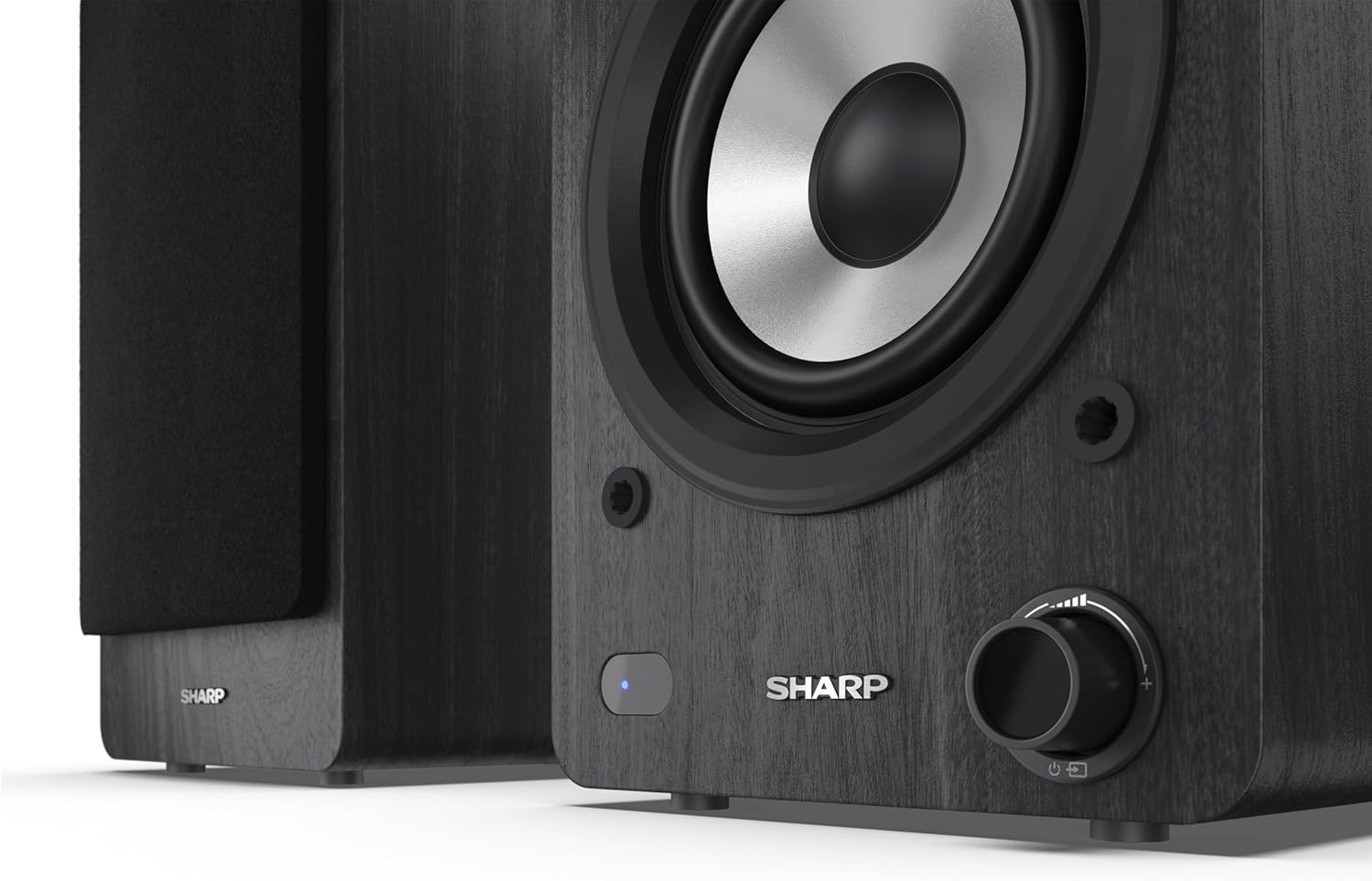
Image: A detailed shot of the control knob and the blue indicator light on the Sharp CP-SS30(BK) speaker, showing the subtle branding.
5. Enstalasyon
5.1 Plasman Oratè
For optimal sound quality, place the speakers on a stable, flat surface. Position them at an equal distance from your listening position, forming an equilateral triangle for the best stereo imaging. Ensure there is adequate space behind the speakers for ventilation and cable connections.
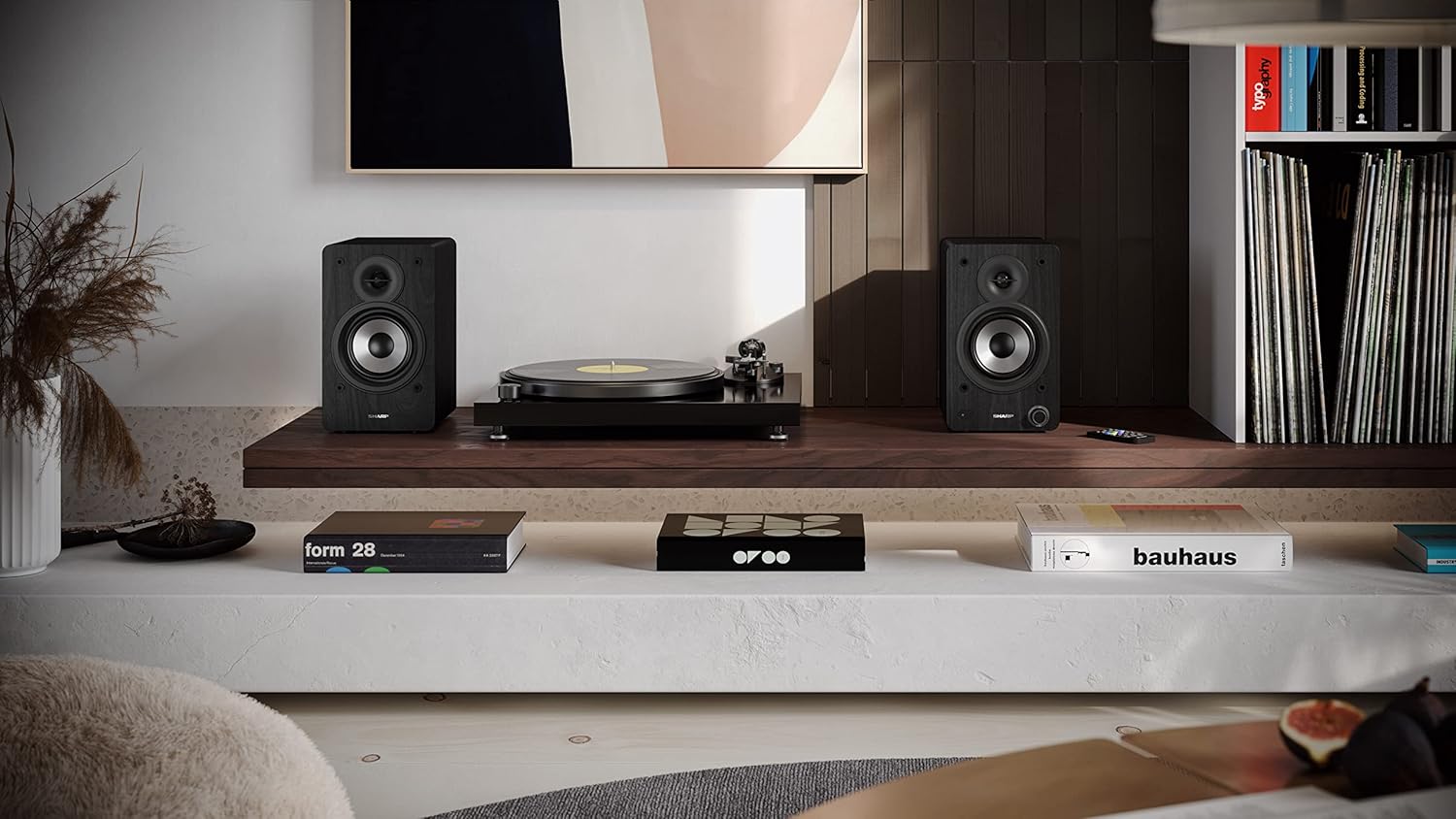
Image: The Sharp CP-SS30(BK) speakers positioned on a shelf in a living room setting, demonstrating a typical setup with a turntable.
5.2 Konekte Oratè yo
The CP-SS30(BK) consists of one active (main) speaker and one passive (secondary) speaker. Connect them using the provided speaker connection cable.
- Identify the active speaker (with controls and input ports) and the passive speaker.
- Connect one end of the speaker connection cable to the speaker terminals on the active speaker, ensuring correct polarity (+ to + and - to -).
- Connect the other end of the speaker connection cable to the speaker terminals on the passive speaker, maintaining correct polarity.

Image: The rear panel of the Sharp CP-SS30(BK) speakers, illustrating the various input ports (USB, Optical, RCA, AUX) and the speaker connection terminals.
5.3 Koneksyon pouvwa
- Ensure the power switch on the active speaker is in the OFF position.
- Connect the provided power cable to the AC input on the active speaker.
- Branche lòt bout kab kouran an nan yon priz miray ki apwopriye.
6. Operasyon Enstriksyon
6.1 Limen/Etenyen
To power on the speakers, flip the power switch on the active speaker to the ON position. The indicator light on the front will illuminate. To power off, flip the switch back to OFF.
6.2 Seleksyon Antre
You can select the input source using the remote control or the knob on the front of the active speaker. Available inputs include Bluetooth, USB, Optical, Auxiliary (AUX), and RCA.
- Bluetooth: Select Bluetooth input. The indicator light will flash, indicating pairing mode. Chèche pou "SHARP CP-SS30(BK)" on your device and connect. The light will become solid once paired.
- USB: Mete yon kondwi USB ak odyo files nan pò USB ki sou oratè aktif la.
- Optik: Connect an optical cable from your audio source (e.g., TV, game console) to the Optical input.
- AUX: Connect an AUX cable from your audio source (e.g., smartphone, tablet) to the AUX input.
- RCA: Connect RCA cables from your audio source (e.g., turntable, CD player) to the RCA inputs.
6.3 Kontwòl Volim
Adjust the volume using the remote control's volume buttons or by rotating the knob on the front of the active speaker.
6.4 Anviwònman Egalizè
The speakers feature an equalizer to tailor the sound to your preference. Use the remote control to:
- Select from five preset equalizer modes (e.g., Flat, Rock, Pop, Classical, Jazz).
- Adjust bass and treble levels independently for a customized sound profile.
7. Antretyen
To ensure the longevity and optimal performance of your Sharp CP-SS30(BK) speakers, follow these maintenance guidelines:
- Netwayaj: Sèvi ak yon twal mou epi sèk pou netwaye kabinèt oratè yo. Pa sèvi ak pwodui netwayaj likid oswa espre ayewosòl, paske yo ka domaje fini an oswa konpozan entèn yo.
- Griyaj: The speaker grilles are removable for cleaning. Gently pull them off to clean any dust accumulation on the drivers. Reattach them carefully.
- Vantilasyon: Ensure that the ventilation openings on the back of the active speaker are not obstructed to prevent overheating.
- Depo: Si w ap sere oratè yo pou yon peryòd tan pwolonje, dekonekte yo nan kouran an epi sere yo nan yon kote ki fre epi sèk, lwen limyè solèy dirèk ak tanperati ekstrèm.
NAN. Depanaj
If you encounter any issues with your speakers, please refer to the following common problems and solutions:
| Pwoblèm | Kòz posib | Solisyon |
|---|---|---|
| Pa gen pouvwa | Kab kouran an pa konekte; Priz kouran an pa aktif; Entèriptè kouran an etenn. | Ensure power cable is securely connected. Check power outlet with another device. Flip power switch to ON. |
| Pa gen son | Incorrect input selected; Volume too low; Cables not connected properly; Source device issue. | Select the correct input source. Increase volume. Check all audio cables (RCA, AUX, Optical, USB) and speaker connection cable for secure fit and correct polarity. Test with a different audio source. |
| Aparèy Bluetooth echwe | Oratè yo pa an mòd koneksyon; Aparèy la twò lwen; Entèferans. | Ensure Bluetooth input is selected and indicator light is flashing. Move device closer to speakers. Avoid strong electromagnetic interference. Try unpairing and re-pairing. |
| Son defòme | Volume too high; Source audio quality is poor; Speaker placement. | Reduce volume. Check the audio source quality. Adjust speaker placement to avoid reflections or resonance. |
| Remote kontwòl pa travay | Batteries depleted; Obstruction between remote and speaker; Remote not pointed correctly. | Replace remote control batteries. Remove any obstructions. Point the remote directly at the active speaker's sensor. |
9. Espesifikasyon
| Karakteristik | Detay |
|---|---|
| Nimewo Modèl | CP-SS30(BK) |
| Sortie pouvwa | 60 Watts RMS (2 x 30W) |
| Kalite Oratè | Active Bookshelf, 2-Way |
| Materyèl kabinè | Wood (Plywood) |
| Koneksyon Teknoloji | Bluetooth v5.0, USB, Optical, Auxiliary (AUX), RCA |
| Bluetooth vèsyon | v5.0 |
| Audio Sòti Mode | Stereo (2.0 Chanèl) |
| Repons Frekans | 60 Hz |
| Kalite kontwolè | Bouton, Remote Control |
| Dimansyon pwodwi (chak oratè) | 19P x 15.8L x 24.8H cm (7.5P x 6.2L x 9.8H pous) |
| Pwa atik | 4.3 kilogram (9.5 liv) |
| Koulè | Nwa |
| Itilizasyon Rekòmande | Gaming console, Music player, Smartphone/Tablet, Ambient sound system, Television |
| Aparèy konpatib | Laptop, Smartphone, Tablèt |

Image: Diagram showing the dimensions of one Sharp CP-SS30(BK) speaker (Height: 248mm, Width: 158mm, Depth: 190mm).
10. Garanti ak sipò
Garanti: This product comes with a 1-year warranty for spare parts availability from the date of purchase. Please retain your proof of purchase for warranty claims.
For technical support, troubleshooting assistance beyond this manual, or warranty inquiries, please contact Sharp customer service. Refer to the contact information provided in the user documentation included in your package or visit the official Sharp websit.
Note: Software updates guaranteed until information is not available.
Ask a question about this manual
Ask about setup, troubleshooting, compatibility, parts, safety, or missing instructions. Manuals+ will review the question and use this page’s manual context to help answer it.