
1. Entwodiksyon
Welcome to the user manual for your new Cecotec Cremmaet Macchia Super Automatic Coffee Machine. This manual provides essential information for the safe and efficient operation, maintenance, and troubleshooting of your appliance. Please read all instructions carefully before using the machine for the first time and keep this manual for future reference.
2. Enstriksyon Sekirite
Pou asire yon operasyon an sekirite, toujou respekte règ sekirite sa yo:
- Sekirite elektrik: Asire voltagVolim ki endike sou aparèy la koresponn ak vòltaj kouran lokal ou a.tage before connecting. Do not immerse the appliance, power cord, or plug in water or any other liquid. Do not operate the machine with a damaged cord or plug.
- Heat and Hot Surfaces: The coffee machine generates hot water and steam. Avoid contact with hot surfaces and steam to prevent burns. Always use handles and knobs.
- Timoun ak moun ki vilnerab: Timoun ki gen laj 8 an ak pi wo a ak moun ki gen kapasite fizik, sansoryèl oswa mantal redwi oswa ki pa gen eksperyans ak konesans yo kapab itilize aparèy sa a si yo te ba yo sipèvizyon oswa enstriksyon konsènan itilizasyon aparèy la an sekirite epi yo konprann danje ki genyen ladan yo. . Timoun yo pa dwe jwe ak aparèy la. Netwayaj ak antretyen itilizatè pa dwe fèt pa timoun san sipèvizyon.
- Plasman: Place the machine on a stable, level, heat-resistant surface, away from water sources and direct sunlight. Ensure adequate ventilation around the appliance.
- Netwayaj: Always unplug the machine before cleaning. Do not use abrasive cleaning agents or scourers.
3. Pwodwi souview
Familiarize yourself with the main components of your Cecotec Cremmaet Macchia coffee machine.

Figi 3.1: Devan view of the Cecotec Cremmaet Macchia coffee machine, showcasing its compact design and elegant white and rose gold finish.

Figi 3.2: Close-up of the intuitive touch control panel located on the top of the machine, featuring various function icons.
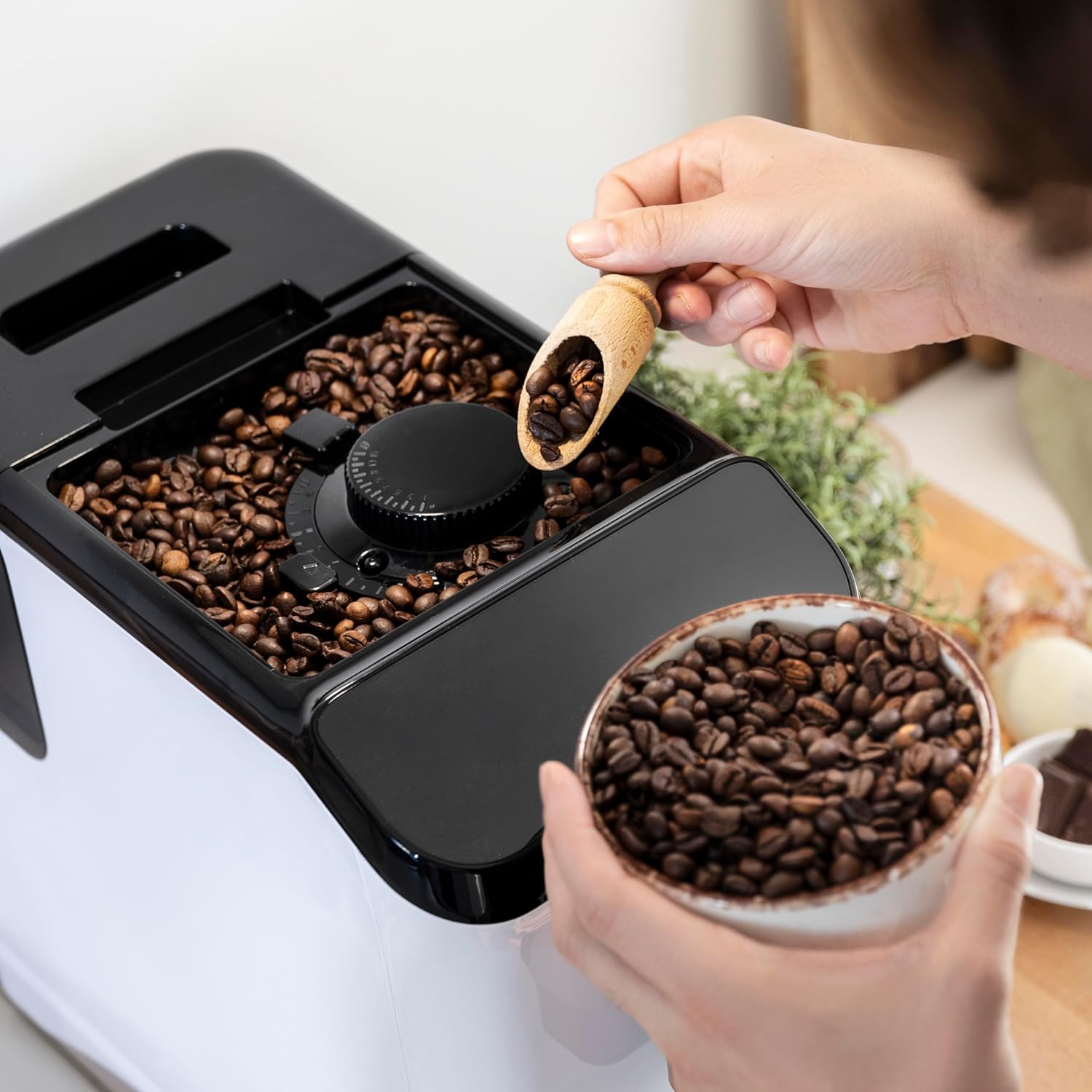
Figi 3.3: The integrated coffee bean hopper with a conical grinder, allowing for fresh grinding of beans for each cup.
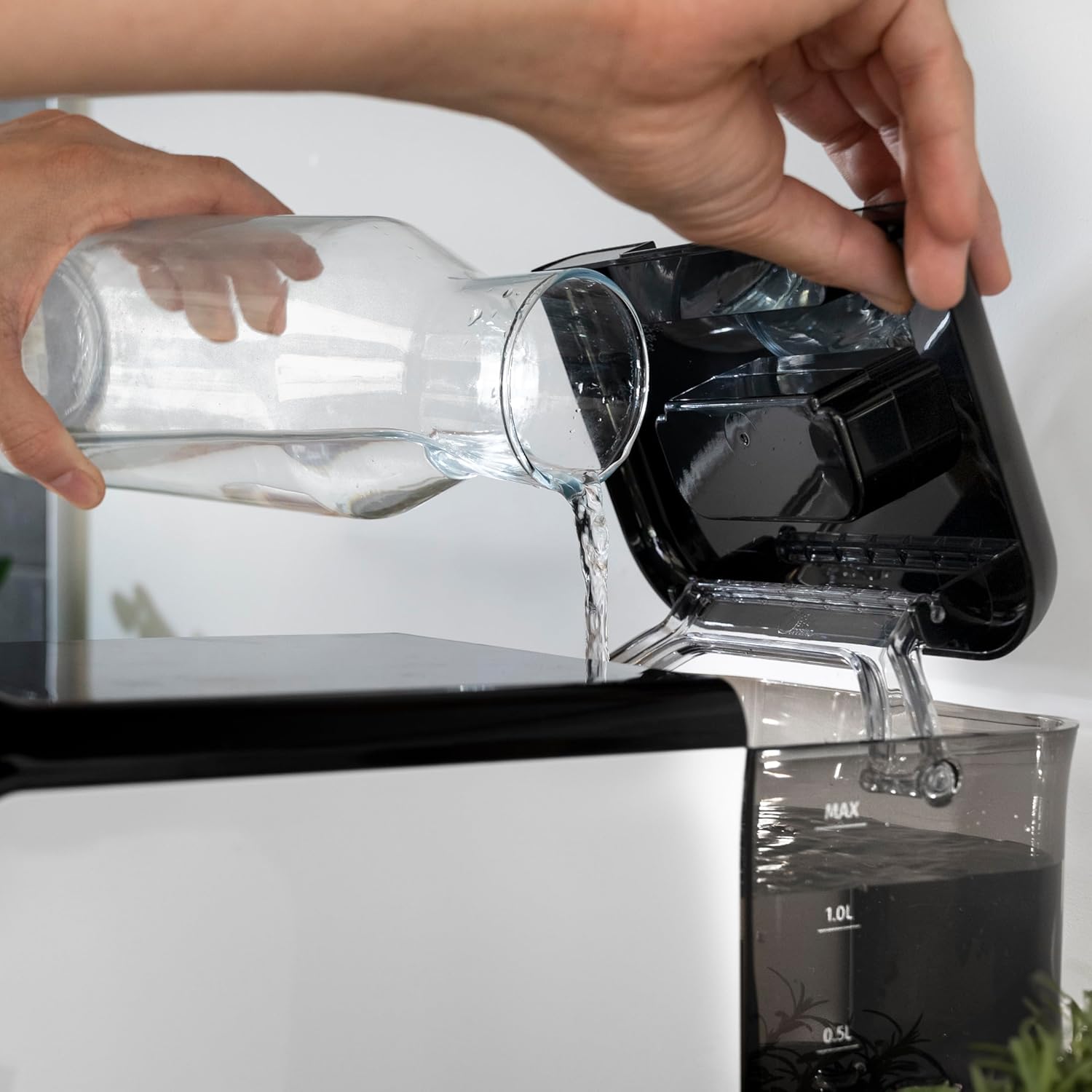
Figi 3.4: The removable 1.5-liter water tank, easily accessible for refilling and cleaning.
4. Enstalasyon
Follow these steps to set up your coffee machine for the first time:
- Debake: Carefully remove the machine from its packaging. Remove all protective films and packaging materials.
- Netwayaj inisyal: Before first use, wash the water tank, drip tray, and coffee grounds container with warm water and a mild detergent. Rinse thoroughly and dry.
- Ranpli tank dlo: Fill the removable water tank with fresh, cold drinking water up to the MAX level. Ensure the tank is properly seated in the machine.
Figi 4.1: Pouring fresh water into the machine's water tank.
- Ajoute grenn kafe: Open the lid of the bean hopper and fill it with fresh whole coffee beans. The hopper has a capacity of 200g.
Figi 4.2: Adding whole coffee beans to the integrated grinder compartment.
- Ploge nan: Konekte fil elektrik la nan yon priz elektrik apwopriye.
- First Use/Priming: The machine may perform an initial rinse cycle when first turned on or after a period of inactivity. Follow any on-screen prompts or indicator lights.
5. Operasyon Enstriksyon
Your Cecotec coffee machine is designed for ease of use with its Plug & Play system.
5.1. Limen/Etenyen
- Press the power button on the control panel to turn the machine on. The machine will heat up and perform a brief rinse cycle.
Figi 5.1: Activating the machine by pressing the power button on the touch control panel.
- Press the power button again to turn the machine off. It will perform a final rinse cycle before shutting down.
5.2. Ajisteman Paramèt Moulen
The integrated conical grinder offers 5 levels of grinding. Adjust the grind setting by rotating the dial inside the bean hopper. It is recommended to adjust the grinder only while it is operating to prevent damage.
5.3. Fè Kafe
The machine can prepare espresso and American coffee.
- Mete yon tas anba bouch kafe a.
- Select your desired coffee type (e.g., Espresso, Americano) from the control panel.
- The machine will automatically grind the beans, brew, and dispense your coffee.

Figi 5.2: Selecting a coffee option on the control panel as the machine prepares the beverage.
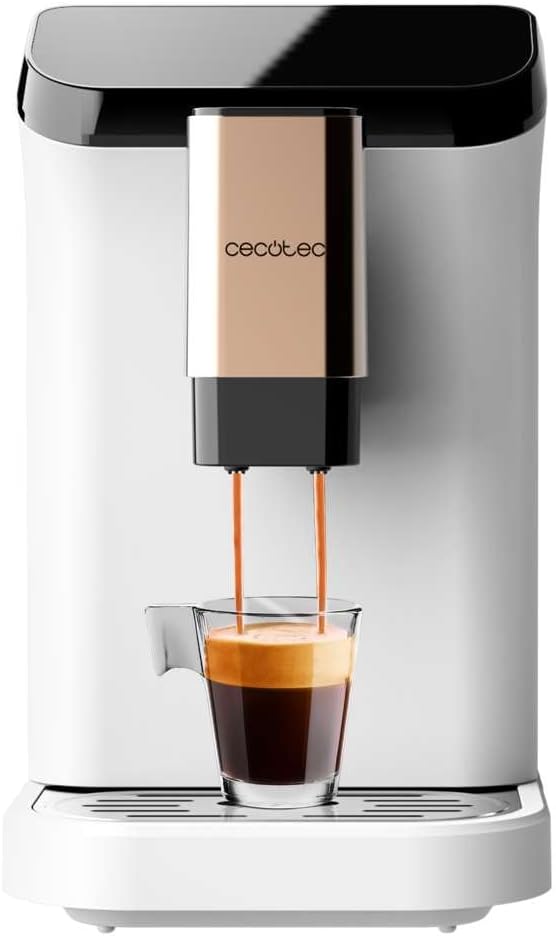
Figi 5.3: The machine actively dispensing freshly brewed coffee into a cup, highlighting the rich crema.
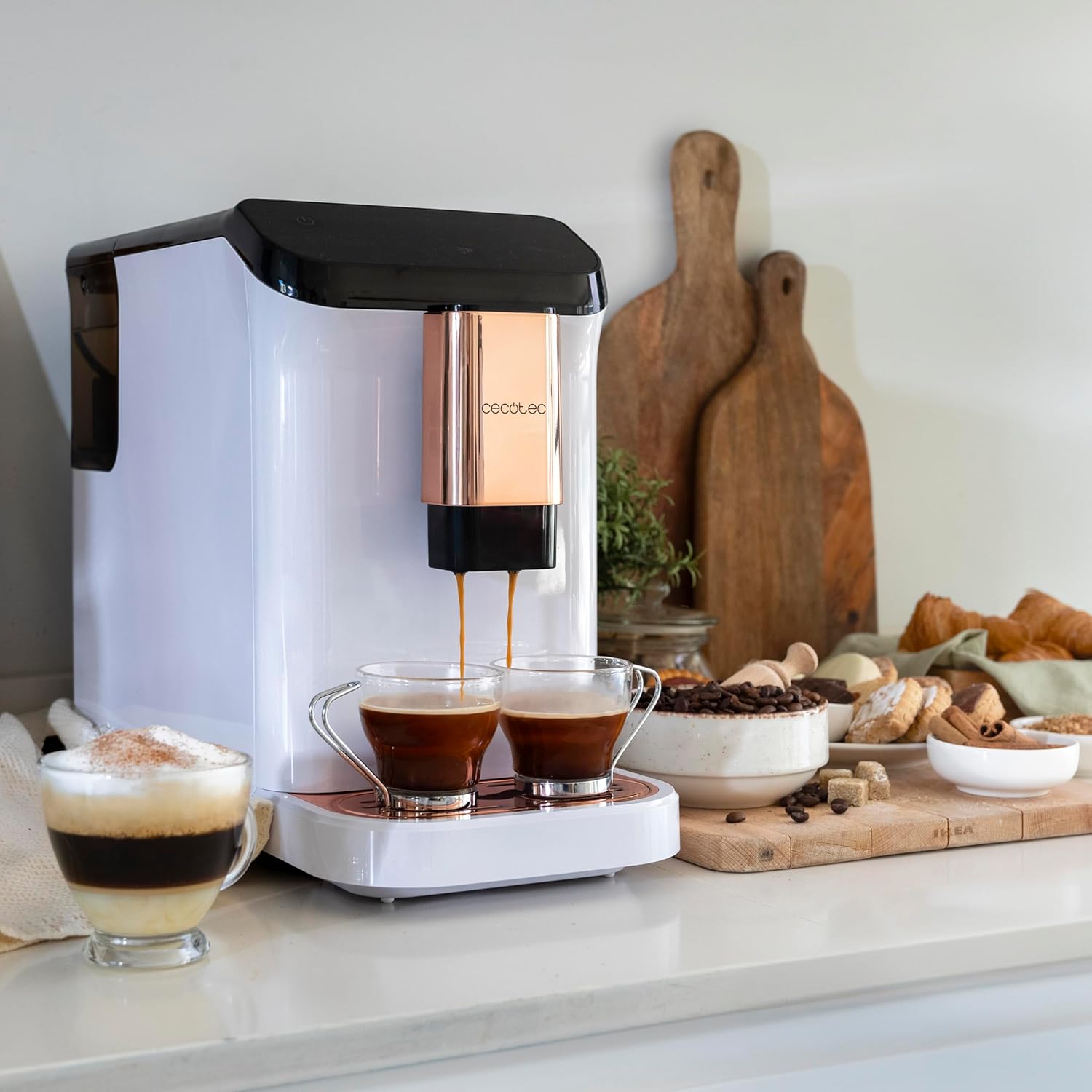
Figi 5.4: The machine's capability to brew and dispense two cups of coffee at once, ideal for sharing.
5.4. Customizing Coffee
You can easily customize and memorize the amount and intensity of your coffee to suit your taste preferences. Refer to the specific icons on the control panel for these adjustments.
6. Antretyen ak netwayaj
Netwayaj ak antretyen regilye ap asire lonjevite ak pèfòmans optimal machin kafe ou a.
- Netwayaj otomatik: The machine features an automatic cleaning function to keep it clear at all times. This typically occurs upon startup and shutdown.
- Emptying Grounds Container: The machine will indicate when the coffee grounds container needs to be emptied. Remove and clean it regularly.
- Netwayaj plato degoute: The drip tray collects excess water and coffee spills. Empty and clean it frequently to prevent overflow and maintain hygiene.
- Pati detachable: Periodically remove and clean the water tank and other removable components as per the initial cleaning instructions.
- Detartraj: Over time, mineral deposits can build up inside the machine. The machine will indicate when descaling is required. Use a suitable descaling solution designed for coffee machines and follow the instructions provided with the descaler.
NAN. Depanaj
Si ou rankontre pwoblèm ak machin kafe ou a, gade pwoblèm ak solisyon komen sa yo:
| Pwoblèm | Kòz posib | Solisyon |
|---|---|---|
| Machin pa limen | Pa branche; kouran koupetage | Tcheke koneksyon kouran an; tcheke disjonktè a. |
| Pa gen kafe dispanse | Water tank empty; bean hopper empty; machine needs descaling. | Fill water tank; fill bean hopper; perform descaling cycle. |
| Kafe twò fèb | Rezo moulen kafe a twò grosye; dòz kafe a pa sifi. | Adjust grind to a finer setting; increase coffee intensity setting. |
| Dlo koule soti nan machin | Water tank not properly seated; drip tray full. | Ensure water tank is correctly inserted; empty and clean drip tray. |
| Limyè endikatè erè a limen | Specific issue indicated by light (e.g., grounds full, water empty). | Refer to the machine's indicator light guide for specific meaning and action. |
Si pwoblèm nan pèsiste apre ou fin eseye solisyon sa yo, tanpri kontakte sèvis kliyan Cecotec.
8. Espesifikasyon
Technical details for the Cecotec Cremmaet Macchia Super Automatic Coffee Machine:
- Mak: Cecotec
- Nimewo Modèl: 01718
- Koulè: White Rose
- Dimansyon pwodwi: 19 x 40 x 32 cm
- Pwa atik: 7.9 kg
- Karakteristik espesyal: Tank detachable
- Kalite Kafe Maker: Machin espresso
- Kalite filtre: Reusable
- Ponp Presyon: 19 bar
- Sistèm chofaj: blòk tèmik
- Coffee Tank Capacity: 200 g (integrated grinder)
- Kapasite tank dlo: 1.5 lit
9. Garanti ak sipò
Your Cecotec Cremmaet Macchia Super Automatic Coffee Machine comes with a manufacturer's warranty. For detailed information regarding warranty terms and conditions, please refer to the warranty card included with your product or visit the official Cecotec website. For technical support, spare parts, or service, please contact Cecotec customer service through their official channels.