
1. Entwodiksyon
The GONEO Portable Power Station GNV-USY16 is a versatile and reliable power source designed for various applications, including outdoor activities, emergency backup, and powering sensitive electronics. This manual provides essential information for safe operation, optimal performance, and proper maintenance of your device. Please read this manual thoroughly before using the power station.
2. Enstriksyon Sekirite Enpòtan
- Pa demonte, repare, oswa modifye aparèy la. Si ou pa reyajiste l byen, sa ka lakòz dife oswa blesi.
- Pa ekspoze aparèy la nan dife oswa tanperati ki wo (plis pase 60°C/140°F).
- Do not use or store the unit in a bathroom or in areas exposed to rain or moisture.
- Use only the recommended accessories and chargers.
- Kenbe aparèy la lwen timoun ak bèt kay.
- Avoid dropping, heavy impacts, or strong vibrations.
- Pa mete objè etranje nan pò yo.
- Asire w ke gen bon vantilasyon pandan w ap itilize l epi w ap chaje l. Pa kouvri aparèy la.
- Nan ka dife, sèvi ak yon aparèy pou etenn dife poud sèk.
3. Pwodwi souview
3.1 Kontni pake a
- GONEO Portable Power Station GNV-USY16
- AC pouvwa adaptè
- Machin Charger Kab
- Manyèl itilizatè
3.2 Idantifikasyon konpozan

Imaj: Devan view of the GONEO Portable Power Station GNV-USY16, highlighting its various ports, display, and carrying handle.
3.3 Pò Antre / Sòti

Image: Close-up of the power station's input and output ports, including DC, PV, Car Socket, USB-C, USB-A, and AC outlets, with examples aparèy konpatib yo.
- DC Input/Output (12V/12A): For charging the power station or powering 12V DC devices.
- Antre PV: For connecting solar panels to charge the power station.
- Car Socket (12V/12A): For powering 12V car appliances.
- USB-C Input/Output (PD 100W): For fast charging the power station or compatible USB-C devices.
- USB-A Output (5V/2.4A): Pou chaje aparèy USB estanda yo.
- Sòti AC (110V/600W): Standard AC outlets for household appliances.
3.4 LED Display Panel

Imaj: Yon imaj detaye view of the 5.5-inch LED display, showing indicators for charging status (DC, CAR, PD), battery percentage, estimated time to full/empty, input/output power, and active output ports (DC, CIG, USB-A, USB-C, AC, LIGHT).
The 5.5-inch LED display provides real-time information about the power station's status:
- Batri Percentage: Montre nivo chaj aktyèl la.
- Time to Full/Empty: Tan estime ki rete pou chaje oswa dechaje.
- Antre pouvwa: Displays the current power input (in Watts).
- Sòti pouvwa: Displays the current power output (in Watts).
- Endikatè chaje: DC, CAR, PD icons illuminate to show the active charging method.
- Endikatè pwodiksyon: Icons for DC, CIG (Car Socket), USB-A, USB-C, AC, and LIGHT illuminate when their respective outputs are active.
4. Enstalasyon ak Premye Itilizasyon
- Debake: Retire estasyon elektrik la ak tout akseswa yo nan anbalaj la avèk prekosyon.
- Inisyal chaj: Before first use, fully charge the power station using the provided AC adapter. Connect the AC adapter to the DC input port and plug it into a wall outlet. The LED display will show charging progress.
- Limen/Etenyen: Peze epi kenbe bouton prensipal pouvwa a pandan kèk segonn pou limen oswa etenn aparèy la.
5. Operasyon
5.1 Chaje Estasyon elektrik la
Ou ka rechaje estasyon elektrik la avèk twa metòd:
- AC adaptè: Connect the provided AC adapter to the DC input port.
- Panèl solè: Connect a compatible 100W solar panel to the PV input port.
- USB-C PD 100W: Use a compatible USB-C PD charger and cable.
For fastest charging, use both the USB-C PD port and the DC input port simultaneously. This can fully recharge the battery in approximately 2 hours.
5.2 Alimante Aparèy yo
To power a device, ensure the power station is turned on. Press the respective output button (e.g., AC, DC, USB) to activate the desired port. The corresponding icon on the LED display will illuminate.
- AC Sòti: Connect devices requiring 110V AC power (up to 600W).
- DC Output/Car Socket: Connect 12V DC devices.
- USB-A/USB-C Output: Connect USB-powered devices for charging.
Fonksyon flach 5.3 LED
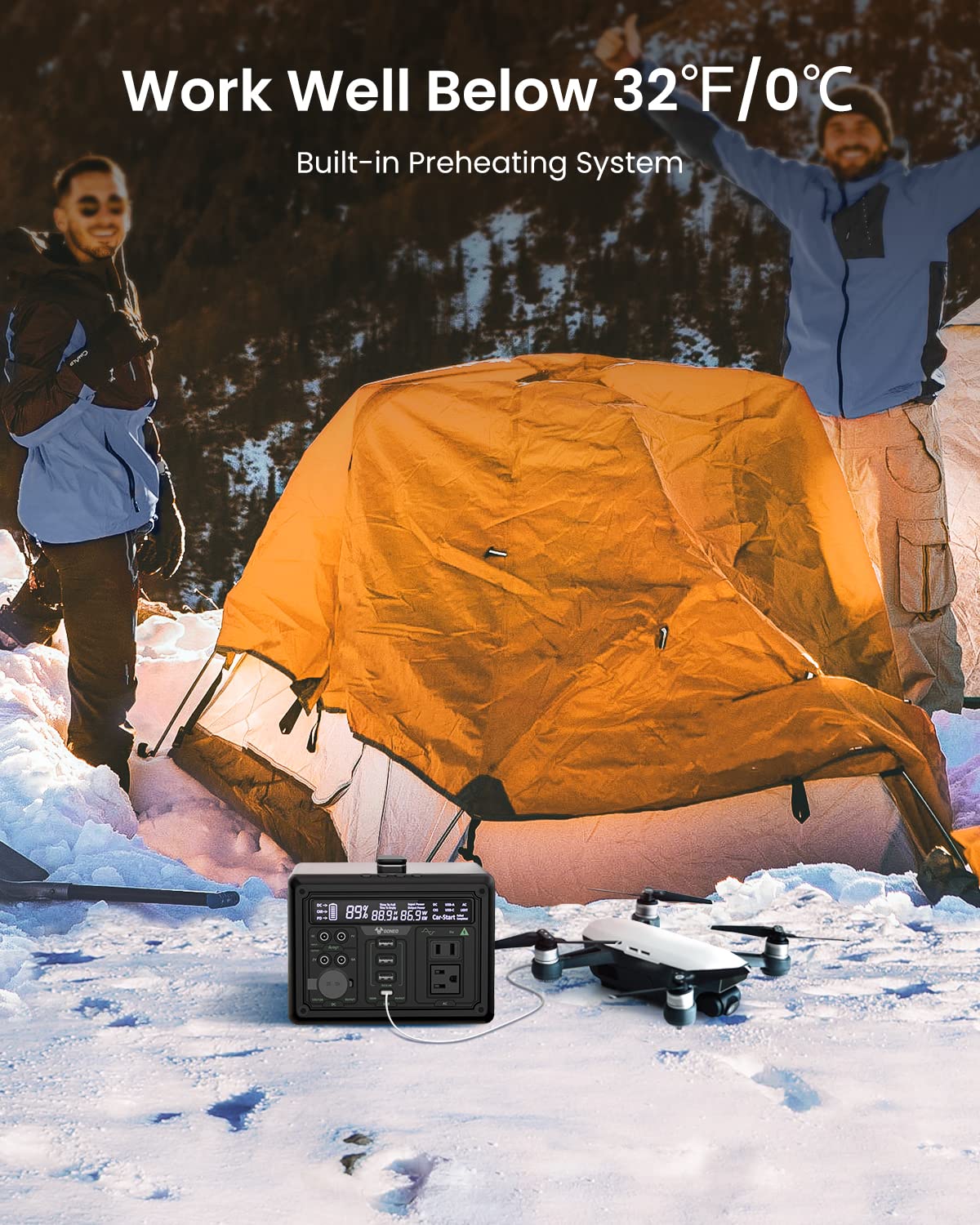
Image: The GONEO Power Station's 6.5-inch LED flashlight panel illuminating a camping tent at night, demonstrating its four lighting modes: Normal, Bright, SOS, and Flashing.
The power station features a 6.5-inch LED flashlight panel with four lighting modes:
- Nòmal: Standard illumination.
- Klere: Increased brightness for enhanced visibility.
- SOS: Li fè siyal detrès entènasyonal la flache.
- Flache: A continuous flashing pattern.
To activate or cycle through modes, press the dedicated flashlight button.
5.4 Low Temperature Operation

Image: The GONEO Power Station in a snowy outdoor setting, demonstrating its ability to operate effectively in cold conditions (below 32°F/0°C) due to its built-in preheating system, shown charging a drone.
The power station includes a built-in preheating system that automatically detects low temperatures (down to -20°C/-4°F) and initiates heating to ensure optimal battery performance and charging capability in cold environments.
5.5 Operasyon trankil
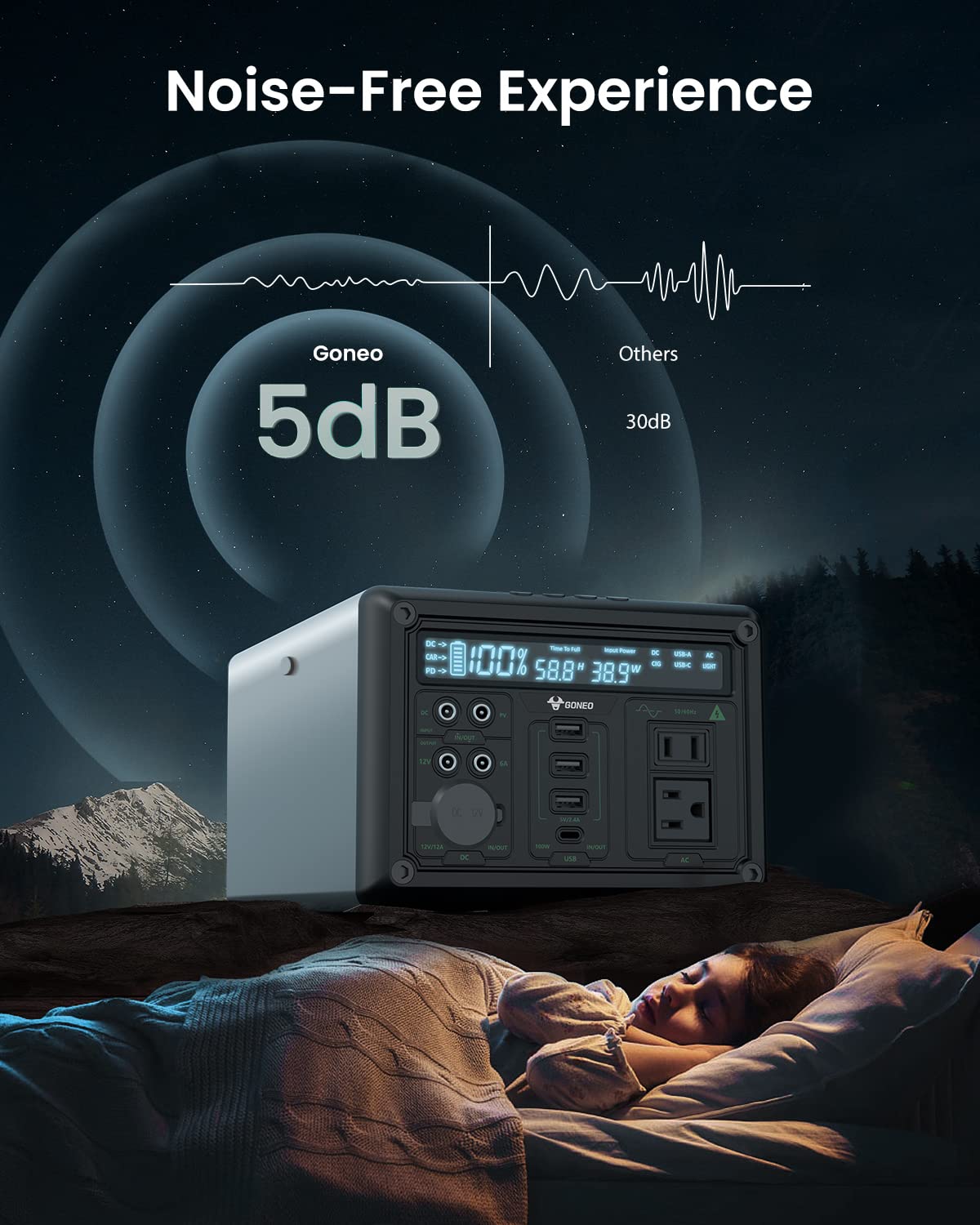
Image: The GONEO Power Station operating at a low noise level of 5dB, depicted next to a person sleeping peacefully in a tent, illustrating its fanless design for a quiet environment.
Designed with a fanless cooling system, the power station operates at a low noise level of approximately 5dB, providing a quiet environment suitable for camping, RV trips, or during power outages.
6. Swen ak Antretyen
- Netwayaj: Use a dry, soft cloth to wipe the exterior of the unit. Do not use abrasive cleaners or solvents.
- Depo: Store the power station in a cool, dry place, away from direct sunlight and extreme temperatures. For long-term storage, charge the unit to 50-80% every 3-6 months to preserve battery life.
- Swen batri: Avoid fully discharging the battery frequently. Recharge the unit promptly after use.
NAN. Depanaj
| Pwoblèm | Kòz posib | Solisyon |
|---|---|---|
| Inite pa limen | Battery is completely discharged; Power button not pressed long enough. | Charge the unit; Press and hold the power button for 3-5 seconds. |
| Pa gen pwodiksyon nan pò yo | Output port not activated; Device draws too much power; Battery is low. | Press the corresponding output button; Check device wattage; Recharge the power station. |
| Chaje dousman | Using a low-power charger; Environmental temperature is too low. | Use the provided AC adapter or a 100W PD charger; Ensure unit is within operating temperature range. |
8. Espesifikasyon teknik
| Modèl | GNV-USY16 |
| Kapasite batri | 607Wh (Lithium Ion) |
| AC Sòti | 110V, 600W (Pure Sine Wave) |
| DC Antre | 12V/12A |
| USB-C Antre / Sòti | PD 100W |
| USB-A Sòti | 5V/2.4A |
| Sòti machin priz | 12V/12A |
| Dirije flach | 6.5 inch, 4 Modes (Normal, Bright, SOS, Flashing) |
| Dimansyon (LxWxH) | 27.94 x 18.8 x 13.72 cm (11.0 x 7.4 x 5.4 pous) |
| Pwa | Not specified in provided data |
| Materyèl | Aliminyòm |
| Tanperati Fonksyònman | -20 ° C a 40 ° C (-4 ° F a 104 ° F) |
9. Garanti ak Sipò Kliyan
For warranty information, technical support, or any questions regarding your GONEO Portable Power Station GNV-USY16, please refer to the warranty card included with your product or contact GONEO customer service directly. Contact details are typically available on the official GONEO websit la oubyen atravè platfòm acha ou a.