
Entwodiksyon
This manual provides essential information for the safe and effective use of your ProForm Treadmill t8.5. Please read all instructions carefully before assembly and operation. Keep this manual for future reference.
Enfòmasyon enpòtan sou sekirite
Before using this equipment, ensure you understand all safety precautions. Consult a physician before beginning any exercise program. Always use the safety key during operation.
- Kenbe timoun ak bèt kay lwen tapi a pandan operasyon an.
- Place the treadmill on a level surface with adequate clearance around it.
- Pa sèvi ak tapi kous la si li domaje oswa si li pa fonksyone byen.
- Mete rad espò ak soulye atletik ki apwopriye.
- Toujou kenbe balistrad yo lè w ap kòmanse oswa lè w ap kanpe tapi kous la.
Enstalasyon ak Asanble
Debake
Carefully remove all components from the packaging. Place the packaging materials aside for potential future transport or disposal. Ensure all parts listed in the assembly guide (not included in this manual) are present.
Plasman
Position the treadmill on a flat, stable surface. Ensure there is at least 2 meters (6.5 feet) of clear space behind the treadmill and 0.5 meters (1.6 feet) on each side for safe operation and access.
Koneksyon pouvwa
Connect the power cord to a grounded electrical outlet. Do not use extension cords unless absolutely necessary and ensure they are rated for the treadmill's power requirements.

Image: The ProForm Treadmill t8.5 fully assembled, showcasing its design and console.
Pliye ak dewoulman
The ProForm Treadmill t8.5 features a SpaceSaver design for convenient storage. To fold, lift the running deck until it locks into an upright position. To unfold, gently push the release mechanism and lower the deck to the floor.
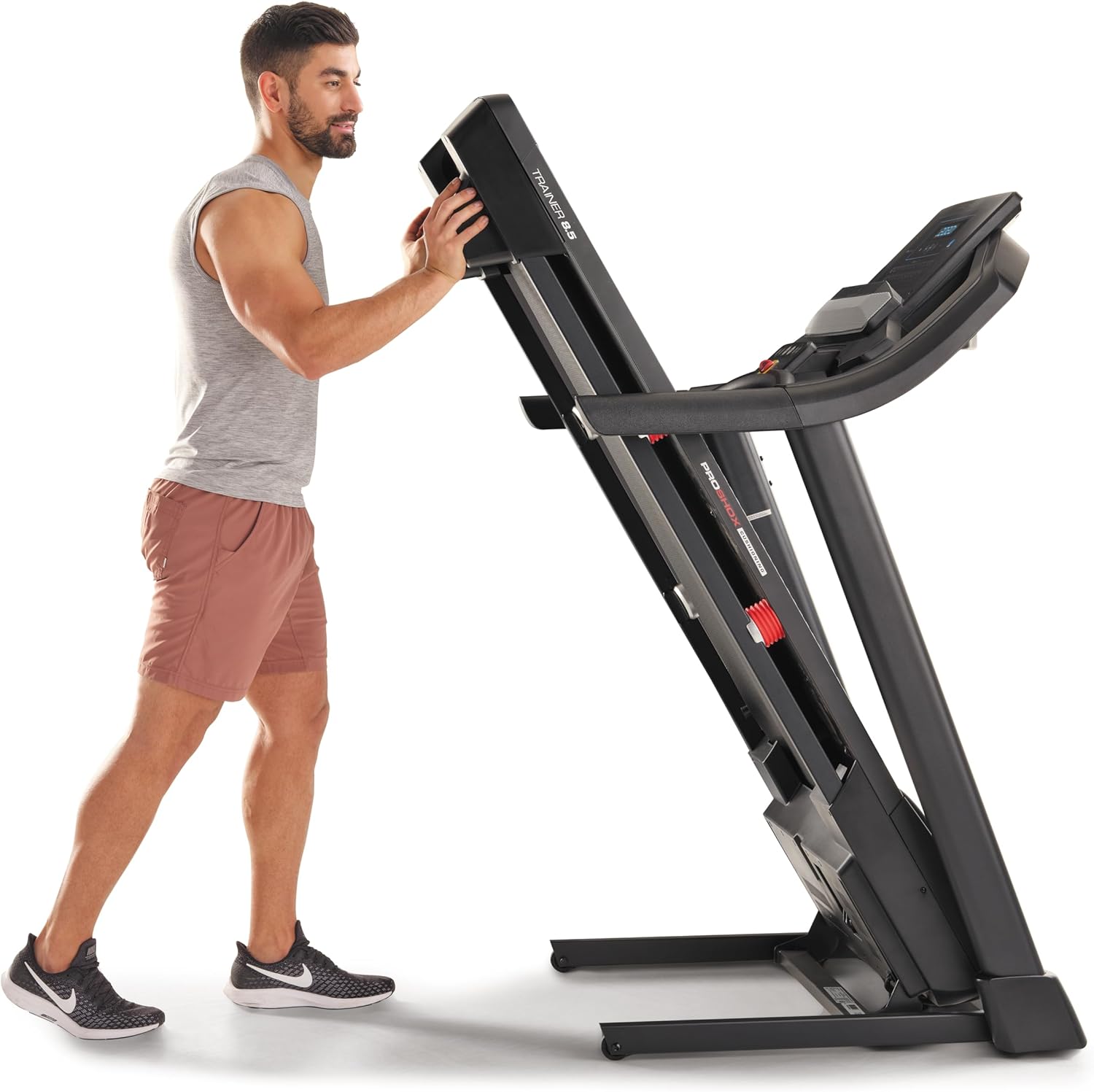
Image: A user demonstrating the folding mechanism of the treadmill for storage.

Image: A user demonstrating the unfolding process of the treadmill, preparing it for use.
Enstriksyon Operasyon
Konsole Plis paseview
The console features a display for workout metrics, digital quick speed and incline controls, and dual 2-inch speakers. Familiarize yourself with the button layout before starting your workout.

Imaj: Detaye view of the treadmill's console, highlighting the display and control panel.
Kòmanse yon antrennman
- Attach the Safety Key: Clip the safety key to your clothing and insert the other end into the console's designated slot. The treadmill will not operate without the safety key.
- Mòd manyèl: Press the 'Start' button to begin a manual workout. The belt will start moving at a low speed.
- Mòd pwogram: Select a pre-set workout program from the console. Follow the on-screen prompts to begin.
Ajiste vitès ak enklinasyon
- Vitès: Use the 'QuickSpeed' buttons or the '+' and '-' buttons to adjust the belt speed from 0 to 16 kph.
- Panche: Use the 'Quick Incline' buttons or the '+' and '-' buttons to adjust the incline from 0% to 10%.

Image: A user actively running on the treadmill, illustrating its operational use.
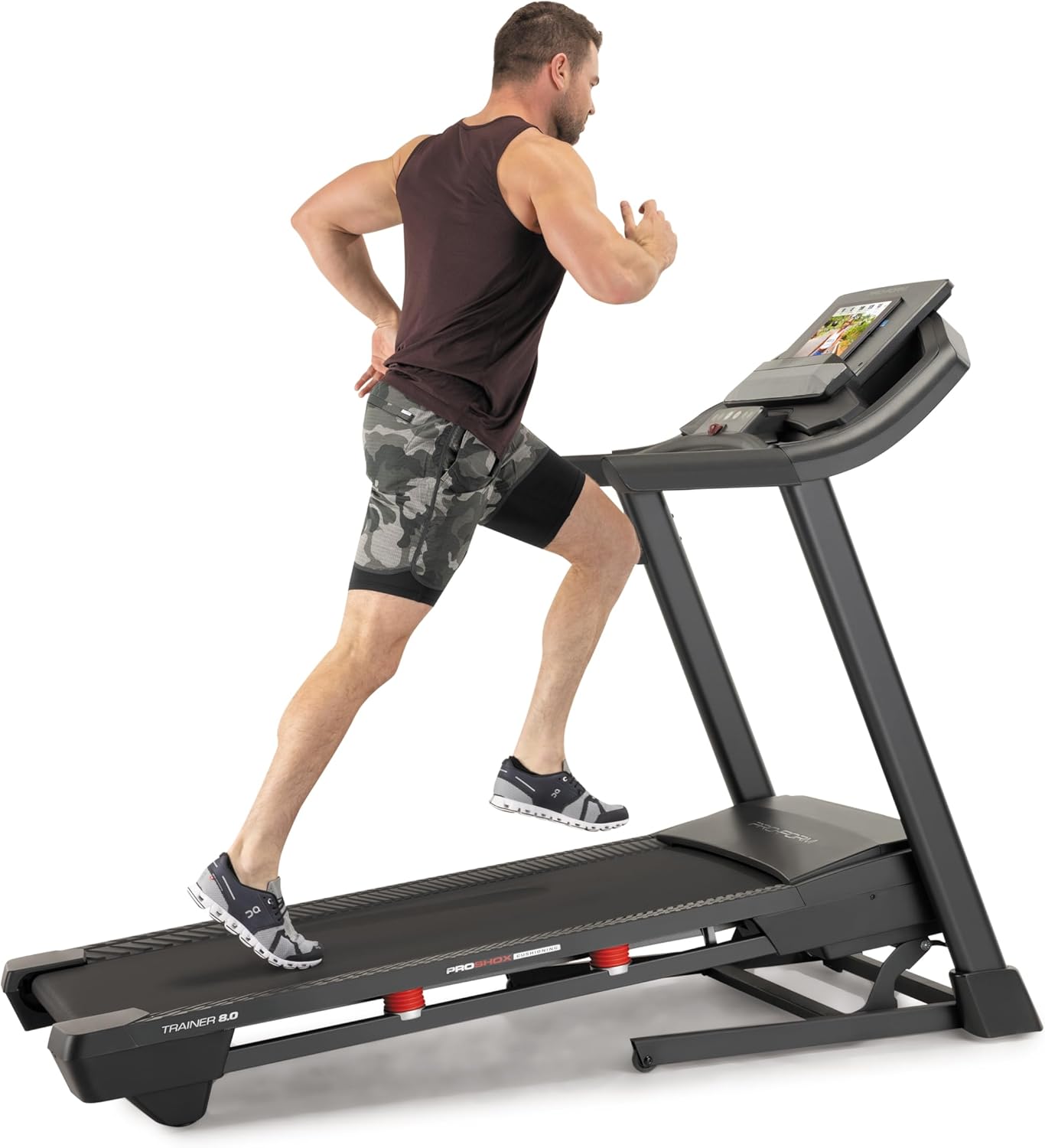
Image: Another perspective of a user running on the treadmill, highlighting the running surface.
Sispann tapi roulan an
To stop the treadmill, press the 'Stop' button on the console. For an emergency stop, pull the safety key from the console. The treadmill will immediately cease operation.
Antretyen
Antretyen regilye asire lonjevite ak pèfòmans optimal tapi kous ou a.
Netwayaj
- Konsole: Wipe the console with a damp twal. Evite pwodui netwayaj abrazif oswa imidite twòp.
- Running Deck and Belt: Periodically clean the running deck and belt with a damp twal pou retire pousyè ak debri.
Lubrifikasyon senti
The running belt may require lubrication after extended use. Refer to the specific lubrication instructions provided with your treadmill or contact customer service for guidance. Use only approved treadmill lubricant.
Tansyon ak aliyman senti
If the running belt slips or drifts to one side, it may need adjustment. Consult the detailed assembly guide or contact customer service for instructions on how to properly tension and align the belt. Incorrect adjustment can damage the treadmill.
Depanaj
This section addresses common issues you might encounter with your ProForm Treadmill t8.5.
| Pwoblèm | Kòz posib | Solisyon |
|---|---|---|
| Treadmill pa kòmanse | Power cord not plugged in; Safety key not inserted; Circuit breaker tripped. | Ensure power cord is securely plugged in; Insert safety key fully; Check household circuit breaker. |
| Kouri glise senti | Tansyon senti a twò lach. | Adjust belt tension (refer to maintenance section or assembly guide). |
| Console display is blank | Power issue; Console cable disconnected. | Check power connection; Ensure all console cables are securely connected (refer to assembly guide). |
| Bri dwòl pandan operasyon an | Pyès ki lach; Friksyon senti; Pwoblèm motè. | Inspect for loose bolts and tighten; Lubricate belt if needed; If noise persists, contact customer service. |
Espesifikasyon
Key technical specifications and features of the ProForm Treadmill t8.5:
| Karakteristik | Detay |
|---|---|
| Modèl | t8.5 |
| Mak | ProForm |
| Digital Quick Incline Control | 0% - 10% |
| Digital QuickSpeed Control | 0 – 16 kph (0 – 11.2 Miles per Hour) |
| Tread Belt Dimensions | 51 x 140 cm |
| Kapasite maksimòm pwa | 135 kg |
| Moun kap pale | Dual 2” Speakers |
| Pwa atik | 81 Kilogram |
| Materyèl | Aliminyòm |
| Karakteristik espesyal | Portable (SpaceSaver Design) |
| Odyans sib | Adult, Youth |
| Maksimòm Puissance | 2.6 Puissance |
Garanti ak sipò
For detailed warranty information, please refer to the warranty card included with your product or visit the official ProForm websit. Tèm ak kondisyon garanti yo ka varye selon rejyon an.
Sèvis Kliyan
If you have questions, require technical assistance, or need to order replacement parts, please contact ProForm customer service. Contact details can typically be found on the ProForm websit la oubyen nan anbalaj pwodwi w la.