
1. Entwodiksyon
Thank you for choosing the ieGeek 5MP Outdoor Security Camera ZS-GQ4. This manual provides detailed instructions for setting up, operating, and maintaining your camera to ensure optimal performance and security. Please read this manual thoroughly before use and retain it for future reference.
Prekosyon Sekirite
- Asire w ke kamera a enstale nan yon kote ki stab pou anpeche li tonbe.
- Sèvi sèlman ak adaptè kouran ki vini ak li a pou evite domaj.
- Pa ekspoze kamera a nan tanperati ekstrèm oswa anviwònman koroziv.
- Keep the camera lens clean for clear image quality.
- Avoid direct exposure to sunlight for prolonged periods.
2. Pwodwi souview
Kontni pake
- ieGeek 5MP Outdoor Security Camera (ZS-GQ4) x1
- Adaptè pouvwa x1
- Vis ak Ankraj x3
- Positioning Sheet x1
- Manyèl itilizatè x1
Karakteristik kle
- Rezolisyon 5MP Ultra HD: Kaptire imaj klè ak detaye.
- Dual-Band WiFi Support: Compatible with both 2.4GHz and 5GHz WiFi networks for stable connectivity.
- 360° Pan/Tilt/Zoom (PTZ): Offers horizontal 355° and vertical 90° rotation for comprehensive coverage.
- Suivi otomatik: Detects and tracks human movement, returning to its original position after tracking.
- Vizyon lannwit avanse: Provides up to 25 meters of clear night vision, with options for black & white or full-color night vision using built-in IR and LED lights.
- Deteksyon Mouvman Imèn: Reduces false alarms by focusing on human shapes.
- Automatic Deterrence: Features audible alarms, flashing lights, and sound/light alarms to deter intruders.
- Opsyon Depo fleksib: Supports up to 128GB MicroSD card (sold separately) and cloud storage (free 6-second clips for 1 week with auto-overwrite).
- De-fason Audio: Mikwofòn ak oratè entegre pou kominikasyon an tan reyèl.
- Alexa konpatibilite: Control surveillance areas using voice commands.
- IP66 Rezistan a move tan: Ki fèt pou itilizasyon deyò nan divès kondisyon metewolojik.

Figure 1: ieGeek 5MP Outdoor Security Camera ZS-GQ4 and power adapter.
Videyo 1: Finiview of ieGeek 5MP Outdoor Security Camera features, including 5MP resolution, dual-band WiFi, and smart functions.
3. Enstalasyon
3.1 Enstalasyon Kat MicroSD
To store recordings locally, install a MicroSD card (up to 128GB, sold separately) into the camera. Ensure the camera is powered off before inserting or removing the card.
Video 2: Demonstration of how to correctly insert a MicroSD card into the camera.
3.2 Monte Kamera a
The camera can be wall-mounted. Use the included positioning sheet to mark drill holes, then secure the camera with the provided screws and anchors. Ensure the camera is positioned to cover your desired surveillance area.

Figure 2: The camera mounted on a wall, illustrating its 360-degree pan and tilt capabilities.
3.3 Koneksyon pouvwa
Connect the camera to a power outlet using the supplied power adapter. The camera will power on automatically.
3.4 Enstalasyon Aplikasyon an ak Premye Konfigirasyon an
- Telechaje la Kamera ieGeek app from your smartphone's app store (iOS/Android).
- Anrejistre yon kont epi konekte.
- Tap '+' to add a new device.
- Follow the on-screen instructions to connect the camera to your 2.4GHz or 5GHz WiFi network. This typically involves scanning a QR code displayed on your phone with the camera.
- Yon fwa konekte, ou ka bay kamera ou yon non epi kòmanse viv an dirèk. viewing.
Video 3: A quick guide demonstrating the initial setup process, including app connection and QR code scanning.
4. Operasyon Enstriksyon
4.1 Viv View ak Kontwòl PTZ
Open the ieGeek Cam app and select your camera to access the live view. You can use the on-screen controls to pan (horizontal 355°) and tilt (vertical 90°) the camera lens to adjust the viewang ang.
4.2 Mòd Anrejistreman
The camera supports three recording modes:
- Anrejistreman kontinyèl 24/7: Anrejistre kontinyèlman, ranplase pi ansyen manje atage lè depo a plen.
- Anrejistreman evènman: Anrejistre sèlman lè yo detekte mouvman.
- Anrejistreman pwograme: Records during specific times set by the user.
Recordings can be saved to a MicroSD card or to the cloud. Free cloud storage provides 6-second event clips for one week, with automatic overwriting.
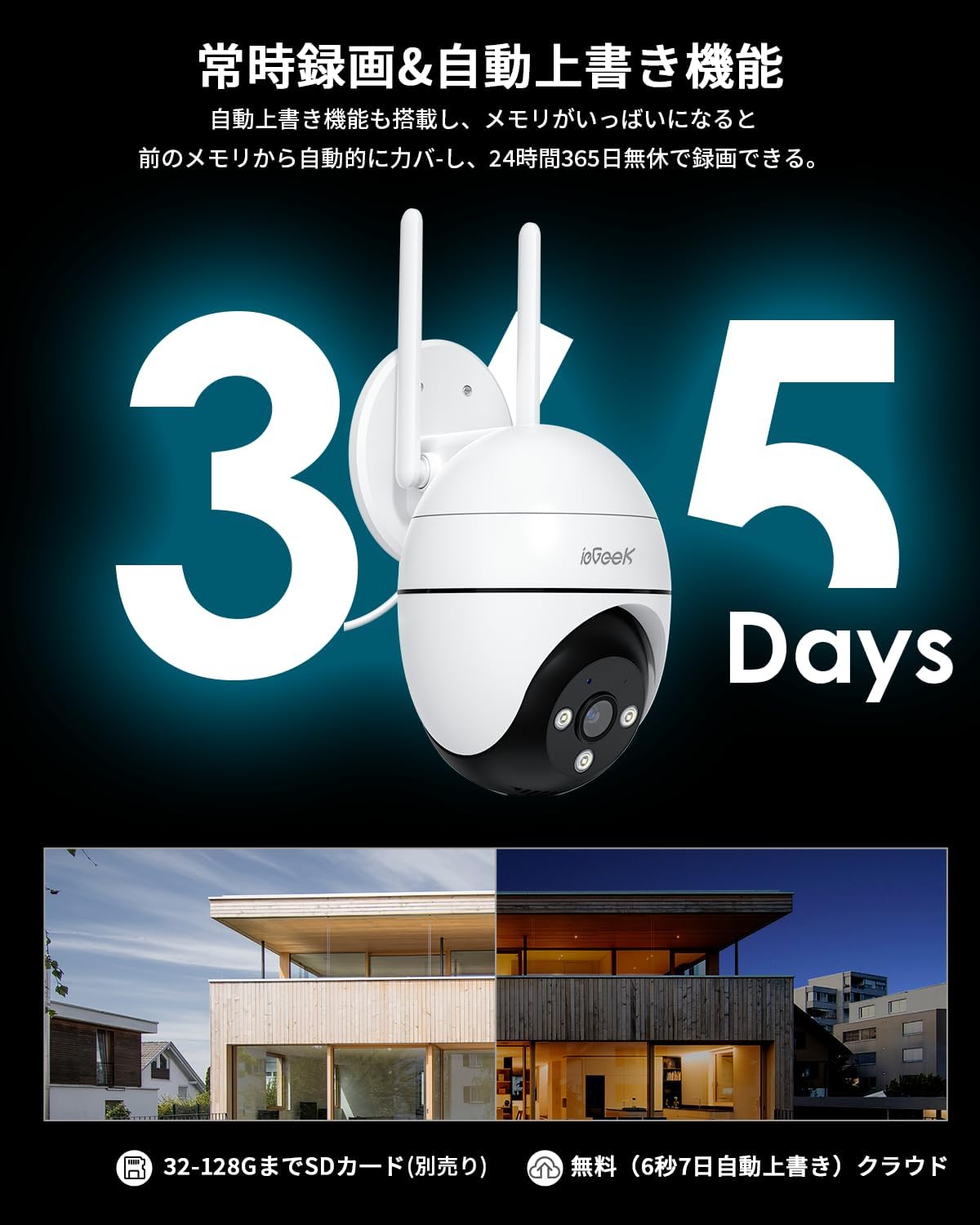
Figure 3: Illustration of 24/7 recording and automatic overwrite functionality.

Figure 4: Customizable recording modes, including motion-activated and continuous recording.
4.3 Deteksyon Mouvman ak Alèt
The camera features high-precision human detection, reducing false alarms by 90%. When motion is detected, you will receive push notifications on your smartphone. The camera can also activate audible alarms, flashing lights, or a combination of both to deter potential intruders.
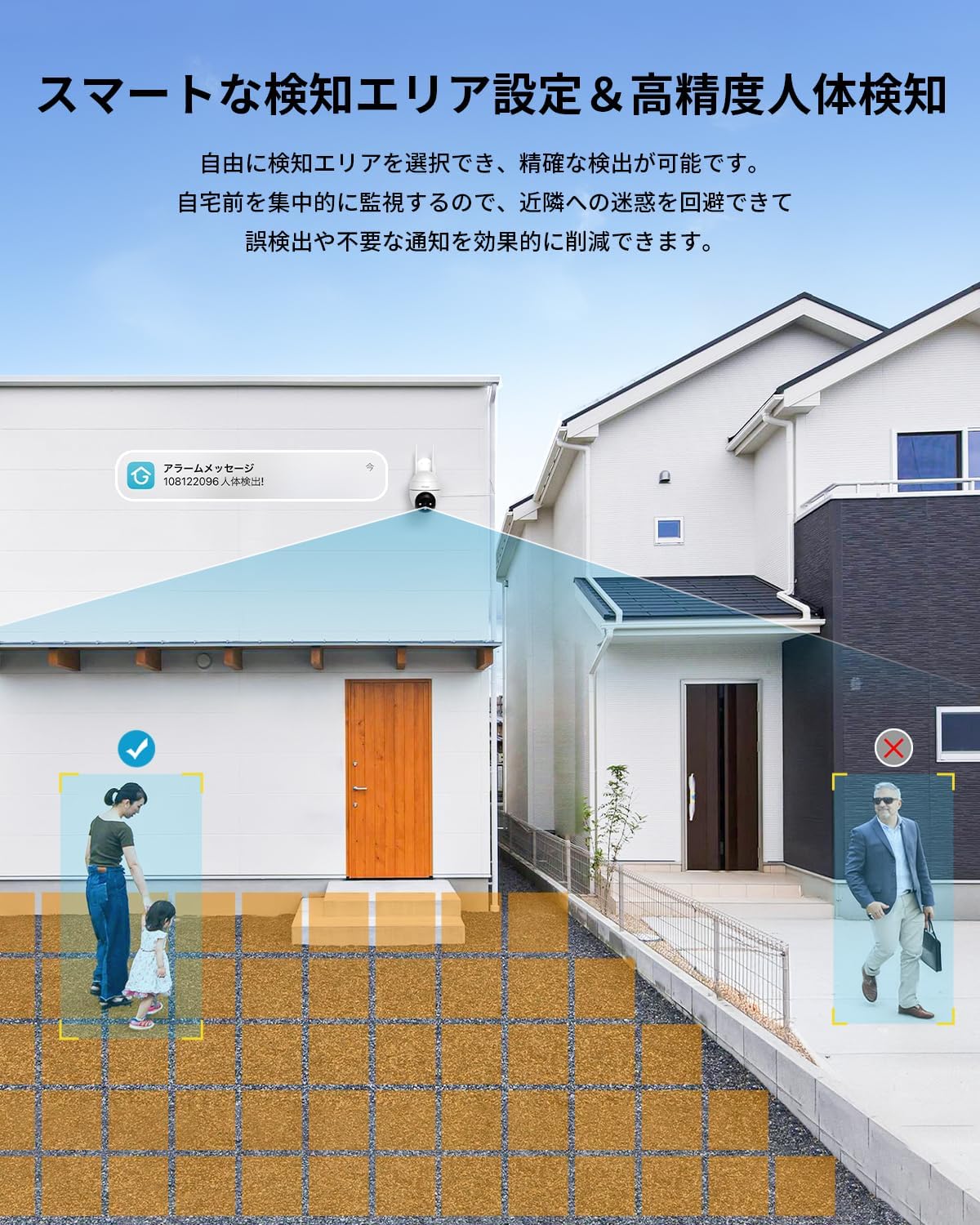
Figure 5: Setting up smart detection areas and the effectiveness of human detection.

Figure 6: The camera's automatic tracking feature following a detected person.

Figi 7: Egzample of a push notification from the ieGeek Cam app.
4.4 Vizyon lannwit
The camera automatically switches to night vision in low-light conditions. It features both infrared (black & white) and full-color night vision, utilizing 3 IR lights and 3 LED lights to illuminate up to 25 meters.
Video 4: A time-lapse video demonstrating the camera's night vision capabilities, transitioning from day to night.

Figure 8: Comparison of night vision range, highlighting the camera's 20m effective range.
4.5 Odyo De-fason
The built-in microphone and speaker allow for two-way communication. You can speak through the app to anyone near the camera and hear their responses.

Figure 9: A user interacting with the two-way audio feature via the smartphone app.

Figure 10: Multiple family members can view fim kamera a an menm tan.
4.6 Entegrasyon Alexa
The camera is compatible with Alexa. You can use voice commands to view the camera feed on compatible Alexa-enabled devices, such as
Ask a question about this manual
Ask about setup, troubleshooting, compatibility, parts, safety, or missing instructions. Manuals+ will review the question and use this page’s manual context to help answer it.