
1. Entwodiksyon
This manual provides detailed instructions for the setup, operation, and maintenance of your TOMLOV DM209 Digital Microscope. This device is designed for detailed observation and analysis, featuring a 7-inch IPS display, 2K HDMI output, and a 26MP Sony CMOS sensor, offering up to 1200x magnification. Please read this manual thoroughly before using the microscope to ensure proper function and longevity.
2. Enfòmasyon sou Sekirite
- Asire w ke mikwoskòp la mete sou yon sifas ki estab e plat pou anpeche li chavire.
- Pa ekspoze aparèy la nan tanperati ekstrèm, imidite, oswa limyè solèy la dirèk.
- Keep the microscope away from water and other liquids.
- Itilize sèlman adaptè pouvwa yo bay la.
- Avoid touching the lens directly with your fingers. Use a soft, lint-free cloth for cleaning.
- Do not attempt to disassemble or repair the microscope yourself. Contact customer support for assistance.
3. Pake kontni
Verifye ke tout atik yo prezan nan pakè a:
- TOMLOV DM209 Digital Microscope Unit
- Kanpe reglabl
- Kontwòl Remote
- USB kab
- HDMI kab
- Adaptè pouvwa
- Règ kalibrasyon
- Manyèl Itilizatè (dokiman sa a)
- Kat MicroSD 32GB (pre-enstale oswa enkli separeman)
4. Pwodwi souview
The TOMLOV DM209 Digital Microscope consists of a main microscope unit with an integrated 7-inch IPS display, a sturdy metal stand, and a base with adjustable LED lights. Key components include the focus wheel, magnification adjustment, lens, and various ports for connectivity.

Figure 4.1: Fully assembled TOMLOV DM209 Digital Microscope with its stand and adjustable lights.
5. Enstalasyon
- Rasanble kanpe la: Attach the microscope unit to the adjustable stand. Ensure all screws are tightened securely.
- Konekte pouvwa: Plug the power adapter into the microscope's DC input port and then into a power outlet.
- Mete kat MicroSD: If not already inserted, gently push the 32GB MicroSD card into the designated slot until it clicks.
- Pozisyon: Place the object to be observed on the base plate. Adjust the height of the microscope unit using the stand's adjustment knob to get a preliminary focus.
6. Operasyon Enstriksyon
6.1 Limen/Etenyen
Press and hold the power button on the microscope unit for a few seconds to turn it on. Repeat the action to turn it off.
6.2 Ajisteman Agrandisman ak Fokus
Rotate the focus wheel on the side of the microscope unit to achieve a clear image. The DM209 offers a magnification range from 2X to 1200X. Adjust the distance between the lens and the object for optimal magnification and clarity.

Figure 6.1: Illustration of the microscope's 2X-1200X zoom capability, showing magnified views of a fabric texture and a coin.
6.3 Using the 7-inch IPS Monitor
The integrated 7-inch IPS monitor provides a clear and wide viewing angle for direct observation. Use the buttons below the screen to navigate menus and adjust settings.
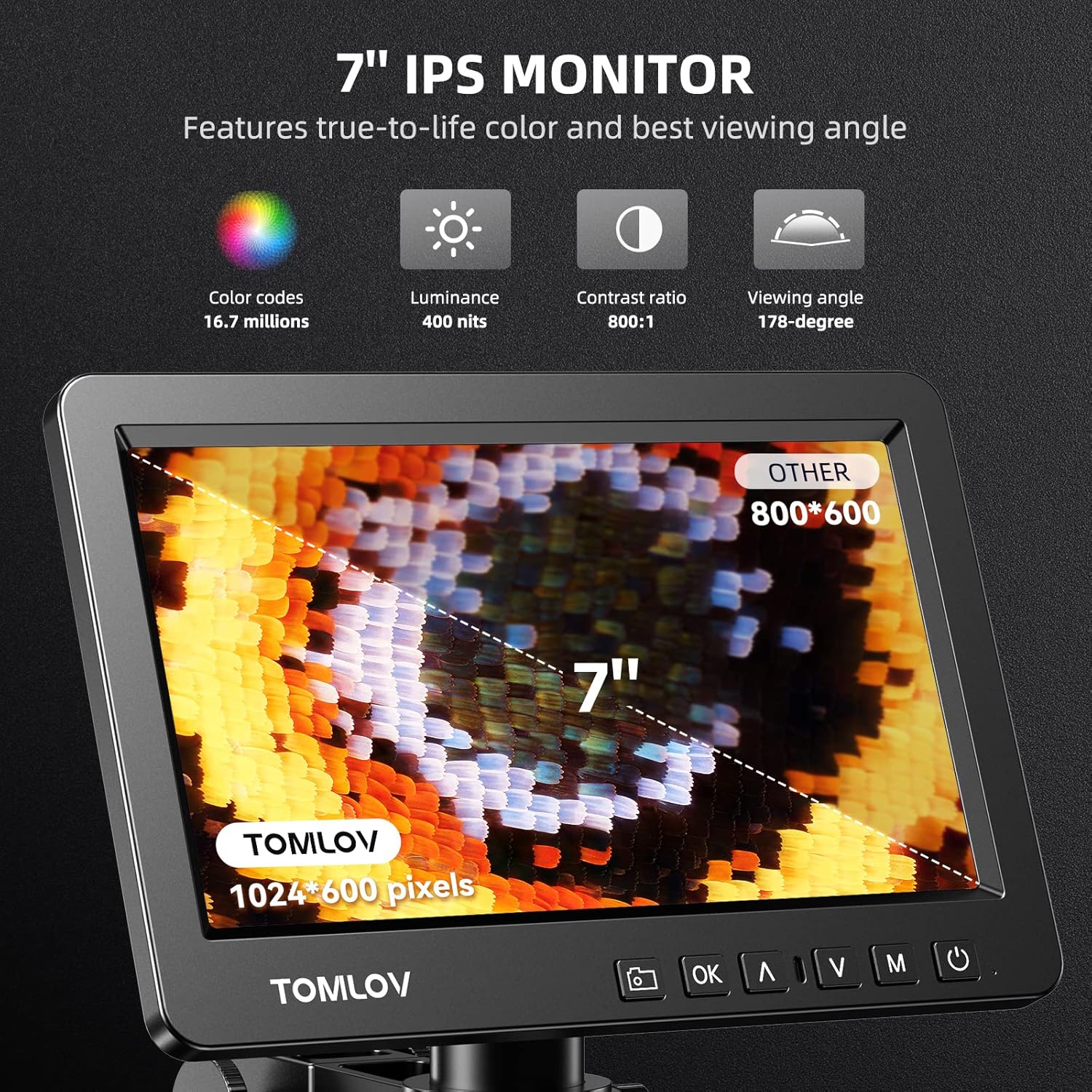
Figure 6.2: Close-up of the 7-inch IPS monitor displaying a magnified butterfly wing, highlighting its color, luminance, contrast, and viewing angle specifications.
6.4 Fonksyon kontwòl Remote
The included remote control allows for convenient operation without touching the microscope, reducing vibrations. Functions include digital zoom, image flip, taking pictures/videos, and freezing the screen.

Figure 6.3: A hand holding the remote control for the microscope, with icons for digital zoom, image flip, capture, and freeze screen functions.
6.5 HDMI Output to External Display
Connect the microscope to a larger monitor or TV using the provided HDMI cable for a wider view and collaborative observation. Ensure both devices are powered off before connecting the HDMI cable, then power them on.

Figure 6.4: Microscope connected to an external monitor via HDMI, displaying a magnified circuit board.
6.6 USB Output for PC View
For advanced analysis and larger screen viewing on a computer, connect the microscope to your PC using the USB cable. The microscope is compatible with Windows operating systems. Install any necessary drivers or software as prompted by your computer.

Figi 6.5: Yon itilizatè viewing the microscope's output on a larger PC monitor via USB connection, demonstrating Windows compatibility.
6.7 Kaptire Imaj ak Videyo
Use the dedicated capture button on the microscope unit or the remote control to take still images or record videos. Files are saved directly to the inserted MicroSD card.
6.8 Trinocular Compatibility
The DM209 features C-mount compatibility, allowing it to be integrated into trinocular microscope setups for comprehensive and direct viewing, facilitating sharing and advanced applications.
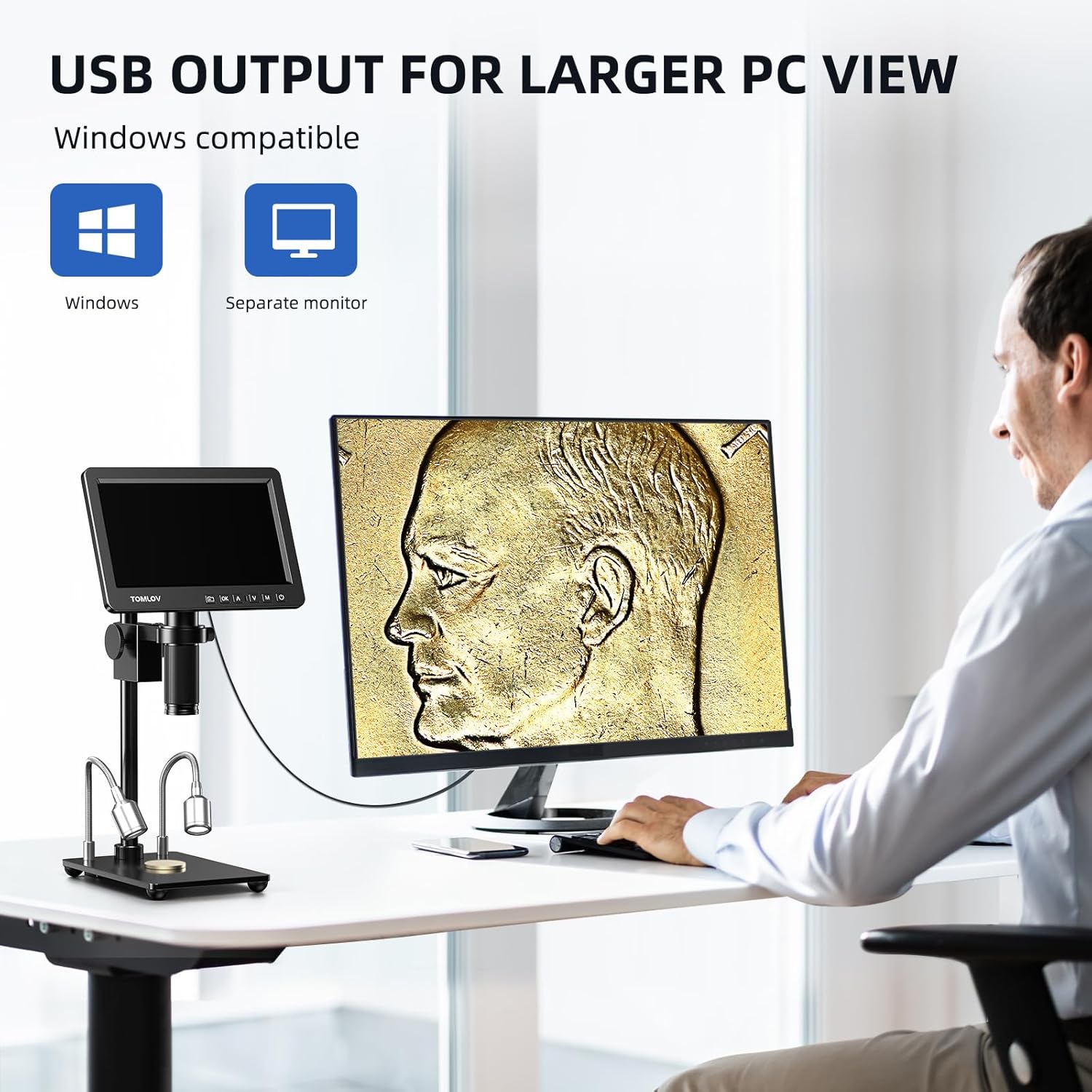
Figure 6.6: The microscope's screen displaying a magnified plant cell structure, illustrating its trinocular compatibility for comprehensive viewing ak pataje.
7. Antretyen
- Netwaye lantiy la: Sèvi ak yon twal mou ki pa gen pousyè, espesyalman fèt pou lantiy optik. Pou tach ki difisil pou retire, ou ka aplike yon ti kantite solisyon netwayaj lantiy sou twal la (pa dirèkteman sou lantiy la).
- Netwaye kò a: Wipe the microscope body with a soft, dry cloth. Do not use abrasive cleaners or solvents.
- Depo: When not in use, store the microscope in a clean, dry, and dust-free environment. Use a dust cover if available.
- Swen batri (si sa aplikab): If the device has an internal battery, avoid fully discharging it frequently to prolong its lifespan.
NAN. Depanaj
| Pwoblèm | Kòz posib | Solisyon |
|---|---|---|
| Pa gen pouvwa | Adaptè kouran an pa konekte; priz kouran an gen pwoblèm. | Tcheke koneksyon kouran yo; eseye yon lòt priz kouran. |
| Imaj floue | Focus not adjusted; object too far/close; lens dirty. | Adjust focus wheel; adjust object distance; clean lens. |
| No image on external monitor | HDMI cable loose or faulty; incorrect input selected on monitor. | Check HDMI connection; select correct input source on external monitor. |
| Cannot save images/videos | MicroSD card full, faulty, or not inserted correctly. | Check MicroSD card insertion; format or replace card. |
| Remote kontwòl pa travay | Batteries low or depleted; obstruction between remote and microscope. | Replace remote control batteries; ensure clear line of sight. |
9. Espesifikasyon
| Karakteristik | Detay |
|---|---|
| Modèl | DM209 |
| Mak | TOMLOV |
| Ekspozisyon | 7-pous ekran IPS |
| Capteur | Sony CMOS IMX 26MP |
| Agrandisman | 2X - 1200X |
| Sòti videyo | 2K HDMI, USB |
| Materyèl | Metal (lens, stand) |
| Dimansyon (L x W x H) | 26 x 16 x 18 cm |
| Pwa | 1.41 Kilogram |
| Voltage | 240 Volts |
| Depo | Supports MicroSD card (32GB included) |
10. Garanti ak sipò
For warranty information and technical support, please refer to the warranty card included with your product or visit the official TOMLOV website. Do not attempt to repair the device yourself, as this may void your warranty.