1. Pwodwi souview
The AUKEY LS02 Smart Watch is designed to help you monitor your daily activities and stay connected. It features a large 1.4-inch TFT screen with a 320 x 320 pixel resolution, providing clear display of information.
Fonksyonalite kle yo enkli:
- Display of daily activity information and phone notifications.
- Synchronization with the AUKEY Fit App for call, text, and chat message alerts.
- Control of your phone's music playlist directly from your wrist.
- Accurate fitness tracking for various activities like running, cycling, and walking.
- Monitoring of performance data such as steps, activity minutes, distance, and calories burned.
- Compatibility with both iPhone and Android smartphones.

Figi 1.1: Devan view of the AUKEY LS02 Smart Watch, showing the display with time, date, and various health metrics.
2. Gid Enstalasyon
2.1. Ki sa ki nan bwat la
Lè w ap debale l, tanpri verifye si tout konpozan yo la:
- AUKEY LS02 Smart Watch (with strap attached)
- Chaje kab
- Manyèl Enstriksyon (dokiman sa a)
2.2. Premye Chajman
Before first use, fully charge your AUKEY LS02 Smart Watch.
- Konekte kab chaje mayetik la ak kontak chaje yo sou dèyè mont lan.
- Branche bout USB kab chaje a nan yon adaptè kouran USB estanda (5V/1A rekòmande) oubyen nan yon pò USB òdinatè.
- Ekran mont lan ap endike eta chaj la. Kite apeprè 2 èdtan pou yon chaj konplè.
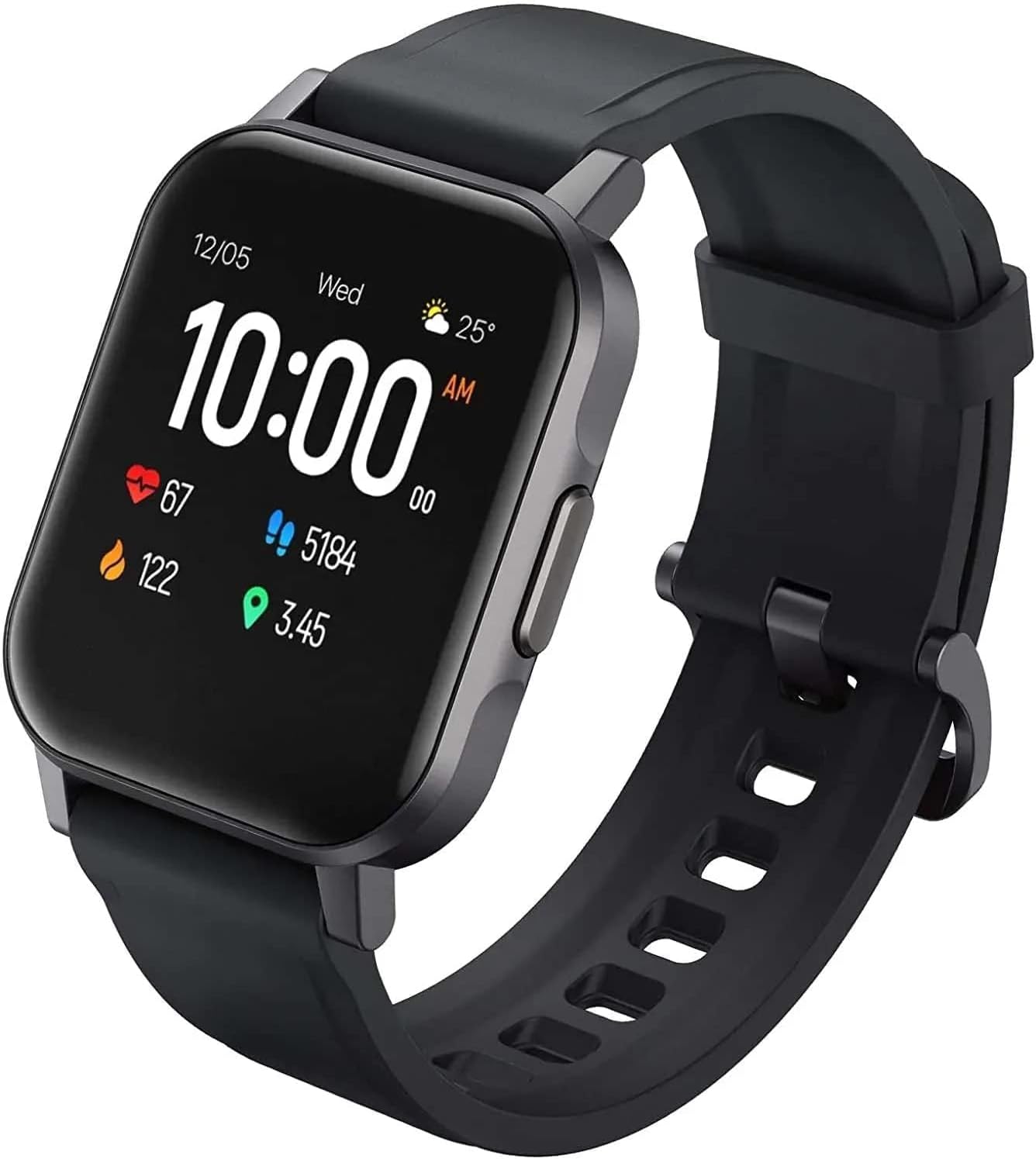
Figi 2.1: Angle view of the AUKEY LS02 Smart Watch, highlighting the watch body and strap connection.
2.3. Konekte ak telefòn entelijan ou
To unlock the full features of your smartwatch, pair it with the AUKEY Fit App.
- Download the AUKEY Fit App: Chèche pou "AUKEY Fit" in your smartphone's app store (Google Play Store for Android or Apple App Store for iOS) and install it.
- Pèmèt Bluetooth: Asire w ke Bluetooth aktive sou smartphone ou.
- Louvri aplikasyon an: Launch the AUKEY Fit App and follow the on-screen instructions to create an account or log in.
- Ajoute Aparèy: In the app, navigate to the "Device" or "Add Device" section. The app will search for nearby AUKEY smartwatches.
- Chwazi mont ou a: From the list of found devices, select "AUKEY LS02" or a similar identifier.
- Konfime pè: Yon demann koneksyon ka parèt sou telefòn ou ak mont lan. Konfime koneksyon an sou tou de aparèy yo.
- Senkronizasyon: Once paired, the watch will synchronize data with the app, including time, date, and personal settings.
Nòt: Keep your watch close to your smartphone during the pairing process to ensure a stable connection.
3. Kijan pou w itilize mont entelijan w lan
3.1. Navigasyon debaz
- Ekran tactile: Swipe left/right, up/down to navigate through menus and screens. Tap to select an option.
- Bouton bò: Press the side button to wake the screen, return to the home screen, or access the main menu (functionality may vary based on context).
3.2. Montre Enfòmasyon
The main watch face typically displays:
- Lè ak Dat
- Nivo batri
- Bluetooth Koneksyon Ki dènye nouvèl
- Daily Steps Count
- Batman kè
- Kalori boule
- Distans vwayaje
Swipe through different screens to access more detailed information or specific functions.
3.3. Notifikasyon
Once paired with the AUKEY Fit App, your watch can receive notifications from your smartphone.
- Ensure notification permissions are enabled for the AUKEY Fit App in your phone's settings.
- Within the AUKEY Fit App, select which applications you wish to receive notifications from (e.g., calls, SMS, WhatsApp, Facebook).
- When a notification arrives, the watch will vibrate and display the message content.
- Glise anlè oswa anba sou kadran mont lan pou view dènye notifikasyon yo.
3.4. Suivi Fòm
The watch automatically tracks your daily activity and offers modes for specific exercises.
- Aktivite chak jou: Monitors steps, distance, calories, and active minutes throughout the day.
- Mòd Antrennman: Select from various activities such as running, cycling, mountain climbing, and walking. The watch will record specific metrics for the chosen activity.
- Siveyans batman kè: Mont lan kontwole batman kè w kontinyèlman. View your current heart rate on the watch or detailed historical data in the AUKEY Fit App.
3.5. Kontwòl Klas Mizik
Control your smartphone's music playback directly from your watch.
- Ensure your watch is connected to your smartphone via Bluetooth.
- Navigate to the music control interface on your watch (usually by swiping or through the main menu).
- You can play/pause, skip tracks (next/previous), and adjust volume (if supported by the watch model).
4. Swen ak Antretyen
4.1. Netwaye mont entelijan ou an
Netwayaj regilye ede kenbe aparans ak fonksyonalite mont lan.
- Wipe the screen and watch body with a soft, lint-free cloth. If necessary, slightly dampen twal la ak dlo.
- For the strap, use a mild soap solution and rinse thoroughly. Ensure the strap is completely dry before reattaching to the watch or wearing.
- Avoid using harsh chemicals, abrasive cleaners, or solvents, as these can damage the watch's finish or internal components.
4.2. Rezistans dlo
The AUKEY LS02 Smart Watch is designed to be splash-proof and resistant to sweat and light rain. It is pa suitable for swimming, showering, or diving. Avoid prolonged exposure to water.
Enpòtan: Water damage is not covered under warranty if the watch is used beyond its specified water resistance capabilities.
4.3. Depo
When not in use for extended periods, store your watch in a cool, dry place away from direct sunlight and extreme temperatures. Ensure the watch is partially charged (around 50%) before long-term storage to preserve battery health.
7. Garanti ak sipò
AUKEY products are designed with quality and reliability in mind. For specific warranty terms and conditions applicable to your AUKEY LS02 Smart Watch, please refer to the warranty card included with your purchase or visit the official AUKEY websit.
If you require technical assistance, have questions about product functionality, or need to report a defect, please contact AUKEY customer support through their official channels. Details for contacting support can typically be found on the AUKEY website or within the AUKEY Fit App.
Please have your product model number (AUKEY-LS02BLK) and purchase details ready when contacting support.
