
Candy FIDCP X200
Candy Idea FIDCP X200 Static Oven User Manual
Model: FIDCP X200 | Brand: Candy
1. Entwodiksyon
Welcome to the user manual for your new Candy Idea FIDCP X200 Static Oven. This appliance is designed to provide efficient and reliable cooking performance for your home. With a generous 70-liter capacity, mechanical controls, and an innovative Aquactiva cleaning system, this oven offers simplicity and functionality. Please read this manual carefully before using the oven to ensure safe operation, optimal performance, and proper maintenance.
This manual contains important information regarding installation, operation, cleaning, and troubleshooting. Keep it in a safe place for future reference.
2. Enfòmasyon sou Sekirite
Your safety and the safety of others are paramount. This section outlines important safety precautions to follow when using your oven.
- Sekirite elektrik: Ensure the oven is properly grounded. Do not use extension cords. Disconnect power before servicing.
- Sifas cho: The oven interior and exterior surfaces can become very hot during operation. Always use oven mitts when handling hot items or touching hot surfaces. Keep children and pets away from the oven during use.
- Vantilasyon: Ensure adequate ventilation around the oven as per installation instructions. Do not block ventilation openings.
- Netwayaj: Always allow the oven to cool completely before cleaning. Use only recommended cleaning agents and methods.
- Sipèvizyon: Never leave the oven unattended while in use, especially when cooking with oil or fat.
- Itilizasyon apwopriye: Use the oven only for its intended purpose of cooking food. Do not use it for heating rooms or drying clothes.
- Sekirite Pòt: The oven features a double glass door with radial cooling to prevent the exterior from overheating. However, exercise caution when opening the door as hot steam may escape.
3. Pwodwi souview
The Candy Idea FIDCP X200 oven features a sleek stainless steel and black design, with intuitive mechanical controls for ease of use.

Figi 3.1: Devan view of the Candy Idea FIDCP X200 Static Oven. This image shows the oven's exterior, highlighting the stainless steel control panel with two mechanical knobs and the black glass door. The interior features a rack and a tray.
Eleman ak kontwòl:
- Kontwòl Panel: Located at the top, featuring two mechanical knobs.
- Bouton Seleksyon Fonksyon: Used to select one of the four cooking functions.
- Bouton Seleksyon Tanperati: Itilize pou fikse tanperati pou kwit manje a.
- Kavite fou: 70-liter capacity, designed for various cooking needs.
- Pòt fou: Double glass construction with a stainless steel handle, designed for safety and heat retention.
- Pwodwi pou Telefòn: Includes 1 baking tray and 1 wire rack.

Figi 3.2: The oven's design emphasizes easy and intuitive cooking, featuring simple mechanical controls.
4. Enstalasyon
Bon enstalasyon enpòtan anpil pou fou ou a fonksyone byen epi avèk efikasite. Li rekòmande pou yon teknisyen kalifye fè enstalasyon an.
Dimensions and Integration:
- Oven Dimensions (H x W x D): 59.5 cm x 59.5 cm x 56.8 cm
- Integration Niche Dimensions (H x W x D): 59 cm x 56 cm x 56 cm
- Pwa: Apeprè 24.2 kg

Figi 4.1: Detailed technical diagram illustrating the oven's dimensions and the required integration niche measurements for proper installation. Consult the cooktop manufacturer's installation guide for adequate clearances.
Koneksyon elektrik:
The oven operates on an electrical power supply with a wattage of 2400 watts. Ensure the electrical installation meets local regulations and the oven's power requirements. The oven comes with an electrical cable.
5. Operasyon Enstriksyon
Your Candy oven is designed for simple and quick configuration.
Premye Itilizasyon:
- Anvan premye itilizasyon an, retire tout materyèl anbalaj ak akseswa yo nan kavite fou a.
- Netwaye enteryè fou a ak anonsamp twal.
- Heat the empty oven at maximum temperature for approximately 30 minutes to burn off any manufacturing residues. Ensure the room is well-ventilated during this process.
Setting Cooking Functions and Temperature:
- Chwazi Fonksyon: Use the left mechanical knob (Function Selector) to choose one of the four available cooking functions. These typically include:
- Konvansyonèl (chalè anwo ak anba)
- Griye
- Anba Chalè
- Light (for illumination without heat)
- Mete Tanperati: Use the right mechanical knob (Temperature Selector) to set the desired cooking temperature. The temperature range is typically from 50°C to 250°C.
- Prechofaj: Pou pi bon rezilta, chofe fou a nan tanperati ou vle a anvan ou mete manje ladan l. Limyè endikatè fou a ap etenn lè tanperati a rive.
- Kwit manje: Place food in the oven using the provided tray or rack. Monitor cooking progress through the oven door.
- Ending Cooking: Once cooking is complete, turn both knobs to the "OFF" position.
6. Netwayaj ak antretyen
Regular cleaning and maintenance will ensure the longevity and optimal performance of your Candy oven.
Aquactiva Cleaning System:
The Aquactiva system uses steam action to easily remove grease deposits from the oven cavity.
- Asire w ke fou a fre.
- Pour 300 ml of distilled water into the bottom of the oven cavity.
- Set the oven to the Aquactiva function (if available, otherwise use a low heat setting like 90°C) and heat for 30 minutes.
- Once the cycle is complete, allow the oven to cool down completely.
- Wipe away any remaining residue with a damp twal oswa eponj.

Figi 6.1: Key features of the Candy oven, including its 70-liter capacity, Aquactiva cleaning system, and durable construction.
Netwayaj jeneral:
- Eksteryè: Netwaye sifas ekstèn yo ak yon twal mou,amp twal ak detèjan twò grav. Evite pwodui netwayaj abrazif.
- Pòt vè: Clean the inner and outer glass panels with a glass cleaner or warm soapy water.
- Pwodwi pou Telefòn: The baking tray and wire rack can be washed with warm soapy water or in a dishwasher.
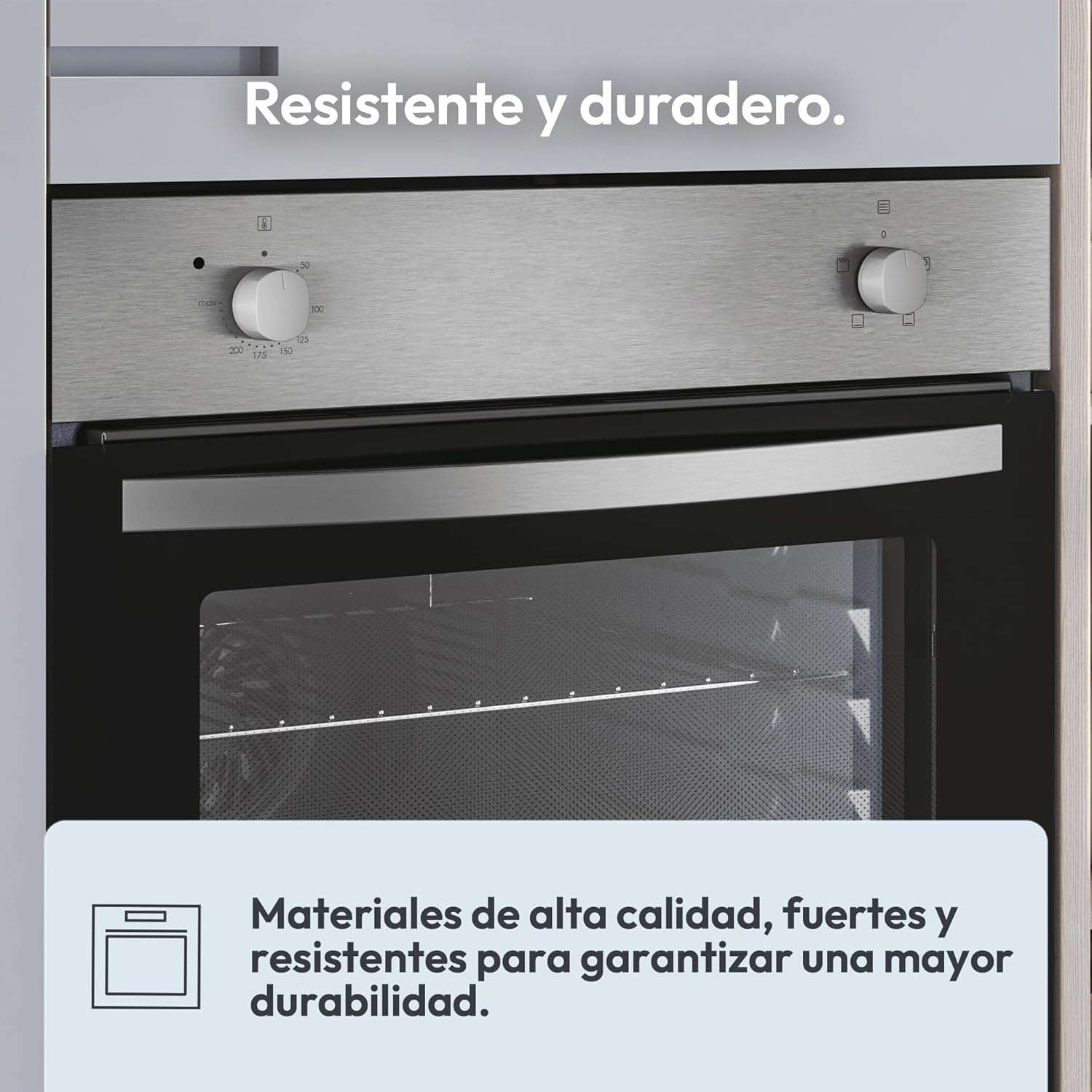
Figi 6.2: The oven is constructed with high-quality, strong, and resistant materials to ensure greater durability.
NAN. Depanaj
Anvan ou kontakte sèvis kliyan, tanpri gade pwoblèm komen sa yo ak solisyon potansyèl yo.
| Pwoblèm | Kòz posib | Solisyon |
|---|---|---|
| Fou a pa chofe. | No power supply; Function/temperature knobs not set correctly. | Check power connection and circuit breaker. Ensure both knobs are set to a cooking function and temperature. |
| Limyè fou a pa travay. | Anpoul la gen pwoblèm. | Ranplase anpoul fou a (asire w ke fou a frèt epi li dekonekte nan kouran an). |
| Manje a pa kwit egalman. | Incorrect temperature/function; Overcrowding the oven; Improper rack position. | Verify settings. Avoid overcrowding. Use the recommended rack position for your dish. |
| Twòp lafimen pandan kwit manje. | Food spills or grease residue inside the oven. | Clean the oven thoroughly, especially after cooking greasy foods. |
8. Espesifikasyon
| Karakteristik | Detay |
|---|---|
| Mak | Sirèt |
| Nimewo Modèl | FIDCP X200 |
| Kalite | Fou elektrik estatik |
| Kapasite | 70 lit |
| Wattage | 2400 Watts |
| Dimansyon pwodwi (H x W x P) | 59.5 cm x 59.5 cm x 56.8 cm |
| Integration Niche Dimensions (H x W x D) | 59 cm x 56 cm x 56 cm |
| Pwa | 24.2 kg |
| Kalite kontwòl | Bouton mekanik |
| Kantite Fonksyon | 4 |
| Netwayaj Sistèm | Aquactiva (Steam) |
| Kalite Pòt | Double Glass with Radial Cooling |
| Koulè | Inox (Stainless Steel) and Black |
| Pwodwi pou Telefòn enkli | 1 Tray, 1 Wire Rack, Electrical Cable |
9. Garanti ak sipò
Your Candy Idea FIDCP X200 Static Oven comes with a standard manufacturer's warranty. Please refer to the warranty card included with your purchase for specific terms and conditions, including the warranty period and coverage details.
For technical assistance, spare parts, or to schedule a service appointment, please contact Candy customer support. You can find contact information on the official Candy website or in the documentation provided with your appliance. When contacting support, please have your oven's model number (FIDCP X200) and serial number ready.
Resous sou entènèt: For additional information, FAQs, and product registration, visit the official Candy websit: www.candy-group.com
Ask a question about this manual
Ask about setup, troubleshooting, compatibility, parts, safety, or missing instructions. Manuals+ will review the question and use this page’s manual context to help answer it.