
1. Pwodwi souview
The Amazon Echo Show 8 (3rd Generation) is a smart display designed to enhance your daily life with immersive entertainment, smart home control, and seamless communication. Featuring an 8-inch HD touchscreen and spatial audio, it offers a rich visual and auditory experience. The device integrates a built-in smart home hub for simplified control of compatible devices and a 13 MP camera for clear video calls.
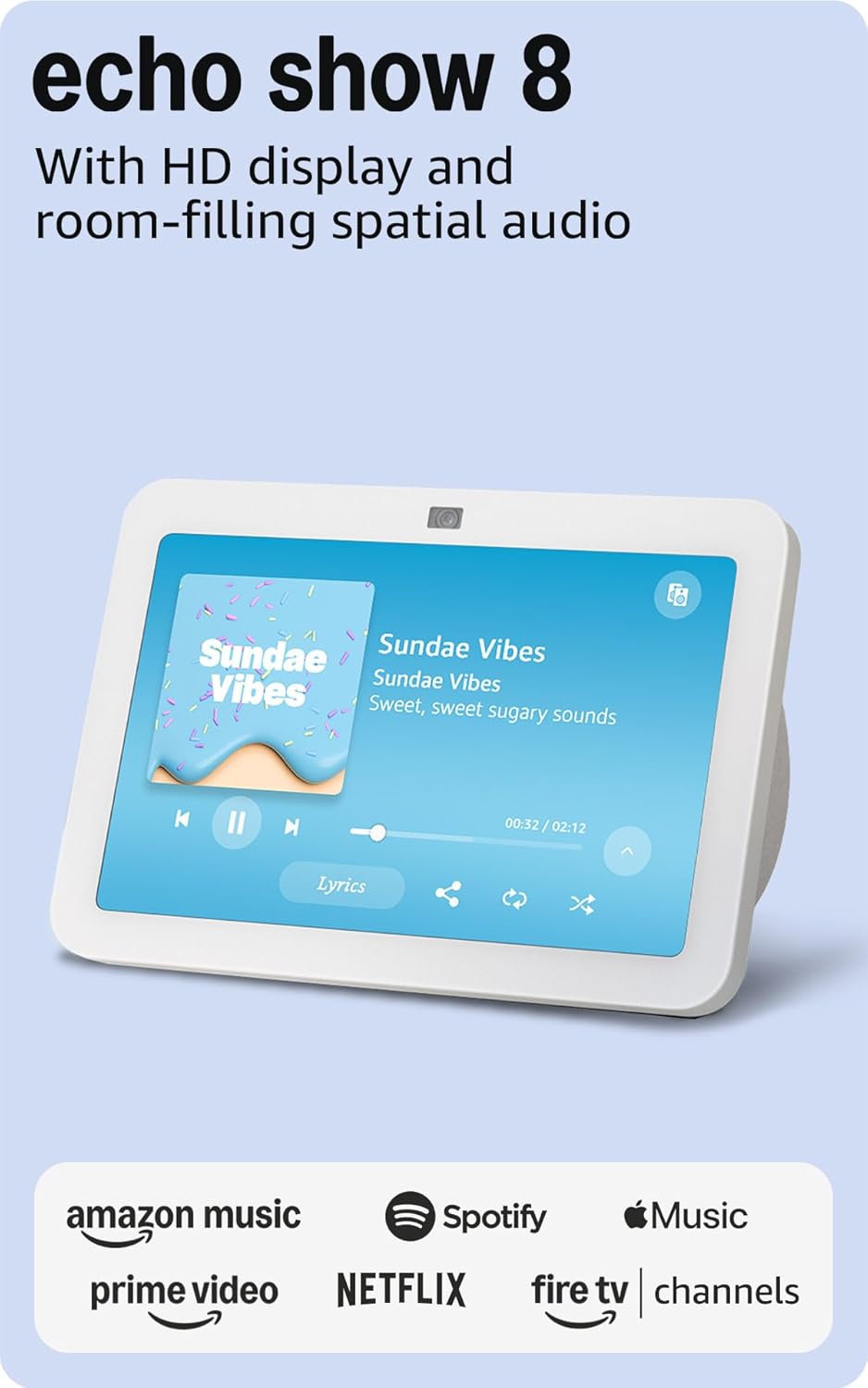
Imaj: Devan view of the Amazon Echo Show 8 (3rd Gen) in Glacier White, displaying a music interface.
2. Ki sa ki nan bwat la
- Aparèy Echo Show 8 (3yèm jenerasyon)
- Glacier White power adapter (30W) with 4.9 ft. cable
- Gid pou kòmanse rapid
3. Gid Enstalasyon
3.1 Premye pouvwa-sou
- Konekte adaptè kouran an nan Echo Show 8 la epi branche li nan yon priz miray.
- The device will power on automatically and display the Amazon logo.
3.2 Rezo Koneksyon
- Follow the on-screen instructions to select your language and connect to your Wi-Fi network. The Echo Show 8 supports dual-band Wi-Fi (802.11a/b/g/n/ac).
- For simplified setup, Amazon Wi-Fi simple setup allows compatible devices to connect to your Wi-Fi network in a few easy steps.
3.3 Amazon Account Login
- Sign in with your Amazon account credentials. An Amazon account is required for full functionality.
- If you do not have an Amazon account, you can create one at amazon.com.
3.4 Pèsonalizasyon
Follow the prompts to personalize your device, including setting up Visual ID for personalized greetings and content display based on who is near the device. Alexa processes images on the device to recognize you.
4. Operasyon Enstriksyon
4.1 Kòmandman Vwa ak Alexa
The Echo Show 8 is primarily voice-controlled. Simply say "Alexa" followed by your command or question. Examples yo enkli:
- "Alexa, jwe mizik."
- "Alexa, ki jan tan an ye?"
- "Alexa, mete yon revèy pou 10 minit."
- "Alexa, montre m kamera pòt devan an."
4.2 Navigasyon ekran taktil
The 8-inch HD touchscreen allows for intuitive navigation and control:
- Glise anba soti anwo a: Access quick settings like Home, Settings, Do Not Disturb, Brightness, Notifications, Alarms, Photo Frame, Communicate, Music, Smart Home, Video, and Routines.
- Swipe left from the right edge: View adaptive content such as calendar, reminders, news, and suggested activities.
- Tap icons: Interact with on-screen elements, select options, or open applications.

Image: Amazon Echo Show 8 (3rd Gen) on a kitchen counter, displaying weather information.
4.3 Jès
The Echo Show 8 supports gestures for quick actions:
- Hold your palm towards the camera: Dismiss timers and alarms.
5. Karakteristik kle
5.1 Spatial Audio and HD Display
Experience immersive entertainment with room-filling spatial audio and an 8-inch HD touchscreen. The device features 2 x 2" full range neodymium drivers with a passive bass radiator for rich sound. Room adaptation technology automatically analyzes acoustics for optimal sound.
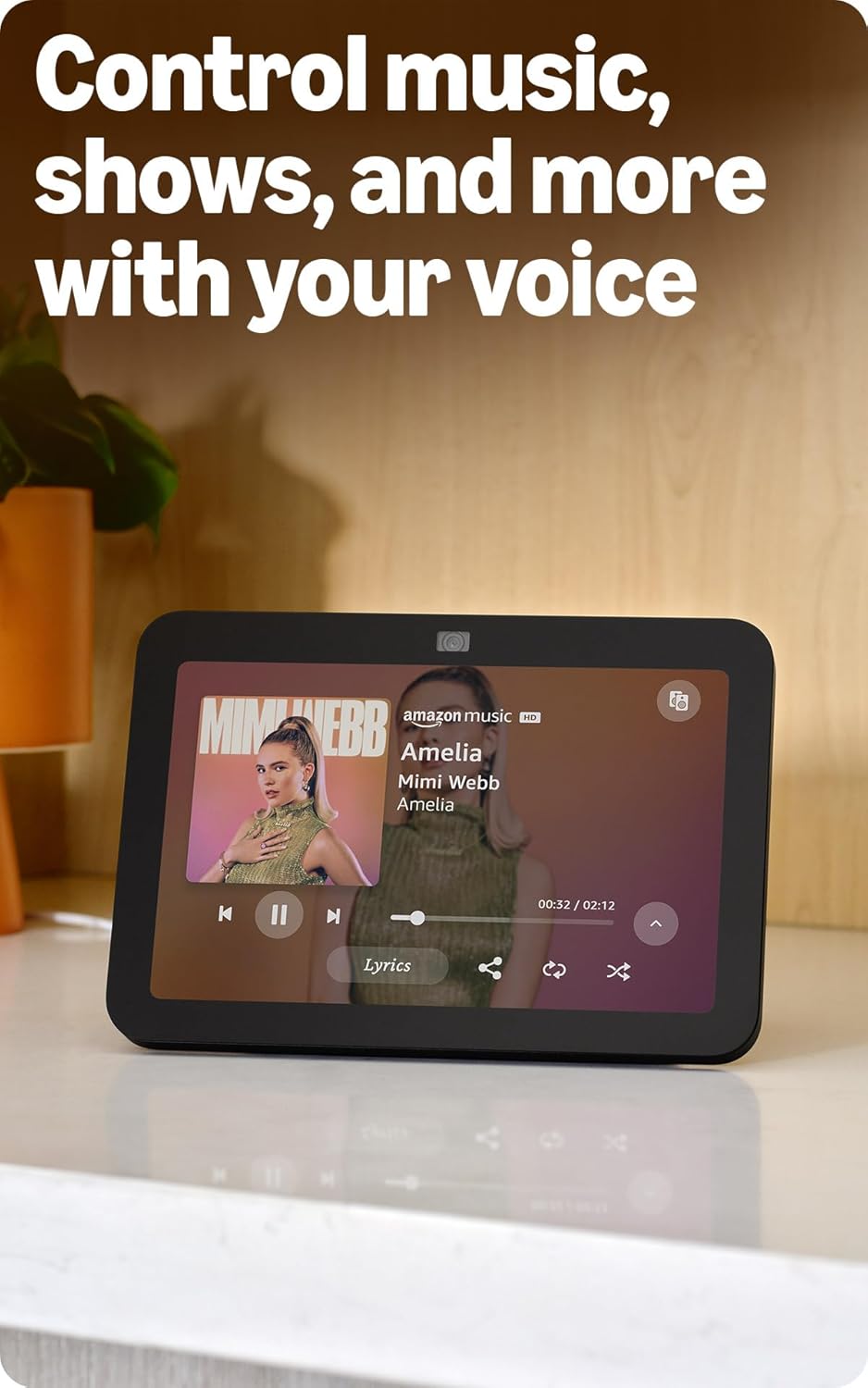
Image: Amazon Echo Show 8 (3rd Gen) showing music playback with lyrics on screen.
5.2 Enhanced Camera for Video Calls
The 13 MP centered camera with auto-framing and noise reduction technology ensures crisper video calls. The camera can keep you centered in the frame as you move. A built-in camera shutter provides privacy when needed.
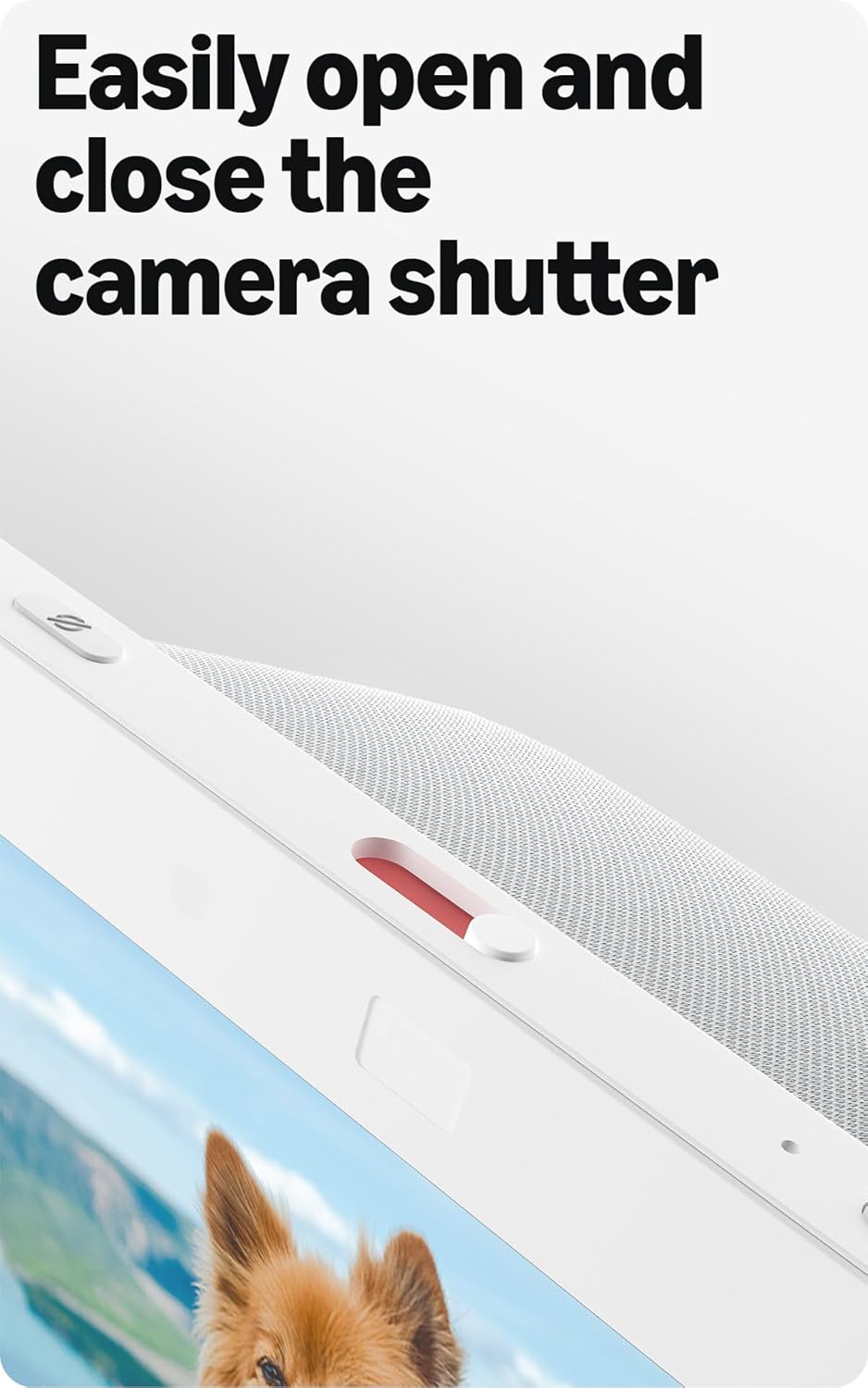
Image: Close-up of the top of the Echo Show 8 (3rd Gen) showing the physical camera shutter control.
5.3 Built-in Smart Home Hub
The Echo Show 8 includes a built-in smart home hub compatible with Zigbee, Matter, and Thread Border Router protocols. This allows you to pair and control a wide range of smart devices directly from your Echo Show 8 without needing a separate hub. Manage cameras, lights, and more using the display or your voice.
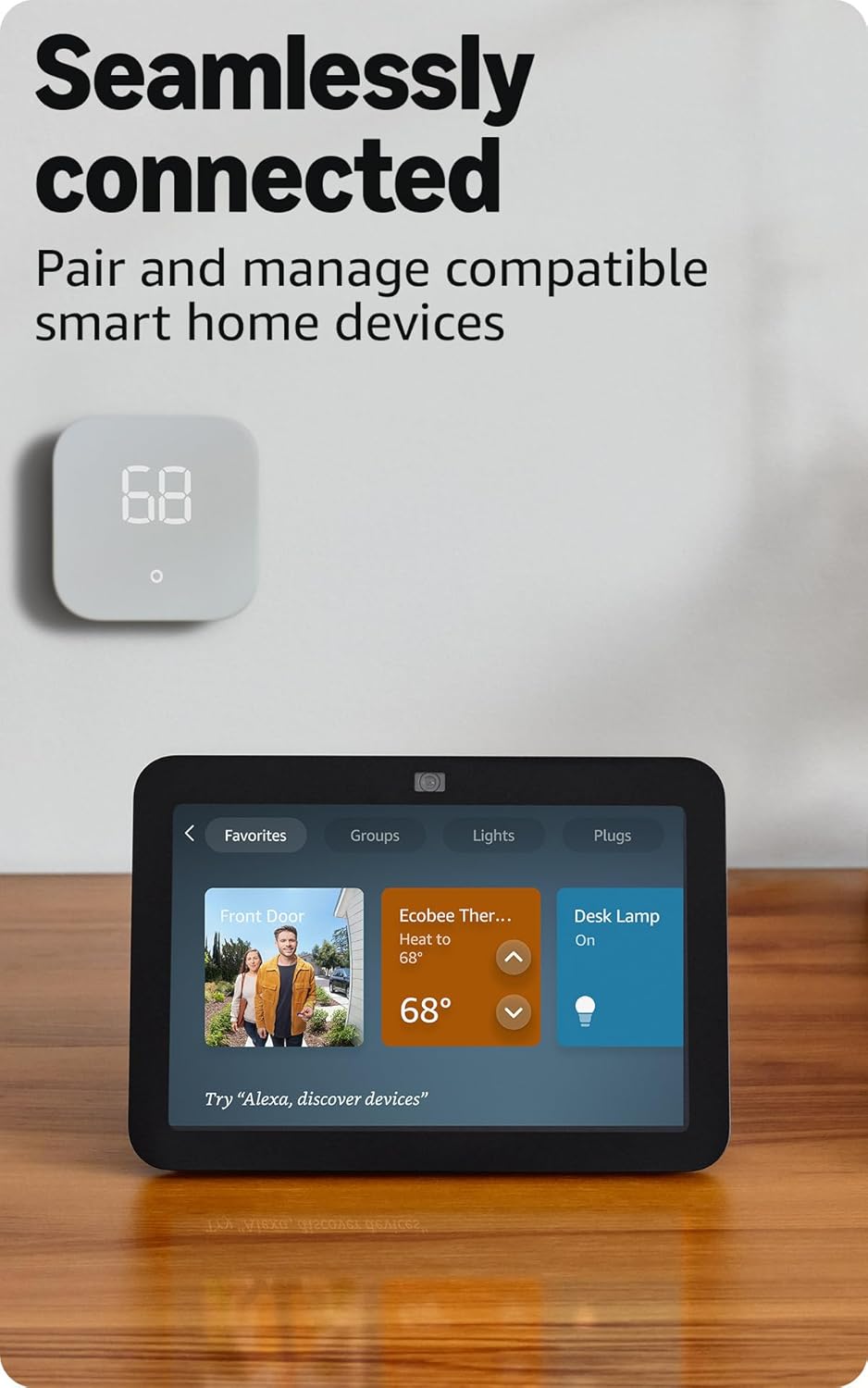
Image: Amazon Echo Show 8 (3rd Gen) screen showing smart home device controls for lights and thermostats.
5.4 Adaptive Content
Adaptive Content adjusts the information displayed on the screen based on your proximity. Glance at your calendar or reminders from afar, or see more detailed content when you're nearby. Shortcut icons on the home screen provide easy access to frequently used widgets.
6. Fonksyonalite Konfidansyalite
Amazon Echo Show 8 is designed with multiple layers of privacy controls:
- Teknoloji Pawòl Wake: The device only begins listening after detecting the wake word ("Alexa").
- Endikatè difizyon: Visual indicators confirm when audio or video is being streamed to the cloud.
- Bouton pou fèmen mikwofòn/kamera a: A physical button allows you to electronically disconnect the microphones and camera.
- Deklanchè Kamera Entegre: A physical slider covers the camera lens for complete visual privacy.
- Anrejistreman Vwa: Ou gen kapasite pou view and delete your voice recordings.
7. Espesifikasyon
| Karakteristik | Detay |
|---|---|
| Gwosè | 7.9 "x 5.5" x 4.2" (200mm x 139mm x 106mm) |
| Pwa | 36.6 oz (1034 gram) |
| Ekspozisyon | 8.0” HD touch screen |
| Kamera | 13 MP centered camera with built-in shutter |
| Koneksyon Wi-Fi | Wi-Fi doub-band (802.11a/b/g/n/ac) |
| Smart Kay Hub | Zigbee + Matter + Thread Border Router |
| Koneksyon Bluetooth | A2DP, AVRCP support |
| Odyo | 2 x 2” full range neodymium drivers with passive bass radiator |
| Processeur | Octa-Core SoC with Amazon AZ2 Neural Network Engine |
| Jenerasyon | Echo Show 8 (3yèm jenerasyon) - lansman 2023 |
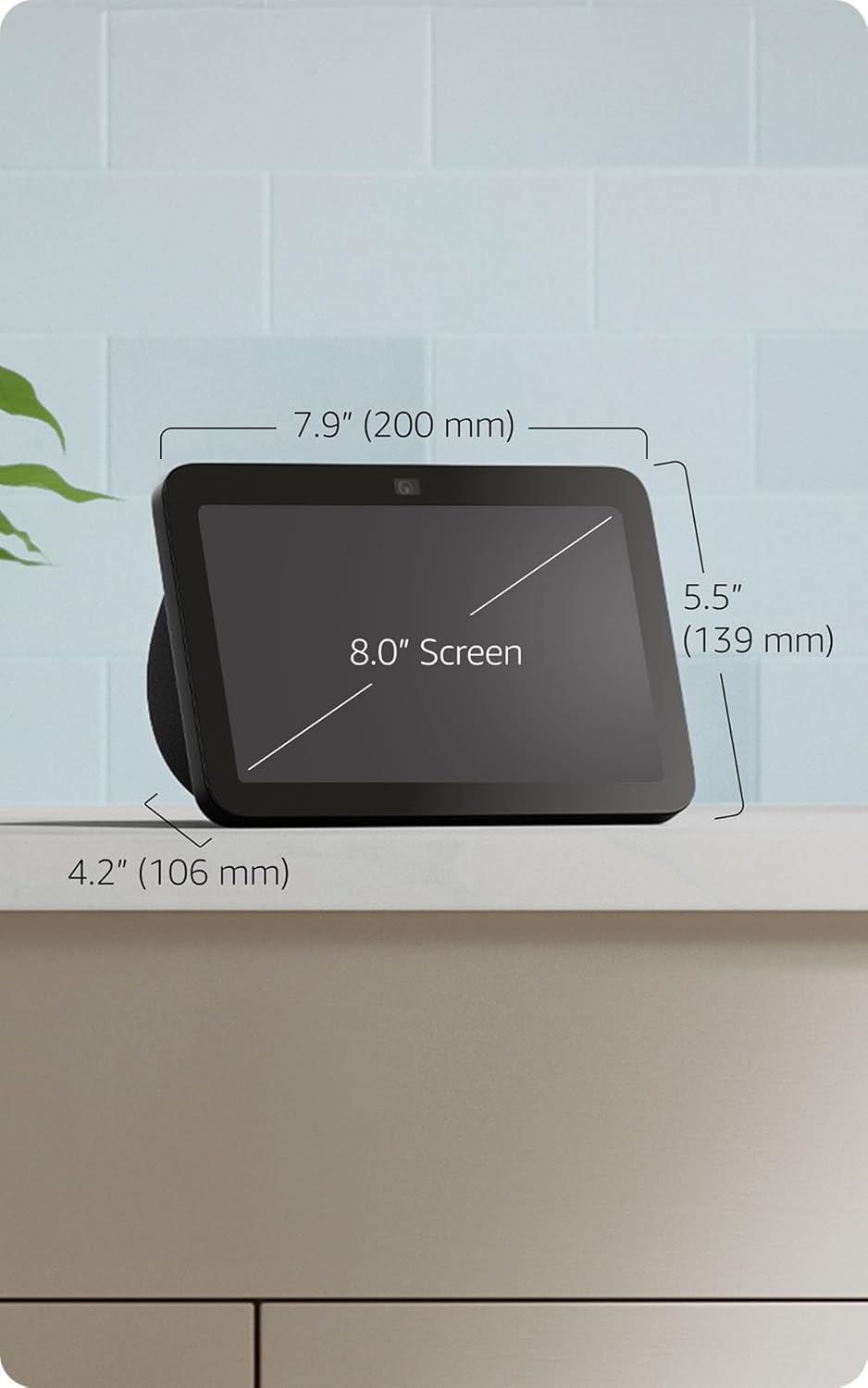
Image: Amazon Echo Show 8 (3rd Gen) with key dimensions labeled.
NAN. Depanaj
8.1 Aparèy la pa reponn
- Ensure the device is plugged in and the power adapter is securely connected.
- Tcheke koneksyon entènèt ou an.
- Verify that the microphone is not muted (red light on top indicates mute).
- Rekòmanse aparèy la lè w debranche l pandan 30 segonn epi branche l ankò.
8.2 Pwoblèm Koneksyon Wi-Fi
- Confirm your Wi-Fi password is correct.
- Deplase Echo Show 8 la pi pre routeur Wi-Fi ou a.
- Rekòmanse routeur Wi-Fi ou a ak modèm ou a.
8.3 Kamera a pa fonksyone
- Asire w ke deklanchè kamera a ouvè.
- Check that the camera is not disabled in the device settings or Alexa app.
9. Antretyen
- Netwayaj: Use a soft, lint-free cloth to clean the screen and device exterior. Avoid abrasive cleaners or sprays.
- Mizajou lojisyèl: The device automatically receives software security updates. Ensure it is connected to Wi-Fi for updates.
- Plasman: Place the device on a stable surface, away from heat sources, direct sunlight, and liquids.
10. Aksesiblite Karakteristik
The Echo Show 8 includes various accessibility features:
- Tape pou Alexa: Jwenn aksè a Alexa atravè manyen ekran an oswa yon klavye.
- Koute Adaptatif: Bay plis tan pou Alexa fini pale anvan li reponn.
- To Preferansyèl pou Pale: Kontwole vitès oswa ralanti Alexa ap pale.
- Sous-titre Alexa, Sous-titre pou apèl, Sous-titre pou moun ki poko gen enterè: Bay tèks soutit pou kontni ki sipòte yo.
- Montre epi Rakonte: Helps blind or visually impaired users identify products by saying "Alexa, what am I holding."
- VwaView Lektè ekran: Enables access for blind or visually impaired users.
- Agrandisè ekran: Zoom in/out and pan around the screen.
- Notifye lè li tou pre: Plays notification sounds when detected near the device.
- Lekti Kindle awotvwa: Alexa reads Kindle books aloud.
- Tèks an tan reyèl: Type live text in a video call.
- Additional settings for Color Inversion, Color Correction, Request Sound, and more.
Pou aktive fonksyon sa yo, ale nan Anviwònman → Aksè sou aparèy ou an.
11. Garanti ak sipò
The Amazon Echo Show 8 (3rd Gen) includes a 1-year limited warranty and service. Optional 1-year, 2-year, and 3-year extended warranties are available for U.S. customers and sold separately. Use of Echo Show 8 is subject to these terms.
Pou plis asistans, vizite sipò Amazon an websit oswa kontakte sèvis kliyan.