
Entwodiksyon
This manual provides detailed instructions for the safe and effective use of your MiLESEEY D5 70M-BT Laser Distance Meter. This device is designed for precise distance measurements up to 70 meters, featuring an electronic angle sensor, various measurement modes, and smartphone application connectivity for enhanced functionality.
Enfòmasyon sou Sekirite
Please read and understand all safety instructions before operating the device. Failure to follow these instructions may result in laser radiation exposure, electric shock, fire, or serious injury.
- Laser Class II Product: This device emits Class II laser radiation. Do not stare into the laser beam. Avoid direct eye exposure.
- Kalite lazè: 635nm <1mW.
- Pa eseye modifye oswa demonte aparèy la. Se sèlman pèsonèl sèvis otorize ki dwe fè reparasyon yo.
- Kenbe aparèy la pa rive nan men timoun yo.
- Do not operate the device in explosive atmospheres or near flammable liquids and gases.
- Use only specified batteries (2 x 1.5V AAA alkaline batteries).
Kontni pake
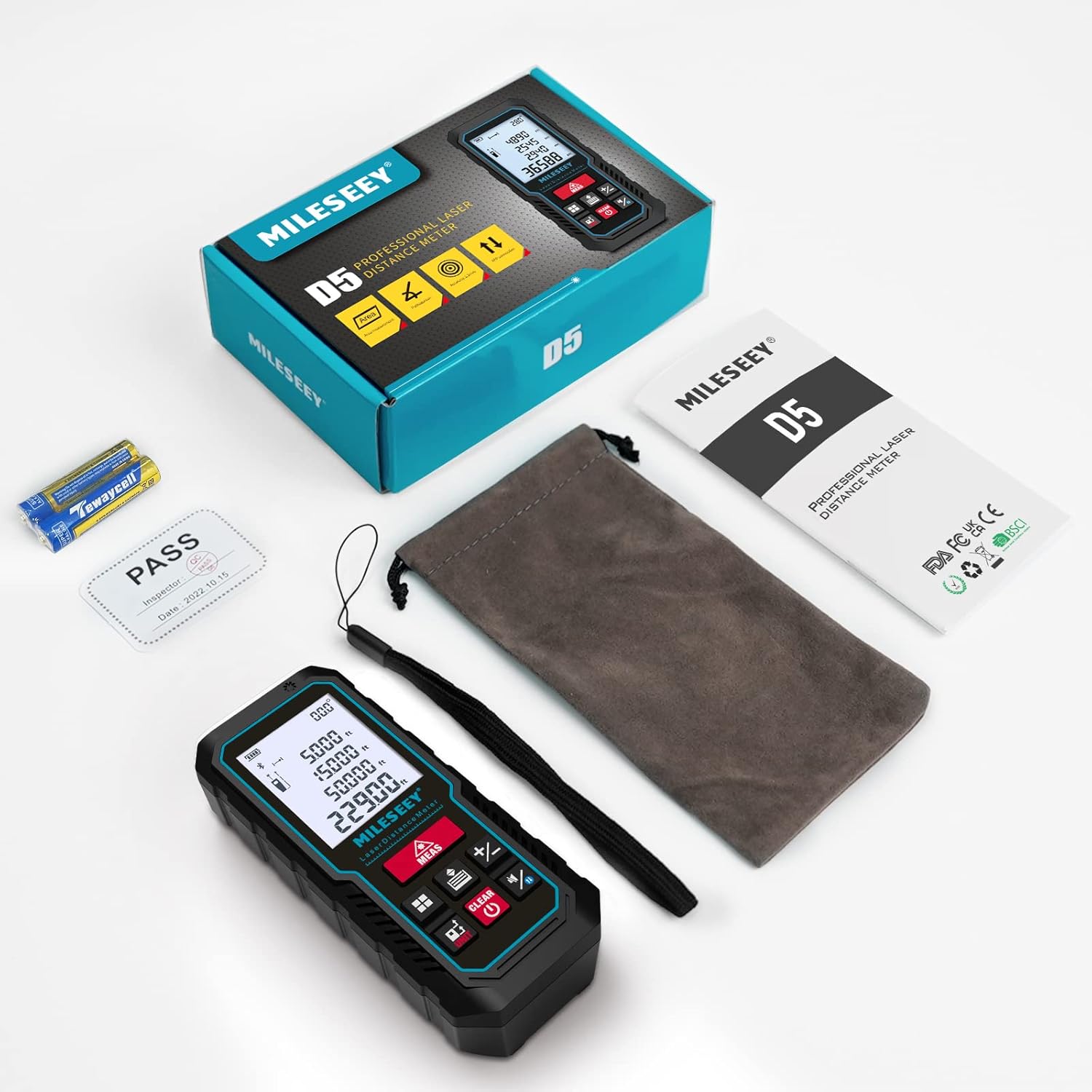
Verifye ke tout atik yo prezan nan pakè a:
- 1 x MiLESEEY D5 Laser Distance Meter
- 2 x 1.5V batri AAA
- 1 x manyèl itilizatè
- 1 x pòch pòtab
- 1 x braslè men

Pwodwi souview
The MiLESEEY D5 70M-BT features a robust design with an easy-to-read LCD display and intuitive controls, offering high accuracy for various measurement tasks.
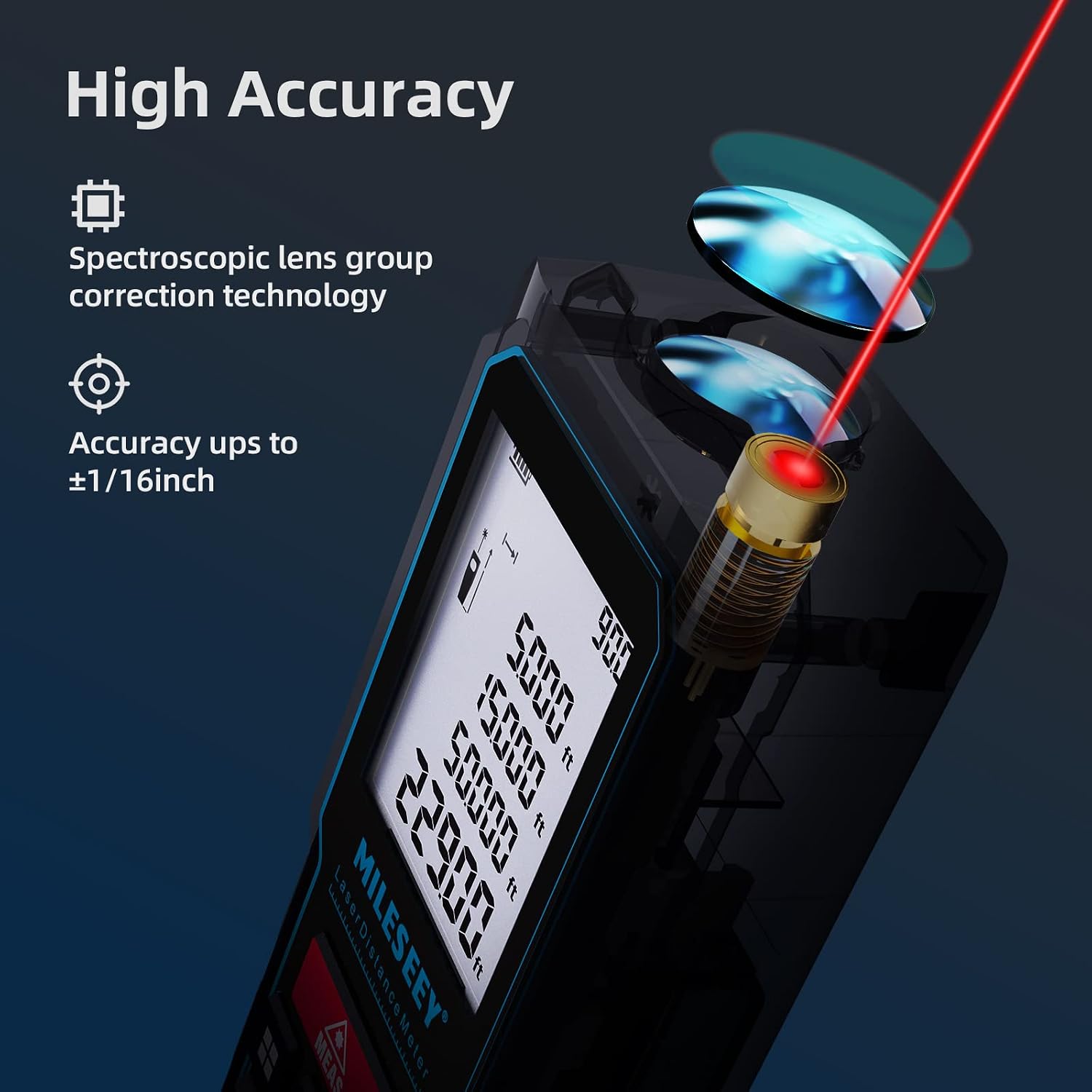
Konpozan kle yo enkli:
- Emetè/Reseptè Lazè: Located at the top for accurate measurements.
- Ekspozisyon LCD: 2-inch screen with backlight for clear visibility of measurements and settings.
- Measurement Button (MEAS): Initiates measurements.
- Bouton Fonksyon: For selecting measurement modes (distance, area, volume, Pythagorean, etc.).
- Unit Button (UNIT): Changes measurement units (m/ft/in/ft+in).
- Reference Point Button: Switches between front and rear reference points for measurement.
- Clear/Off Button (CLEAR/OFF): Efase mezi aktyèl la oswa etenn aparèy la.
Enstalasyon
Enstalasyon batri
The device requires two 1.5V AAA alkaline batteries. Ensure correct polarity when inserting the batteries.
- Louvri kouvèti lòj batri a sou do aparèy la.
- Insert two AAA batteries, matching the positive (+) and negative (-) terminals as indicated.
- Fèmen kouvèti lòj batri a byen.
Power On/Off
- Pou pouvwa sou, peze la MEAS bouton.
- Pou koupe pouvwa a, peze epi kenbe CLEAR/OFF button for a few seconds, or the device will automatically shut off after 180 seconds of inactivity to conserve energy.
Enstriksyon Operasyon
Basic Distance Measurement
For a single distance measurement:
- Dirije lazè a sou sib la.
- Peze a MEAS button once. The measurement will be displayed on the screen within 0.5 seconds.

Chanje inite ak pwen referans
The device supports multiple units and reference points.
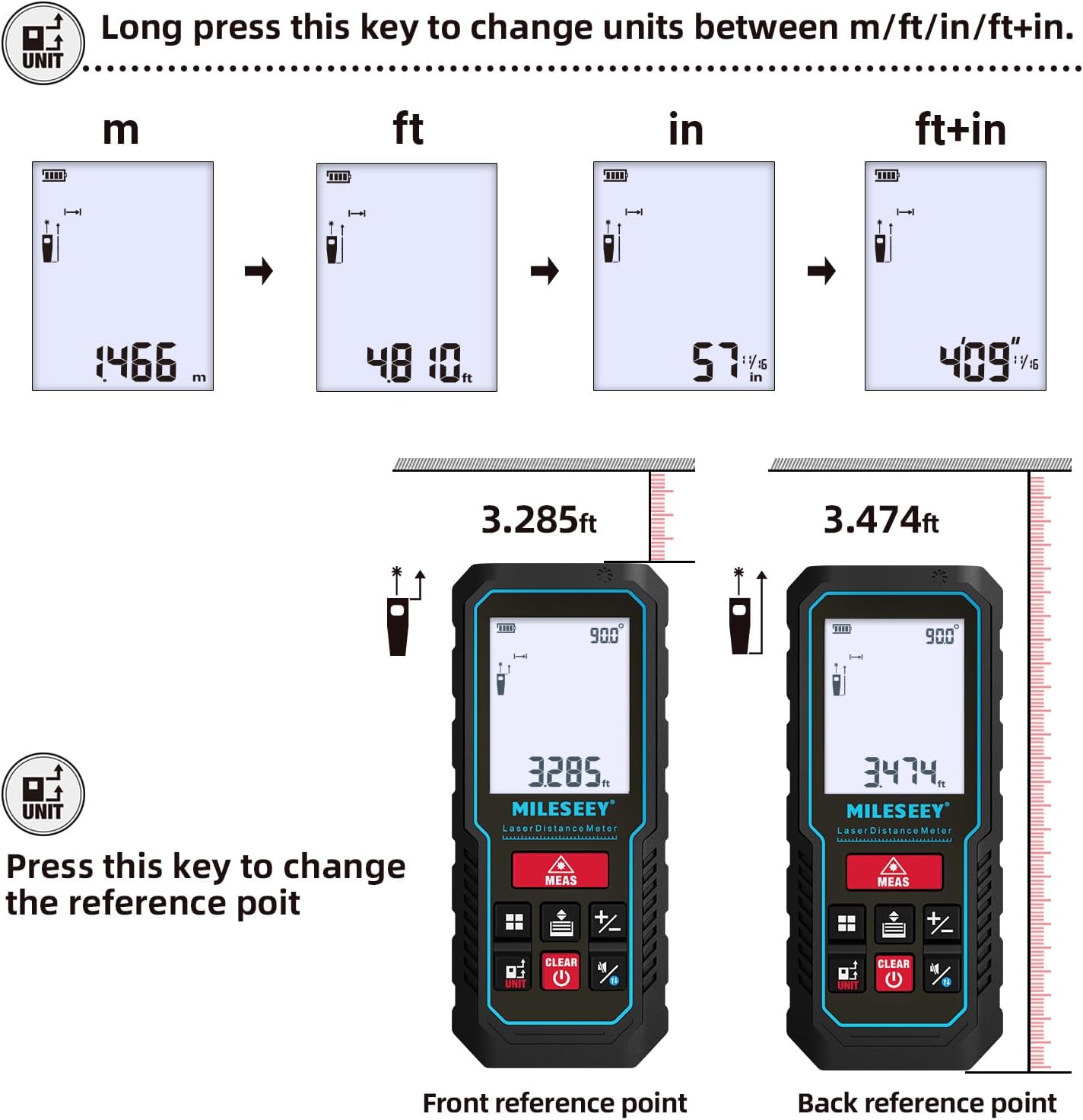
- Konvèsyon Inite: Long peze la INITE button to cycle through units: meters (m), feet (ft), inches (in), and feet + inches (ft+in).
- Pwen referans: Peze a INITE button briefly to switch the measurement reference point between the front edge and the rear edge of the device.
Mòd Mezi
The MiLESEEY D5 offers various measurement functions:
- Mezi kontinyèl: For tracking distances as you move the device.
- Mezi Zòn: Calculates the area of a surface (length x width).
- Mezi Volim: Calculates the volume of a space (length x width x height).
- Pythagorean Method (2-point and 3-point): Indirect measurement for heights or distances where direct measurement is not possible.
- Adisyon/Soustraksyon: Add or subtract measurements.
- Nivo Otomatik: Automatically calculates horizontal distance.
- Wotè Otomatik: Automatically calculates vertical height.


Smartphone App Connectivity (Smart Life App)
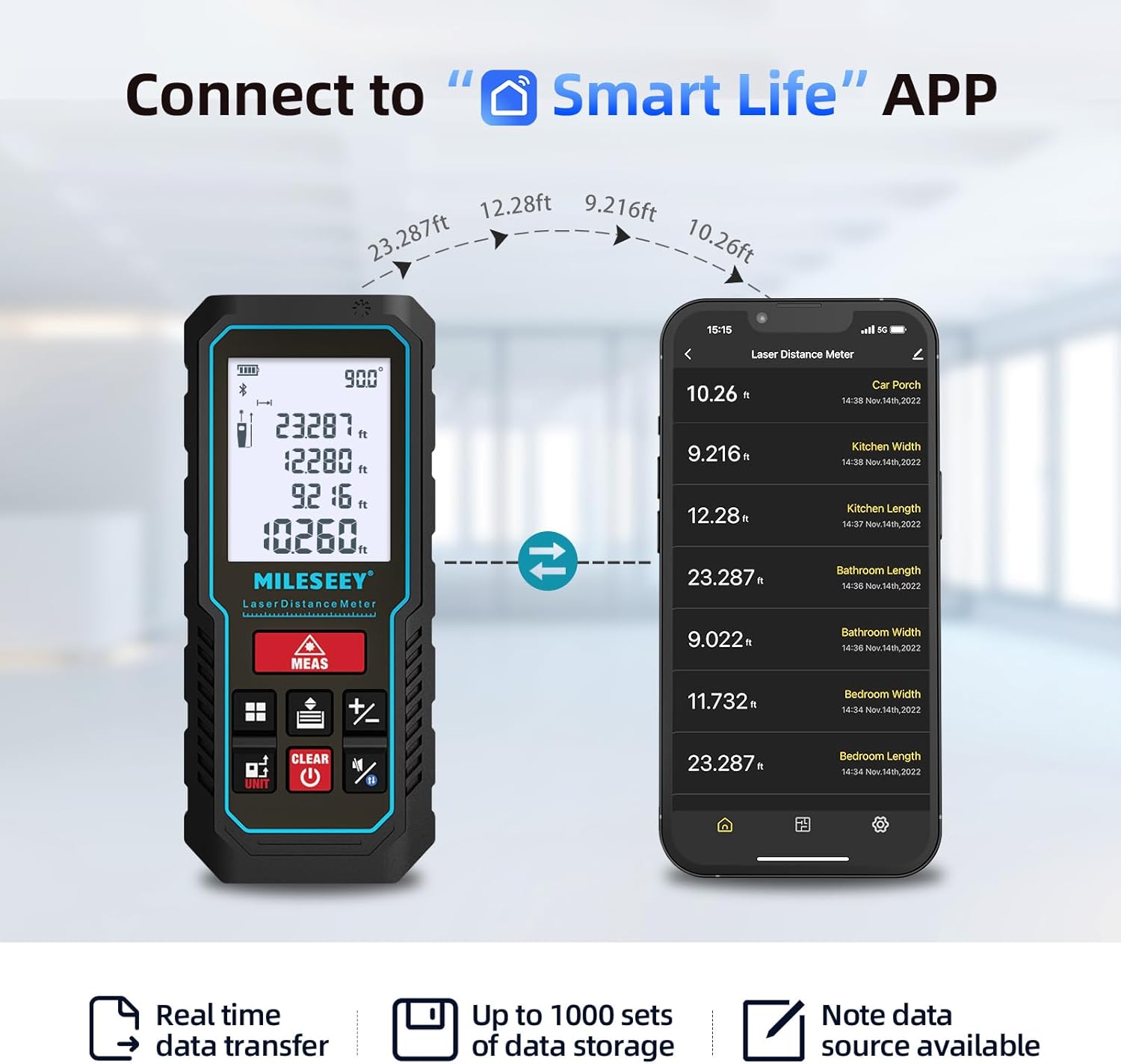
The MiLESEEY D5 70M-BT can connect wirelessly to your smartphone via the free "SMART LIFE" app, allowing for real-time data transfer, storage, and advanced functions.
- Download the "SMART LIFE" app from your device's app store (available on Google Play and Apple App Store).
- Enable Bluetooth on your smartphone and open the "SMART LIFE" app.
- Follow the in-app instructions to pair your MiLESEEY D5 device.
- Once connected, you can document measurements, create floor plans by drawing on photos or grids, and store up to 1000 sets of data.


Data Records and Mute Mode
- The device stores up to 30 data records, which can be recalled for review and calculation.
- A mute mode is available for quiet operation in sensitive environments.

Antretyen
Proper maintenance ensures the longevity and accuracy of your device.
- Netwayaj: Siye aparèy la ak yon mou, damp twal. Pa sèvi ak pwodui netwayaj abrazif oswa solvang.
- Depo: Store the device in its portable pouch in a cool, dry place when not in use. Remove batteries if storing for extended periods.
- Pwoteksyon: The device has an IP54 rating, making it splash-resistant and dust-proof. Avoid submerging it in water. It also features 1-meter drop resistance.

Depanaj
If you encounter issues with your MiLESEEY D5, refer to the following common problems and solutions:
| Pwoblèm | Kòz posib | Solisyon |
|---|---|---|
| Aparèy pa limen | Pil ki fèb oswa ki mouri; move enstalasyon pil. | Replace batteries with new 1.5V AAA alkaline batteries. Ensure correct polarity. |
| Mezi ki pa kòrèk | Obstruction in laser path; unstable measuring surface; extreme temperature changes; dirty lens. | Ensure a clear path for the laser. Measure on a stable surface. Allow device to acclimate to ambient temperature. Clean the lens with a soft cloth. |
| Cannot connect to Smart Life App | Bluetooth is off; app not installed; device not in pairing mode. | Ensure Bluetooth is enabled on your phone. Download and install the "SMART LIFE" app. Follow app instructions for pairing. |
| Mesaj "Erè" sou ekran an | Measurement out of range; strong light interference; target surface not reflective enough. | Ensure target is within 0.16m - 70m range. Avoid measuring in direct sunlight or strong light. Use a reflective target plate if necessary. |
Espesifikasyon
| Karakteristik | Detay |
|---|---|
| Mak | Mileseey |
| Nimewo Modèl | D5 (70M-BT) |
| Ranje Mezi | 0.16m - 70m |
| Presizyon | ± 2mm |
| Klas Lazè | Klas II |
| Kalite lazè | 635nm <1mW |
| Ekspozisyon | 2-inch LCD with backlight |
| Electronic Angle Sensor | Yes, ±0.3° accuracy |
| Fonksyon Mezi | Distance, Continuous, Area, Volume, Pythagorean (2/3-point), Addition/Subtraction, Auto Level, Auto Height |
| Inite yo | m / pye / nan / pye + nan |
| Dosye Done yo | 30 (on device), up to 1000 (via app) |
| Koneksyon | Bluetooth (Smart Life App) |
| Pwovizyon pou pouvwa | 2 pil alkalin AAA 1.5V |
| Otomatik fèmen | 180 segonn inaktivite |
| Evalyasyon IP | IP54 (Splash-resistant, Dust-proof) |
| Drop Rezistans | 1 mèt |
| Materyèl | Akrilonitrile butadien stirèn (ABS) |
| Dimansyon (L x W x H) | 15.2L x 10.1W x 4.8H cm |
| Pwa atik | 220 gram |
Garanti ak sipò
MiLESEEY provides comprehensive support for its products.
- Garanti: The device comes with a 12-month warranty.
- Garanti pou ranbousman: Yo ofri yon garanti 90 jou pou ranbousman.
- Sipò pwolonje: 2 years of assistance after registration and lifetime technical support from MILESEEY.
- For technical assistance or warranty claims, please contact MILESEEY customer service through their official channels or the retailer where the product was purchased.