
Entwodiksyon
This manual provides detailed instructions for the installation, operation, and maintenance of your hizpo 8-inch Android 12 Car Stereo. This unit features an 8-inch touchscreen, Android 12 operating system, GPS navigation, Apple CarPlay, Android Auto, Bluetooth, RDS, USB, WiFi, and 4G connectivity. Please read this manual thoroughly before using the product to ensure proper functionality and safety.
Ki sa ki nan bwat la
Carefully unpack the box and ensure all items listed below are present and in good condition.

Image: All components included in the hizpo car stereo package.
- hizpo 8-inch Android 12 Car Stereo Main Unit
- Power Cable & Canbus Decoder
- RCA Harness with 4G SIM Card Slot
- Kab RCA pou Antre Kamera Dèyè
- 2*USB Adapter Cables
- 4G LTE Antèn
- GPS antèn
- Mikwofòn ekstèn
- Radio Antenna Adapter Cable
Enstalasyon & Enstalasyon
Professional installation is recommended for this car stereo. Ensure the vehicle's power is disconnected before beginning installation. Refer to the wiring diagram and connector pin pictures for correct connections.

Image: Wiring diagram and connector pin details for the car stereo installation.
Enstriksyon fil elektrik:
- If connected to the 'Connect 1' Power interface, connect the 'B' and 'A' interfaces.
- If connected to the 'Connect 2' Power interface, connect the 'Z' and 'A' interfaces.
- If connected to the 'Connect 3' Power interface, you need to connect the 'S' and 'A' interfaces. (For Mercedes-Benz B-class models, choose the appropriate connector from the three types shown in the figure: connector 1, connector 2, or connector 3).
- The Canbus Box is a decoder that adapts to the steering wheel control functions of your original car system.
- The tandem valve bridges the connection and disconnection of the cables to replace the male connector and the Canbus Box.
- If your car has a Command system, this unit is not compatible.
- This device cannot decode the AC conditioning information of your car.
Enstriksyon Operasyon
Kontwòl debaz yo
The unit features an intuitive touchscreen interface. Power on/off by pressing the power button. Adjust volume using the dedicated volume controls or steering wheel controls.
Apple CarPlay & Android Auto
Connect your smartphone via USB or wirelessly to access Apple CarPlay or Android Auto. This allows for voice control of phone calls, GPS navigation, music playback, and messaging directly from the car stereo display.

Image: Apple CarPlay and Android Auto functionality on the car stereo screen.
Video: Demonstration of the 8-core radio with Apple CarPlay and Android Auto features, including various settings and applications.
Bluetooth men-gratis
Pair your mobile phone via Bluetooth for hands-free calling and music streaming. The system automatically connects to previously paired devices.

Image: Bluetooth hands-free calling and music streaming interface.
FM Radio & Music Playback
Tune into FM radio stations (87.5 - 108MHz) or AM stations (522 - 1620 KHz). The unit supports lossless music playback from USB drives or via Bluetooth streaming.

Image: FM Radio and music playback controls on the car stereo.
Navigasyon GPS
Utilize the built-in GPS navigation system for accurate routing. The system supports various map types and can be integrated with Apple CarPlay or Android Auto for enhanced navigation features.
Kontwòl Volan
The unit supports original car steering wheel controls for convenient operation of audio and other functions, thanks to the integrated Canbus decoder.
Image: Steering wheel control interface for custom button mapping.
Anviwònman ekspozisyon
Adjust display settings including day and night modes for optimal visibility in different lighting conditions. The unit also supports split-screen functionality to view multiple applications simultaneously.

Image: Day and Night mode display settings.

Image: Split screen feature displaying two applications concurrently.
Audio Settings (DSP)
The built-in DSP (Digital Signal Processor) with BU32107EFV chip allows for advanced audio customization, including equalizer settings, bass enhancement, and sound field adjustments for an optimized listening experience.

Image: Digital Sound Processor (DSP) interface for audio adjustments.

Image: Optical and coaxial digital audio output ports on the rear of the unit.
CarAPP Functions
Access various car-related information and settings through the CarAPP interface, including car info display, AC settings, TPMS info, and drive mode selection.

Image: CarAPP menu displaying various vehicle information and settings.
Kontwòl vwa
The unit supports voice commands for various functions, enhancing convenience and safety while driving. Voice control sensitivity is increased by 30% for better recognition.

Image: Voice control feature in action, showing prompts and responses.
Dèyèview Antre kamera
Konekte yon dèyèview camera to the unit for enhanced safety during parking and reversing. The display automatically switches to the camera view lè ranvèse.
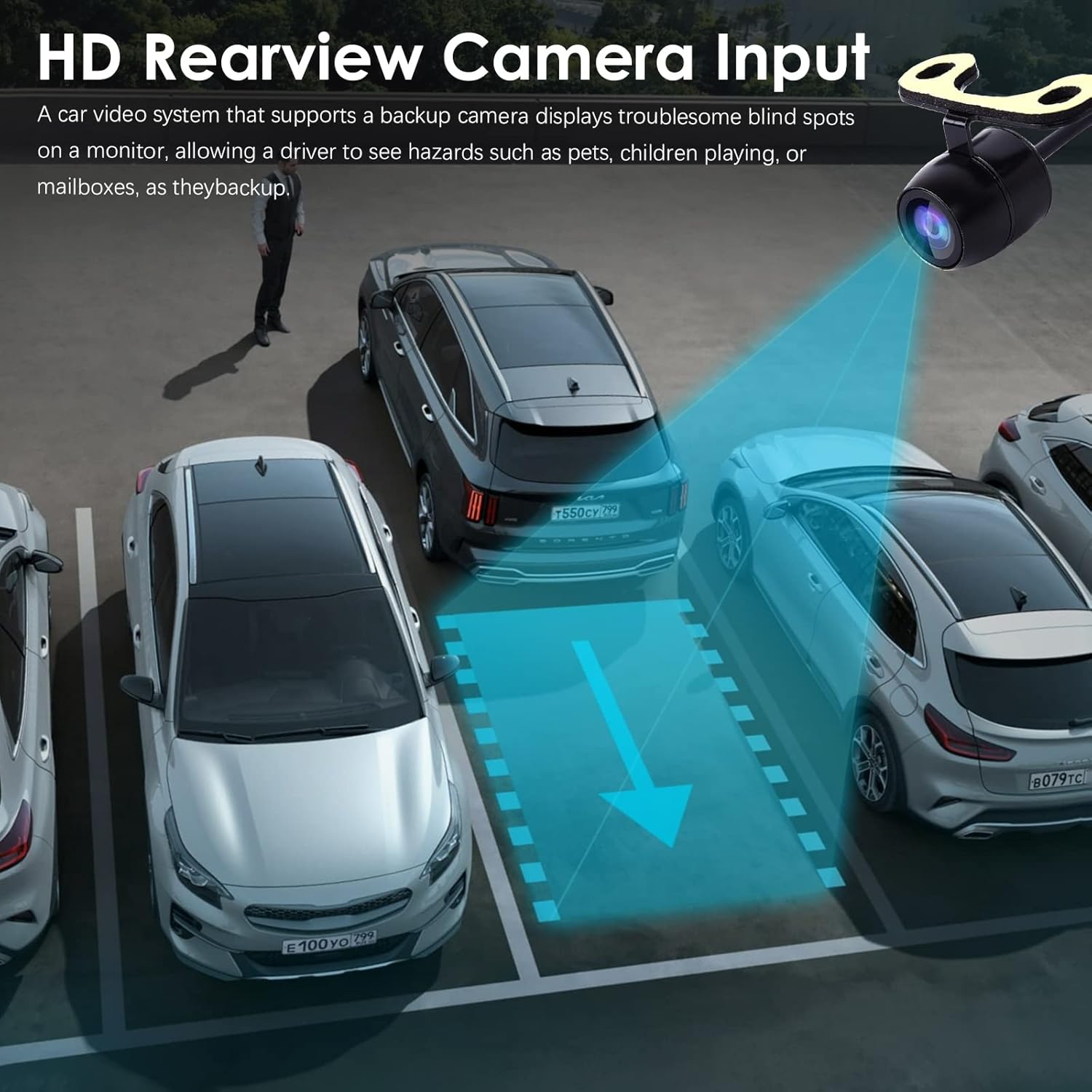
Imaj: Dèyèview camera input display on the car stereo.
Antretyen
To ensure the longevity and optimal performance of your hizpo car stereo, follow these maintenance guidelines:
- Netwayaj: Sèvi ak yon twal mou epi sèk pou netwaye ekran an ak deyò a. Evite pwodui netwayaj abrazif oswa solvan.
- Mizajou lojisyèl: Periodically check for and install software updates to ensure the system has the latest features and bug fixes. Updates can typically be found in the system settings or on the manufacturer's websit.
- Tanperati: Evite ekspoze aparèy la nan tanperati ekstrèm, ni cho ni frèt, pandan yon bon bout tan.
- Refwadisman fanatik: The unit includes a small cooling fan to maintain optimal operating temperature. Ensure the fan vents are not obstructed.

Image: Integrated cooling fan for thermal management.
Depanaj
Si ou rankontre pwoblèm ak stereo machin ou an, gade pwoblèm ak solisyon komen sa yo:
- Pa gen pouvwa: Check all power connections and fuses. Ensure the ignition is on.
- Pa gen son: Verifye koneksyon oratè yo. Tcheke nivo volim yo ak paramèt silans yo. Asire w ke sous odyo ki kòrèk la chwazi.
- GPS la pa fonksyone: Asire w antèn GPS la byen konekte epi li gen yon vizyon klè. view nan syèl la. Tcheke paramèt GPS yo nan sistèm nan.
- Pwoblèm koneksyon Bluetooth: Ensure Bluetooth is enabled on both the stereo and your phone. Delete previous pairings and try re-pairing.
- Kontwòl volan an pa reponn: Verify Canbus decoder connection. Check steering wheel control settings in the CarAPP.
- Ekran taktil la pa reponn: Try restarting the unit. If the issue persists, a factory reset may be necessary (note: this will erase all user data).
For persistent issues, contact hizpo customer support.
Espesifikasyon
| Karakteristik | Detay |
|---|---|
| Mak | hizpo |
| Kalite Sèvis Machin | Machin |
| Gwosè ekran | 8 pous |
| Karakteristik espesyal | Bluetooth, Ekran taktil |
| Koneksyon Teknoloji | Selilè, Wi-Fi |
| Kalite kat jeyografik | Europe (Pre-installed, other regions via download) |
| Audio Sòti Mode | Stereo |
| Kalite aliye | Dach mòn |
| Rezolisyon | 720 x 1280 |
| Sistèm operasyon | Android 12 |
| Konpatib ak kalite machin | Car (Mercedes-Benz A-Class B-Class V-Class Sprinter) |
| Antre moun-entèfas | Touchscreen |
| Aparèy konpatib | Smartphone, Oratè |
| Metòd kontwòl | Manyen |
| Sipòte Sistèm Navigasyon Satelit | GPS |
| CPU | 8-Core Unisoc 7862 (1.8-2.0GHz) |
Garanti ak sipò
hizpo is committed to providing quality products and customer satisfaction. Your hizpo car stereo comes with a 1-Year Warranty from the date of purchase, covering manufacturing defects.
For technical assistance, troubleshooting, or warranty claims, please contact hizpo customer support through the retailer where the product was purchased or visit the official hizpo website for contact information. Please have your product model number (B0BL6KVL17) and proof of purchase ready when contacting support.

Image: hizpo's commitment to customer satisfaction and support.