
Rii K18S IT
Rii Mini i18S Wireless + Bluetooth Keyboard
Manyèl itilizatè
1. Entwodiksyon
The Rii Mini i18S is a compact, versatile keyboard featuring both 2.4G wireless and Bluetooth connectivity. It integrates a large touchpad and LED backlighting, making it suitable for a wide range of devices including Smart TVs, TV Boxes, Tablets, Smartphones, Consoles, and PCs. This manual provides detailed instructions for setup, operation, maintenance, and troubleshooting to ensure optimal use of your device.

Figure 1: Rii Mini i18S keyboard demonstrating its dual wireless and Bluetooth connectivity.
2. Pake kontni
Tanpri tcheke pake a pou atik sa yo:
- Rii Mini i18S Wireless + Bluetooth Keyboard
- USB RF 2.4 GHz Receiver
- USB Chaje Kab
- USB Ekstansyon Kab
- Manyèl Itilizatè (dokiman sa a)
3. Pwodwi souview
The Rii Mini i18S features a QWERTY layout keyboard. It has a large multi-touch touchpad, and dedicated multimedia keys. It is designed for comfortable and efficient input across various platforms.
3.1 Karakteristik kle
- Doub Koneksyon: 2.4G Wireless and Bluetooth 4.0.
- Gwo Touchpad: High sensitivity with multi-touch gestures.
- Ki ap dirije ekleraj: Two selectable colors (blue, green) for use in low-light conditions.
- Batri rechargeable: Built-in lithium polymer battery.
- Kontwòl miltimedya: Dedicated keys for media playback.
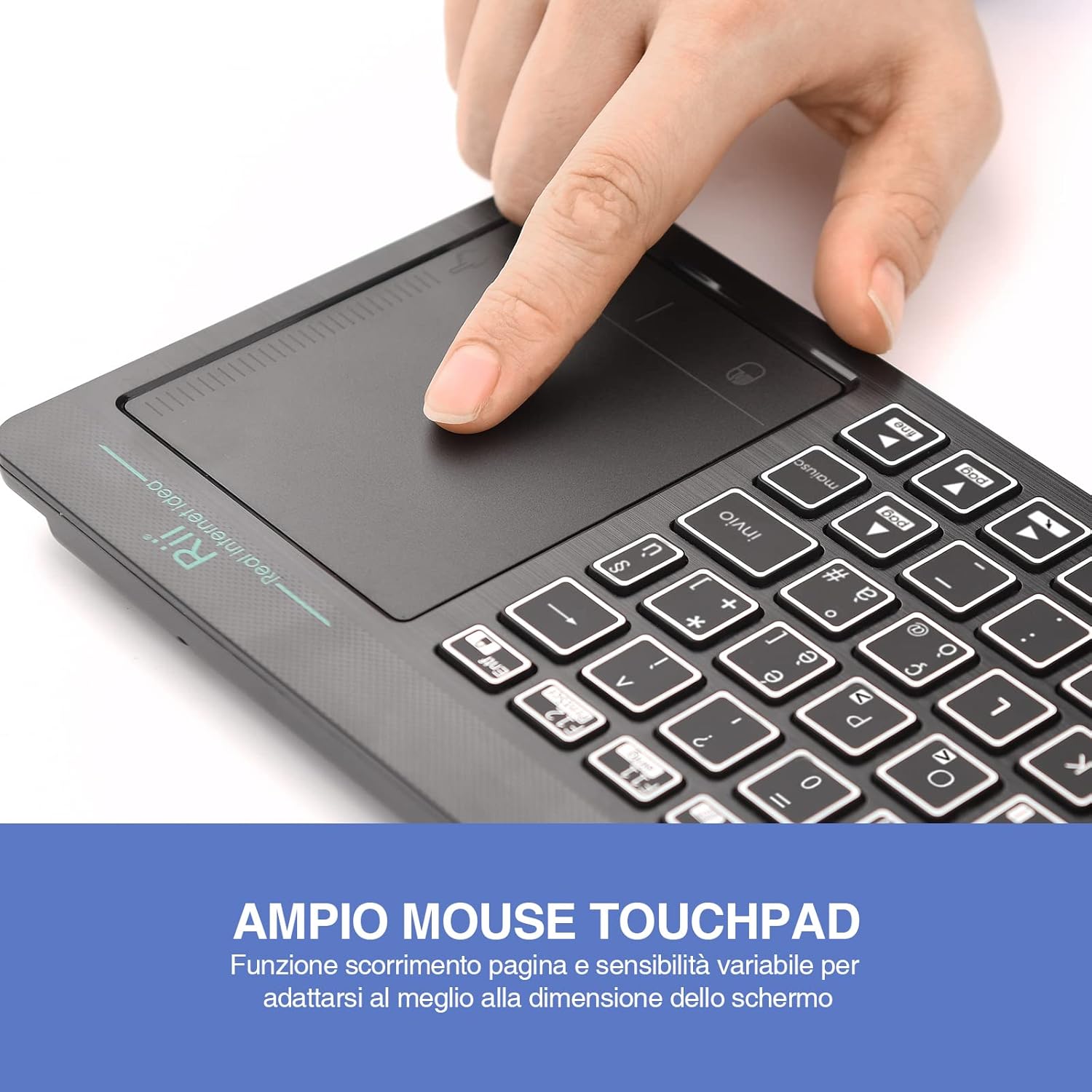
Figure 2: The large, sensitive touchpad of the Rii Mini i18S, supporting multi-touch gestures.

Figure 3: The Rii Mini i18S keyboard showcasing its two-color LED backlighting (blue and green).
4. Enstalasyon
4.1 Chaje klavye a
Before initial use, fully charge the keyboard. Connect the provided USB charging cable to the keyboard's microUSB port and the other end to a USB power source (e.g., computer USB port, USB wall adapter).
- The charging indicator LED will illuminate during charging.
- The LED will turn off or change color when fully charged.
- Kapasite batri: 400mAh.
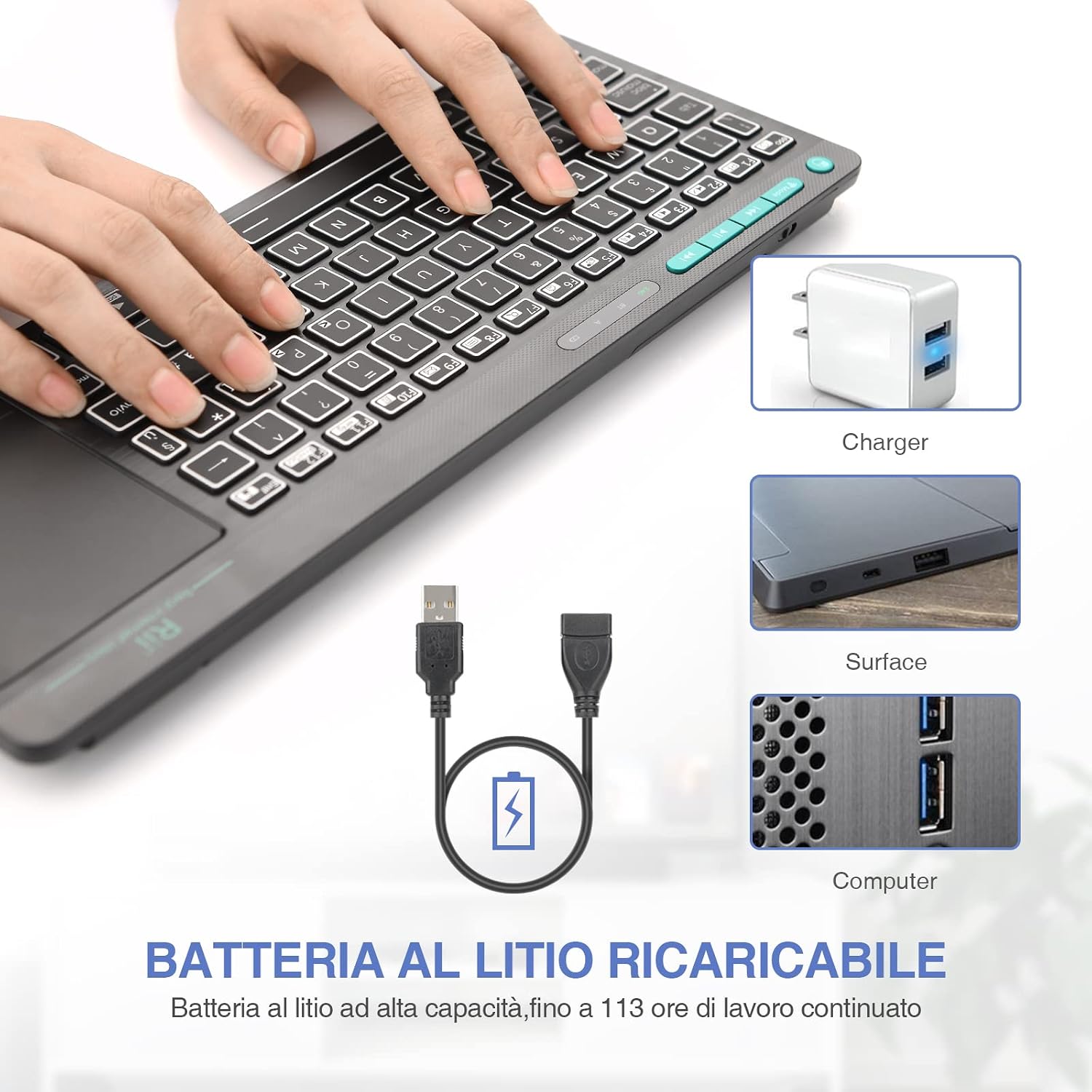
Figure 4: The Rii Mini i18S keyboard being charged using the included USB cable, connected to a power source.
Koneksyon san fil 4.2 2.4G
For 2.4G wireless connection, use the included USB receiver.
- Locate the USB receiver in the back compartment of the keyboard.
- Insert the USB receiver into an available USB port on your device (Smart TV, PC, TV Box, etc.).
- Peze a MÒD button on the keyboard until the 2.4G indicator LED is active.
- The keyboard should automatically connect to your device. If not, try pressing Fn + RF pou re-pè.

Figure 5: The USB wireless receiver stored securely in the back compartment of the Rii Mini i18S keyboard.
4.3 Bluetooth Koneksyon
For Bluetooth connection, ensure your device has Bluetooth enabled.
- Peze a MÒD button on the keyboard until the BT indicator LED is active.
- Sou aparèy ou an, ale nan paramèt Bluetooth yo epi chèche nouvo aparèy.
- Select "Rii Mini i18S" from the list of available devices to pair.
- Swiv nenpòt envit ki sou ekran pou konplete pwosesis kouple a.
The dual connection technology allows you to manage up to two devices simultaneously: one via Bluetooth and one via 2.4G wireless.

Figure 6: The Rii Mini i18S keyboard demonstrating its dual mode connectivity, shown here connected to a tablet.
5. Operasyon Enstriksyon
5.1 Fonksyon debaz klavye a
The keyboard features a standard QWERTY layout. All keys function as labeled. Use the Fn key in combination with other keys for special functions (e.g., multimedia controls).
- MAJISKIL: Press to toggle uppercase/lowercase. An indicator LED will show its status.
5.2 Fonksyon Touchpad la
The integrated touchpad supports various gestures:
- Tape yon sèl dwèt: Klike sou bò gòch.
- Tape ak de dwèt: Dwa-klike sou.
- Defile ak de dwèt: Drag two fingers up or down to scroll pages.
- Trennen ak yon sèl dwèt: Deplase kurseur a.
- Bouton gòch sourit la: A physical left mouse button is also available on the top-left side of the keyboard for convenience.
5.3 Kontwòl ekleraj
The keyboard features LED backlighting with two selectable colors.
- Peze a light bulb icon key to cycle through backlight colors (blue, green) or turn it off.
5.4 kle miltimedya
Sèvi ak la Fn key in conjunction with the F1-F12 keys (or other labeled keys) to access multimedia functions such as volume control, play/pause, and track skipping.
6. Antretyen
6.1 Netwayaj
To clean the keyboard, use a soft, dry cloth. For stubborn dirt, slightly dampRense twal la avèk dlo oswa yon solisyon netwayaj dou. Evite itilize pwodui chimik ki agresif oswa materyèl abrazif.
6.2 Swen Batri
- Evite ekspoze klavye a nan tanperati ekstrèm.
- Chaje klavye a regilyèman, menm si w pa itilize li souvan, pou batri a rete an bon eta.
- The keyboard features a programmable standby mode (3 minutes or 2 hours) to conserve battery life.
NAN. Depanaj
7.1 Klavye a pa reponn
- Tcheke batri: Ensure the keyboard is charged. Connect it to a power source.
- Tcheke Koneksyon:
- For 2.4G Wireless: Ensure the USB receiver is properly inserted and the keyboard is in 2.4G mode. Try a different USB port.
- For Bluetooth: Ensure Bluetooth is enabled on your device and the keyboard is in Bluetooth mode. Re-pair the device if necessary.
- Rekòmanse: Turn the keyboard off and on again. Restart your connected device.
7.2 Touchpad Not Working Correctly
- Netwaye Touchpad la: Ensure the touchpad surface is clean and free of debris.
- Sansiblite: Adjust touchpad sensitivity if available in your device's settings.
7.3 Limyè dèyè a pa fonksyone
- Tcheke batri: Low battery might disable backlighting. Charge the keyboard.
- Baskile: Press the light bulb icon key to ensure it's not turned off.
8. Espesifikasyon
| Modèl | K18S IT |
| Koneksyon | 2.4 GHz RF Wireless, Bluetooth 4.0 |
| Range opere | Up to 10 meters (2.4 GHz RF), Up to 8 meters (Bluetooth) |
| Layout klavye | QWERTY (Italian layout) |
| Touchpad Resolution | Jiska 1000 DPI |
| Koulè ekleraj | Blue, Green (selectable) |
| Kalite batri | Rechargeable Lityòm Polymère |
| Kapasite batri | 400mAh |
| Port chaje | MicroUSB (5V 350mA) |
| Dimansyon (L x W x H) | 31.7 x 12.3 x 1.8 cm |
| Pwa | 340g |
| OS konpatib | Windows (XP/Vista/7/8/10/11), Mac OS, Linux (Ubuntu 11.04+), Android (2.3+), iOS, Raspbian, PlayStation (PS3/PS4/PS5), Xbox (360/One/S/X), Fire TV |
| Sètifikasyon | CE, RoHS, FCC |
9. Garanti ak sipò
Rii products are designed for reliability and performance. For warranty information and technical support, please refer to the official Rii websit la oubyen kontakte distribitè lokal ou a. Kenbe resi acha ou a pou reklamasyon garanti.
Ofisyèl websit: www.riitek.com
Ask a question about this manual
Ask about setup, troubleshooting, compatibility, parts, safety, or missing instructions. Manuals+ will review the question and use this page’s manual context to help answer it.