
Entwodiksyon
Welcome to your new AZATOM Classic V1 DAB/DAB+ FM Digital Radio. This manual provides detailed instructions for setting up, operating, and maintaining your device. Please read it thoroughly to ensure optimal performance and longevity of your radio.
Enfòmasyon enpòtan sou sekirite
Tanpri kenbe manyèl sa a pou referans nan lavni.
- Pa ekspoze aparèy la a lapli oswa imidite.
- Pa demonte aparèy la. Konfye tout antretyen bay pèsonèl kalifye.
- Evite tanperati ekstrèm.
- Asire bon vantilasyon.
- Sèvi sèlman ak adaptè kouran oswa pil ki espesifye yo.
For detailed safety guidelines, refer to the full safety leaflet included with your product.
Karakteristik kle
- Radyo DAB/DAB+ ak FM: Jwenn aksè a yon pakèt estasyon radyo dijital ak analòg.
- Koneksyon Bluetooth 5.0: Koute odyo san fil soti nan aparèy konpatib.
- Fonksyon alam doub: Set two independent alarms with customizable sources.
- Colour LCD Display: Clear and intuitive display for station information, time, and settings.
- Battery and Mains Power: Flexible power options for portable or home use.
- Antre AUX: Konekte sous odyo ekstèn yo atravè yon jack 3.5mm.
- Sòti ekoutè: Private listening experience.
- 60 Prereglaj: Store up to 60 favorite stations (40 DAB, 20 FM).
- Revèy dòmi: Automatically turn off the radio after a set period.

Imaj: Devan view of the AZATOM Classic V1 radio, showcasing its black and silver design with a leather-look handle and front speaker grille.
Enstalasyon
Limen
The AZATOM Classic V1 can be powered using the included mains adapter or four Type C batteries (not included).
Kouran prensipal
- Connect the mains adapter to the DCV input port on the back of the radio.
- Ploge adaptè a nan yon priz miray.
- Peze epi kenbe la POUVWA button on the top panel to turn on the radio.
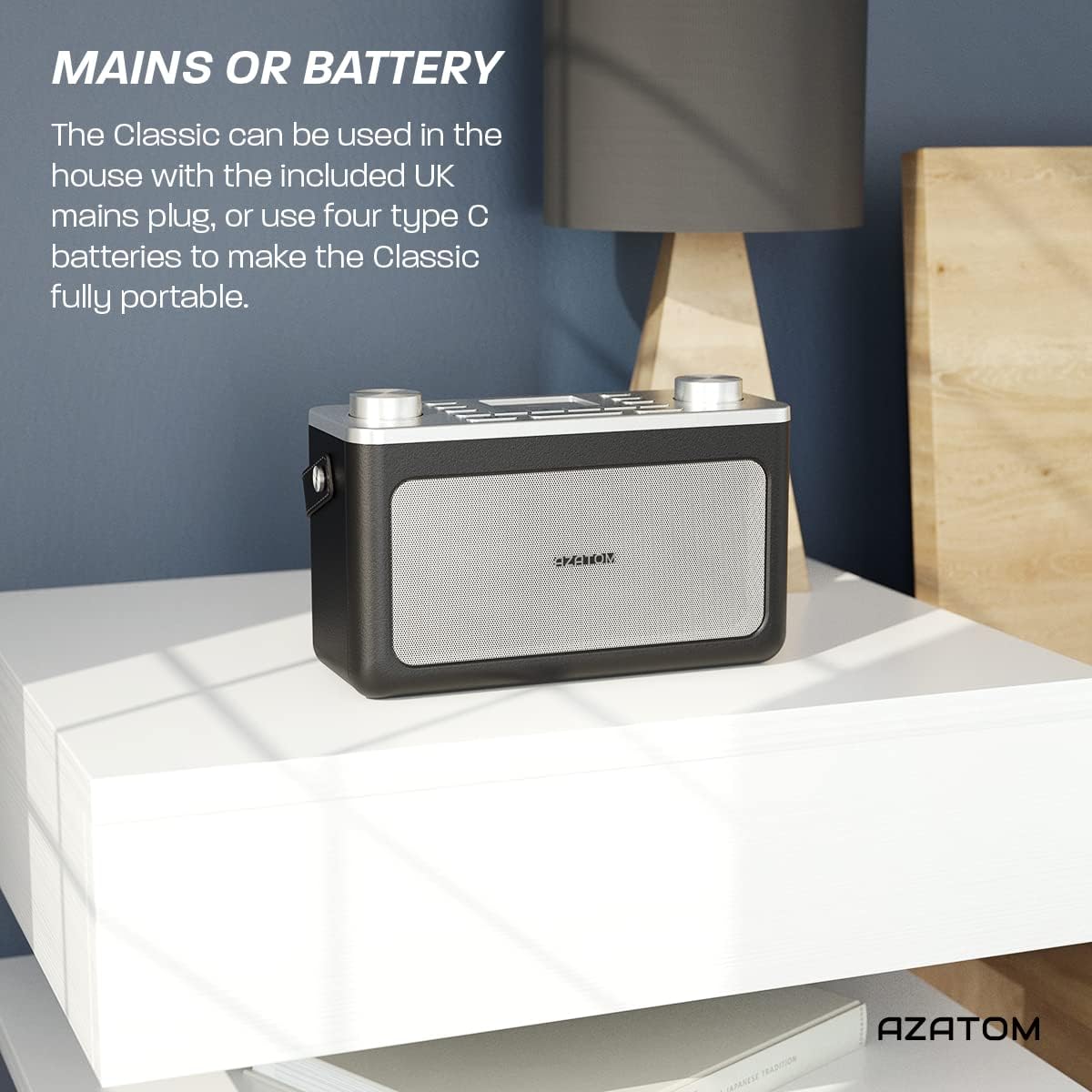
Image: The AZATOM Classic V1 radio on a white surface, illustrating its portability and dual power options (mains or battery).
Pouvwa batri
- Louvri kouvèti konpatiman batri a ki sou dèyè radyo a.
- Insert four Type C batteries, ensuring correct polarity (+/-).
- Fèmen kouvèti lòj batri a byen.
- Peze epi kenbe la POUVWA button on the top panel to turn on the radio.

Imaj: Dèyè view of the AZATOM Classic V1 radio, highlighting the DCV input, AUX IN, USB CHARGE ports, and the two battery compartment covers.
Initial Scan (DAB/DAB+)
Upon first power-on, the radio will automatically perform a full scan for DAB/DAB+ stations. This may take a few minutes.
Yon fwa eskanè a fini, radyo a pral branche sou premye estasyon ki disponib la.
If no stations are found, ensure the telescopic antenna is fully extended and reposition the radio, then perform a manual scan (see "Operating DAB/DAB+ Radio").
Enstriksyon Operasyon

Imaj: Anwo-anba view of the AZATOM Classic V1 radio, showing the control panel with buttons for power, mode, presets, volume, and tuning/enter knobs, along with the color LCD display.
Kontwòl debaz yo
- POUVWA bouton: Press and hold to turn on/off. Press briefly to switch between standby and active mode.
- Bouton MODE: Press to cycle through DAB, FM, Bluetooth, and AUX modes.
- Bouton VOLIM: Rotate left to decrease volume, right to increase volume.
- ENTER/TUNE Knob: Rotate to navigate menus or tune stations. Press to confirm selections.
- Bouton PRESET (1-4): Jwenn aksè rapid nan estasyon ou pi renmen yo ki estoke yo.
- PRESET Button (Long Press): Access the full list of stored presets.
- Bouton MENI: Access system settings and mode-specific options.
- Bouton SNOOZE/DIMMER: Snooze active alarm or adjust display brightness.
- Bouton DÒM: Activate/deactivate sleep timer.
- SKIP Buttons (<< / >>): Navige nan tras yo an mòd Bluetooth oubyen nan estasyon yo an mòd radyo.

Image: The AZATOM Classic V1 radio displaying the time and alarm settings on its color LCD, emphasizing its alarm and sleep timer functionalities.
Mòd Radyo DAB/DAB+
- Peze a MÒD button until "DAB Radio" appears on the display.
- If a full scan hasn't been performed, the radio may initiate one.
- Vire a ENTER/TUNE bouton an pou chèche estasyon ki disponib yo.
- Peze a ENTER/TUNE bouton an pou chwazi yon estasyon.
- Estoke Prereglaj:
- Branche sou estasyon ou vle a.
- Peze epi kenbe youn nan yo PRESET buttons (1-4) until "Preset Stored" appears.
- To store beyond preset 4, press and hold the PRESET button (not 1-4) and rotate the ENTER/TUNE knob to select a preset number (5-40), then press ENTER/TUNE pou konfime.
- Rapèl Prereglaj:
- Yon ti tan peze youn nan yo PRESET buttons (1-4) to recall.
- To recall presets 5-40, briefly press the PRESET button (not 1-4), rotate the ENTER/TUNE knob to select the preset, then press ENTER/TUNE.
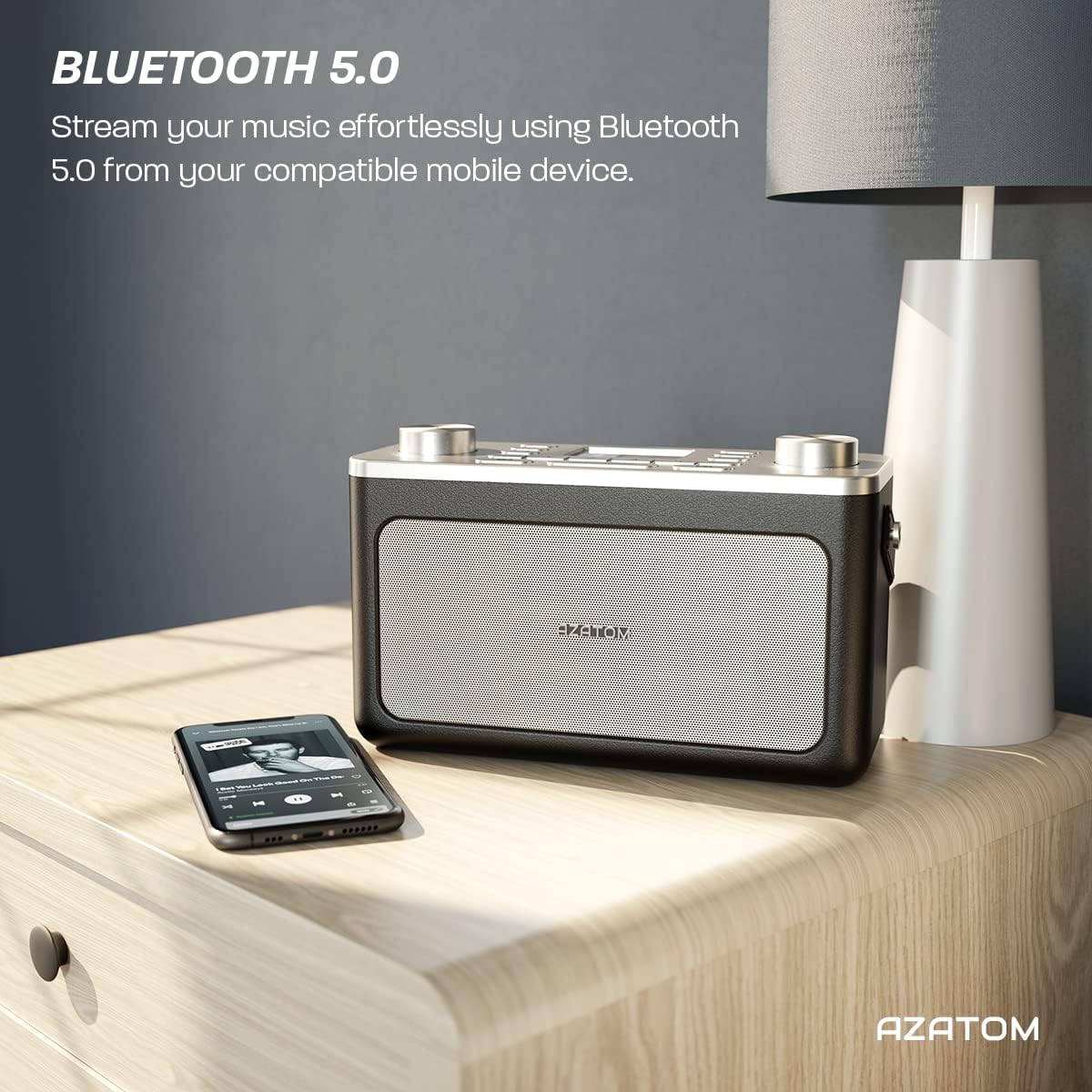
Image: The AZATOM Classic V1 radio on a kitchen counter, highlighting its ability to store and recall pre-set stations for quick access.
FM Radyo Mode
- Peze a MÒD button until "FM Radio" appears on the display.
- Oto Scan: Peze epi kenbe la ENTER/TUNE knob to automatically scan for the next available station.
- Tune manyèl: Vire a ENTER/TUNE bouton an pou ajiste frekans lan manyèlman.
- Estoke Prereglaj: (Same as DAB/DAB+ but for FM stations, up to 20 presets).
- Rapèl Prereglaj: (Same as DAB/DAB+).
Bluetooth mòd
- Peze a MÒD button until "Bluetooth" appears on the display. The radio will enter pairing mode, indicated by a flashing Bluetooth icon.
- On your mobile device, enable Bluetooth and search for "AZATOM Classic V1".
- Select "AZATOM Classic V1" to pair. Once connected, the Bluetooth icon will stop flashing.
- Play audio from your device. Use the radio's SOTE buttons (<< / >>) to control tracks and the VOLIM bouton pou ajiste volim.

Image: The AZATOM Classic V1 radio on a bedside table next to a smartphone, demonstrating its Bluetooth 5.0 capability for wireless music streaming.
AUX Antre Mode
- Konekte yon aparèy odyo ekstèn (pa egzanp, yon lektè MP3) nan AUX IN port on the back of the radio using a 3.5mm audio cable (not included).
- Peze a MÒD button until "AUX Input" appears on the display.
- Play audio from your external device. Adjust volume using the radio's VOLIM knob and the external device's volume control.
Imaj: Dèyè view of the AZATOM Classic V1 radio, highlighting the DCV input, AUX IN, USB CHARGE ports, and the two battery compartment covers.
Revèy
- Peze a MENI bouton.
- Vire a ENTER/TUNE knob to select "Alarm" and press ENTER/TUNE.
- Chwazi "Alam 1" oswa "Alam 2".
- Configure alarm time, duration, source (Buzzer, DAB, FM), and frequency (Daily, Once, Weekdays, Weekends).
- Ensure the alarm is set to "On".
When an alarm sounds, press SNOOZE / DIMMER to snooze for 9 minutes, or press POUVWA pou fèmen alam la.
Revèy dòmi
- Peze a DOMÒM Peze bouton an plizyè fwa pou chanje opsyon revèy pou dòmi an (pa egzanp, 15, 30, 45, 60, 90 minit, Off).
- Radyo a ap etenn otomatikman apre dire ki chwazi a.
Antretyen
Netwayaj
Siye radyo a avèk yon twal mou epi sèk. Pa sèvi ak pwodui netwayaj abrazif oswa solvan.
Ranplasman batri
If using battery power, replace all four Type C batteries when the low battery indicator appears on the display or when performance degrades.
Depo
Si w ap sere radyo a pou yon bon bout tan, retire pil yo pou anpeche flit. Sere l nan yon kote ki fre epi sèk.
Depanaj
- Pa gen pouvwa:
- Check if the mains adapter is securely connected and the wall socket is active.
- Si w ap itilize pil, asire w ke yo antre kòrèkteman epi yo pa fin itilize.
- Peze epi kenbe la POUVWA bouton pou kèk segond.
- Poor DAB/FM Reception:
- Konplètman pwolonje antèn teleskopik la.
- Reposition the radio to a location with better signal strength, away from other electronic devices that may cause interference.
- Perform a full scan for stations.
- Pwoblèm Bluetooth Pairing:
- Ensure the radio is in Bluetooth mode and "AZATOM Classic V1" is visible on your device.
- Make sure no other device is currently connected to the radio.
- Try restarting both the radio and your Bluetooth device.
- Pa gen son:
- Check the volume level on both the radio and any connected external devices (in AUX/Bluetooth mode).
- Ensure headphones are not connected if you expect sound from the speaker.
- Alam pa sonnen:
- Verify that the alarm is set to "On" and the time is correct.
- Tcheke anviwònman volim alam la.
- Ensure the radio is not completely powered off (it should be in standby mode for alarms to function).
Espesifikasyon
- Modèl: Classic V1
- Mak: AZATOM
- Frekans radyo: DAB/DAB+, FM
- Bluetooth vèsyon: 5.0
- Prereglaj: 60 (40 DAB, 20 FM)
- Antre pouvwa: Mains adapter (included), 4 x Type C batteries (not included)
- Koneksyon: AUX In (3.5mm), Headphone Out (3.5mm), USB Charge Port
- Ekspozisyon: Koulè LCD
- UPC: 632793245407
- Itilizasyon Rekòmande: Music, News, Sports Broadcasts

Imaj: Tèt angilè view of the AZATOM Classic V1 radio, featuring its control panel and display, with a "3 Year Warranty" badge overlaid, indicating product reliability.
Garanti ak sipò
The AZATOM Classic V1 comes with a 3-year warranty from the date of purchase. Please retain your proof of purchase for warranty claims.
For technical support, warranty inquiries, or further assistance, please visit the official AZATOM website or contact their customer service department. Contact details can typically be found on the product packaging or the AZATOM websit.