
1. Entwodiksyon
This manual provides essential information for setting up, operating, and maintaining your DOOGEE X98 Pro smartphone. Please read it carefully to ensure proper use and to maximize the device's performance and longevity.

Figi 1: Plis paseview of DOOGEE X98 Pro key features.
2. Pake kontni
Verifye ke tout atik yo prezan nan pake pwodwi ou a:
- DOOGEE X98 Pro Mobile Phone
- USB Kalite-C kab
- Protective Film (pre-applied or in box)
- SIM Card Pin Ejector
- 5V / 2A Charger
- Manyèl Itilizatè (dokiman sa a)
3. Layout aparèy
Familiarize yourself with the physical components of your DOOGEE X98 Pro.

Figure 2: Rear design of the DOOGEE X98 Pro.
The device features a minimalist design with precision-engineered rounded edges for a comfortable grip. Key components include:
- Bouton pouvwa: Sitiye sou bò a, yo itilize li pou limen/etenn aparèy la oswa reveye/dòmi ekran an.
- Bouton Volim: Sitiye toupre bouton pouvwa a, yo itilize li pou ajiste volim medya ak apèl.
- USB Kalite-C Port: Anba a, pou chaje ak transfè done.
- Jack ekoutè 3.5mm: Pou konekte kas ekoutè ak fil.
- Dual Rear Camera Module: Located on the back, includes the 12MP AI main camera and 2MP portrait camera with triple LED flash.
- Kamera devan: Located at the top of the display, an 8MP AI Beautify camera.
- Plato SIM/SD kat: On the side, for inserting Nano SIM cards and a microSD card.
4. Enstalasyon
4.1. Mete kat SIM ak SD
- Jwenn plato kat SIM lan sou bò telefòn ou an.
- Insert the SIM ejector pin into the small hole on the tray to open it.
- Rale plato a avèk prekosyon.
- Place your Nano SIM card(s) and/or microSD card into the designated slots on the tray. Ensure the gold contacts face downwards. The phone supports dual Nano SIMs or one Nano SIM and one microSD card up to 1TB.
- Dousman pouse plato a tounen nan telefòn nan jiskaske li fè yon klik.
4.2. Premye Limen
- Press and hold the Power button on the side of the phone until the DOOGEE logo appears.
- Swiv enstriksyon ki sou ekran an pou w konplete konfigirasyon inisyal la, tankou seleksyon lang lan, koneksyon Wi-Fi a, konfigirasyon kont Google la, ak paramèt sekirite yo.
4.3. Chaje batri a
Before first use, it is recommended to fully charge the device. Use the provided 5V/2A charger and Type-C USB cable.
- Konekte bout kab USB Kalite-C a nan pò chaje telefòn nan.
- Connect the USB-A end of the cable to the power adapter.
- Ploge adaptè pouvwa a nan yon priz miray.
- Endikatè chaj la ap parèt sou ekran an.
The 4200mAh battery supports 10W fast charging.
5. Operasyon Enstriksyon
5.1. Navigasyon debaz
The DOOGEE X98 Pro runs on Android 12.0, offering an intuitive user experience. Navigation is primarily touch-based:
- Tape: Chwazi yon atik oubyen louvri yon aplikasyon.
- Glise: Scroll through lists, home screens, or app drawers.
- Zongle: Agrandi oswa diminye foto yo epi web paj.
- Long Press: Jwenn aksè nan meni kontèks yo oubyen deplase ikòn yo.
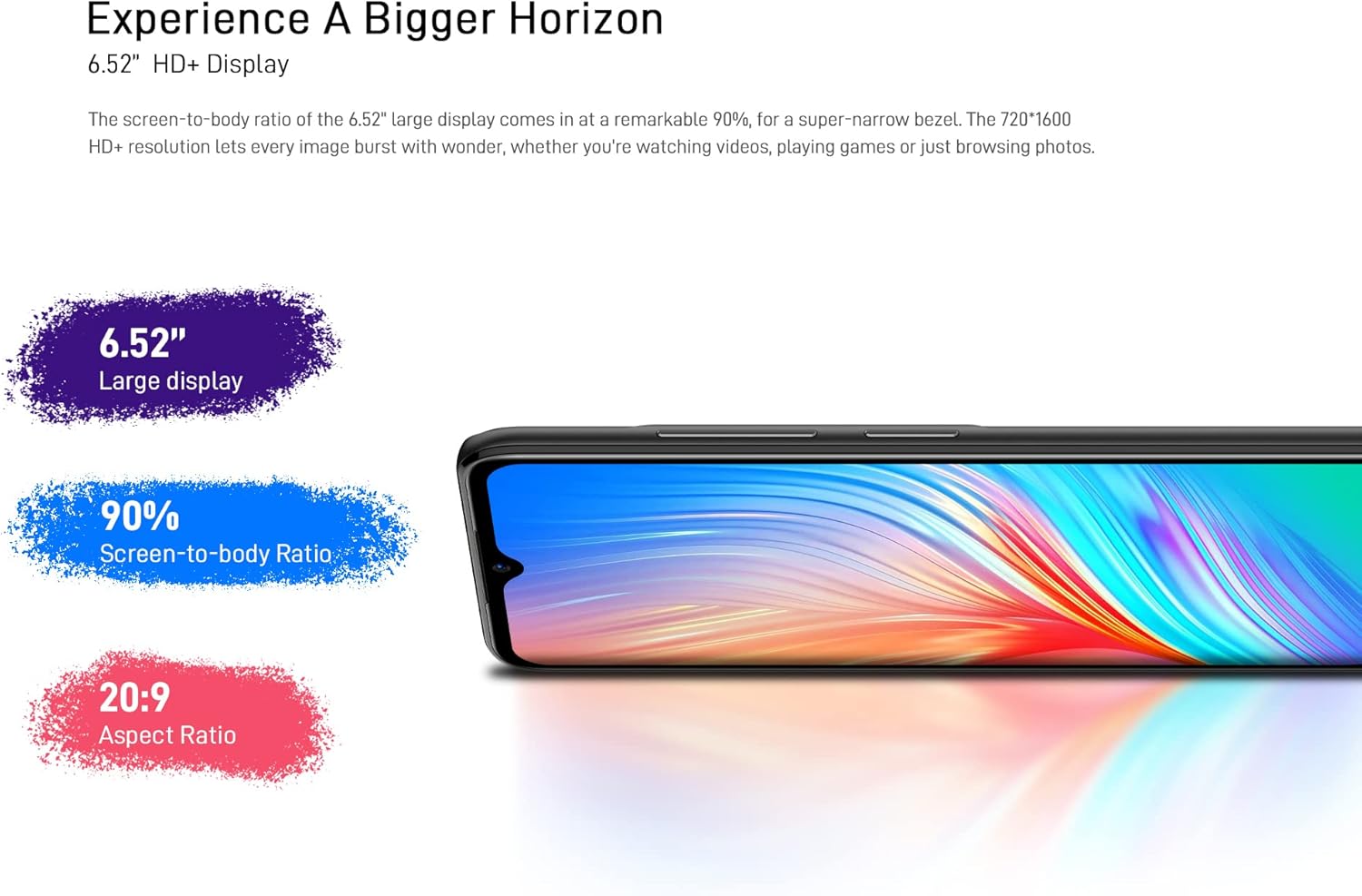
Figure 3: The 6.52-inch HD+ display.
5.2. Face Unlock
The device supports face recognition for quick and secure unlocking.
- Ale nan Anviwònman > Sekirite > Debloke figi.
- Follow the on-screen prompts to register your face.
- Ensure good lighting conditions during registration for optimal performance.
5.3. Itilizasyon kamera
The DOOGEE X98 Pro features a 12MP AI Dual Rear Camera and an 8MP Front Camera.
Rear Camera (12MP AI Dual Camera)

Figure 4: Rear camera specifications.
Open the Camera app to access various modes:
- Foto: Standard mode for capturing still images. Features include AI Beauty, HDR, and a 78.1° visual angle with F1.8 aperture.
- Pòtre: Utilizes the 2MP portrait camera for depth effects.
- Mòd lannwit: Enhances clarity in low-light conditions.
- Ralanti: Records videos in slow motion.

Figi 5: Egzample of Night Mode photography.
Front Camera (8MP AI Beautify)
The 8MP front camera is designed for clear selfies and video calls, featuring AI Beautify mode.
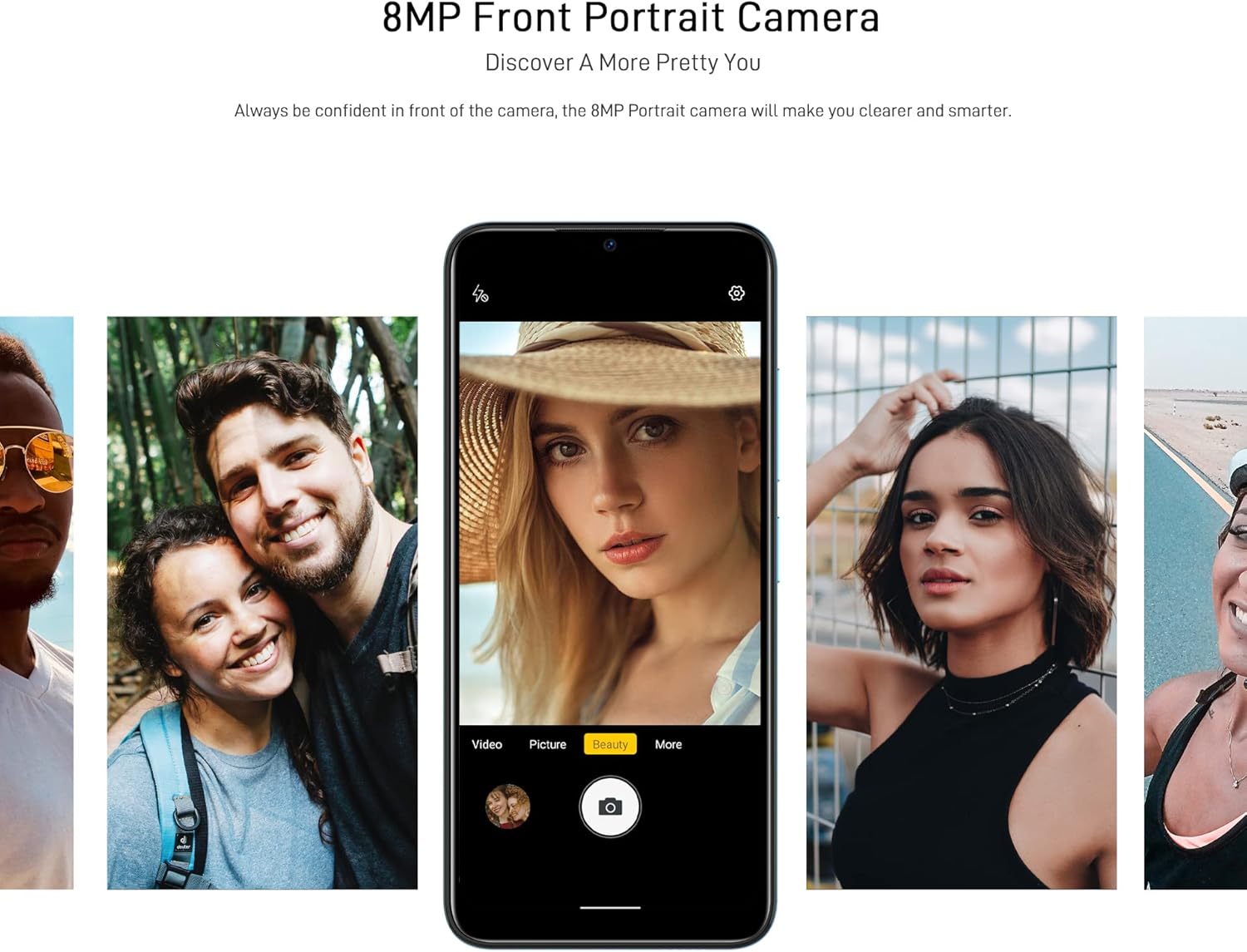
Figure 6: Front camera in use for portraits.
5.4. Koneksyon
- Wi-Fi: Konekte ak rezo san fil atravè Anviwònman > Rezo ak entènèt > Wi-Fi. Supports 2.4G (b/g/n).
- Bluetooth: Konekte ak lòt aparèy Bluetooth atravè Anviwònman > Aparèy konekte > Bluetooth. Supports BT5.0.
- Done mobil: Enable or disable mobile data via Anviwònman > Rezo ak entènèt > Rezo mobil. Supports 2G/3G/4G LTE.
- GPS: The device supports GPS, Glonass, Galileo, and Beido for accurate navigation.
- OTG: On-The-Go (OTG) functionality allows connecting USB peripherals like flash drives.
5.5. Jesyon Depo
The phone comes with 64GB of internal storage, expandable up to 1TB using a microSD card. To manage storage, go to Anviwònman > Depo.
6. Antretyen
6.1. Netwaye Aparèy Ou a
Sèvi ak yon twal mou ki pa gen pousyè pou netwaye ekran ak kò telefòn ou an. Evite itilize pwodui chimik ki agresif oswa materyèl abrazif.
6.2. Mizajou lojisyèl
Regularly check for system updates to ensure your device has the latest features and security patches. Go to Anviwònman > Sistèm > Mizajou sistèm.
6.3. Swen batri
- Evite ekspoze telefòn nan nan tanperati ekstrèm.
- Pa kite batri a dechaje nèt souvan.
- Sèvi sèlman ak plato ak kab orijinal la oubyen plato ak kab konpatib ki sètifye.
NAN. Depanaj
If you encounter issues with your DOOGEE X98 Pro, try the following solutions:
- Aparèy pa limen: Asire w batri a chaje. Konekte chajè a epi tann kèk minit anvan ou eseye limen l ankò.
- Aplikasyon yo ap plante oswa bloke: Close the app and reopen it. If the issue persists, restart the phone. Clear the app's cache via Anviwònman > Aplikasyon > [Non aplikasyon an] > Depo ak kach > Efase kach.
- Pòv lavi batri: Reduce screen brightness, disable unused features like Wi-Fi or Bluetooth, and close background apps. Check battery usage in Anviwònman> Batri pou idantifye aplikasyon ki konsome anpil enèji.
- Connectivity issues (Wi-Fi/Bluetooth/Mobile Data): Toggle the respective connection off and on. Restart your phone or the router/paired device.
- Face Unlock not working: Ensure your face is well-lit and unobstructed. Re-register your face if necessary.
Pou pwoblèm ki pèsiste, konsidere fè yon reset faktori (Anviwònman> Sistèm> Opsyon Reyajiste> Efase tout done (reset faktori)). Avètisman: Sa ap efase tout done ki sou telefòn ou an. Fè yon kopi done enpòtan yo anvan ou kontinye.
8. Espesifikasyon
Detailed technical specifications for the DOOGEE X98 Pro:
| Karakteristik | Spesifikasyon |
|---|---|
| Modèl | X98 Pro |
| Sistèm operasyon | Android 12.0 |
| Processeur | MediaTek Helio G25 Octa Core, 2.3 GHz, 12nm |
| GPU | IMG-GE8320, up to 650 MHz |
| RAM | 4GB |
| Depo Entèn | 64GB |
| Depo dilatabl | TFlash/microSD card up to 1TB |
| Ekspozisyon | 6.52-inch HD+ Waterdrop Screen, 720*1600 resolution, 90% screen-to-body ratio |
| Kamera dèyè | 12MP SONY AI Dual Camera (f/1.8, 78.1° visual angle) + 2MP Portrait Camera, Triple LED Flash |
| Kamera devan | 8MP AI Beautify Camera |
| Batri | 4200mAh, 10W Type-C Fast Charge |
| Kat SIM | Dual Nano SIM (or 1 Nano SIM + 1 microSD) |
| Bann rezo | 2G GSM, 3G, 4G LTE |
| Wi-Fi | 2.4G (b/g/n) |
| Bluetooth | BT5.0 |
| Navigasyon | GPS, Glonass, Galileo, Beido |
| Detèktè | Face Unlock, G-sensor, Proximity Sensor, Ambient Light Sensor, Compass (Magnetic), Geomagnetism |
| Pò | Kalite-C, Jack kas ekoutè 3.5mm |
| Dimansyon | 165.3mm x 76.3mm x 8.8mm |
| Pwa | 205g (ki gen ladan batri) |

Figure 7: MediaTek Helio G25 Octa-core Processor.

Figure 8: Optimized performance for gaming.
9. Enfòmasyon sou Sekirite
Tanpri obsève direktiv sekirite sa yo:
- Pa demonte, repare, oswa modifye aparèy la tèt ou.
- Evite ekspoze aparèy la nan tanperati ekstrèm, limyè solèy la dirèk, oswa imidite segondè.
- Use only approved accessories (charger, cable, etc.).
- Kenbe aparèy la lwen dlo ak lòt likid.
- Jete aparèy la ak batri li yon fason responsab dapre règleman lokal yo.
10. Garanti ak sipò
For warranty information, please refer to the warranty card included in your product package or visit the official DOOGEE website. For technical support or service inquiries, please contact DOOGEE customer service through their official channels.