
1. Plis paseview
The ONVIAN Motorcycle Disc Brake Lock is an advanced anti-theft device designed to secure motorcycles, dirt bikes, bicycles, e-bikes, and motorbikes equipped with disc brakes. It features a sensitive motion sensor that triggers a loud 120dB alarm upon detecting collision or vibration, deterring potential thieves. The lock is rechargeable via a Type-C cable and boasts an IP67 waterproof rating for durability in various weather conditions. A 5-foot reminder cable is included to prevent accidental ride-offs while the lock is engaged.
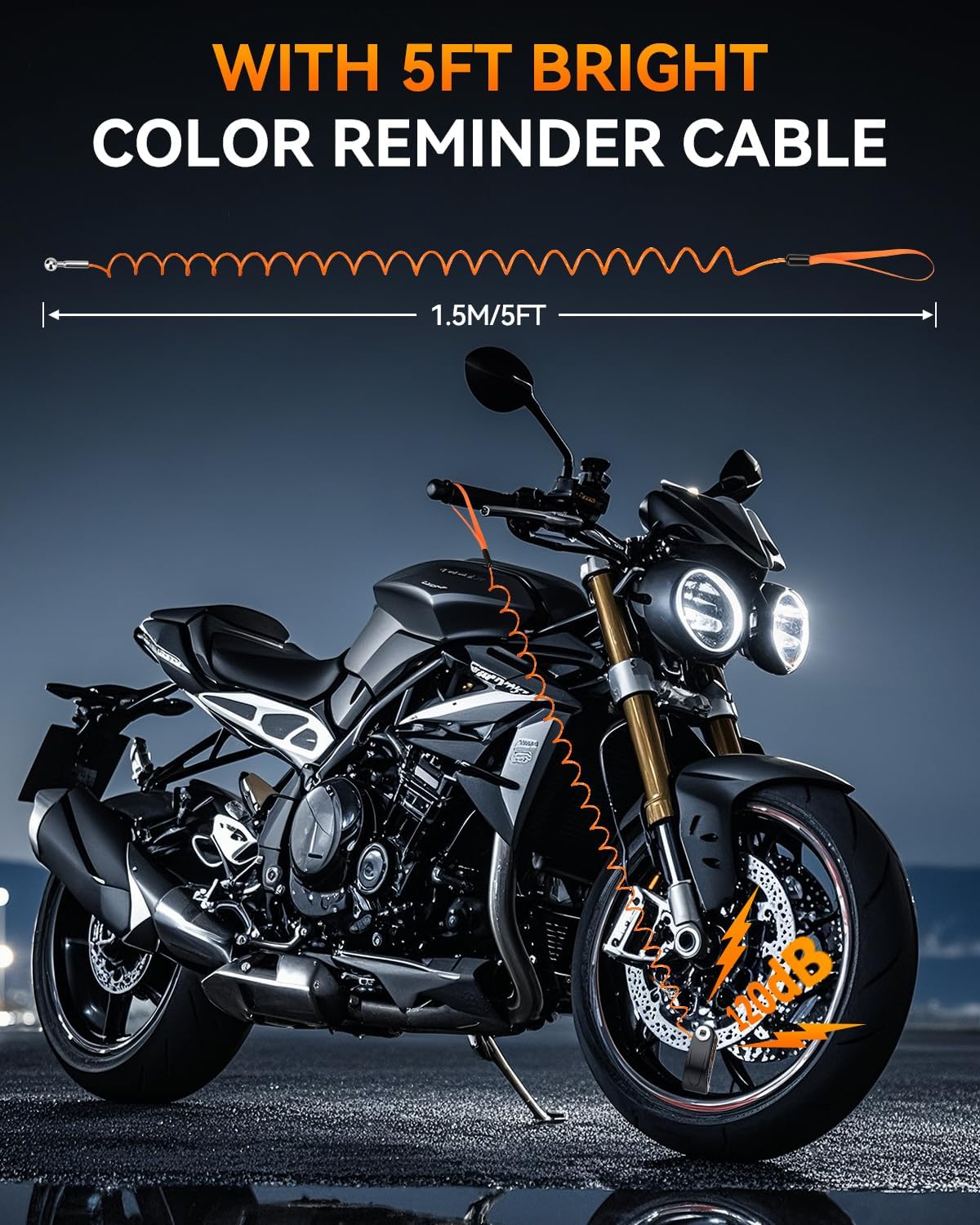
Figure 1.1: ONVIAN Disc Brake Lock installed on a motorcycle.
2. Pake kontni
Tanpri verifye ke tout atik yo prezan nan pakè ou a:
- 1 x Rechargeable Motorcycle Disc Brake Lock
- 2 x kle
- 1 x 5FT Anti-Theft Reminder Cable (Orange)
- 1 x tip-C chaje kab
- 1 x manyèl itilizatè angle

Figi 2.1: Tout konpozan ki enkli nan pake a.
3. Pwodwi Features
- 120dB Super Loud Alarm: Equipped with a highly sensitive motion sensor, the lock emits a 120dB alarm for 10 seconds if triggered by collision or vibration, effectively deterring theft.
- Rechargeable & IP67 Waterproof: Features a built-in 500mAh battery, rechargeable via Type-C cable in 1-1.5 hours, providing 5-6 months of operation per charge. The IP67 rating ensures protection against dust and water, making it suitable for all weather conditions. The charging port is sealed with a silicone cover.
- Materyèl solid: Constructed with a zinc alloy cylinder, copper blade, and Q235 iron internal components, offering high resistance to physical attacks and tampering.
- 7mm Locking Pin: Designed to fit disc brakes with a rotor thickness of less than 7mm (0.27 inches), compatible with most motorcycles, dirt bikes, bicycles, e-bikes, and scooters.
- 5FT Reminder Cable: An orange coiled cable serves as a visual reminder to remove the lock before riding, preventing potential damage. It also acts as an additional deterrent.
- Alarm & Rest Mode Switch: Allows users to switch between alarm mode (active vibration sensor) and rest mode (locking function only, no alarm) as needed.

Figure 3.1: The lock's IP67 waterproof design.
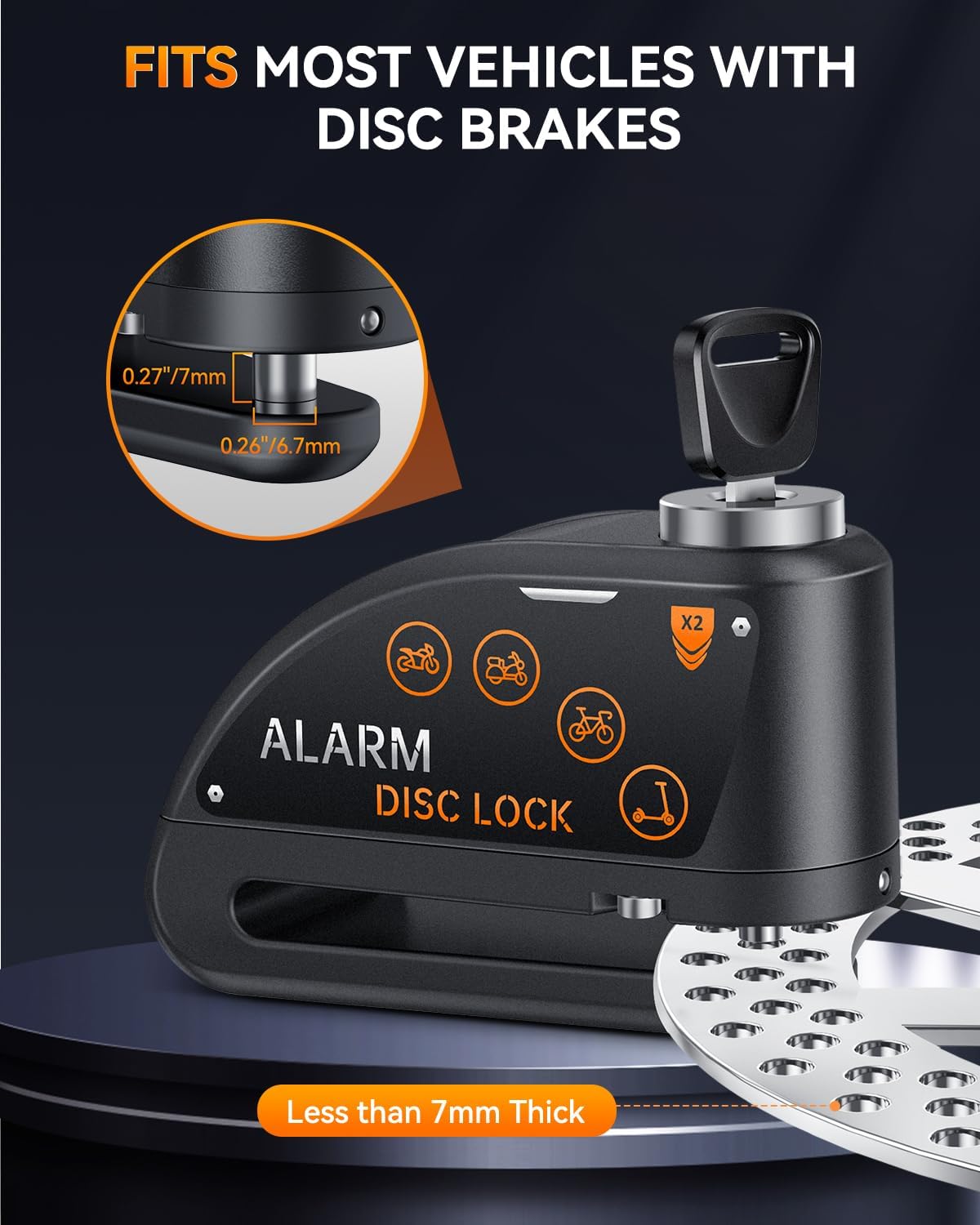
Figure 3.2: Multi-vehicle universal compatibility.
4. Enstalasyon ak Enstalasyon
Follow these steps to properly install the disc brake lock on your vehicle:
- Tcheke konpatibilite: Ensure your vehicle's disc brake rotor is less than 7mm (0.27 inches) thick. The lock's pin is 7mm in diameter.
- Mete kadna a an pozisyon: Place the lock onto the disc brake rotor, ensuring the locking pin aligns with one of the holes in the rotor.
- Engage the Lock: Press the lock cylinder down firmly until you hear a "Bi" sound. This indicates the lock is engaged and has entered alarm mode. After 3 seconds, you will hear another "Bi" sound, confirming the alarm is armed.
- Attach Reminder Cable: Loop one end of the orange reminder cable through the lock and the other end around your handlebar or a visible part of your vehicle. This prevents you from attempting to ride off with the lock still attached.

Figure 4.1: Ensuring proper fit on a disc brake rotor.
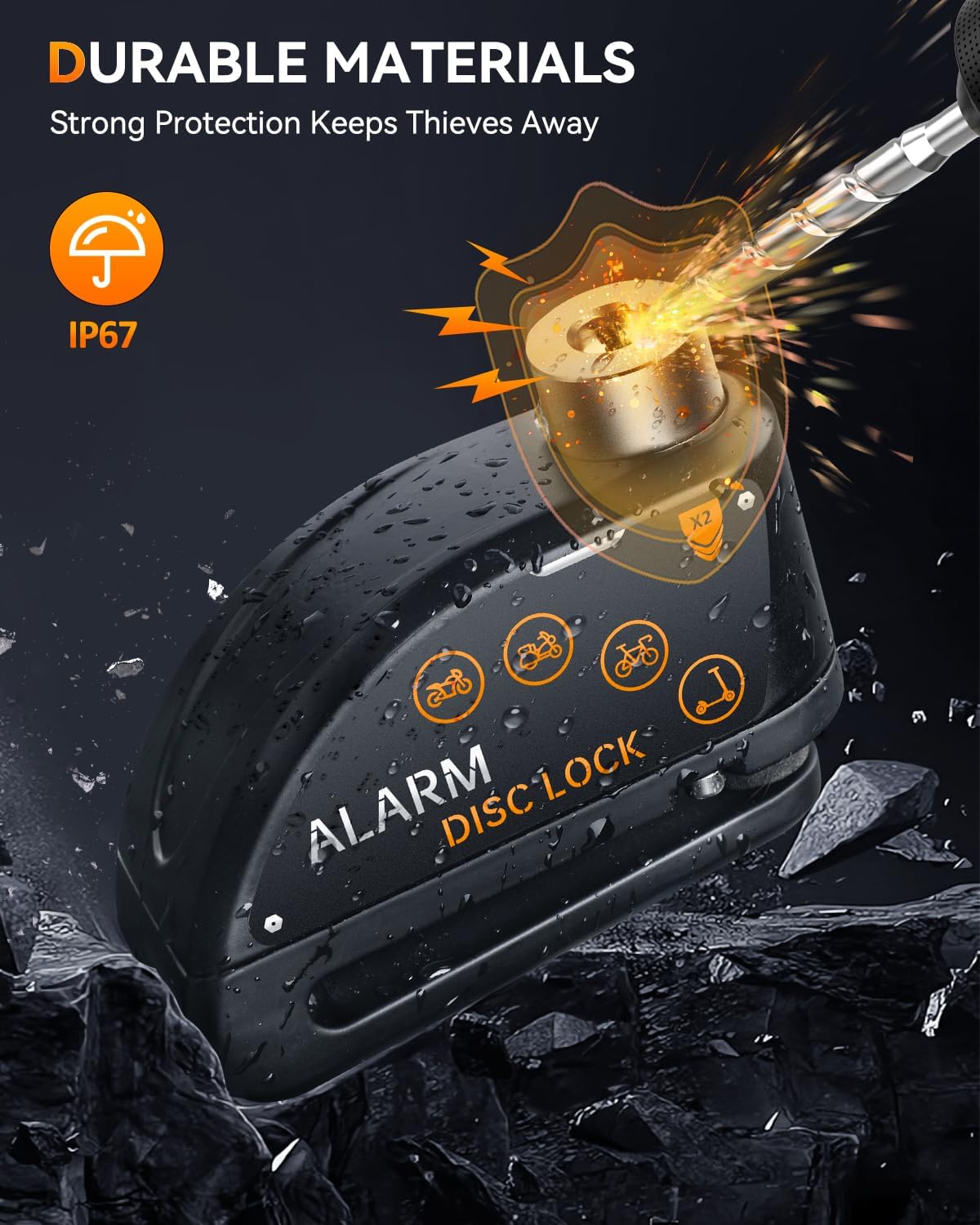
Figure 4.2: Reminder cable in use.
Setup & Installation Video Guide
Video 4.1: This video demonstrates the physical installation of the ONVIAN Disc Brake Lock on a bicycle's disc brake and the use of the reminder cable.
5. Operasyon Enstriksyon
5.1 mòd alam
When the lock is engaged, it automatically enters alarm mode. The motion sensor is active and will respond to any disturbance.
- Initial Warning: If the lock or vehicle senses a slight collision or vibration, it will emit a "Bi Bi Bi" warning sound.
- Full Alarm: If the disturbance continues or is re-triggered within a short period, the lock will emit a continuous 120dB alarm for 10 seconds. This loud siren is designed to attract attention and deter thieves.
- Dezame: To disarm the alarm and unlock the device, insert the key into the lock cylinder and turn it. The alarm will stop immediately upon unlocking.
5.2 Rest Mode (Silent Mode)
The lock can be set to a silent mode where the alarm function is disabled, allowing only the physical locking mechanism to be used. This is useful in quiet environments or when you prefer not to have the alarm active.
- Activating Rest Mode: To enter rest mode, press the lock cylinder down halfway until you hear a single "Bi" sound. Within 3 seconds, press the lock cylinder all the way down again until you hear a "Bi Bi" sound. This indicates the lock has entered rest mode, and the vibration sensor will not trigger the alarm.
- Exiting Rest Mode: To return to alarm mode, simply unlock the device with the key and then re-engage it by pressing the lock cylinder all the way down.

Figure 5.1: Alarm and Rest Mode switch.
Operation Mode Video Guide
Video 5.1: This video demonstrates how to activate the alarm mode (0:11-0:37) and switch to rest mode (0:44-0:59).
6. Chaje Enstriksyon
The ONVIAN Disc Brake Lock is equipped with a rechargeable battery. Follow these steps to charge your device:
- Jwenn pò chaje: The Type-C charging port is located on the side of the lock, protected by a silicone dust and waterproof cover.
- Louvri Kouvèti a: Gently lift the silicone cover to expose the charging port.
- Konekte Charger: Insert the provided Type-C charging cable into the lock's port and connect the other end to a suitable USB power source (e.g., wall adapter, power bank, computer USB port).
- Endikatè chaje: The lock will indicate charging status (e.g., an LED light). A full charge typically takes 1-1.5 hours.
- Lavi batri: Once fully charged, the lock can operate for approximately 5-6 months, depending on usage.
- Fèmen Kouvèti a: After charging, ensure the silicone cover is securely closed to maintain the IP67 waterproof rating.
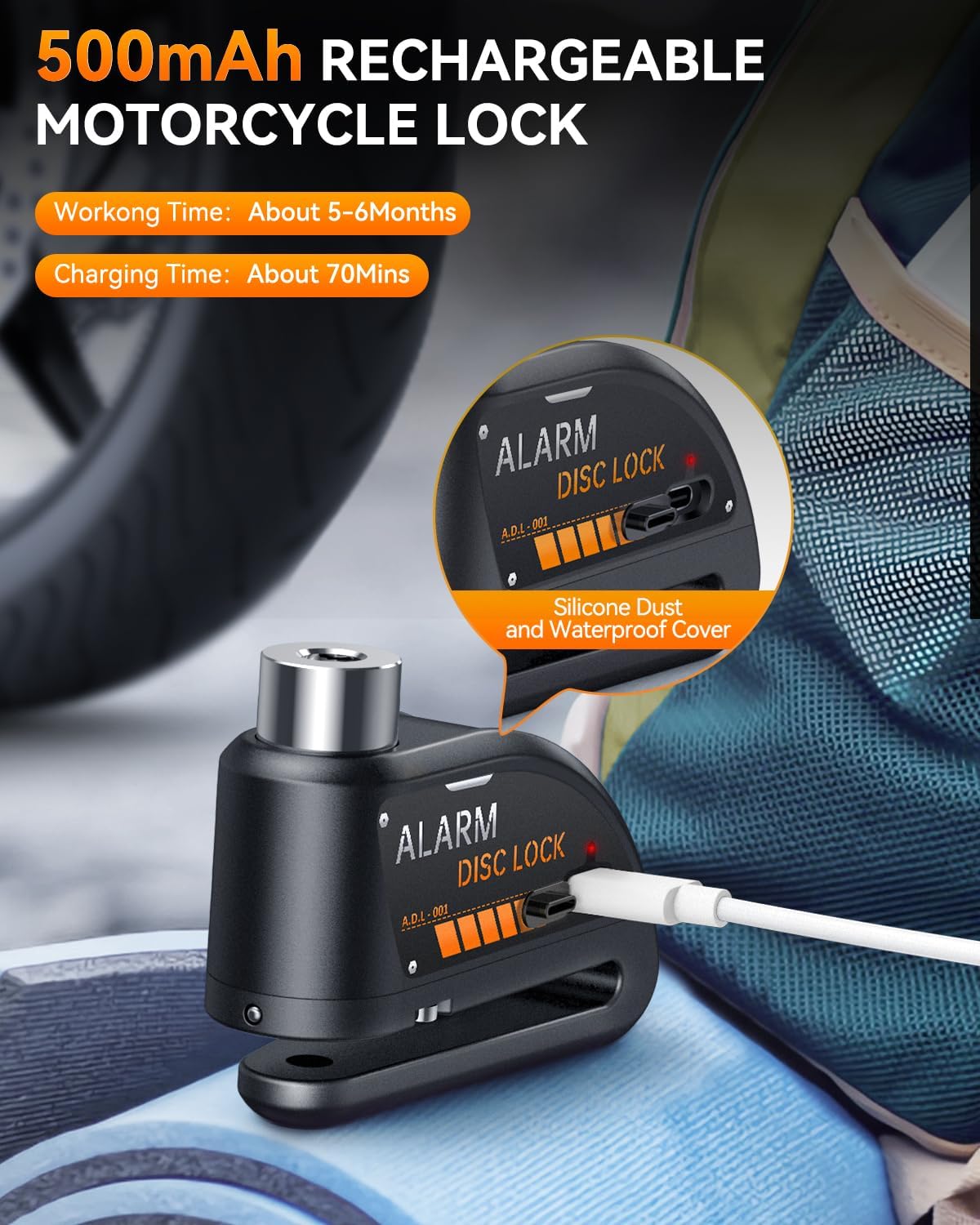
Figure 6.1: Charging the disc brake lock via Type-C port.
7. Antretyen
To ensure the longevity and optimal performance of your ONVIAN Disc Brake Lock, follow these maintenance guidelines:
- Netwayaj regilye: Wipe the lock with a soft, damp twal pou retire pousyè tè ak salte. Evite itilize pwodui chimik ki agresif oswa pwodui netwayaj abrazif.
- Keep Charging Port Sealed: Always ensure the silicone cover for the Type-C charging port is securely closed when not charging to maintain its waterproof integrity.
- Lubrifikasyon: Periodically apply a small amount of graphite lubricant to the keyhole to ensure smooth operation of the locking mechanism.
- Swen batri: Charge the lock fully every 3-4 months even if not in regular use to preserve battery health. Avoid completely draining the battery for extended periods.
- Depo: Store the lock in a dry, cool place when not in use.
NAN. Depanaj
If you encounter any issues with your ONVIAN Disc Brake Lock, refer to the following common problems and solutions:
| Pwoblèm | Kòz posib | Solisyon |
|---|---|---|
| Alarm not sounding or too quiet. | Low battery; Lock in Rest Mode; Water damage. | Charge the lock fully. Switch to Alarm Mode (see Section 5.1). Ensure silicone cover is sealed after charging. If water damage is suspected, allow to dry completely. |
| Lock not engaging. | Obstruction in disc hole; Pin not aligned; Lock mechanism dirty. | Clear any debris from the disc hole. Realign the lock with the disc hole. Clean and lubricate the lock cylinder. |
| Alarm triggers too easily. | High sensitivity setting (not adjustable); Strong winds or unstable parking. | Consider using Rest Mode in windy conditions or when parking in an area prone to minor disturbances. Ensure the vehicle is parked stably. |
| Keys are stiff or difficult to turn. | Dust or debris in keyhole; Lack of lubrication. | Apply graphite lubricant to the keyhole. Do not force the key. |
| No battery charge indicator. | Product design does not include a visible charge level indicator. | Charge the device regularly (e.g., every 5-6 months or when the alarm sounds weak) to ensure continuous protection. |
9. Espesifikasyon
- Mak: Onvian
- Nimewo Modèl: A2+M1
- Aparèy konpatib: Motorcycles, Dirt Bikes, Bicycles, E-bikes, Motorbikes with Disc Brakes
- Nivo bri: 120 Decibels (Alarm)
- Locking Pin Diameter: 7mm
- Batri: 500mAh Rechargeable (Type-C)
- Tan pou chaje: 1-1.5 èdtan
- Operating Time (Full Charge): Apeprè 5-6 mwa
- Evalyasyon ki enpèmeyab: IP67
- Materyèl: Zinc Alloy, Copper Blade, Iron Q235
- Pwa atik: 9.07 g
- Kontwòl Remote enkli?: Non
10. Garanti ak sipò
The ONVIAN Motorcycle Disc Brake Lock (Model A2+M1) comes with a 1-ane garanti apati dat acha a. Garanti sa a kouvri domaj fabrikasyon ak fonksyònman ki pa kòrèk nan itilizasyon nòmal.
For warranty claims, technical support, or any questions regarding your product, please contact Onvian customer service through the retailer where the product was purchased or visit the official Onvian store page.
Tanpri konsève prèv acha ou a pou validasyon garanti a.