
Entwodiksyon
This manual provides essential instructions for the operation and maintenance of your Creative Sensemore Air True Wireless In-Ear Headphones. These headphones are designed to deliver a versatile audio experience with advanced features for various listening environments.

Image: Creative Sensemore Air earbuds shown with their charging case.
Karakteristik kle:
- Sensemore Mode: Amplifies surrounding sounds for enhanced awareness.
- Mòd anbyen: Pèmèt ou tande anviwònman ou pandan w ap jwi odyo a.
- Anilasyon aktif bri (ANC): Redui bri ekstèn pou yon koute imersif.
- Quad Microphones: Ensures clear voice pickup for calls and voice commands.
- Pwolonje lavi batri: Up to 10 hours per charge, with a total of 35 hours using the charging case.
- IPX5 Rezistan a swè: Designed to withstand sweat and light splashes.
- Chaje san fil: Supports Qi-certified wireless charging for convenience.
- Bluetooth 5.2: Bay koneksyon san fil ki estab e efikas.
- Kontwòl taktil personnalisable: Personalize earbud functions via the Creative app.
Enstalasyon
1. Chaje Aparèy la
Before first use, fully charge the Creative Sensemore Air earbuds and their charging case.
- Via kab USB-C: Konekte kab chaje USB-C ki vini ak aparèy la nan pò chaje ki sou bwat la epi nan yon sous kouran.
- Chaje san fil: Place the charging case on a Qi-certified wireless charging pad.
The LED indicators on the front of the charging case will show the charging status. A full charge provides up to 10 hours of playtime for the earbuds and up to 35 hours total with the case. A 10-minute quick charge provides up to 2 hours of playtime.

Image: The charging case showing LED indicators for battery status.
2. Pairing ak yon Aparèy
- Asire w ekoutè yo nan bwat chaje a epi kouvèti bwat la louvri.
- Sou aparèy ou an (telefòn entelijan, tablèt, elatriye), aktive Bluetooth epi chèche aparèy ki disponib yo.
- Select "Creative Sensemore Air" from the list of detected devices to pair.
- Yon fwa yo konekte, ekoutè yo ap konekte otomatikman ak aparèy ou an lè ou retire yo nan bwat la.
3. Installing the Creative App
For full functionality and customization, download the Creative app from your device's app store. The app allows you to:
- Switch between Sensemore Mode, Ambient Mode, and Active Noise Cancellation.
- Pèsonalize kontwòl taktil yo.
- Adjust audio settings with a graphic equalizer.
- Fè amelyorasyon firmwèr yo.

Image: Creative app icon for mobile devices.
Opere kas ekoutè yo
Mòd kontwòl bri
The Creative Sensemore Air headphones offer three distinct noise control modes to adapt to your environment:
- Sensemore Mode: This proprietary technology enhances ambient sound beyond conventional transparency modes. It focuses on vocals and amplifies surrounding sounds for improved hearing and clearer conversations.
- Mòd anbyen: Allows you to hear your surroundings naturally, useful for staying aware in busy environments.
- Anilasyon aktif bri (ANC): Blocks out unwanted external noise, providing a more immersive audio experience.
Switch between these modes using the customizable touch controls on the earbuds or through the Creative app.

Image: A person on a bus using the Creative Sensemore Air earbuds, illustrating the noise control features.
Videyo: Yon finiview of the Creative Sensemore Air True Wireless in-Ear Headphones, demonstrating key features like Sensemore Mode, Ambient Mode, and Active Noise Cancellation.
Rele Fonksyonalite
Equipped with four microphones, the earbuds provide enhanced voice pickup and call clarity. You can also activate voice assistants like Siri or Google Assistant with ease.

Image: A woman using the earbuds to interact with a voice assistant, highlighting the quad mic feature.
Kontwòl manyen
The earbuds feature intuitive touch controls for managing playback, calls, and noise control modes. These controls can be customized through the Creative app to suit your preferences.

Image: Screenshot of the Creative app showing customizable touch control settings.
Antretyen
Netwayaj ak Swen
To ensure longevity and optimal performance, regularly clean your earbuds and charging case.
- Siye ekoutè yo ak bwat chaje a ak yon twal mou, sèk, epi ki pa gen pousyè.
- Retire bout zòrèy yo epi netwaye yo avèk savon dou ak dlo, apresa seche yo byen anvan ou mete yo ankò.
- Evite itilize pwodui netwayaj abrazif oswa solvang.
Rezistans dlo (IPX5)
The Creative Sensemore Air earbuds are rated IPX5 sweatproof, meaning they are protected against low-pressure water jets from any direction. This makes them suitable for workouts and use in light rain.
Enpòtan: Bwat chaje a se pa water-resistant. Do not expose it to water or moisture.
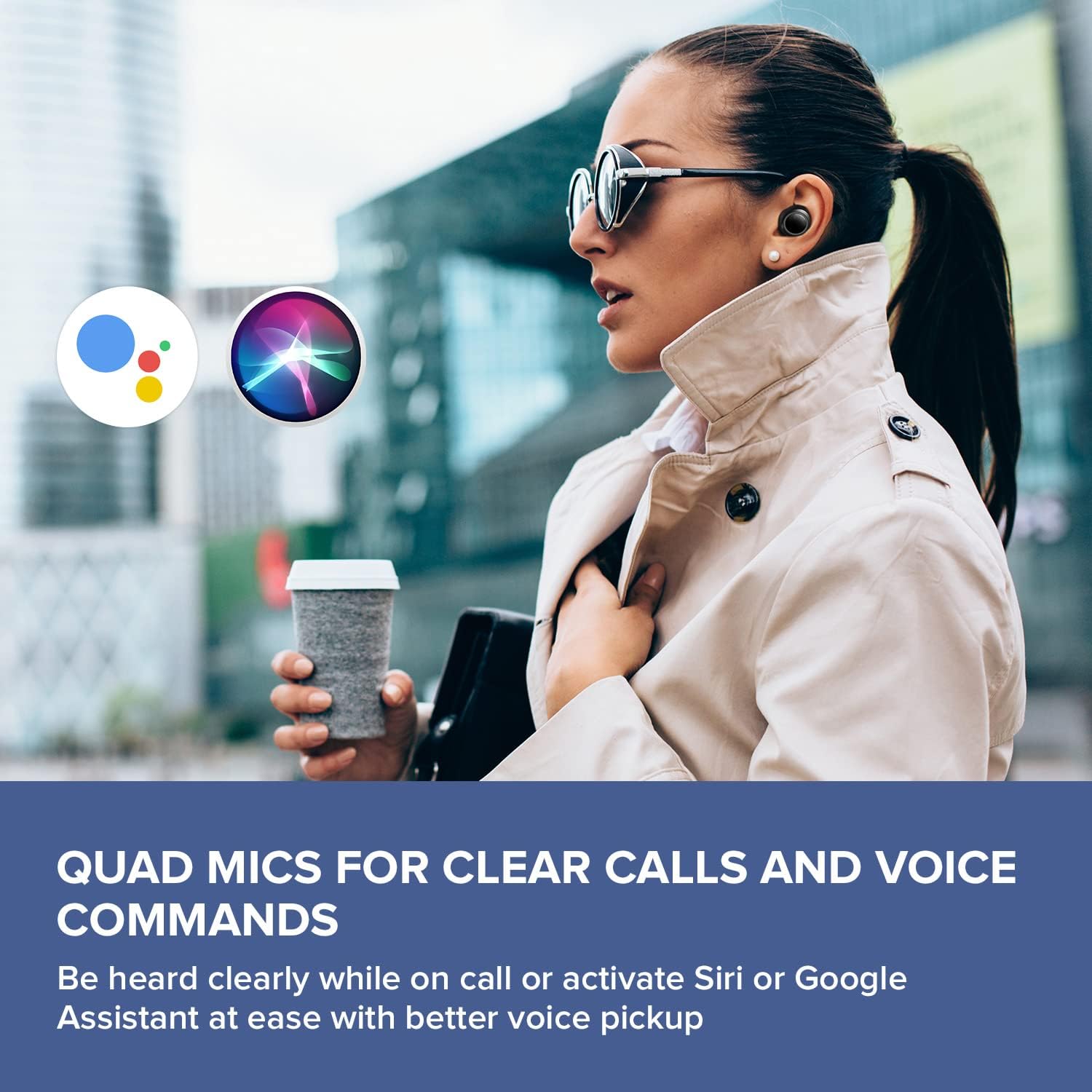
Image: A woman running outdoors, demonstrating the IPX5 sweatproof feature of the earbuds.
Depanaj
Pwoblèm komen ak solisyon yo
- Pa gen son/Move kalite son:
- Asire w ke ekoutè yo byen chaje.
- Tcheke koneksyon Bluetooth la epi repare l si sa nesesè.
- Ajiste volim nan tou de ekoutè yo ak aparèy ki konekte a.
- Clean ear tips and earbud nozzles to remove any debris.
- Eseye diferan gwosè bouchon zòrèy pou yon pi bon sele.
- Ekoutè pa kouple:
- Place earbuds back in the case, close the lid, then open it again to reset.
- Asire w ke Bluetooth aktive sou aparèy ou an ak nan limit.
- Bliye aparèy la nan paramèt Bluetooth telefòn ou an epi eseye konekte li ankò.
- Pwoblèm chaj:
- Verify the USB-C cable is securely connected to both the case and power source.
- If using wireless charging, ensure the case is correctly positioned on the Qi-certified pad.
- Tcheke si kontak chaje yo sou ekoutè yo ak anndan bwat la pwòp.
- Pwoblèm koneksyon aplikasyon an:
- Ensure the Creative app is updated to the latest version.
- Rekòmanse aplikasyon an oswa aparèy mobil ou a.
- Confirm Bluetooth is active and the earbuds are connected to your device.
Espesifikasyon
| Karakteristik | Detay |
|---|---|
| Non modèl | EF1020 |
| Koneksyon | Bluetooth 5.2 |
| Gamme Bluetooth | 10 mèt |
| Kodèk odyo | AAC, SBC |
| Chofè yo | 6 mm Bio-cellulose Dynamic Drivers |
| Mikwofòn | Kwadwilatè Miks |
| Kontwòl bri | Sensemore Mode, Ambient Mode, Active Noise Cancellation |
| Total Playtime | Jiska 35 èdtan (ak bwat chaje) |
| Tan Jwe Pa Chaj | Jiska 10 èdtan |
| Tan pou chaje | 2 èdtan |
| Entèfas chaje | USB-C, Wireless (Qi-certified) |
| Rezistans dlo | IPX5 (koutè sèlman) |
| Metòd kontwòl | Manyen |
| Pwa atik | 1.76 ons |
| Dimansyon pwodwi | 2.7 x 1.9 x 1.3 pous (Bwat chaje) |
Garanti ak sipò
Creative products are designed for reliability and performance. For warranty information and customer support, please refer to the official Creative websit la oswa dokiman ki vini ak pwodwi ou a.
- Enskripsyon pwodwi: Anrejistre pwodwi ou sou entènèt pou resevwa dènye nouvèl ak sipò.
- Sipò teknik: Visit the Creative support page for FAQs, troubleshooting guides, and contact information.
Nòt: Warranty terms may vary by region and retailer. Please retain your proof of purchase.