
Entwodiksyon
This manual provides instructions for the setup, operation, and maintenance of your XTREME DIGITAL LIFESTYLE ACCESSORIES Monster Sound-Reactive Color Flow LED Equalizer Light Bar. This product features sound-reactive lighting, customizable color modes, and flexible mounting options, designed to enhance your environment with dynamic visual effects.

Image: The Monster Sound-Reactive Color Flow LED Equalizer Light Bar shown both in its retail packaging and as a standalone unit, highlighting its design and features.
Kontni pake
- 2 x Monster Sound-Reactive Color Flow LED Equalizer Light Bars
- 2 x Vertical Stands
- 2 x USB Chaje Câbles
- Manyèl Enstriksyon (dokiman sa a)
Enstalasyon
The Monster LED Equalizer Light Bar offers versatile placement options. Follow these steps for initial setup:
- Chaje aparèy la: Before first use, fully charge the light bar using the provided USB charging cable. Connect the cable to the light bar's charging port and a standard USB power source (e.g., computer, USB wall adapter). The charging indicator will show the charging status. A full charge provides approximately 3-4 hours of continuous light.
- Opsyon Montaj:
- Vertical Placement: Attach the included base to the bottom of the light bar for vertical orientation. Ensure the bar is securely seated in the base.
- Plasman orizontal: The light bar can be placed horizontally on any flat surface without the base.

Image: A visual representation illustrating the two mounting methods: vertically with the included stand and horizontally on a flat surface.
Enstriksyon Operasyon
The light bar can be controlled via built-in buttons or a dedicated mobile application.
1. Basic Operation (Built-in Buttons)
The light bar features control buttons, typically located on the device, to manage power, modes, and settings.
- Bouton pouvwa: Press and hold to turn the device ON or OFF.
- bouton mòd: Short press to cycle through the 18 color modes and 8 equalizer patterns.
- Brightness/Speed Button: Short press to adjust brightness (4 levels) or speed (5 settings) depending on the active mode.
2. Advanced Operation (Mobile App Control)
For full customization and control, download the official Monster LED app from your device's app store. The app allows access to all 18 color modes, 8 equalizer patterns, 4 brightness levels, and 5 speed settings.
- Download app: Chèche pou "Monster LED" or "Xtreme LED" in your smartphone's app store (iOS App Store or Google Play Store).
- Peyaj:
- Ensure your light bar is powered on and within Bluetooth range of your smartphone.
- Open the app and follow the on-screen instructions to discover and pair with your light bar.
- Note: Some users have reported initial difficulties with Bluetooth pairing. Ensure Bluetooth is enabled on your phone and try restarting both the light bar and the app if issues persist.
- Pèsonalizasyon: Use the app interface to select desired color modes, equalizer patterns, adjust brightness, and set animation speeds.
3. Sound-Reactive Displays (Music Mode)
Activate Music Mode via the built-in buttons or the mobile app to enable the light bar to react to ambient sounds and music, creating dynamic visual effects synchronized with audio.

Image: Multiple LED light bars showcasing various multicolor moving patterns, illustrating the dynamic visual effects.

Image: A close-up of the LED light bar with a USB charging cable connected, indicating its rechargeable feature.
Antretyen
To ensure the longevity and optimal performance of your LED Equalizer Light Bar, follow these maintenance guidelines:
- Netwayaj: Use a soft, dry cloth to gently wipe the surface of the light bar. Avoid abrasive cleaners, solvents, or excessive moisture, as these can damage the device.
- Depo: Lè w pa itilize ba limyè a pou yon bon bout tan, sere l nan yon kote ki fre epi sèk, lwen limyè solèy dirèk ak tanperati ekstrèm.
- Swen batri: To maintain battery health, avoid fully discharging the device frequently. Recharge the battery periodically even if not in regular use.
- Rezistans dlo: Pwodwi sa a se pa reziste dlo. Avoid exposure to liquids or high humidity.
Depanaj
If you encounter issues with your Monster LED Equalizer Light Bar, refer to the following common solutions:
- Aparèy pa Limen:
- Ensure the device is fully charged. Connect it to a USB power source and allow it to charge for at least 30 minutes before attempting to power on again.
- Verifye ke bouton pouvwa a te peze epi kenbe l pandan kèk segonn.
- Lights Not Reacting to Sound:
- Confirm that Music Mode is activated.
- Ensure there is sufficient ambient sound for the microphone to pick up.
- Check the sensitivity settings via the mobile app, if applicable.
- Difficulty with App Pairing (Bluetooth):
- Ensure Bluetooth is enabled on your smartphone and the light bar is powered on and nearby.
- Try restarting both the light bar and the mobile application.
- If issues persist, try unpairing and re-pairing the device through your phone's Bluetooth settings and the app.
- Kout lavi batri:
- Asire w ke aparèy la chaje konplètman anvan w itilize li.
- Battery life can vary based on brightness levels and active modes. Higher brightness and complex patterns consume more power.
- If battery life significantly degrades over time, it may indicate battery wear.
Espesifikasyon
| Mak | XTREME DIGITAL LIFESTYLE ACCESSORIES |
| Nimewo Modèl | ECOM-1087-PP2 |
| Koulè | Multikoulè |
| Itilizasyon Andedan kay la / Deyò | Andedan kay la |
| Karakteristik espesyal | Rechargeable |
| Kalite sous limyè | dirije |
| Sous pouvwa | Batri Powered |
| Materyèl | Plastik |
| Kalite kontwolè | Kontwòl Aplikasyon, Manyen |
| Kantite sous limyè | 32 |
| Wattage | 1 wat |
| Pwa atik | 8 ons (0.5 Liv) |
| Dimansyon pwodwi (L x W x H) | 2.75 x 1.6 x 7.4 pous |
| Nivo rezistans dlo | Pa reziste dlo |
| UPC | 805106234331 |
Enfòmasyon sou Garanti
Pou enfòmasyon detaye sou garanti a, tanpri al gade dokiman ofisyèl manifakti a. websit la oubyen kontakte sèvis kliyan yo. Kenbe prèv acha ou pou nenpòt reklamasyon garanti.
Sipò pou Kliyan
If you require further assistance or have questions not covered in this manual, please contact XTREME DIGITAL LIFESTYLE ACCESSORIES customer support. Visit their official website for contact details or refer to the product packaging.
Ou ka vizite tou XTREME DIGITAL LIFESTYLE ACCESSORIES Store on Amazon pou plis enfòmasyon.
Pwodwi adisyonèl Views

Image: Four LED light bars displayed on a desk, showcasing their use in a typical setup.

Image: Four LED light bars against a vibrant, abstract equalizer graphic, emphasizing their sound-reactive capabilities.
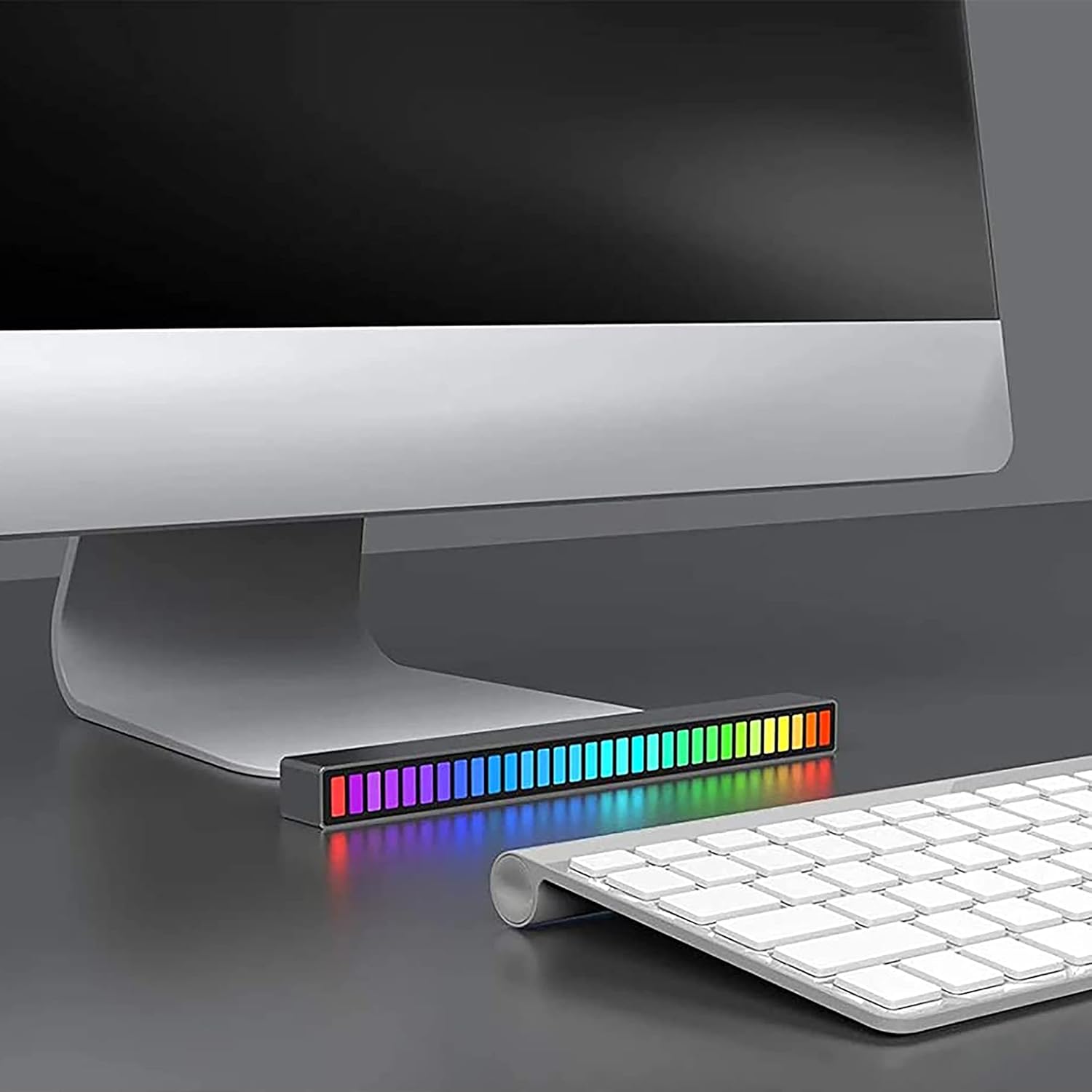
Image: A single LED light bar positioned horizontally beneath a computer monitor, demonstrating a common placement.

Image: Two LED light bars integrated into a DJ setup, illustrating their use in a music-centric environment.

Image: Two LED light bars used to augment a gaming station, providing ambient lighting during gameplay.

Image: An LED light bar positioned in a home theater setup, contributing to the atmospheric lighting while a person watches a film.

Image: Two LED light bars placed in a music studio, providing visual feedback to a person playing a guitar.
Enfòmasyon enpòtan sou sekirite
- Pa demonte, modifye, oswa eseye repare aparèy la.
- Kenbe lwen dlo, dife, ak tanperati ki wo.
- Sèvi sèlman ak kab chaje USB ki vini ak li a oswa yon kab ekivalan sètifye.
- Jete pwodwi a ak batri li yon fason responsab dapre règleman lokal yo.