
1. Entwodiksyon
This manual provides essential information for the safe and efficient operation of your BYGD 3000W Power Inverter. Please read these instructions thoroughly before installation and use, and retain them for future reference. This device converts 12V DC power from a battery into 110V/120V AC household power, suitable for various electronic devices and appliances.

Image 1.1: The BYGD 3000W Power Inverter, showcasing its compact design and included battery connection cables.
2. Karakteristik ak konpozan pwodwi yo
Karakteristik kle:
- Segondè pwodiksyon pouvwa: Provides 3000W continuous DC to AC power and up to 6000W peak power.
- Plizyè plòg: Equipped with 4 standard North American AC outlets.
- Chaje USB ak Kalite-C: Includes 5V/3.1A USB ports and 9V/1.67A Type-C ports for charging mobile devices.
- Pwoteksyon Sekirite Avanse: Features protection against over voltage, ba voltage, overload, short circuit, over heat, and over charge.
- Refwadisman efikas: Built-in smart silent cooling fans minimize noise and extend product life.
- Konsepsyon kontra enfòmèl ant: Easy to carry and store for various applications.
Eleman pwodwi:

Image 2.1: Detailed diagram illustrating the various ports, indicators, and controls on the BYGD 3000W Power Inverter.
- Plòg AC: 4 standard North American AC outlets.
- Pò USB-A ak USB-C: Pou chaje aparèy konpatib.
- Bouton switch pouvwa: To turn the inverter on or off.
- Battery Mode Switch: Selects between different battery modes (if applicable).
- Endikatè Pouvwa (Vèt): Illuminates when the inverter is operating correctly.
- Lithium Battery Working Mode (Blue Light): Indicates operation in lithium battery mode.
- Fault Indicator (Red Light): Illuminates to indicate an error or protection mode.
- Pwoteksyon Surcharge: Resettable circuit breaker for overload protection.
- Cable Connection Port: Terminals for connecting to the 12V DC power source.
- Fanatik refwadisman: Integrated fans for thermal management.
- Ground Connection End: Pou koneksyon atè an sekirite.
- Positive Terminal: Red terminal for positive battery connection.
- Negative Terminal: Black terminal for negative battery connection.
3. Enfòmasyon sou Sekirite
WARNING: Failure to follow these safety instructions may result in injury, damage to the inverter, or damage to connected devices.
- Pa louvri envèstisè c laasing. Pa gen okenn pyès itilizatè a ka repare anndan an.
- Ensure proper ventilation around the inverter. Do not block cooling vents.
- Keep the inverter away from water, moisture, flammable materials, and corrosive substances.
- Connect the inverter only to a 12V DC power source. Do not connect to 24V or 48V systems.
- Toujou konekte envèstisè a ak batri a anvan ou konekte nenpòt aparèy AC.
- Asire w total latage of connected AC appliances does not exceed the inverter's continuous power rating (3000W).
- Use appropriate gauge cables for battery connection to prevent overheating.
- Konekte varyateur la atè byen dapre kòd elektrik lokal yo.
- Dekonekte envèstisè a nan batri a lè w pa ap itilize li pou anpeche batri a dechaje.
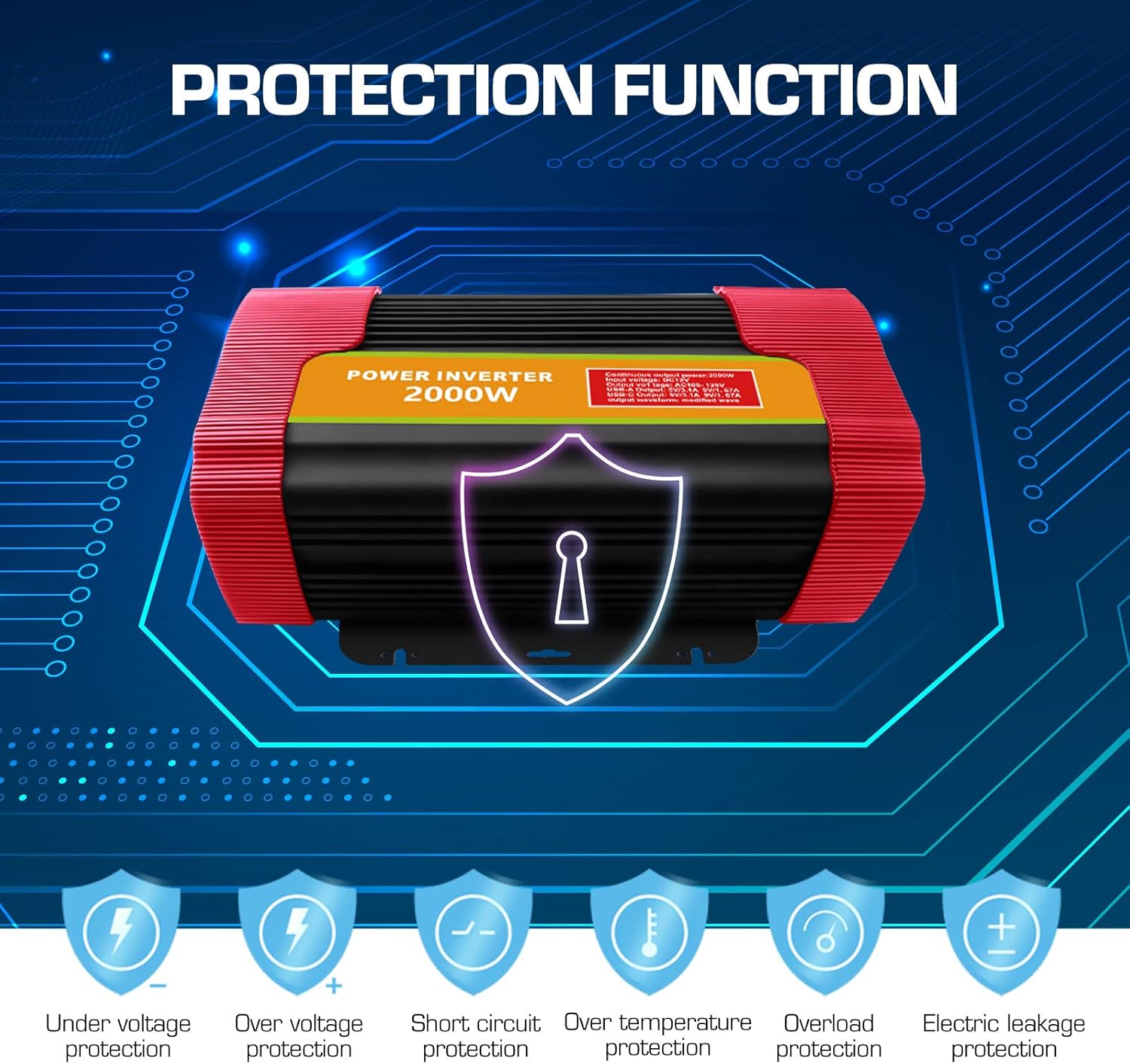
Image 3.1: Visual representation of the comprehensive protection functions integrated into the BYGD Power Inverter.
4. Enstalasyon
4.1 Sa ki nan bwat la:
- BYGD 3000 Watt Power Inverter
- Battery connection cables (red for positive, black for negative)
- Manyèl Itilizatè (dokiman sa a)
4.2 Connecting the Inverter to a 12V Battery:
- Asire w ke switch pouvwa envèstisè a nan pozisyon 'OFF'.
- Konekte a wouj kab batri a pozitif (+) terminal of the inverter.
- Konekte a nwa kab batri a negatif (-) terminal of the inverter.
- Konekte lòt bout la wouj kab nan pozitif (+) terminal of your 12V battery.
- Konekte lòt bout la nwa kab nan negatif (-) terminal of your 12V battery.
- Asire w tout koneksyon yo sere epi byen fèm pou anpeche arc elektrik oswa move pèfòmans.
- Connect the ground wire from the inverter's ground connection end to a suitable chassis ground point (e.g., vehicle chassis or earth ground).

Image 4.1: Illustration of the inverter's dimensions and the components typically included in the package, such as battery clamps and the user manual.
5. Operasyon Enstriksyon
5.1 Limen/Etenyen:
- After securing all battery connections, press the power switch button on the inverter to turn it 'ON'.
- The green power indicator light should illuminate, indicating the inverter is operational.
- To turn off the inverter, press the power switch button again. The green indicator light will turn off.
5.2 Connecting AC Devices:
- Ensure the AC appliance you wish to power is within the inverter's continuous wattage evalyasyon (3000W).
- Plug the AC appliance into one of the 4 AC outlets on the inverter.
- Turn on the AC appliance.
- If the inverter's fault indicator (red light) illuminates or an audible alarm sounds, immediately disconnect the appliance and refer to the Troubleshooting section.
5.3 Using USB and Type-C Ports:
- Connect your USB or Type-C compatible device to the respective port on the inverter.
- The inverter will automatically provide power for charging.

Imaj 5.1: Egzanpamples of common household and portable electrical appliances that can be powered by the BYGD Power Inverter.
6. Antretyen
- Netwayaj: Periodically clean the exterior of the inverter with a dry, soft cloth. Do not use liquids or abrasive cleaners. Ensure cooling vents are free from dust and debris.
- Koneksyon: Regularly check battery cable connections for tightness and corrosion. Clean any corrosion with a wire brush and baking soda solution.
- Depo: When not in use for extended periods, store the inverter in a cool, dry place, away from direct sunlight and extreme temperatures. Disconnect it from the battery.
- Antretyen batri: Ensure your 12V battery is properly maintained and charged to prolong its lifespan and the inverter's performance.
NAN. Depanaj
If you encounter issues with your BYGD Power Inverter, refer to the table below for common problems and their solutions.
| Pwoblèm | Kòz posib | Solisyon |
|---|---|---|
| Envèstisè a pa limen. | Koneksyon batri ki lach, volim batri ki batage, faulty power switch. | Tcheke koneksyon kab batri a. Asire w ke vòltaj batri atage is above 11V. Try pressing the power switch firmly. |
| Red fault indicator light is on. | Overload, over-temperature, low/high input voltage, kous kout. | Reduce load. Allow inverter to cool. Check battery voltage. Disconnect all loads and restart. |
| Pa gen pwodiksyon AC. | Inverter off, low battery, appliance fault, overload protector tripped. | Turn inverter on. Charge battery. Test appliance directly. Reset overload protector if tripped. |
| Cooling fan is constantly running or very loud. | High internal temperature, heavy load. | Ensure adequate ventilation. Reduce load. This is normal operation under heavy load. |
| Pò USB/Tip-C yo pa chaje. | Inverter off, device not compatible, cable fault. | Ensure inverter is on. Try a different device or cable. |
8. Espesifikasyon
| Karakteristik | Spesifikasyon |
|---|---|
| Nimewo Modèl | P3000U-Red |
| Pouvwa kontinyèl | 3000 Watts |
| Pik pouvwa | 6000 Watts |
| Antre Voltage | 12V DC |
| Sòti Voltage | 110V / 120V AC |
| AC plòg | 4 Standard North American |
| USB Sòti | 5V/3.1A |
| Kalite-C Sòti | 9V/1.67A |
| Dimansyon pwodwi | 15.1 x 9.4 x 5.1 pous |
| Pwa atik | 8.52 liv |
| Manifakti | BYGD |
9. Garanti ak sipò
9.1 Enfòmasyon sou garanti a:
BYGD products are designed and manufactured to high-quality standards. For specific warranty details, including coverage period and terms, please refer to the warranty card included with your product or contact BYGD customer support. Keep your purchase receipt as proof of purchase for warranty claims.
9.2 Sipò Kliyantèl:
If you have any questions, require technical assistance, or need to report an issue with your BYGD 3000W Power Inverter, please contact BYGD customer support. Contact information can typically be found on the BYGD official websit la oubyen sou anbalaj pwodwi a.