
1. Pwodwi souview
The ZGCINE ZG-V99 is a compact and powerful 99Wh (6800mAh, 14.8V) V-Mount Li-ion battery designed for professional photographic equipment, including cameras and DSLRs. It features multiple output ports for versatile power supply to various devices, an OLED display for real-time battery information, and intelligent battery management for safe operation.

Imaj 1.1: Devan view of the ZGCINE ZG-V99 V-Mount Battery, highlighting its capacity, voltage, and integrated safety features.
Karakteristik kle:
- Kontra enfòmèl ant ak lejè: Designed for portability, weighing approximately 1.1 lbs, making it suitable for travel (please check local airline regulations).
- Kapasite segondè: 99Wh (6800mAh, 14.8V) provides extended power for your devices.
- Plizyè pò Sòti: Equipped with D-TAP, BP, USB-C, and USB-A output ports to power a wide range of devices simultaneously.
- PD chaj rapid: Supports PD USB-C charging at 45W or 60W, allowing a full charge in approximately 3.5 hours.
- Ekspozisyon OLED: Real-time display of battery information, including charge status.
- Jesyon Batri Entelijan: Incorporates overcurrent, overpower, overvoltage, overcharge, short circuit, temperature, and reset protection for safe and reliable operation.
- High-Quality Cells: Utilizes imported high-quality battery cells for optimal performance and safety.
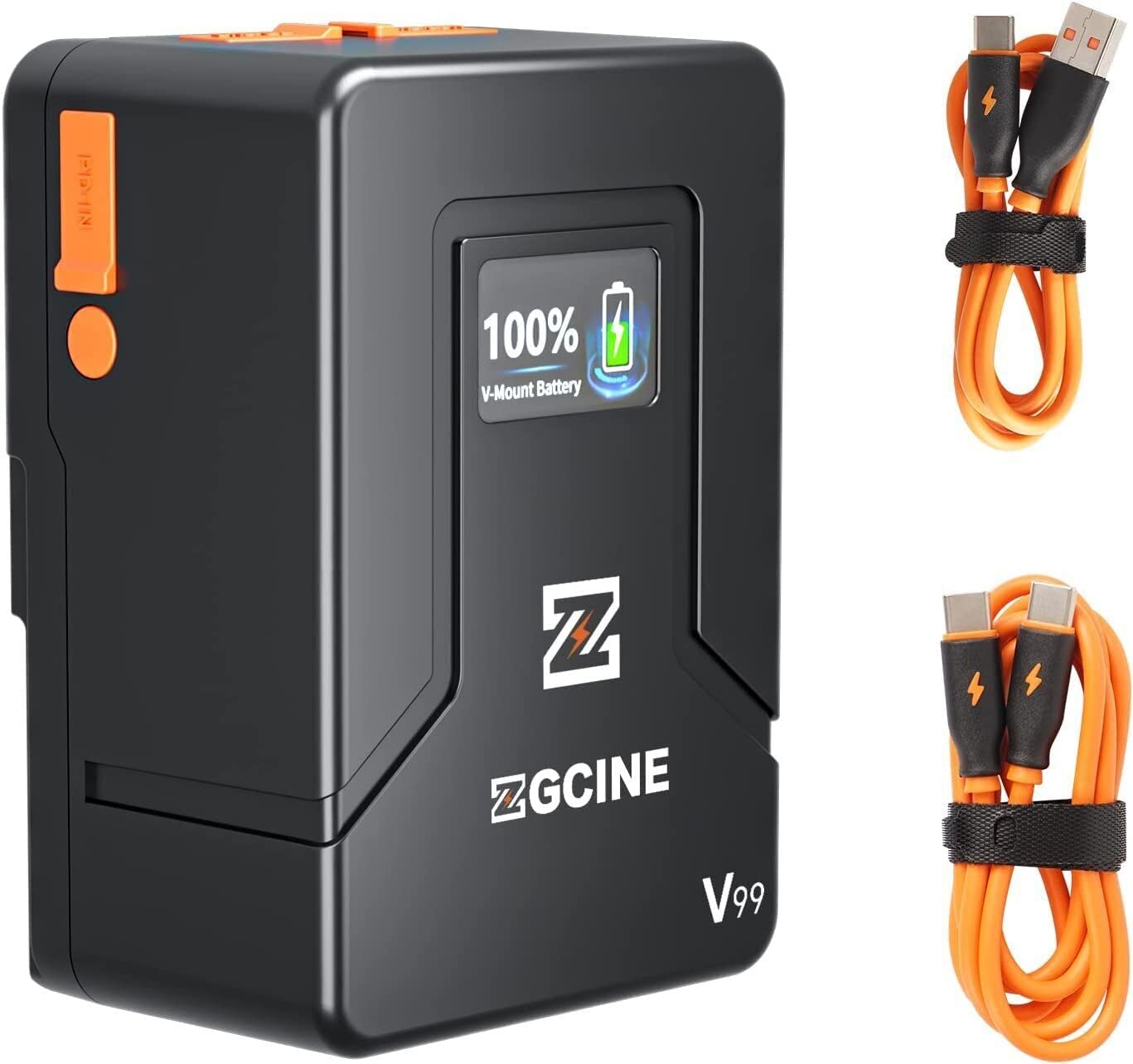
Image 1.2: The ZGCINE ZG-V99 battery demonstrating its compact size and portability, fitting easily into a bag.
2. Espesifikasyon
| Karakteristik | Spesifikasyon |
|---|---|
| Modèl | ZG-V99 |
| Kalite batri | Li-ion V-Mount batri |
| Kapasite | 99Wh / 6800mAh |
| Voltage | 14.8V |
| Pwa atik | 1.1 liv (apeprè 0.5 kg) |
| USB-C Antre / Sòti | PD 45W/60W (Input), 24W (Output) |
| USB-A Sòti | 24W |
| D-Tap Input/Output | 133.2W |
| BP Charging Port | 133.2W |
| Dimansyon (L x W x H) | Apeprè. 4.33 x 2.2 x 2.95 pous (108 x 55 x 74 mm) |
| Charging Time (PD 45W/60W) | Apeprè. 3.5 èdtan |
| Karakteristik pwoteksyon | Overcurrent, Overpower, Overvoltage, Overcharge, Short Circuit, Temperature, Reset, Circuit Protection |
3. Pake kontni
Tanpri tcheke pake a pou atik sa yo:
- ZGCINE ZG-V99 V-Mount batri
- Manyèl itilizatè
Note: Charging cables and power adapters are typically sold separately.
4. Enfòmasyon sou Sekirite
To ensure safe operation and prolong the lifespan of your ZGCINE ZG-V99 V-Mount Battery, please read and adhere to the following safety guidelines:
- Pa demonte, kraze, pike, oswa fè batri a kout sikwi.
- Avoid exposing the battery to high temperatures (above 60°C / 140°F) or direct sunlight.
- Keep the battery away from water, fire, and corrosive substances.
- Sèvi ak sèlman chajè ak kab konpatib.
- If the battery shows signs of swelling, leakage, or damage, discontinue use immediately.
- Jete batri a dapre règleman lokal yo pou pil ityòm-ion.
- Kenbe soti nan atenn timoun yo.

Imaj 4.1: Plis paseview of the intelligent battery management system and its various protection mechanisms.
5. Kòmanse
5.1 Chaje batri a
The ZG-V99 battery supports PD fast charging via its USB-C port. To charge the battery:
- Connect a compatible USB-C PD charger (45W or 60W recommended) to the USB-C port on the battery.
- The OLED display will show the charging status and current battery level.
- Charging typically takes about 3.5 hours for a full charge with a 45W/60W PD charger.

Image 5.1: The ZG-V99 battery being charged via its USB-C port using a PD charger.
5.2 Monte batri a
The ZG-V99 is a V-Mount battery and can be attached to any device or rig equipped with a standard V-Mount plate.
- Align the V-Mount plate on the battery with the V-Mount receiver on your camera or accessory.
- Slide the battery downwards until it clicks securely into place.
- To remove, press the release button (usually orange) on the side of the battery and slide it upwards.

Image 5.2: The ZG-V99 battery mounted on a camera rig, demonstrating its integration into a professional setup.
5.3 Konekte Aparèy
The ZG-V99 offers various ports to power multiple devices simultaneously:
- D-Tap Port: For devices requiring D-Tap power input.
- BP Port: For devices compatible with BP power input.
- USB-C pò: Can be used as an output to charge devices like laptops, tablets, or smartphones.
- USB-A pò: For charging smartphones and other USB-powered accessories.

Imaj 5.3: Detaye view of the ZG-V99's various input/output ports.
6. Operasyon
6.1 Limen/Etenyen
To power on the battery, press and hold the power button located on the side. The OLED display will illuminate. To power off, press and hold the power button again until the display turns off.
6.2 Itilizasyon Pò Sòti yo
Once the battery is powered on, connect your devices to the appropriate output ports (D-Tap, BP, USB-C, USB-A). The battery can supply power to multiple devices simultaneously.

Image 6.1: The ZG-V99 battery powering a laptop and a smartphone simultaneously.
6.3 Enfòmasyon sou ekspozisyon OLED
The integrated OLED display provides real-time information about the battery's status, including:
- Aktyèl pousantaj batritage.
- Charging status (when connected to a charger).
- Output status (when powering devices).
7. Antretyen
Proper maintenance ensures the longevity and optimal performance of your ZG-V99 battery:
- Netwayaj: Use a soft, dry cloth to clean the battery's exterior. Do not use harsh chemicals or abrasive materials.
- Depo: Store the battery in a cool, dry place, away from direct sunlight and extreme temperatures. For long-term storage, it is recommended to keep the battery charged to approximately 50-70%.
- Sik chaje: Evite dechaje batri a nèt souvan, paske sa ka diminye dire lavi li an jeneral.
- Pwoteksyon pò: Keep the dust-proof caps on unused ports to prevent dust and debris accumulation.
NAN. Depanaj
If you encounter issues with your ZGCINE ZG-V99 battery, refer to the following table:
| Pwoblèm | Kòz posib | Solisyon |
|---|---|---|
| Batri pa chaje | Incompatible charger; Loose connection; Faulty cable/charger | Ensure using a PD 45W/60W USB-C charger. Check all connections. Try a different cable or charger. |
| Battery not powering devices | Battery is off; Low battery level; Device incompatibility; Loose connection | Press the power button to turn on. Charge the battery. Verify device compatibility. Check cable connections. |
| Ekran OLED la pa fonksyone | Battery is off; Malfunction | Press the power button. If still unresponsive, contact customer support. |
| Batri surchof | Overload; Poor ventilation; Environmental temperature too high | Disconnect devices immediately. Allow battery to cool down. Ensure proper ventilation. Avoid use in high ambient temperatures. |
9. Videyo pwodwi ofisyèl la
Videyo 9.1: Prezantasyon videyo pwodwi ofisyèl laasing the ZGCINE ZG-V99 V-Mount Battery's features, ports, and mounting process on a camera rig.
10. Garanti ak sipò
The ZGCINE ZG-V99 V-Mount Battery comes with a 1-ane garanti manifakti soti nan dat acha a. Garanti sa a kouvri domaj nan materyèl ak atizan konn fè nan itilizasyon nòmal.
Garanti a pa kouvri:
- Domaj ki koze pa move itilizasyon, abi, aksidan, oswa neglijans.
- Reparasyon oswa modifikasyon san otorizasyon.
- Mete nòmal ak chire.
For warranty claims or technical support, please contact ZGCINE customer service through your retailer or the official ZGCINE website. Please have your proof of purchase and product model number ready.