
1. Entwodiksyon
This manual provides detailed instructions for the installation, operation, maintenance, and troubleshooting of your Kwikset SmartCode 270 Keyless Entry Electronic Touchpad Deadbolt Door Lock. The SmartCode 270 offers enhanced security and convenience with its light-up touchpad and customizable user codes. It is BHMA Grade 2 certified, ensuring reliable security and durability against various elements.

Figure 1: The Kwikset SmartCode 270 deadbolt is suitable for various applications, including entry doors, shed doors, side doors, and garage doors.
2. Enstalasyon ak Enstalasyon
2.1 Sa ki nan bwat la

Figure 2: Included components for the Kwikset SmartCode 270. Ensure all parts are present before beginning installation.
- Asanble Enteryè
- Eksteryè Asanble
- Latch reglabl
- Plak grèv
- Plak aliye
- Zouti SmartKey
- 2 Kwikset Keys
- Materyèl enstalasyon
- Gid enstalasyon
2.2 Pwosesis Enstalasyon
The Kwikset SmartCode 270 is designed for easy installation, requiring only a screwdriver. For detailed, interactive, 3D instructions with voice, text, and animation guidance, download the BILT app on your smartphone or tablet.
- Prepare pòt la: Ensure your door is properly prepped for a deadbolt.
- Enstale Latch la: Insert the adjustable latch into the door edge and secure it with screws.
- Enstale Asanble Eksteryè a: Place the exterior keypad assembly onto the door, ensuring the cable passes through the door.
- Enstale Plak Montaj la: Secure the interior mounting plate to the exterior assembly with screws.
- Konekte epi enstale asanblaj enteryè a: Connect the cable from the exterior assembly to the interior assembly. Mount the interior assembly to the mounting plate.
- Enstale pil: Insert 4 AA alkaline batteries (not included) into the battery pack.
- Fè Pwosesis Ouvèti Pòt la: Follow the instructions in the BILT app or included guide to calibrate the lock to your door's orientation.
2.3 Enstalasyon batri
The lock requires 4 AA alkaline batteries for operation. These are not included. For optimal performance, use new, high-quality alkaline batteries.

Figure 3: The Kwikset SmartCode 270 uses 4 AA batteries, providing approximately 12 months of battery life.
3. Operasyon Enstriksyon
3.1 antre san kle
To unlock the door using the keypad:
- Tap the keypad to illuminate it.
- Antre kòd itilizatè ou a ki gen 4 a 8 chif.
- Press the Lock button (check mark symbol).
The deadbolt will retract, allowing you to open the door.

Figure 4: Keyless entry provides secure and convenient access without the need for traditional keys.
3.2 Fonksyon Oto-Bloke
The Auto-Lock feature automatically locks the deadbolt after a set period. This provides added security and peace of mind.
- Customizable Delay: You can set the auto-lock delay to 30 seconds, 1 minute, 3 minutes, 5 minutes, or 10 minutes.
- Aktivasyon: Refer to your installation guide or the BILT app for specific programming steps to enable and customize the Auto-Lock feature.

Figure 5: The Auto-Lock feature can be customized to automatically lock the door after a selected duration.
3.3 User Code Management
The SmartCode 270 allows you to manage up to 50 unique user codes, 10 one-time user codes, and 1 programming code.
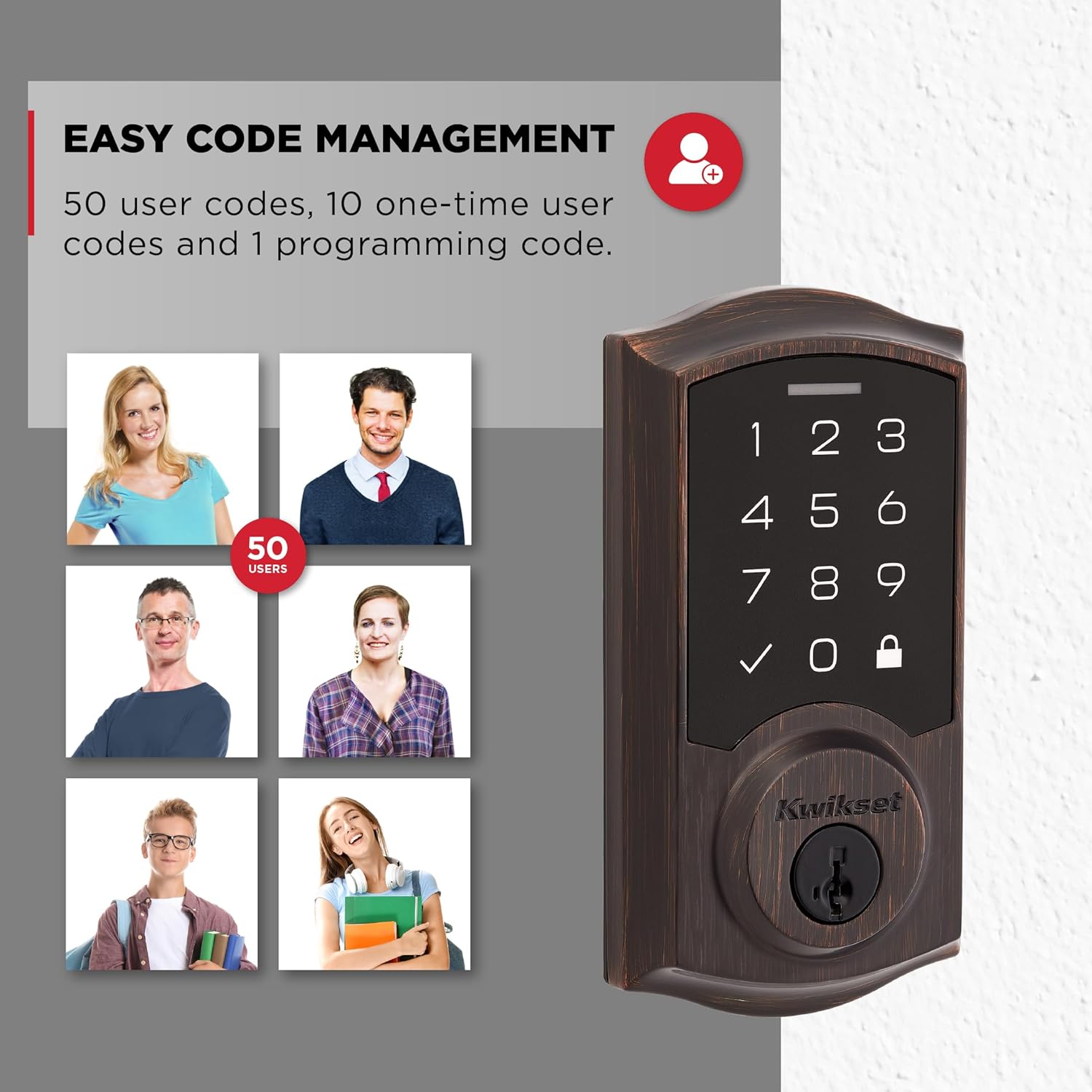
Figure 6: Manage up to 50 user codes for family, friends, or temporary access.
- Ajoute Kòd Itilizatè: Use the programming code to add new user codes.
- Efase Kòd Itilizatè yo: Ou ka efase kòd itilizatè endividyèl yo jan sa nesesè.
- Kòd yon sèl itilizasyon: Create temporary codes that expire after a single use.
Refer to the full programming instructions in your installation guide for detailed steps on adding, deleting, and managing codes.
3.4 Intrusion Alert
For enhanced security, the lock features an intrusion alert. If 3 consecutive incorrect code entries are made, the lock will sound an alarm and disable the keypad for 1 minute. This prevents unauthorized tampering.
3.5 Mòd vakans
Activate Vacation Mode to temporarily disable the keypad. This ensures that no user codes can operate the lock while you are away, providing an additional layer of security.
3.6 Low Light Code Entry
The keypad features bright LED lights that illuminate the numbers, making it easy to enter your user code in low-light conditions. Simply tap the keypad to activate the backlighting.
4. Antretyen
4.1 Ranplasman batri
The Kwikset SmartCode 270 is designed for a 12-month battery life under normal usage. When batteries are low, the lock will provide an audible and visual indicator. Replace all four AA alkaline batteries simultaneously to ensure consistent performance.
4.2 SmartKey Security Re-keying
The lock features SmartKey Security, which allows you to re-key your lock yourself in seconds. This is useful if you need to match your lock to an existing KW1 key or if you lose a key and want to prevent unauthorized access. Use the included SmartKey Learn Tool and follow the re-keying instructions provided in your installation guide.
NAN. Depanaj
- Klavye pa reponn: Check battery levels. Replace batteries if necessary. Ensure the cable connection between the exterior and interior assemblies is secure.
- Kadna a pa angaje/dezangaje: Ensure the door is properly aligned and the latch can extend and retract freely. Check for any obstructions in the door frame or strike plate. Perform the door handing process again if the lock was recently installed or re-installed.
- User Code Not Working: Verify the user code is entered correctly. Ensure the lock is not in Vacation Mode. If multiple incorrect attempts were made, the keypad might be temporarily disabled due to the Intrusion Alert feature. Wait 1 minute before trying again.
- Blokaj otomatik la pa fonksyone: Check if the Auto-Lock feature is enabled and configured with the desired delay setting.
- Lock Sounds Alarm: This indicates the Intrusion Alert has been triggered due to 3 consecutive incorrect code entries. The keypad will be disabled for 1 minute.
6. Spécifications pwodwi

Figure 7: Dimensions of the Kwikset SmartCode 270 Electronic Door Lock.
| Karakteristik | Detay |
|---|---|
| Nimewo Modèl | 992700-009 |
| Kalite fèmen | Klavye Deadbolt |
| Materyèl | Metal |
| Fini | Venetian Bronze (as per current product) |
| Sous pouvwa | 4x Pil alkalin AA (pa enkli) |
| Lavi batri | Apeprè 12 mwa |
| Kòd Itilizatè yo | Up to 50 user codes, 10 one-time codes, 1 programming code |
| Sètifikasyon sekirite | Grade 2 BHMA Certified |
| Karakteristik espesyal | Alarm, Auto-Lock, Back-Lit Keypad, One-Touch Lock, Passcode Unlock, SmartKey Re-Key Security, Vacation Mode |
| Dimansyon (L x W x H) | 4.13 x 5.19 x 9.91 pous |
| Pwa atik | 1 liv |
7. Garanti ak sipò
7.1 Garanti manifakti a
Kwikset products are backed by a manufacturer's warranty. Please refer to the warranty card included with your product or visit the official Kwikset website for detailed warranty terms and conditions. This typically covers defects in material and workmanship.
7.2 Règleman pou retounen
This product is eligible for a 30-day return policy for refunds or replacements, subject to the retailer's terms of sale.
7.3 Sipò pou Kliyan
For technical assistance, troubleshooting not covered in this manual, or warranty claims, please contact Kwikset Customer Support. Contact information can be found on the Kwikset websit la oubyen nan anbalaj pwodwi ou a.