
1. Pwodwi souview
This manual provides instructions for the JENSEN USB 3.1 Type-C cable, model JU832CC3V. This cable is designed for efficient data transfer and charging of compatible devices. It features reversible connectors and supports data transfer speeds up to 5 Gigabits Per Second (Gbps).
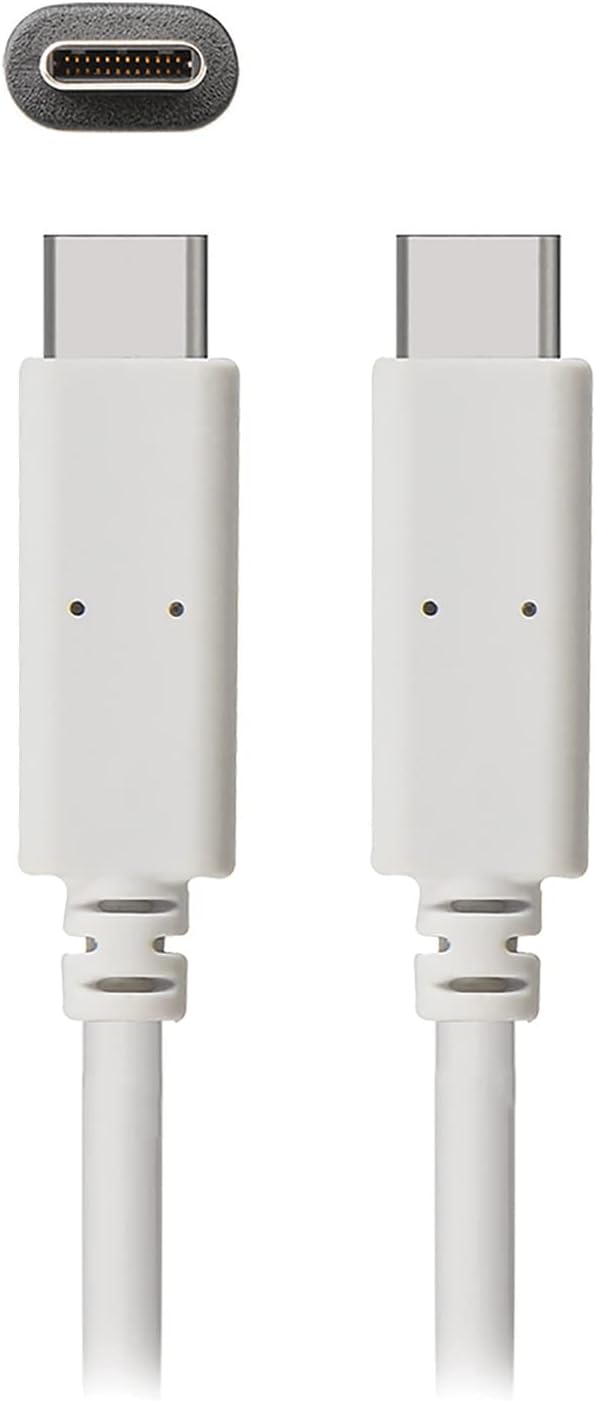
Imaj 1: The JENSEN USB 3.1 Type-C cable, showcasing its durable, reversible connectors. This image displays both ends of the white cable, highlighting the USB-C connector design.
Karakteristik kle:
- USB 3.1 Type-C Compatibility: Ensures broad compatibility with modern devices.
- Durable Molded Ends: Designed for longevity and reliable connection.
- Kab fleksib: Allows for easy routing and reduces strain.
- Reversible Connectors: Enables convenient plug-in without concern for orientation.
- Segondè pousantaj transfè done: Supports up to 5 Gbps for fast file senkronizasyon.
2. Enstalasyon ak Koneksyon
The JENSEN USB 3.1 Type-C cable is designed for simple plug-and-play operation. No special drivers or software are required for basic functionality.
Konekte kab la:
- Idantifye pò yo: Locate the USB Type-C port on your host device (e.g., computer, power adapter) and the peripheral device (e.g., smartphone, external hard drive).
- Insert Connector 1: Gently insert one end of the JENSEN USB 3.1 Type-C cable into the USB Type-C port of your host device. The reversible design means there is no "up" or "down" orientation.
- Insert Connector 2: Insert the other end of the cable into the USB Type-C port of your peripheral device. Ensure both connections are secure.
Once connected, your devices should automatically recognize the cable for charging or data transfer, depending on their capabilities and configuration.
3. Operasyon Enstriksyon
3.1. Chaje Aparèy
To charge a compatible device using the JENSEN USB 3.1 Type-C cable:
- Connect one end of the cable to a USB Type-C power adapter or a powered USB Type-C port on a computer.
- Connect the other end of the cable to your device requiring charge.
- Verify that your device indicates it is charging. Charging speed may vary based on the power source and device specifications.
3.2. Transfè Done
To transfer data between compatible devices using the JENSEN USB 3.1 Type-C cable:
- Connect one end of the cable to a USB Type-C port on your computer or host device.
- Connect the other end of the cable to your peripheral device (e.g., external hard drive, smartphone).
- Your computer or host device should recognize the connected peripheral. Follow the operating system's prompts to access and transfer files.
Note: The cable supports USB 3.1 Gen 1 speeds, offering data transfer rates up to 5 Gbps. Actual transfer speeds may vary based on connected devices and file kalite.
4. Antretyen
Proper care will extend the life of your JENSEN USB 3.1 Type-C cable.
- Netwayaj: Use a soft, dry cloth to gently wipe the cable and connectors. Avoid using harsh chemicals or abrasive materials.
- Depo: Sere kab la nan yon kote ki fre epi sèk, lwen limyè solèy dirèk ak tanperati ekstrèm. Evite vlope oswa pliye kab la twò sere nan yon ang byen file pou anpeche domaj entèn.
- Manyen: Toujou kenbe bwat konektè a lè w ap branche oswa debranche kab la, olye pou w rale kab la li menm.
NAN. Depanaj
If you encounter issues with your JENSEN USB 3.1 Type-C cable, consider the following:
- Aparèy pa chaje:
- Asire ke tou de bout kab la byen konekte.
- Verify that the power adapter or USB port is functional and providing sufficient power.
- Test the cable with another compatible device or power source to isolate the issue.
- Transfè Done Ralanti:
- Confirm that both connected devices support USB 3.1 (or higher) for optimal speeds.
- Ensure the ports on both devices are USB 3.1 compatible. Connecting to a USB 2.0 port will limit speeds to USB 2.0.
- Check for other active processes on your computer that might be consuming bandwidth.
- Koneksyon tanzantan:
- Enspekte konektè yo pou nenpòt domaj oswa debri vizib.
- Try connecting to different ports on your devices.
If problems persist, refer to the support section for further assistance.
6. Espesifikasyon

Imaj 2: Retail packaging for the JENSEN USB 3.1 Type-C cable, highlighting key features such as 3ft length, reversible connectors, and 5 Gbps data transfer.
| Nimewo Modèl | JU832CC3V |
| Mak | Jensen |
| Kalite Connector | USB Kalite C (Gason-a-Gason) |
| Kalite kab | USB 3.1 |
| Pousantaj Transfè Done | Jiska 5 Gigabit pa segonn (Gbps) |
| Longè kab | 3 pye (apeprè 0.91 mèt) |
| Koulè | Blan |
| Aparèy konpatib | Chargers, Personal Computers, and other USB Type-C enabled devices |
| Karakteristik espesyal | Data Transfer, Reversible Connectors |
| Manifakti | VOXX INTERNATIONAL |
| Dimansyon pwodwi | 2.95 x 0.12 x 5.91 pous |
| Pwa atik | 0.704 ons |
| UPC | 044476141812 |
7. Garanti ak sipò
This JENSEN product is manufactured by VOXX INTERNATIONAL. For information regarding warranty coverage, terms, and conditions, please refer to the warranty documentation included with your purchase or visit the official Jensen websit.
For technical support or customer service inquiries, please contact the manufacturer directly. Contact information can typically be found on the product packaging or the official Jensen support portal.
You can visit the Jensen Store for more products and information: Magazen Jensen sou Amazon