
Entwodiksyon
The Keychron C2 is a full-size (104-key) wired mechanical keyboard designed for both Mac and Windows operating systems. It features durable Red mechanical switches and retro-colored ABS keycaps, providing a comfortable and responsive typing experience. This manual provides essential information for setting up, operating, maintaining, and troubleshooting your Keychron C2 keyboard.

Image: The Keychron C2 Full Size Wired Mechanical Keyboard connected to a computer setup.
Kontni pake
Asire w tout atik yo prezan nan pakè a:
- Keychron C2 Full Size Wired Mechanical Keyboard
- USB-C pou USB-A kab
- Keycap Puller
- Extra Keycaps for Mac and Windows operating systems
Enstalasyon
- Konekte klavye a: Plug the USB-C end of the provided cable into the keyboard's USB-C port and the USB-A end into an available USB port on your computer. The keyboard is a wired-only device and does not require batteries.
- Select Operating System Mode: Locate the operating system switch on the back or side of the keyboard. Slide the switch to the appropriate position for your computer (Mac or Windows). This ensures correct function key mapping.
- Ajiste Ang Klavye a: The keyboard features 2-level adjustable feet. Flip out the feet on the underside of the keyboard to achieve your preferred typing angle for ergonomic comfort.
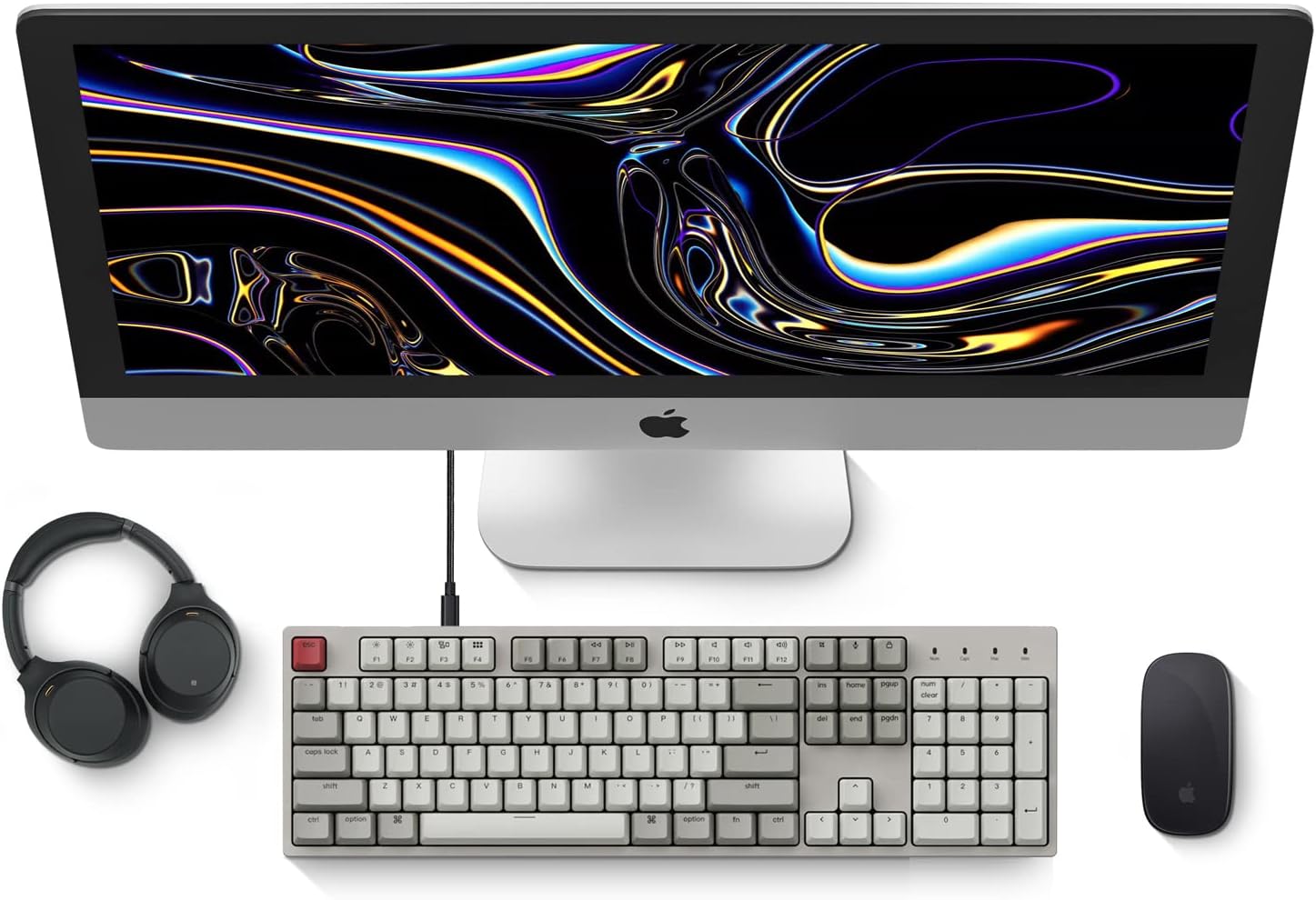
Image: Diagram showing compatibility with Mac and Windows operating systems.

Imaj: Bò kote view of the Keychron C2 keyboard illustrating the adjustable feet for angle customization.
Enstriksyon Operasyon
Fonksyon debaz yo
- Sezisman: The keyboard features a standard 104-key full-size layout.
- Kle miltimedya: The top row of function keys (F1-F12) includes multimedia controls. These functions are optimized for Mac but are also compatible with Windows.
- Siri/Cortana Key: A dedicated key is provided for activating Siri (on Mac) or Cortana (on Windows).
Ranplasman Keycap
The Keychron C2 comes with extra keycaps for both Mac and Windows layouts. To replace keycaps:
- Use the provided keycap puller to gently remove the desired keycap by hooking it onto the keycap and pulling upwards.
- Align the new keycap with the switch stem and press down firmly until it clicks into place.

Imaj: Gwo plan view of the Keychron Red mechanical switches beneath removed keycaps.
Antretyen
- Netwayaj: Netwaye klavye ou regilyèman pou anpeche pousyè ak debri akimile. Sèvi ak yon bwòs mou oswa lè konprese pou retire patikil ki ant bouchon kle yo. Pou netwaye sifas la, sèvi ak yon bwòs yon ti kras mou.amp, twal ki pa gen pousyè. Evite pwodui chimik ki agresif.
- Swen kle: While durable, avoid excessive force when removing or installing keycaps to prevent damage to the keycap stems or switches.
- Jesyon kab: Ensure the USB-C cable is not bent sharply or placed under heavy objects to prolong its lifespan.

Image: Close-up of the ABS keycaps on the Keychron C2 keyboard.
Depanaj
- Klavye a pa reponn:
- Check the USB-C cable connection at both the keyboard and the computer. Ensure it is securely plugged in.
- Eseye konekte klavye a nan yon lòt pò USB sou òdinatè w la.
- Verify that the operating system switch on the keyboard is set correctly (Mac/Windows).
- Rekòmanse òdinatè w lan.
- Kle espesifik ki pa fonksyone:
- Carefully remove the non-functional keycap using the keycap puller. Inspect the mechanical switch for any visible damage or debris.
- Clean around the switch with compressed air.
- Re-seat the keycap firmly.
- Sòti kle ki pa kòrèk:
- Ensure the operating system switch is set to the correct mode for your computer.
- Check your computer's keyboard settings to ensure the correct layout is selected.
Espesifikasyon
| Karakteristik | Detay |
|---|---|
| Mak | Keychron |
| Non modèl | Keychron C2 |
| Nimewo Modèl | HS-C2K1Z |
| Koneksyon Teknoloji | USB-C (Avèk fil) |
| Aparèy konpatib | Laptop, PC |
| Fanmi Sistèm Operasyon Konpatib | MacOS, Windows |
| Kantite kle | 104 |
| Chanje Kalite | Linear (Red Switch) |
| Materyèl Keycap | ABS (akrylonitrile butadien stirèn) |
| Layout klavye | QWERTY |
| Karakteristik espesyal | Backlit (Single Color) |
| Pwa atik | 5390 gram |
| Sous pouvwa | Fil elektrik |
Garanti ak sipò
For warranty information, technical support, or further assistance, please visit the official Keychron website or contact Keychron customer service. Details regarding product registration and specific warranty terms can be found through official Keychron channels.