
Andoer 2.7K Digital Camera Compact Video Camcorder
Andoer 2.7K Digital Camera 48MP User Manual
Model: 2.7K Digital Camera Compact Video Camcorder
Entwodiksyon
This manual provides essential instructions for the safe and effective operation of your Andoer 2.7K Digital Camera. Please read this manual thoroughly before using the camera and retain it for future reference.
The Andoer 2.7K Digital Camera is a compact device designed for capturing high-resolution photos and videos. It features a 48MP image sensor, 2.7K video recording capabilities, a 2.88-inch IPS screen, 16X digital zoom, and various functions such as anti-shake, face detection, and a built-in LED fill light.
Kontni pake
Verifye ke tout atik ki nan lis anba a yo enkli nan pakè ou a:
- 1 x Andoer 2.7K Digital Camera
- 2 x Lithium Batteries (3.7V 700mAh)
- 1 x USB Charge Kab
- 1 x ponyèt braslè
- 1 x pote sak
- 1 x Manyèl Itilizatè (Angle)

Figure 1: Contents of the camera package.
Kamera souview

Figi 2: Devan ak dèyè view of the camera with included batteries.
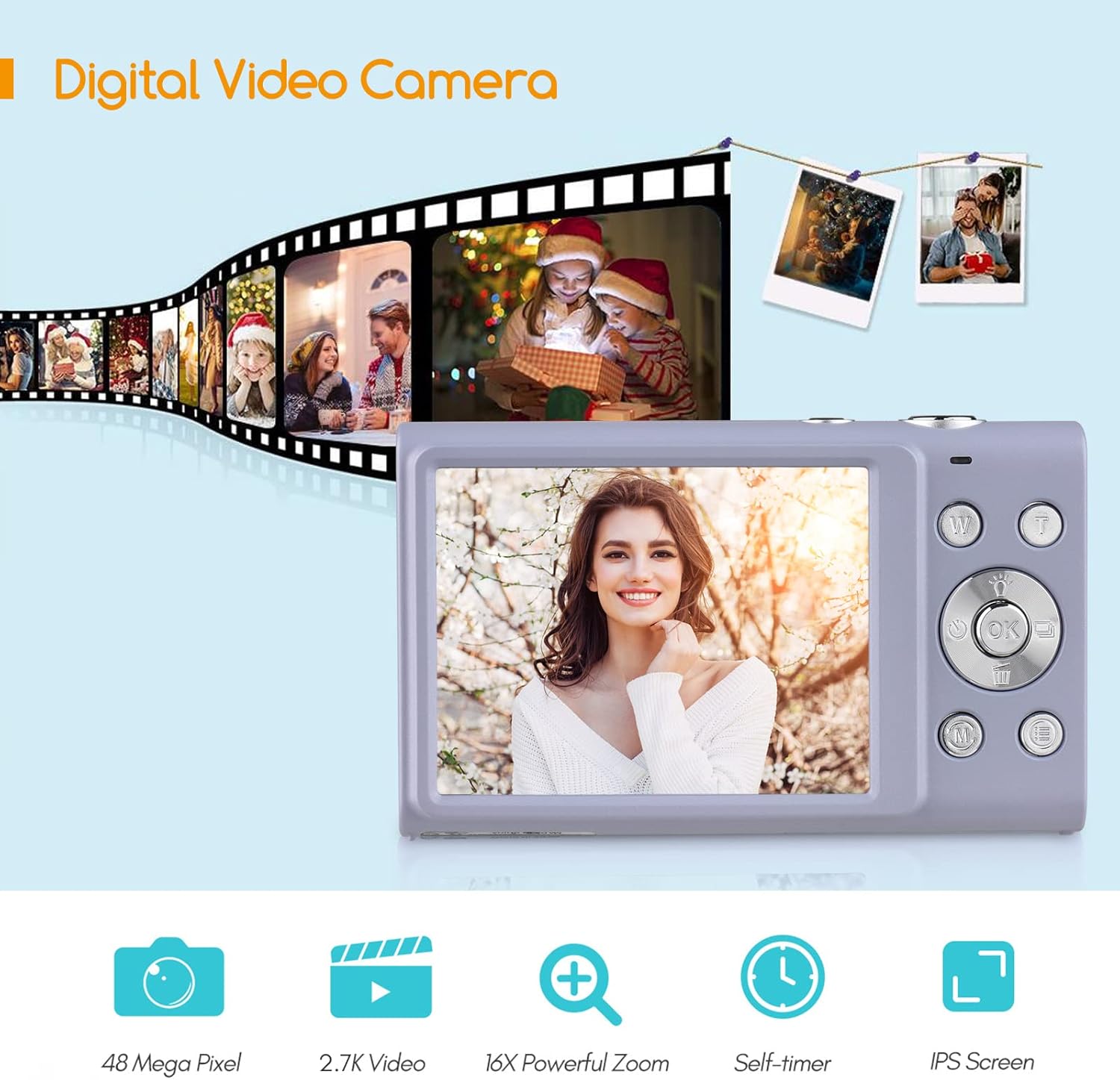
Figure 3: Camera features highlighted.
Enstalasyon
1. Enstalasyon batri
- Louvri kouvèti konpatiman batri a ki sitiye anba kamera a.
- Insert a fully charged lithium battery (3.7V 700mAh) into the compartment, ensuring correct polarity.
- Fèmen kouvèti lòj batri a byen.
2. Chaje batri a
- Connect the camera to a power source (e.g., computer USB port or USB wall adapter) using the provided USB charge cable.
- Limyè endikatè chaj la ap limen. Li pral etenn oswa chanje koulè yon fwa chaj la fini.
- Yon chaj konplè pran apeprè 2-3 èdtan anjeneral.
3. Enstalasyon Kat Memwa
The camera requires an external Class-10 memory card (up to 128GB, not included) for storing photos and videos.
- Jwenn emplacement kat memwa sou bò kamera a.
- Mete kat memwa a avèk kontak metal yo fas devan kamera a jiskaske li fè yon klik pou l antre nan plas li.
- Pou retire kat la, peze l dousman jiskaske li soti.
4. Mete braslè ponyèt la
Thread the wrist strap through the strap eyelet on the side of the camera to prevent accidental drops.
5. Trepied aliye
The camera features a universal 1/4" screw hole on the bottom, allowing it to be mounted on a tripod for stable shots.

Figure 4: Universal 1/4" screw hole for tripod attachment.
Enstriksyon Operasyon
1. Power On/Off
- Press and hold the Power button (usually marked with a circle and a line) to turn the camera on or off.
- The camera has an auto power-off feature (1min/3min/5min) to conserve battery life. This can be adjusted in the settings.
2. Pran foto
- Limen kamera a. Ekran an ap montre imaj an dirèk la. view.
- Kadre foto ou a avèk ekran IPS 2.88 pous la.
- Press the Shutter button (typically on top of the camera) halfway down to focus. The camera features auto-focus.
- Press the Shutter button fully down to capture the photo.
Photo Modes and Features:
- Rezolisyon: Supports up to 48MP. Adjust in settings.
- Zoom dijital: Use the W/T (Wide/Telephoto) buttons to zoom in or out (up to 16X digital zoom).
- Anti-souke: Estabilizasyon imaj dijital ede diminye flou ki soti nan mouvman kamera a.
- Face Detection & Smile Capture: The camera can detect faces and automatically capture a photo when a smile is detected.
- Oto-revèy: Options for Off, 2 sec, 5 sec, 10 sec delays.
- Fiziyad kontinyèl: Capture a rapid sequence of photos.
- Built-in LED Fill Light: Activate for additional illumination in low-light conditions.

Figure 5: Demonstrations of Self-Timer, Continuous Shooting, LED Fill Light, and Face Detection.

Figi 6: Egzample of 16X Digital Zoom in use.

Figure 7: Face Detection and Smile Capture in action.
3. Anrejistreman videyo
- Switch the camera to video mode (if applicable, usually via a mode button or menu option).
- Press the Record button (often marked with a red dot) to start recording.
- Peze bouton an Dosye ankò yo sispann anrejistreman.
Karakteristik videyo:
- Rezolisyon: Supports 2.7K (2688x1520), 1080P (1920x1080), 720P (1280x720), VGA (640x480).
- Zoom dijital: Available during video recording.

Figure 8: Camera's 2.7K video and 48MP photo capabilities.
4. lèktur
- Press the Playback button (often marked with a triangle icon) to enter playback mode.
- Use the navigation buttons to browse through your photos and videos.
- Press the Playback button again or the Shutter button to exit playback mode.
5. Konekte ak yon òdinatè
- Etenn kamera a.
- Konekte kamera a nan òdinatè w lan lè l sèvi avèk kab USB yo bay la.
- The camera will appear as a removable disk drive on your computer.
- You can then transfer photos and videos to your computer.
- Supported Operating Systems: Windows XP/ Vista/ 7/ 8/ 10, Mac 10.2 and above.
Antretyen
- Netwayaj: Use a soft, dry cloth to clean the camera body. For the lens and screen, use a specialized lens cleaning cloth and solution. Avoid harsh chemicals.
- Swen batri: Store batteries in a cool, dry place. Do not expose them to extreme temperatures. If not using the camera for an extended period, remove the battery.
- Depo: When not in use, store the camera in its carry bag in a dry, dust-free environment.
- Rezistans dlo: Kamera sa a se pa Rezistan a dlo. Evite ekspoze a dlo oswa imidite ki wo.
Depanaj
| Pwoblèm | Kòz posib | Solisyon |
|---|---|---|
| Kamera a pa limen. | Batri a fin itilize oswa li pa byen mete. | Charge the battery or re-insert it correctly. Ensure the battery compartment is closed. |
| Pa ka pran foto/videyo. | Kat memwa a plen, li pa mete nan plas li, oswa li pèvèti. | Insert a memory card, delete unnecessary files, or format the card (this will erase all data). |
| Imaj yo flou. | Camera shake, dirty lens, or out of focus. | Hold the camera steady, clean the lens, ensure auto-focus is engaged (half-press shutter). Use anti-shake feature. |
| Flash la pa fonksyone. | Flash is disabled or battery is low. | Check flash settings. Ensure battery is sufficiently charged. |
| Kamera a bloke. | Pwoblèm lojisyèl. | Remove and re-insert the battery to reset the camera. |
Espesifikasyon
| Karakteristik | Detay |
|---|---|
| Capteur Imaj | CMOS Capteur |
| Rezolisyon foto | 48MP, 44MP, 36MP, 24MP, 20MP, 16MP, 12MP, 10MP |
| Rezolisyon videyo | 2.7K (2688x1520), 1080P (1920x1080), 720P (1280x720), VGA (640x480) |
| Ekspozisyon | 2.88 pous ekran IPS |
| Zoom dijital | 16X |
| Ouverture | F/3.2 |
| Longè Fokal | f = 7.36mm |
| File Fòma | JPG / AVI |
| Ekspoze | EV-3 to EV+3 |
| Self-Timer | Off / 2 sec / 5 sec / 10 sec |
| Auto Power Off | 1min / 3min / 5min |
| Karakteristik espesyal | Anti-Shake, Face Detect, Smile Capture, Built-in LED Fill Light, Continuous Photography |
| Depo | Supports Class-10 external memory card up to 128GB (not included) |
| Pwovizyon pou pouvwa | 1 x Lithium battery (3.7V 700mAh) |
| Gwosè Atik | 9.4 * 5.6 * 1.9cm / 3.7 * 2.2 * 0.7in |
| Pwa atik | 115g / 4.1oz (with battery) |
| Kondisyon pou sistèm operasyon | Windows XP/ Vista/ 7/ 8/ 10, Mac 10.2 |
Garanti ak sipò
For warranty information, please refer to the documentation provided at the time of purchase or contact your retailer. Andoer products typically come with a standard manufacturer's warranty covering defects in materials and workmanship.
If you encounter any issues not covered in the troubleshooting section, or require further assistance, please contact Andoer customer support through their official websit la oswa enfòmasyon kontak yo bay ak pwodwi ou a.
Ask a question about this manual
Ask about setup, troubleshooting, compatibility, parts, safety, or missing instructions. Manuals+ will review the question and use this page’s manual context to help answer it.