
1. Entwodiksyon
Welcome to the user manual for your Skechers SR1144 Digital Watch. This guide provides detailed instructions on how to set up, operate, and maintain your watch to ensure optimal performance and longevity. Please read this manual thoroughly before using your watch.
2. Pwodwi souview
The Skechers SR1144 is a robust digital watch designed for an active lifestyle. It features a digital display, chronograph function, and is water-resistant up to 10 ATM. The watch is constructed with a lightweight polycarbonate case and a comfortable silicone band.
2.1 Karakteristik kle
- Digital Display with Chronograph Function
- 10 ATM Water Resistance (100 meters / 330 feet)
- Lightweight Polycarbonate Case
- Braslè silikon dirab
- Karakteristik lumineux-nan-fè nwa a
2.2 Konpozan Mont
Familyarize w ak prensipal konpozan ak bouton mont ou a:
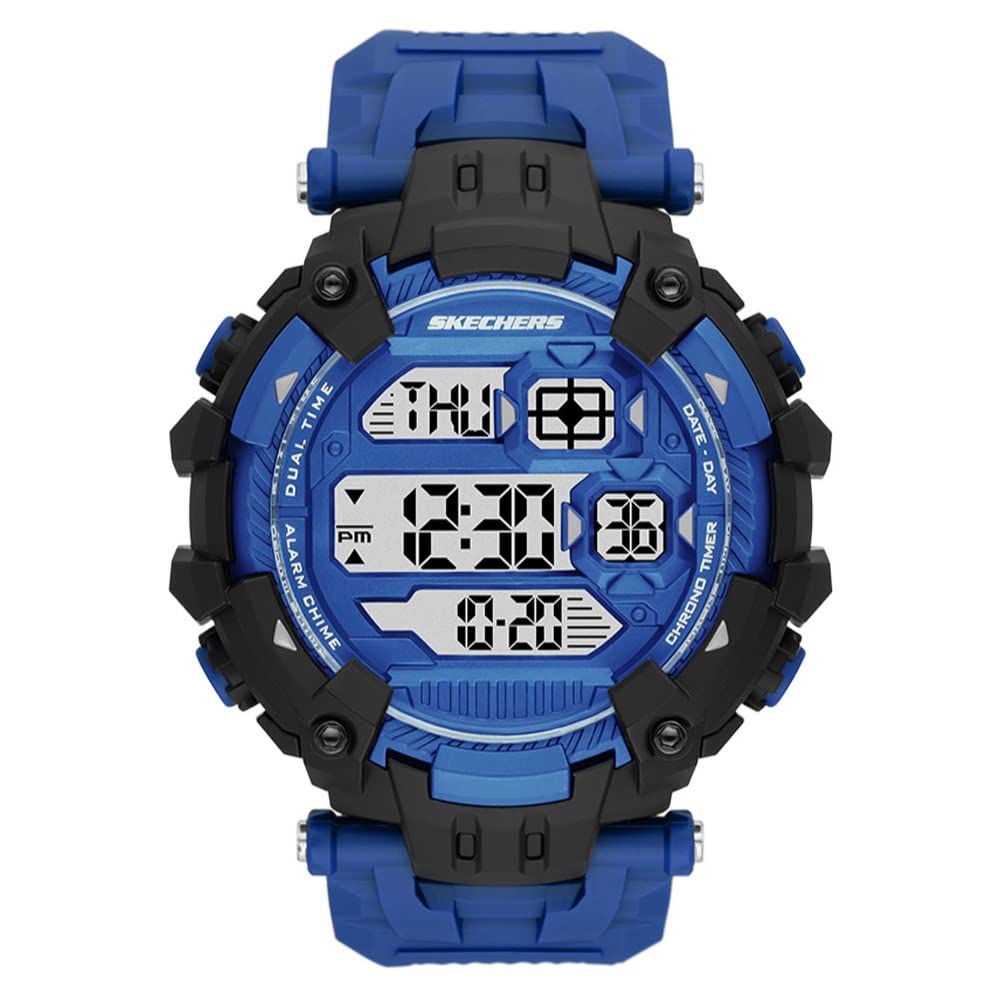
Figi 1: Devan view of the Skechers SR1144 Digital Watch, showcasing the digital display and overall design.
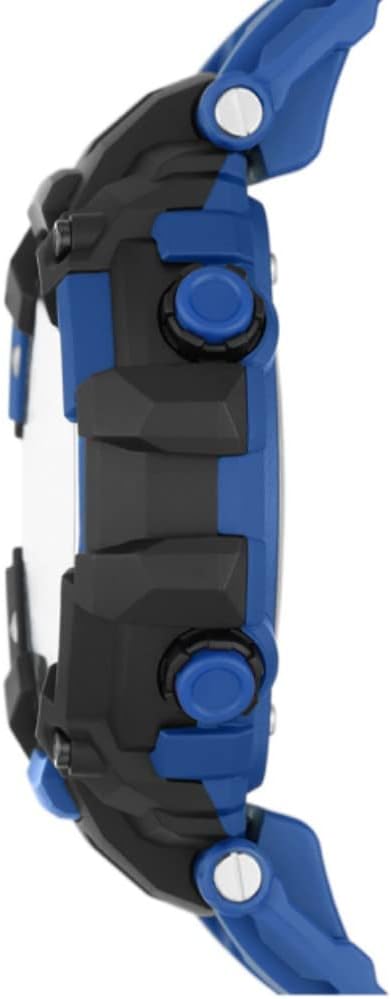
Figi 2: Side view of a similar Skechers digital watch, illustrating the typical button layout for Mode, Light, Reset, and Start/Stop functions.
- Bouton MODE: Used to cycle through different watch modes (Time, Chronograph, Alarm).
- Bouton limyè: Aktive limyè dèyè a pou pi bon vizibilite nan kondisyon ki pa klere anpil.
- Bouton RESET: Used to reset settings or chronograph.
- ST/STP (Start/Stop) Button: Used to start and stop the chronograph or adjust settings.
3. Enstriksyon Enstalasyon
3.1 Mete Lè ak Dat
- Nan ekspozisyon tan nòmal la, peze bouton an MÒD bouton an plizyè fwa jiskaske mòd reglaj lè a aktive (anjeneral sa endike pa chif ki ap flache).
- Sèvi ak la RESET bouton an pou chwazi chif ou vle ajiste a (èdtan, minit, segonn).
- Sèvi ak la ST / STP bouton pou ogmante chif ki chwazi a. Kenbe l peze pou avanse rapidman.
- Continue this process to set the year, month, and day.
- Yon fwa tout paramèt yo kòrèk, peze bouton an MÒD bouton an pou sòti nan mòd konfigirasyon an epi retounen nan ekspozisyon tan nòmal la.
3.2 Aktive ekleraj dèyè a
Peze a LIMYÈ bouton an pou klere ekran an pou kèk segonn. Fonksyonalite sa a itil nan anviwònman ki fè nwa.
4. Operasyon Enstriksyon
4.1 Itilizasyon Kronograf la (Kronomèt)
- Peze a MÒD button until the chronograph display appears (usually showing '00:00:00').
- Peze a ST / STP bouton pou kòmanse kronomèt la.
- Peze a ST / STP bouton an ankò pou sispann kronomèt la.
- Peze a RESET bouton pou mete kronomèt la a zewo.
- Pou retounen nan ekspozisyon tan nòmal la, peze bouton an MÒD bouton.
4.2 Mete ak Itilizasyon Alam lan
- Peze a MÒD button until the alarm setting mode appears.
- Sèvi ak la RESET bouton an pou chwazi chif èdtan an oswa minit lan.
- Sèvi ak la ST / STP bouton pou ajiste chif ki chwazi a.
- Peze a MÒD button to confirm the alarm time and exit the setting mode.
- Pou aktive/dezaktive alam la, anjeneral peze bouton an ST / STP button while in the alarm display mode. An alarm icon will indicate if it's active.
- Lè alam lan sonnen, peze nenpòt bouton pou kanpe li.
4.3 Rezistans dlo
Your Skechers SR1144 watch is water-resistant up to 10 ATM (100 meters or 330 feet). This means it is suitable for bathing, swimming, snorkeling, and shallow diving. Pa peze okenn bouton pandan mont lan plonje nan dlo., paske sa ka konpwomèt sele rezistans dlo a.
5. Antretyen
5.1 Netwaye mont ou a
Pou netwaye mont ou a, siye l ak yon twal mou.amp cloth. For silicone bands, mild soap and water can be used. Avoid using harsh chemicals or abrasive materials, as these can damage the watch's finish or components.
5.2 Ranplasman batri
The watch uses 1 Lithium Ion battery (included). When the display becomes dim or functions become erratic, it may be time to replace the battery. Battery replacement should ideally be performed by a qualified watch technician to ensure the water resistance seal is properly maintained.
5.3 Depo
When not in use, store your watch in a cool, dry place away from direct sunlight and extreme temperatures. Avoid exposing the watch to strong magnetic fields.
NAN. Depanaj
6.1 Ekran an vid oswa li pa klere byen
- Kòz posib: Batri ki ba.
- Solisyon: Ranplase batri a.
6.2 Lè a pa kòrèk
- Kòz posib: Time was not set correctly or has been reset.
- Solisyon: Swiv enstriksyon 'Mete Dat ak Lè' ki nan Seksyon 3.1.
6.3 Bouton yo pa reponn
- Kòz posib: Mont lan ka bloke oubyen pil la fèb.
- Solisyon: Try pressing all buttons firmly. If unresponsive, replace the battery. If the issue persists, contact customer support.
7. Espesifikasyon
| Karakteristik | Spesifikasyon |
|---|---|
| Nimewo Modèl | SR1144 |
| Kalite ekspozisyon | Digital |
| Kalite Mouvman | Digital |
| Ka Materyèl | Polikarbonat |
| Ka Dyamèt | 54 Milimèt |
| Ka epesè | 16 Milimèt |
| Bann Materyèl | Silicone |
| Band Lajè | 22 Milimèt |
| Longè Band | 205 Milimèt |
| Pwofondè Rezistans Dlo | 100 mèt (10 ATM) |
| Kalite batri | 1 Lityòm Ion (enkli) |
| Karakteristik adisyonèl | Chronograph, Glow In The Dark, Second Hand |
8. Garanti ak sipò
8.1 Garanti manifakti a
Your Skechers SR1144 Digital Watch is covered by a manufacturer's warranty. Please refer to the warranty card included with your purchase for specific terms, conditions, and duration of coverage. Keep your proof of purchase for warranty claims.
8.2 Sipò pou Kliyan
For further assistance, technical support, or warranty inquiries, please visit the official Skechers websit entènèt la oubyen kontakte depatman sèvis kliyan yo. Anjeneral, ou ka jwenn enfòmasyon pou kontakte yo sou anbalaj pwodwi a oubyen sou paj ofisyèl mak la. websit.