
1. Entwodiksyon
Thank you for choosing the Calex Smart Ceiling Lamp. This 30cm smart ceiling light is designed for indoor use in spaces such as bedrooms and living rooms, offering versatile lighting options including 16 million colors and tunable white light. It can be controlled via the Calex Smart App and is compatible with popular voice assistants.

Figure 1: Calex Smart Ceiling Lamp (Modèl 5301000200)
2. Enfòmasyon sou Sekirite
- Pwodwi sa a fèt pou itilize andedan kay la sèlmanPa enstale li nan yon kote ki mouye oswa ki pa mouye.amp kote yo ye.
- Ensure the power supply is disconnected before installation, maintenance, or cleaning to prevent electric shock.
- Installation must be performed by a qualified electrician or in accordance with local electrical codes.
- Opere lamp only within the specified voltage range of 230 Volts AC.
- Pa eseye demonte oswa modifye lamp. Pa gen okenn pati itilizatè-reparasyon andedan.
- Kenbe l laamp lwen sous chalè ak limyè solèy la dirèk.
3. Pake kontni
Verifye ke tout konpozan yo prezan nan pake a:
- 1x Calex Smart Ceiling Lamp (Modèl 5301000200)
4. Enstalasyon ak Enstalasyon
The Calex Smart Ceiling Lamp requires ceiling mounting and assembly. Follow these steps carefully:
- Preparasyon: Turn off the main power supply at the circuit breaker before starting installation.
- Montaj: Byen tache l laamp's mounting bracket to the ceiling using appropriate screws and anchors (not included, typically supplied by installer). Ensure the mounting surface can support the lamp's weight (934 grams).
- Fil elektrik: Connect the electrical wires from the ceiling to the lamp's terminals. Ensure correct polarity (Live, Neutral, Earth) as indicated in the lamp's wiring diagram.
- Asanble: Tache l laamp body to the mounting bracket, ensuring it is firmly secured.
- Pouvwa sou: Restore power at the circuit breaker. The lamp should turn on or enter pairing mode.
5. Opere Lamp
The Calex Smart Ceiling Lamp is primarily controlled via the Calex Smart App. It offers a wide range of lighting options:
- Seleksyon koulè: Choose from 16 million colors to set the perfect mood.
- Tunable Blan: Adjust the white light from warm to cool tones.
- Dimmable: Adjust the brightness from 0% to 100%.
- Sèn ak orè: Create custom lighting scenes and set timers for automated operation.
6. Calex Smart App Control
To unlock the full potential of your Calex Smart Ceiling Lamp, download and install the Calex Smart App on your smartphone or tablet. The app allows you to control your lamp nenpòt kote ki gen yon koneksyon entènèt.
- Telechaje App a: Chèche pou "Calex Smart" in your device's app store (iOS or Android).
- Kreye kont: Open the app and follow the instructions to create a new user account or log in if you already have one.
- Ajoute Aparèy: In the app, select "Add Device" or the "+" icon. Choose "Lighting" and then "Ceiling Lamp" or a similar option.
- Peyaj: Asire w lamp is powered on and in pairing mode (it may flash). Follow the in-app instructions to connect the lamp to your 2.4 GHz Wi-Fi network.
- Kontwòl: Once paired, you can control the lamp's color, brightness, and set schedules directly from the app.
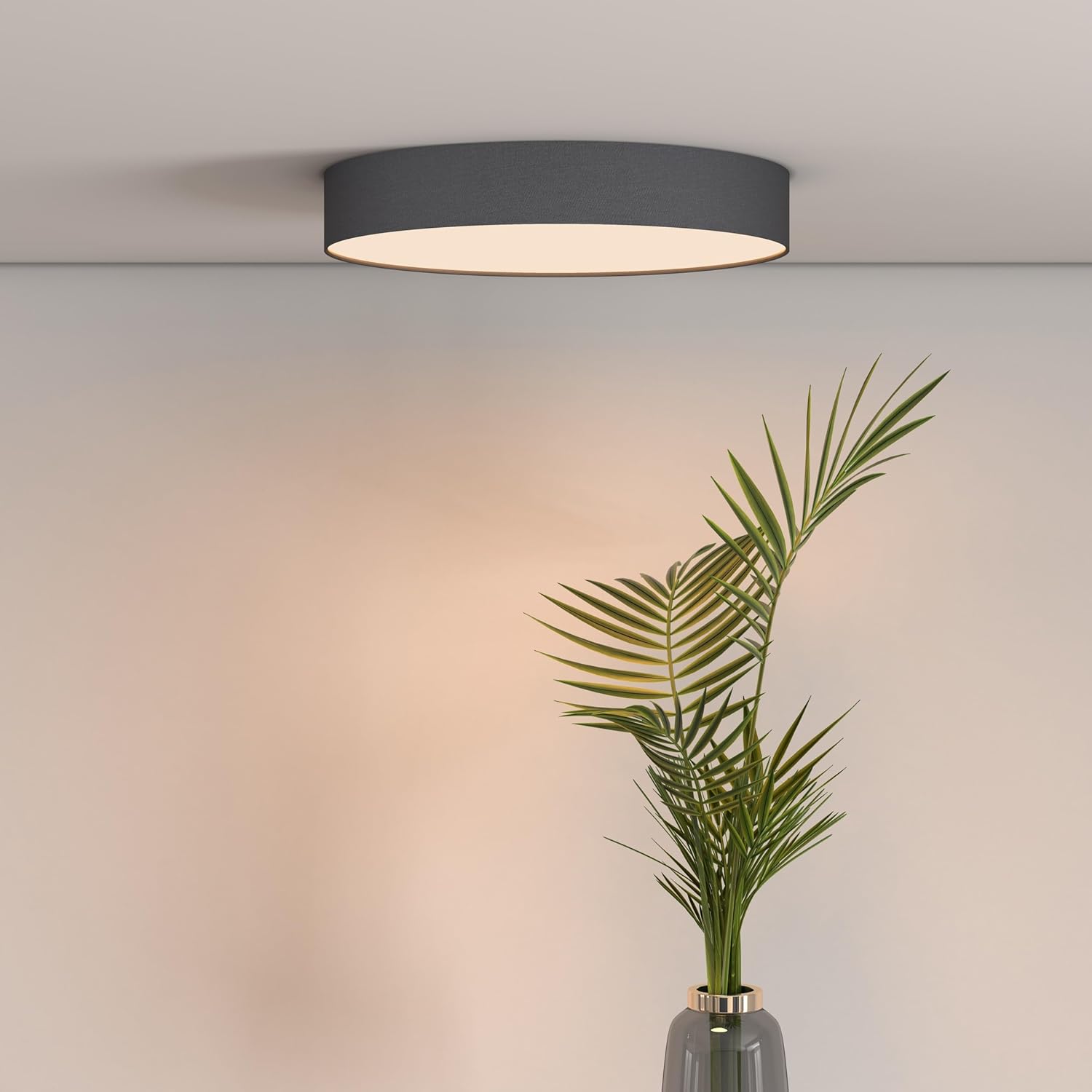
Figure 2: Calex Smart App Interface
7. Kontwòl vwa
The Calex Smart Ceiling Lamp is compatible with leading voice assistants, allowing for hands-free control:
- Amazon Alexa: Link your Calex Smart account to Alexa through the Alexa app.
- Google Home Asistan: Link your Calex Smart account to Google Home through the Google Home app.
- Siri: Use Siri Shortcuts to control your lamp (setup via the Calex Smart App).
Once linked, you can use commands such as: "Alexa, turn on the ceiling lamp," "Hey Google, set the ceiling lamp to blue," or "Siri, dim the ceiling lamp a 50%."
8. Antretyen
To ensure the longevity and optimal performance of your Calex Smart Ceiling Lamp, swiv gid antretyen senp sa yo:
- Netwayaj: Dekonekte kouran an anvan ou netwaye. Sèvi ak yon twal mou, sèk oswa yon ti kras mouye.amp twal pou siye sifas lampPa sèvi ak pwodui netwayaj abrazif, solvan, oswa pwodui chimik ki agresif, paske sa yo ka domaje fini an.
- Enspeksyon: Tanzantan tcheke lamp for any signs of damage or loose connections. If any issues are found, disconnect power and consult a qualified technician.
- Pa gen okenn pati itilizatè yo ka fè sèvis: The LED light source is integrated and not replaceable by the user. Do not attempt to open the lamp.
NAN. Depanaj
If you encounter issues with your Calex Smart Ceiling Lamp, gade solisyon komen sa yo:
- Lamp pa limen:
- Check if the main power supply is on.
- Asire lamp is correctly wired and securely connected to the power source.
- Verify that the light switch (if applicable) is in the ON position.
- Lamp does not connect to Wi-Fi/App:
- Ensure your Wi-Fi network is 2.4 GHz. The lamp does not support 5 GHz Wi-Fi.
- Check your Wi-Fi signal strength at the lampkote a.
- Rekòmanse routeur Wi-Fi ou a.
- Reyajiste lamp to pairing mode (usually by cycling power ON/OFF several times). Refer to the Calex Smart App for specific reset instructions.
- Ensure your smartphone is connected to the same 2.4 GHz Wi-Fi network during the pairing process.
- Kontwòl vwa a pa fonksyone:
- Verify that your Calex Smart account is correctly linked to your voice assistant app (Alexa, Google Home).
- Tcheke koneksyon entènèt ou an.
- Asire lamp is online and controllable via the Calex Smart App.
10. Espesifikasyon
| Karakteristik | Spesifikasyon |
|---|---|
| Mak | Calex |
| Nimewo Modèl | 5301000200 |
| GTIN | 08712879151081 |
| Koulè | Black (exterior) |
| Dimansyon | 30cm diameter (approx.) |
| Pwa | 934 gram |
| Sous pouvwa | AC |
| Voltage | 230 Volt |
| Wattage | 16 Watt |
| Klète | 1500 Lumen |
| Sous limyè | Entegre dirije |
| Koulè limyè | RGBW (16 million colors + Tunable White) |
| Dimmable | Wi |
| Koneksyon | Wi-Fi (XN GHz) |
| Metòd kontwòl | Calex Smart App, Voice Control (Alexa, Google Home, Siri) |
| Kalite enstalasyon | Mòn plafon |
| Andedan kay la / Deyò Itilizasyon | Andedan kay la sèlman |
| Klas efikasite enèji | F |

Figure 3: Energy Label for Model 5301000200
Pou jwenn enfòmasyon detaye sou pwodwi a, gade baz done EPREL la: https://eprel.ec.europa.eu/qr/711744
11. Garanti ak sipò
Calex products are manufactured to high-quality standards and come with a manufacturer's warranty. For specific warranty terms and conditions, please refer to the documentation provided with your purchase or visit the official Calex websit.
For technical support, troubleshooting assistance, or warranty claims, please contact Calex customer service through their official websit la oswa enfòmasyon kontak ki nan anbalaj pwodwi ou a.