
1. Entwodiksyon
Thank you for choosing the COMAOGO T002-W Mini Projector. This manual provides essential information for setting up, operating, and maintaining your projector to ensure optimal performance and longevity. The T002-W is a versatile projector featuring 9500 Lumens brightness, 1080P support, 5G WiFi, and Bluetooth 5.1 connectivity, designed for an immersive vieweksperyans nan jiska 220 pous.
2. Pake kontni
Tanpri tcheke pake a pou atik sa yo:
- 1 x COMAOGO T002-W Mini Projector
- 1 x kontwòl remote
- 1 x pouvwa kab
- 1 x HDMI kab
- 1 x AV kab
- 1 x manyèl itilizatè
3. Pwodwi souview
Familyarize w ak konpozan ak interfaces pwojektè a.

Image: COMAOGO T002-W Projector with 5G and 2.4G WiFi capabilities, showing wireless screen synchronization with a tablet and smartphone.
The projector features various ports for connectivity, including HDMI, USB, VGA, AV, and a TF card slot, along with a 3.5mm audio output. It also supports dual-band 5G and 2.4G WiFi for stable wireless connections and Bluetooth 5.1 for audio devices.

Image: COMAOGO T002-W Projector connected to various devices including a laptop, game console, and streaming stick, highlighting its multiple input ports (AV, HDMI, USB, TF, VGA).
4. Enstalasyon
4.1 Plasman
Position the projector on a stable, flat surface or mount it on a tripod. Ensure there are no obstructions to the ventilation vents. For optimal viewing, the projection distance should be between 1.5 meters and 5.5 meters, yielding a screen size from 45 inches to 220 inches.
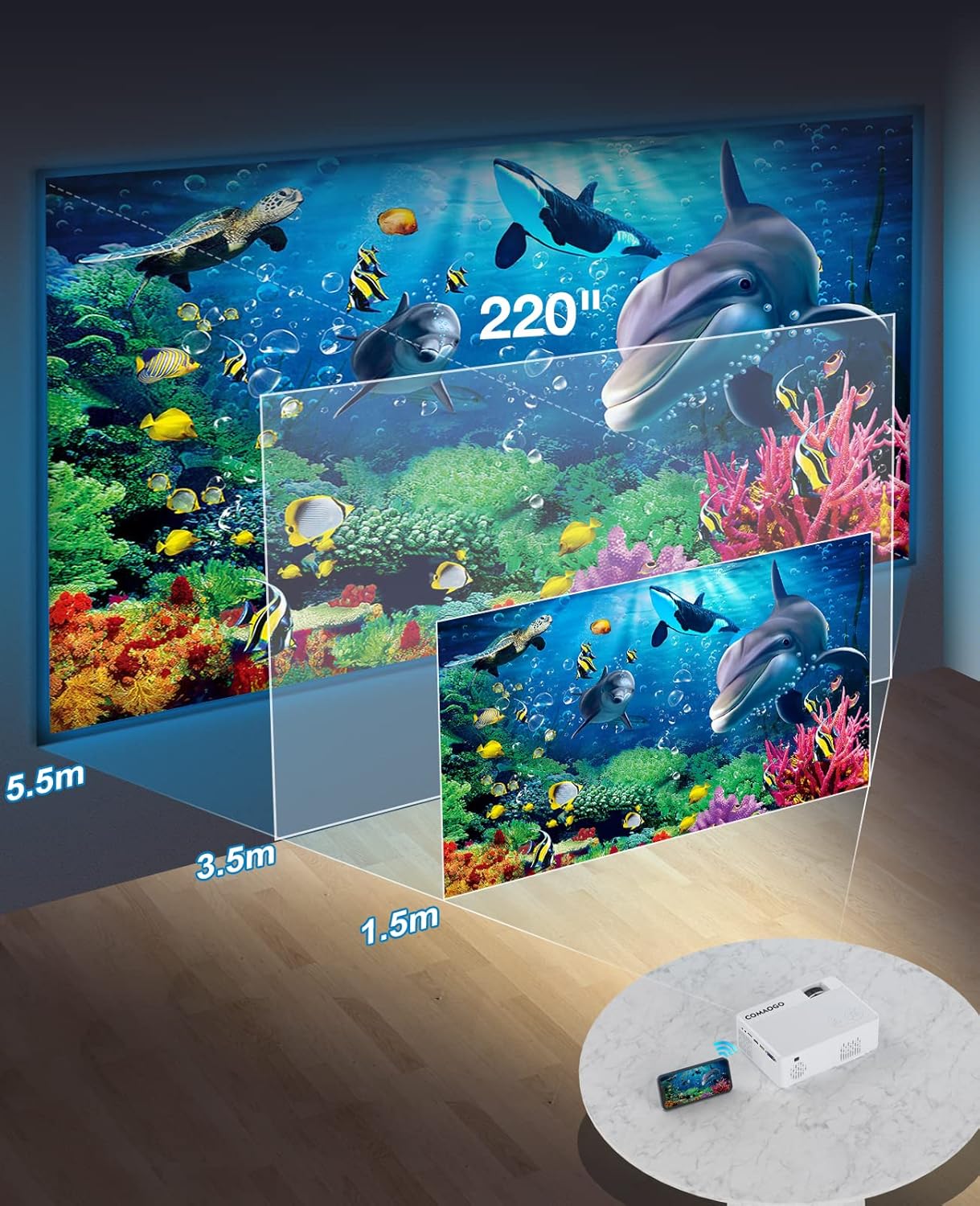
Image: Diagram illustrating the projection distances (1.5m to 5.5m) and corresponding screen sizes (45 to 220 inches) for the COMAOGO T002-W Projector.
4.2 Koneksyon pouvwa
Connect the power cable to the projector's power input and then plug it into a power outlet (AC 220V).
4.3 Koreksyon Fokus ak Keystone
To achieve a clear and rectangular image:
- Ajisteman konsantre: Rotate the focus ring on the projector lens until the image appears sharp.
- Koreksyon Keystone: Adjust the keystone correction dial (if available, or via menu settings) to correct trapezoidal distortion, ensuring the image is rectangular. The projector supports ±15° keystone correction.

Image: Illustration of keystone correction and focus adjustment for the COMAOGO T002-W Projector, showing how to achieve a clear, rectangular image.
5. Operasyon Enstriksyon
5.1 Power On/Off
- Pouvwa sou: Peze bouton pouvwa a sou pwojektè a oswa kontwòl remote la.
- Pouvwa Off: Peze bouton pouvwa a ankò pou etenn pwojektè a.
5.2 Seleksyon Sous Antre
Use the "Source" button on the remote control or the projector's control panel to select the desired input source (e.g., HDMI, USB, VGA, AV).
5.3 Wireless Connectivity (WiFi)
The projector supports dual-band 5G and 2.4G WiFi for stable screen mirroring.
- Navigate to the WiFi settings on the projector's menu.
- Select your desired WiFi network (5G for faster, more stable connection; 2.4G for longer range and better penetration).
- Antre modpas la pou konekte.
- For screen mirroring, select the appropriate option (e.g., "iOS Cast" or "Android Cast") on the projector and follow the on-screen instructions to connect your smartphone or tablet.
5.4 Koneksyon Bluetooth
Connect external Bluetooth audio devices like speakers or headphones.

Image: COMAOGO T002-W Projector demonstrating Bluetooth 5.1 connection with a speaker and headphones.
- Ale nan paramèt Bluetooth yo nan meni pwojektè a.
- Asire w aparèy Bluetooth ou a nan mòd koneksyon.
- Chwazi aparèy ou a nan lis la pou konekte li.
- Note: The projector's Bluetooth function is for connecting output devices (speakers, headphones) only.
5.5 Koneksyon filaire
Konekte plizyè aparèy lè l sèvi avèk pò ki disponib yo:
- HDMI: Connect laptops, PCs, game consoles (Xbox), TV sticks (Roku, Chromecast), DVD players.
- USB: Jwe medya files dirèkteman nan kle USB yo.
- VGA: Konekte ansyen òdinatè oswa laptop.
- DE: Connect legacy video devices.
- Kat TF: Insert a TF card to play media files.
- Important: Copyright-protected content from services like Netflix or Disney+ is not directly supported via screen mirroring. For these services, use an HDMI connection with a compatible adapter (e.g., Lightning Digital AV Adapter for iOS devices) or a streaming stick.
6. Antretyen
6.1 Netwaye Lantiy la
Use a soft, lint-free cloth or lens cleaning paper to gently wipe the projector lens. Avoid using abrasive materials or harsh chemicals that could damage the lens coating.
6.2 Sistèm refwadisman
The projector features an updated cooling system designed to reduce noise and maintain optimal operating temperature. Ensure the ventilation vents are clear of dust and obstructions to prevent overheating. Regular cleaning of the vents with a soft brush or compressed air is recommended.
NAN. Depanaj
Si ou rankontre pwoblèm ak pwojektè ou a, gade solisyon komen sa yo:
- Pa gen foto:
- Tcheke koneksyon kouran an epi asire w pwojektè a limen.
- Verify the input source selection matches your connected device.
- Ensure all cables (HDMI, VGA, etc.) are securely connected.
- Ajiste fokus ak koreksyon trapèz.
- Pa gen son:
- Adjust the projector's volume.
- Si w ap itilize oratè ekstèn, asire w ke yo byen konekte epi yo limen.
- Check Bluetooth connection for external audio devices.
- Ensure the audio output from your source device is enabled.
- WiFi/Screen Mirroring Issues:
- Ensure both the projector and your device are connected to the same WiFi network.
- Check for strong WiFi signal.
- Restart both the projector and your source device.
- For Android devices, ensure "Wireless Projection" or "Screen Mirroring" is enabled. For iOS, use "Screen Mirroring" from Control Center.
- Imaj la twoub:
- Ajiste bag konsantrasyon an sou lantiy la.
- Asire w distans pwojeksyon an nan limit rekòmande a.
- Imaj la se trapezoidal:
- Adjust the keystone correction dial or setting.
For further assistance or software updates, please contact COMAOGO customer support.
8. Espesifikasyon
| Karakteristik | Spesifikasyon |
|---|---|
| Mak | COMAOGO |
| Modèl | T002-W |
| Klète | 9500 Lumèn (220 ANSI) |
| Pwopòsyon kontras | 6000:1 |
| Rezolisyon natif natal | 1280 x 720 |
| Rezolisyon sipòte | 1080P |
| Gwosè pwojeksyon | 45" - 220" |
| Distans pwojeksyon | 1.5m - 5.5m |
| Koreksyon Keystone | ± 15° |
| Koneksyon WiFi | Dual-band (5G + 2.4G) |
| Bluetooth | Bluetooth 5.1 |
| Entèfas Materyèl | 3.5mm Audio, TF Card, USB 2.0, VGA, HDMI |
| Oratè entegre | Wi |
| Nivo bri | 45 Desibèl |
| Konsomasyon pouvwa | 48 wat |
| Dimansyon | 20.32 x 15.24 x 7.62 cm |
| Pwa | 1 Kilogram |
9. Videyo pwodwi ofisyèl la
Watch this video for a visual guide on the COMAOGO T002-W Mini Projector's features and operation.
Video: An official product video demonstrating the features and usage of the COMAOGO T002-W Mini Projector, including connectivity and display capabilities.
10. Garanti ak sipò
The COMAOGO T002-W Mini Projector comes with a standard manufacturer's warranty. For warranty claims, technical support, or inquiries regarding software updates, please contact COMAOGO customer service through the retailer where you purchased the product or visit the official COMAOGO websit.
SOFTWARE UPDATES can be provided; please contact us if needed.