
1. Entwodiksyon
Mèsi pou acha aasing the UNITED LED24TP60 24-inch HD Ready LED TV. This television is designed to provide high-quality visual and audio entertainment. This manual will guide you through the setup, operation, and maintenance of your new TV, ensuring you get the best possible experience. Please read these instructions carefully before operating the device and retain them for future reference.
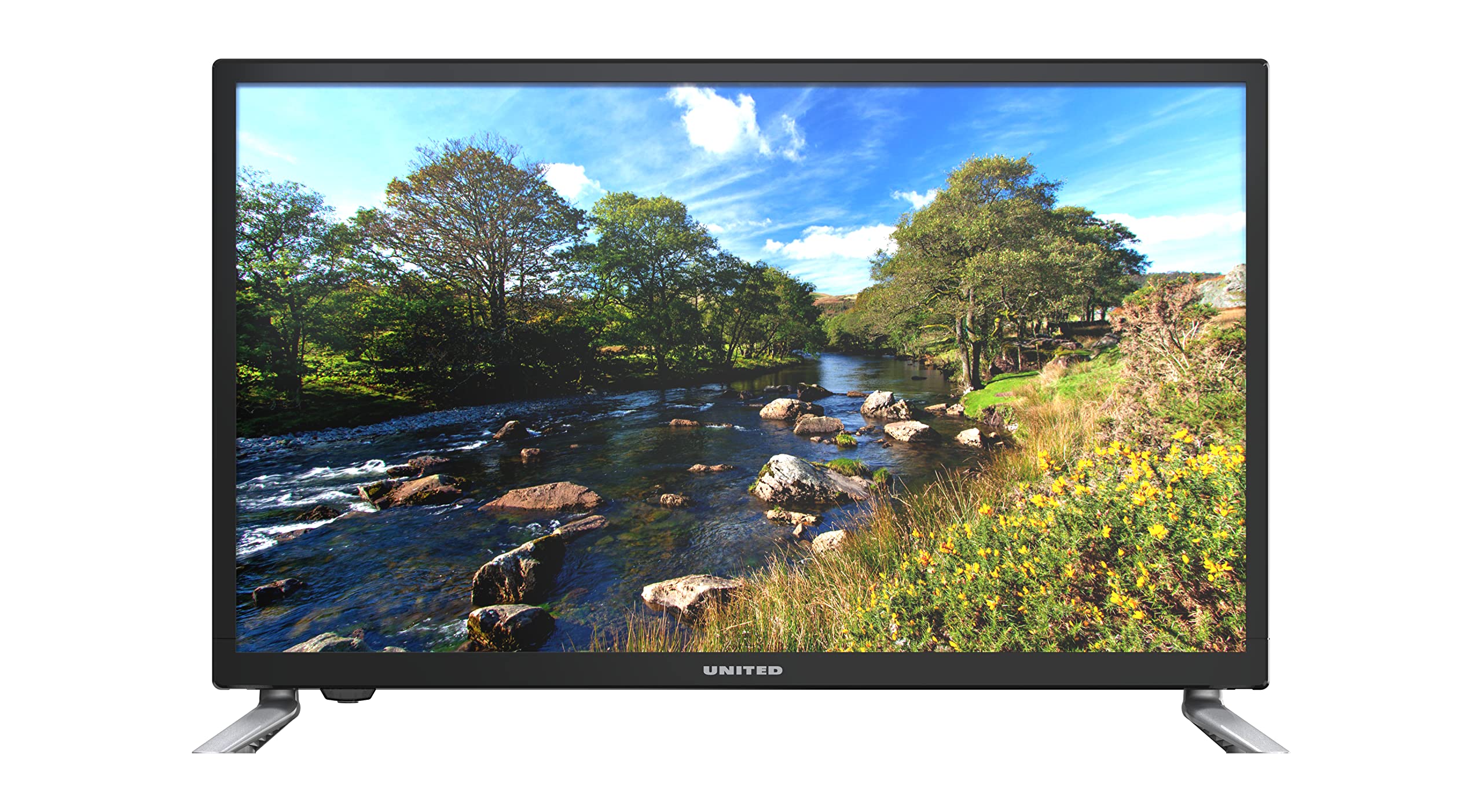
Figi 1.1: Devan view of the UNITED LED24TP60 24-inch HD Ready LED TV. This image shows the television with its stand attached, displaying a vibrant nature scene.
2. Enfòmasyon enpòtan sou sekirite
Pou asire yon operasyon an sekirite epi pou anpeche domaj, tanpri obsève prekosyon sekirite sa yo:
- Sous pouvwa: Konekte televizyon an sèlman nan yon priz kouran AC ki gen volim espesifye a.tage.
- Vantilasyon: Asire w ke gen ase vantilasyon toutotou televizyon an. Pa bloke ouvèti vantilasyon yo.
- Dlo ak imidite: Pa ekspoze televizyon an anba lapli oswa imidite. Pa mete objè ki plen likid, tankou vaz, sou televizyon an.
- Chalè: Keep the TV away from heat sources such as radiators, heat registers, stoves, or other apparatus (including amplifiers) ki pwodui chalè.
- Netwayaj: Debranche televizyon an nan priz miray la anvan ou netwaye li. Sèvi ak yon twal mou epi sèk. Pa sèvi ak pwodui netwayaj likid oswa pwodui netwayaj an ayewosòl.
- Sèvis: Pa eseye fè sèvis pwodui sa a tèt ou. Refere tout sèvis yo bay pèsonèl sèvis kalifye.
- Batri: Jete pil ize yo yon fason responsab. Pa melanje pil fin vye granmoun ak pil nèf oubyen diferan kalite pil.
3. Pake kontni
Tanpri verifye ke tout atik yo prezan nan anbalaj la:
- UNITED LED24TP60 24-inch HD Ready LED TV
- Kontwòl Remote
- 2 x AAA 1.5V Batteries (for remote control)
- Pouvwa kab
- Konpozan Sipò Televizyon (si sa aplikab)
- Manyèl Itilizatè (dokiman sa a)
4. Enstalasyon
4.1 Debalaj ak plasman
- Retire televizyon an nan anbalaj li avèk prekosyon.
- Place the TV on a stable, flat surface or mount it on a wall using a compatible VESA mount (not included). Ensure the TV is placed in a well-ventilated area.
4.2 Tache kanpe la
If you are not wall-mounting the TV, attach the included stand components:
- Mete televizyon an fas anba sou yon twal mou oswa yon kousen pou evite domaje ekran an.
- Aliyen konpozan sipò yo ak twou montaj yo anba televizyon an.
- Fikse sipò a avèk vis yo bay yo. Pa sere l twòp.
4.3 Konekte Aparèy Ekstèn yo
The UNITED LED24TP60 TV offers various connectivity options:
- HDMI: Connect high-definition devices such as Blu-ray players, game consoles, or set-top boxes using an HDMI cable.
- RF (Antèn/Kab): Konekte yon antèn oswa yon siyal televizyon kab pou chanèl difizyon yo.
- USB: Mete yon kle USB pou li medya yo files (foto, mizik, videyo).
4.4 Limen ak Premye Konfigirasyon
- Konekte kab kouran an nan televizyon an epi answit nan yon priz miray.
- Insert the AAA batteries into the remote control, observing polarity.
- Peze bouton pouvwa a sou kontwòl remote la oswa sou televizyon an.
- Follow the on-screen instructions to select your language, country, and perform an automatic channel scan for available broadcast channels.

Figi 4.1: Dimensions of the UNITED LED24TP60 TV. The image illustrates the TV's depth (12 cm), width (62.5 cm), and height (41.4 cm) with the stand.
5. Itilizasyon televizyon an
5.1 Fonksyon kontwòl Remote
The remote control allows you to access all TV functions. Common buttons include:
- Pouvwa: Limen oswa etenn televizyon an.
- Antre/Sous: Selects the input source (HDMI, RF, USB).
- Volim +/-: Ajiste nivo volim.
- Chèn +/-: Chanje chanèl televizyon yo.
- Meni: Ouvri meni prensipal la pou ajisteman paramèt yo.
- Bouton Navigasyon (Anwo/Anba/Agoch/Dwat): Navige nan meni yo.
- OK/Antre: Konfime seleksyon yo.
- Sòti/Retounen: Retounen nan ekran anvan an oswa sòti nan meni an.
5.2 Seleksyon Antre
To switch between connected devices (e.g., a game console on HDMI and broadcast TV):
- Peze a Antre or Sous bouton sou kontwòl remote la.
- Use the navigation buttons to highlight the desired input (e.g., HDMI1, DTV, ATV, USB).
- Peze OK pou konfime seleksyon ou a.
5.3 Navigasyon meni ak paramèt
Peze a Menu button to access various settings:
- Anviwònman Foto: Adjust brightness, contrast, color, sharpness, and picture mode (e.g., Standard, Dynamic, Movie).
- Anviwònman son: Adjust bass, treble, balance, and sound mode (e.g., Standard, Music, Movie).
- Anviwònman chanèl: Perform channel scans, edit channels, or set parental controls.
- Anviwònman tan: Set the current time, sleep timer, or auto-off function.
- Anviwònman sistèm: Access language settings, software updates, and factory reset options.
5.4 Lekti Medya atravè USB
Insert a USB storage device into the USB port. The TV supports playback of various media formats, including those encoded with HEVC Main 10. Navigate to the USB input source to browse and play your files.
5.5 Sèvis Entènèt ki Sipòte yo
This television supports Mediaset Infinity. Access to this service may require an internet connection and a subscription, depending on regional availability and service provider terms.
6. Antretyen
6.1 Netwaye televizyon an
- Toujou debranche televizyon an nan priz kouran anvan ou netwaye li.
- Sèvi ak yon twal mou, sèk, ki pa gen pousyè pou siye ekran an ak kabinè a dousman.
- Pou mak ki difisil pou retire sou ekran an, fwote l yon ti kras.ampen the cloth with water or a specialized screen cleaner (ensure it is safe for LED screens) and wipe gently. Do not spray liquid directly onto the screen.
- Evite itilize pwodui netwayaj abrazif, sir, oswa solvan paske yo ka domaje fini televizyon an.
6.2 Depo
If you need to store the TV for an extended period, ensure it is unplugged, clean, and stored in a cool, dry place, preferably in its original packaging to protect it from dust and physical damage.
NAN. Depanaj
Anvan ou kontakte sèvis kliyan, tanpri gade pwoblèm ak solisyon komen sa yo:
| Pwoblèm | Solisyon posib |
|---|---|
| Pa gen pouvwa | Check if the power cable is securely connected to the TV and the wall outlet. Ensure the wall outlet is functioning. Try pressing the power button on the TV itself. |
| Pa gen imaj, men gen son | Ensure the correct input source is selected. Check cable connections (HDMI, RF). Adjust brightness and contrast settings. |
| Pa gen son, men imaj la la | Check the volume level and ensure the TV is not muted. Verify audio cable connections. Check sound settings in the menu. |
| Remote kontwòl pa travay | Ranplase pil yo nan kontwòl remote la. Asire w pa gen okenn obstak ant kontwòl remote la ak detèktè IR televizyon an. |
| Pòv bon jan kalite foto | Check antenna or cable connections. Adjust picture settings (sharpness, noise reduction). If using an external device, check its output resolution. |
8. Espesifikasyon
Key technical specifications for the UNITED LED24TP60 TV:
| Karakteristik | Spesifikasyon |
|---|---|
| Nimewo Modèl | LED24TP60 |
| Mak | UNITED |
| Gwosè ekran | 24 pous (60 cm) |
| Rezolisyon | HD Ready (1366 x 768 piksèl) |
| Kalite ekspozisyon | dirije |
| Rafrechisman pousantaj | 60 Hz |
| Aspè rapò | 16:9 |
| Koneksyon | HDMI, RF, USB (1 port) |
| Karakteristik espesyal | HEVC Main 10 support, Flat screen |
| Sèvis Entènèt Sipòte | Mediaset Infinity |
| Dimansyon (ak kanpe) | 12P x 62.5L x 41.4H santimèt |
| Konsomasyon Enèji (SDR) | 21.0 W |

Figi 8.1: Energy label for the UNITED LED24TP60 TV, indicating an energy efficiency class F and a power consumption of 21 kWh/1000h.
Pou plis enfòmasyon detaye sou pwodwi a, gade baz done EPREL la: https://eprel.ec.europa.eu/qr/346372

Figi 8.2: Product information sheet for the UNITED LED24TP60 TV, detailing various technical specifications and compliance information.
9. Garanti ak sipò
The product information indicates a minimum technical assistance guarantee for the product until September 20, 2025. Specific details regarding warranty coverage, duration, and terms are typically provided with your purchase documentation or can be obtained directly from the manufacturer or your retailer.
For technical support, service, or warranty claims, please contact your retailer or the UNITED customer service department. Keep your proof of purchase for any warranty-related inquiries.
Information regarding the availability of spare parts and software updates is not provided in the product data.