
1. Entwodiksyon
Thank you for choosing the ASHATA 95 Keys Wired Mechanical Gaming Keyboard. This compact and versatile keyboard is designed for both gaming and office use, offering a comfortable typing experience with its durable mechanical switches and plug-and-play functionality. This manual provides essential information for setting up, operating, and maintaining your new keyboard.
2. Pwodwi Features
- Layout 95-Kle: Compact design with a full set of essential keys, available with English and Arabic keycaps.
- Koneksyon branche: Reliable USB-A connection for stable performance.
- Chanjman mekanik: Provides tactile feedback and durability for an enhanced typing and gaming experience.
- Ploge epi jwe: No complex driver installation required; simply connect and use.
- Konsepsyon dirab: Features legible, fade-resistant key printing for long-lasting use.
- Sezisman konfòtab: Ergonomically designed for extended use in office or home environments.
- Ultra-compact Design: Approximately 60% size of a standard keyboard, saving desk space.
- Segondè rezistans: Rated for over 10 million keystrokes life.
- Mens ak pòtab: With a thickness of approximately 1 cm, it is easy to transport.
- Konsepsyon an silans: Equipped with quality silicone keys for a quiet typing environment.
- Independent Multimedia Buttons: Dedicated buttons for quick access to media controls.

Imaj: Plis paseview of the ASHATA Wired Keyboard highlighting its features.

Imaj: Gwo plan view of the comfortable 95-key layout.

Imaj: Side profile illustrating the thin and portable design.

Image: Detail of a keycap, demonstrating the silent design feature.
3. Pake kontni
Asire w tout atik yo prezan nan pakè a:
- 1 x klavye filaire
4. Enstriksyon Enstalasyon
The ASHATA 95 Keys Wired Mechanical Gaming Keyboard is designed for simple plug-and-play operation.
- Depake klavye a: Retire klavye a nan anbalaj li avèk prekosyon.
- Konekte ak aparèy ou an: Locate an available USB-A port on your computer (desktop, laptop, etc.). Insert the USB connector of the keyboard cable into the USB-A port.
- Rekonesans Otomatik: Your operating system (e.g., Windows) will automatically detect and install the necessary drivers. This process usually takes a few seconds.
- Kòmanse Itilizasyon: Yon fwa li rekonèt, klavye a pare pou itilize imedyatman.

Image: The keyboard with its integrated USB cable, approximately 1.5m long.

Image: USB interface for plug and play functionality, with cable length of 1.5m.

Image: Keyboard connected and ready for use with a desktop computer.
5. Operasyon Enstriksyon
This keyboard functions like a standard QWERTY keyboard with additional multimedia controls.
5.1 Tape debaz
Simply press the desired keys to input characters. The keyboard supports both English and Arabic characters, depending on the specific model and your operating system's language settings.
5.2 kle miltimedya
The keyboard features dedicated multimedia buttons located above the function keys (F1-F12) for quick access to media controls. These buttons allow you to:
- Adjust Volume (Volume Up, Volume Down, Mute)
- Control Media Playback (Play/Pause, Previous Track, Next Track)
- Open Default Media Player
- Open Default Web Navigatè
- Louvri Kliyan Imèl
- Fonksyon rechèch

Image: Detail of the independent multimedia buttons for quick access to functions.
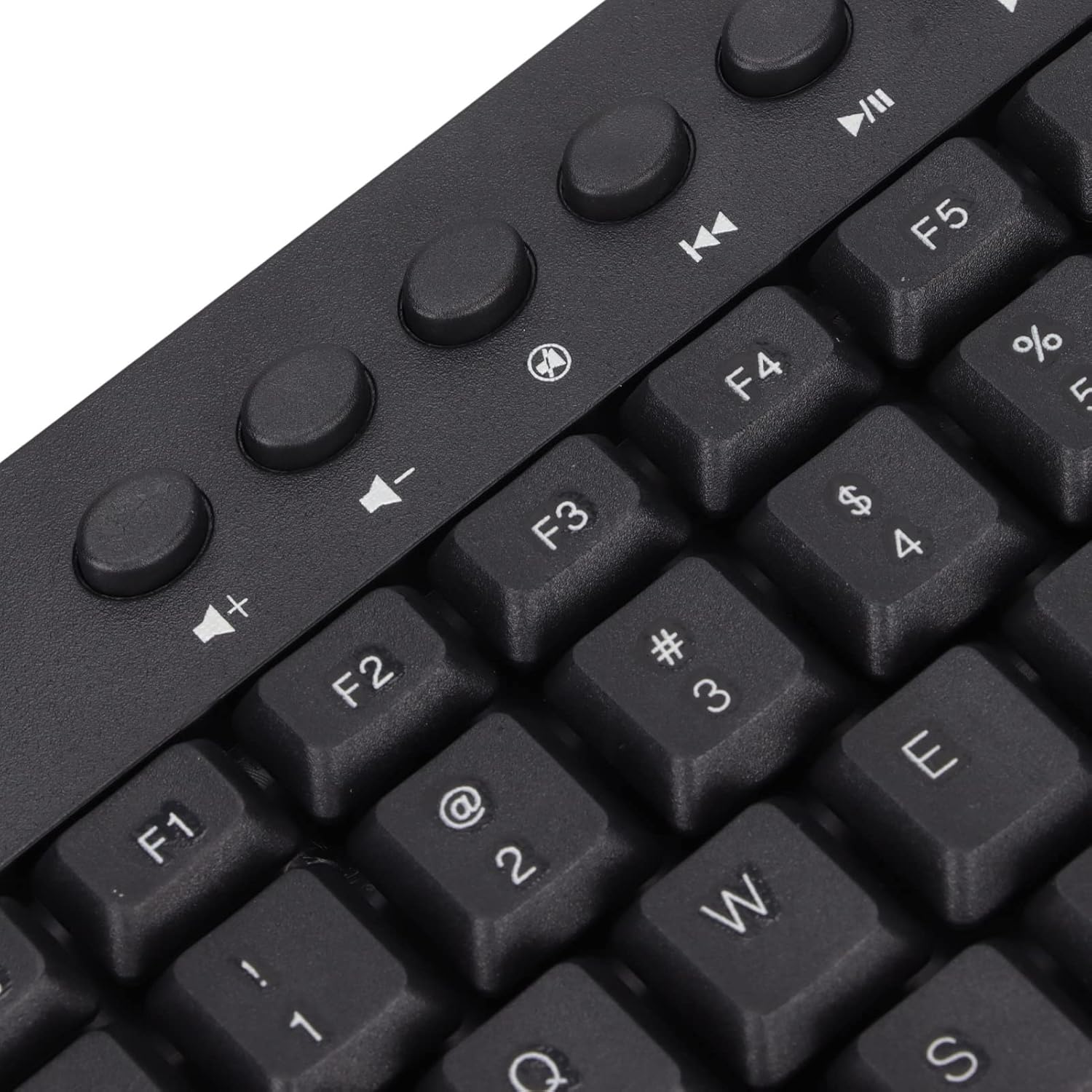
Imaj: Gwo plan view of the dedicated multimedia control keys.

Image: Detail of the right-side keys, including navigation and control keys.
6. Antretyen
To ensure the longevity and optimal performance of your ASHATA keyboard, follow these maintenance guidelines:
- Netwayaj: Use a soft, dry cloth to wipe the surface of the keyboard. For deeper cleaning, you may use a slightly damp cloth with a mild cleaning solution, ensuring no liquid enters the key switches or internal components.
- Retire pousyè: Sèvi ak lè konprese pou retire pousyè ak debri ki ant bouchon kle yo.
- Evite likid: Pa vide likid sou klavye a. Si gen likid ki koule, dekonekte klavye a nan òdinatè w la imedyatman epi kite l sèk nèt anvan ou konekte l ankò.
- Depo: Sere klavye a nan yon kote ki fre epi sèk, lwen limyè solèy dirèk ak tanperati ekstrèm.
NAN. Depanaj
Si ou rankontre pwoblèm ak klavye ou a, gade pwoblèm ak solisyon komen sa yo:
7.1 Klavye a pa reponn
- Tcheke koneksyon USB a: Ensure the USB cable is securely plugged into a working USB-A port on your computer. Try a different USB port.
- Rekòmanse òdinatè: Pafwa, yon senp rekòmanse òdinatè ka rezoud pwoblèm koneksyon.
- Tès sou yon lòt aparèy: Connect the keyboard to another computer to determine if the issue is with the keyboard or your original device.
7.2 Kle yo pa fonksyone byen
- Kle Netwaye: Check for any debris or foreign objects lodged under the non-functioning keys. Use compressed air to clear them.
- Konfli Lojisyèl: Asire w pa gen okenn lojisyèl oswa chofè konfli ki enstale ki ta ka entèfere ak antre klavye a.
7.3 Kle Miltimedya yo pa fonksyone
- Operating System Settings: Verify that your operating system's media key settings are configured correctly.
- Aplikasyon konpatibilite: Some applications may not fully support universal multimedia keys.
Si etap sa yo pa rezoud pwoblèm nan, tanpri kontakte sèvis kliyan pou plis asistans.
8. Espesifikasyon
| Karakteristik | Detay |
|---|---|
| Mak | ASHATA |
| Nimewo Modèl | ASHATA8x4ni917wp552-12 |
| Koneksyon Teknoloji | USB-A (Avèk fil) |
| Kantite kle | 95 |
| Chanje Kalite | Mekanik |
| Materyèl | Plastik |
| Koulè | Black (Arabic layout) |
| Aparèy konpatib | PC (Desktop, Laptop) |
| Fanmi Sistèm Operasyon Konpatib | Windows |
| Longè kab | Approx. 1.5m / 1.6yd |
| Karakteristik espesyal | Bouton miltimedya endepandan |

Imaj: Anba view of the keyboard, displaying regulatory information and adjustable feet.
9. Garanti ak sipò
Pou enfòmasyon sou garanti a ak sipò kliyan, tanpri al gade dokiman ki vini ak acha ou a oswa kontakte détayan/fabrikan an dirèkteman. Kenbe prèv acha ou a pou nenpòt reklamasyon garanti.