
RIYO KH22B
Manyèl Itilizatè Kas Ekoutè Bluetooth RIYO pou Timoun
Model: KH22B | Brand: RIYO
Entwodiksyon
This manual provides detailed instructions for the RIYO Kids Bluetooth Headphones (Model KH22B). Please read this manual thoroughly before using the product to ensure proper operation and safety. These headphones are designed for children, featuring a volume limit for hearing protection, comfortable wear, and engaging LED lights.
Ki sa ki nan bwat la
Upon unboxing your RIYO Kids Bluetooth Headphones, you should find the following items:
- RIYO KH22B Kids Bluetooth Headphones (Navy Blue)
- USB-A pou USB-C chaje kab
- 3.5mm Audio Kab
- Manyèl itilizatè
- Decorative Stickers (may vary)
Imaj: The image displays the contents of the RIYO Kids Bluetooth Headphones packaging. Visible items include the folded navy blue headphones, a white USB-C charging cable, a white 3.5mm audio cable, and the user manual.
Videyo: Videyo sa a bay yon souview of the RIYO KH22B Kids Bluetooth Headphones, demonstrating their features and components.
Pwodwi souview ak Karakteristik
The RIYO KH22B headphones are designed with both wireless and wired capabilities, ensuring continuous audio playback. They feature soft ear pads for comfort and adjustable headbands for a secure fit.
Karakteristik kle:
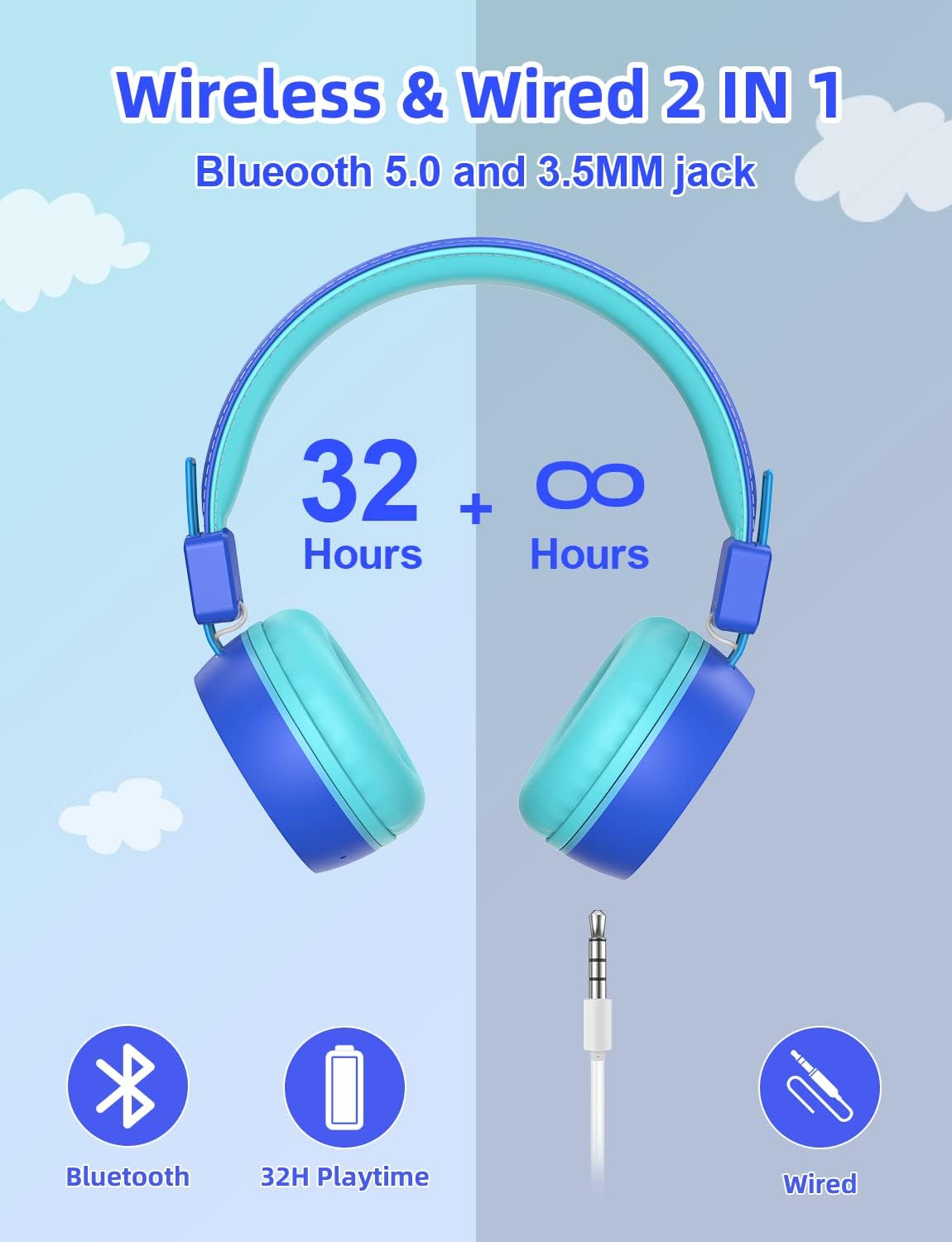
- Koneksyon san fil ak filaire: Bluetooth V5.0 for stable wireless connection up to 15 meters, plus a 3.5mm audio jack for wired use when battery is low.
- Limit volim: Max volume of 92dB to protect children's hearing.
- Limyè ki ap dirije kolore: Three types of LED lighting effects that can change with music rhythm.
- Comfortable Wearing: Soft and breathable ear pads designed for extended use without discomfort.
- Konsepsyon pliyab ak pòtab: Durable plastic frame with a retractable design for easy storage and transport.
- Mikwofòn entegre: For hands-free calling and online communication.

Imaj: A pair of navy blue RIYO Kids Bluetooth Headphones with light blue earcups and headband padding. The right earcup features a glowing star design, indicating its LED light capability.

Imaj: An infographic illustrating the dual connectivity options of the headphones: Bluetooth 5.0 for wireless use with up to 32 hours of playtime, and a 3.5mm audio jack for wired connection when the battery is low.

Imaj: A diagram pointing to the built-in HD microphone on the headphone earcup, indicating its use for online courses, phone calls, and hands-free communication.

Imaj: A young girl is shown wearing the navy blue RIYO Kids Bluetooth Headphones. The earcups are illuminated with vibrant LED lights, highlighting the product's colorful lighting effects.

Imaj: A young boy is wearing the RIYO Kids Bluetooth Headphones, showcasing the comfortable fit of the soft ear pads and adjustable headband. The headphones appear snug and secure on his head.

Imaj: Yon te eksploze view of the headphone earcup reveals the internal components, specifically highlighting the 40mm high-quality speaker drivers responsible for delivering clear stereo sound.
Kontwòl:
| Bouton/Port | Fonksyon |
|---|---|
| Bouton pouvwa | Press and hold to power on/off. Hold longer for Bluetooth pairing. |
| Volim + / - | Ajiste volim monte oswa desann. |
| Bouton kontwòl limyè | Change LED lighting effects (Breathe Fast, Quick Flash, Music Beat, LED OFF). |
| Kalite-C chaje Port | Konekte USB-C kab pou chaje. |
| 3.5mm Audio Jack | Connect 3.5mm audio cable for wired listening. |
| Mikwofòn | Built-in for voice communication. |
Videyo: This video showcases the wireless capabilities and various features of the RIYO Kids Bluetooth Headphones, including their foldable design and LED light functions.
Gid Enstalasyon
1. Chaje kas ekoutè yo:
Before first use, fully charge the headphones. Connect the provided USB-A to USB-C charging cable to the Type-C charging port on the headphone and a compatible USB power source. The LED indicator will show charging status.
2. Pè Bluetooth:
- Asire w ke kas ekoutè yo etenn.
- Press and hold the Power Button for approximately 3-5 seconds until the LED indicator flashes blue and red, indicating pairing mode.
- Sou aparèy ou an (telefòn entelijan, tablèt, òdinatè), aktive Bluetooth epi chèche aparèy ki disponib yo.
- Select "KH22B" from the list of found devices.
- Once connected, the LED indicator will turn solid blue or flash slowly, and you will hear an audible confirmation.
3. Koneksyon filaire:
If the battery is depleted or you prefer a wired connection, simply plug the 3.5mm audio cable into the headphone's audio jack and the other end into your device's audio port. The headphones will automatically switch to wired mode.
Enstriksyon Operasyon
1. Power On/Off:
Press and hold the Power Button for 3 seconds to turn the headphones on or off.
2. Kontwòl Volim:
Use the Volume + and Volume - buttons to adjust the listening volume. Note that these headphones have a maximum volume limit of 92dB for hearing protection.
3. LED Light Control:
Press the Light Control Button to cycle through different LED lighting effects: Breathe Fast, Quick Flash, Music Beat, and LED OFF. The lights can add a fun visual element to the listening experience.
4. Answering Calls:
When connected via Bluetooth, a short press of the Multifunctional Button (often the Power Button) will answer an incoming call. Press again to end the call.
Antretyen ak Swen
- Netwayaj: Sèvi ak yon twal mou epi sèk pou netwaye kas ekoutè yo. Pa sèvi ak pwodui netwayaj abrazif oswa solvan.
- Depo: When not in use, fold the headphones and store them in a cool, dry place away from direct sunlight and extreme temperatures.
- Swen batri: Pou pwolonje lavi batri a, evite dechaje kas ekoutè yo nèt souvan. Chaje yo regilyèman, menm si w pa itilize yo tout tan.
- Evite dlo: Kas ekoutè sa yo pa enpèmeyab. Evite ekspoze yo a dlo oswa imidite twòp.
- Manyen ak Swen: While durable, avoid dropping or subjecting the headphones to strong impacts.
Depanaj
Pwoblèm komen ak solisyon:
- Kas ekoutè yo pa vle limen: Asire w batri a chaje. Konekte l ak yon sous kouran avèk kab USB-C a.
- Pa ka konekte atravè Bluetooth:
- Asire w ke kas ekoutè yo nan mòd koneksyon (limen ble/wouj la ap flache).
- Asire w ke Bluetooth aktive sou aparèy ou an.
- Pwoche kas ekoutè yo pi pre aparèy ou an.
- Forget "KH22B" from your device's Bluetooth list and try pairing again.
- Rekòmanse tou de kas ekoutè yo ak aparèy ou an.
- Pa gen son nan mòd san fil:
- Check if the headphones are successfully paired.
- Increase the volume on both the headphones and your device.
- Ensure no 3.5mm audio cable is plugged in (it overrides Bluetooth).
- Pa gen son nan mòd filaire:
- Ensure the 3.5mm audio cable is fully inserted into both the headphones and the device.
- Check the volume on your device.
- Test with a different 3.5mm audio cable if available.
- Limyè LED yo pa fonksyone:
- Press the Light Control Button to cycle through modes.
- Asire kas ekoutè yo mache.
- Tcheke nivo batri a.
Espesifikasyon
| Karakteristik | Detay |
|---|---|
| Non modèl | KH22B |
| Mak | RIYO |
| Koneksyon Teknoloji | Wireless (Bluetooth V5.0) & Wired (3.5mm Jack) |
| Limit volim maksimòm | 92dB |
| Playtime | Up to 32 hours (Wireless) |
| Port chaje | USB Kalite-C |
| Plasman Zòrèy | Sou Zòrèy |
| Materyèl | Plastik |
| Mikwofòn entegre | Wi |
| Pliable Design | Wi |
| Dirije Limyè | Wi (3 mòd) |
| Manifakti | LinkDream |
Garanti ak sipò
RIYO products come with a standard manufacturer's warranty. For detailed warranty information, technical support, or customer service inquiries, please refer to the contact information provided on the product packaging or visit the official RIYO websit.
Pou plis asistans, tanpri vizite RIYO Store on Amazon.
Ask a question about this manual
Ask about setup, troubleshooting, compatibility, parts, safety, or missing instructions. Manuals+ will review the question and use this page’s manual context to help answer it.