
1. Entwodiksyon
The JBL Boombox 3 is a powerful portable Bluetooth speaker designed to deliver massive JBL Original Pro Sound with deep bass and clear audio. Its rugged, dustproof, and waterproof design makes it suitable for various environments, from poolside to outdoor gatherings. This manual provides essential information for setting up, operating, and maintaining your speaker.
2. Ki sa ki nan bwat la
- 1 x Oratè JBL Boombox 3
- 1 x CA pouvwa kòd
- 1 x Gid Quick Start
- 1 x Fèy Sekirite
- 1 x kat garanti

Image: The JBL Boombox 3 speaker shown with its included AC power cord, quick start guide, safety sheet, and warranty card.
3. Karakteristik kle
- Massive JBL Original Pro Sound: Experience powerful audio with deep bass and clear sound from the new 3-way speaker system.
- 24 èdtan jwe: Enjoy extended listening sessions with a long-lasting battery.
- IP67 ki reziste pousyè ak enpèmeyab: Designed to withstand dust and water, making it ideal for outdoor use.
- Strong, Bold Design: Features a sturdy metal handle with silicone grips and twin sidecaps for durability and portability.
- Ankouraje Fèt: Connect multiple JBL PartyBoost-compatible speakers for stereo sound or a larger audio experience.
- Built-In Powerbank: Charge your external devices directly from the speaker.
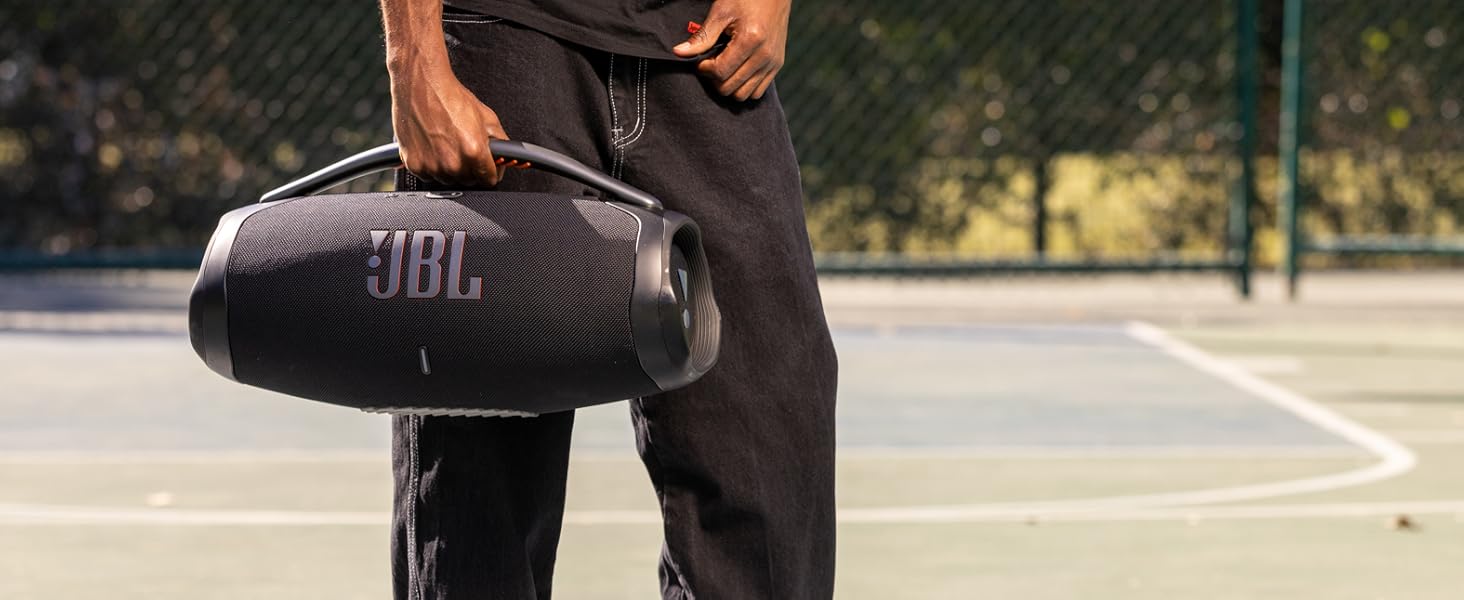
Image: The JBL Boombox 3 with text overlay emphasizing "massive sound".
4. Enstalasyon
4.1 Chaje Oratè a
- Open the protective flap on the back of the speaker.
- Connect the supplied AC power cord to the speaker's power input.
- Branche lòt bout kòd kouran AC a nan yon priz miray.
- The battery indicator lights will show the charging status. The speaker is fully charged when all lights are solid.
4.2 Bluetooth Pairing
- Power on the JBL Boombox 3 by pressing the power button.
- Peze bouton Bluetooth ki sou oratè a. Endikatè Bluetooth la ap flache, sa vle di li an mòd koneksyon.
- On your mobile device, go to Bluetooth settings and select "JBL Boombox 3" from the list of available devices.
- Yon fwa konekte, endikatè Bluetooth la ap rete fiks.

Image: The JBL Boombox 3 speaker in camouflage, showcasing its robust design and top panel buttons for power and Bluetooth.
5. Operasyon Enstriksyon
5.1 Kontwòl debaz yo
- Bouton pouvwa: Press to turn the speaker ON/OFF.
- Bouton Bluetooth: Peze pou antre nan mòd appariement Bluetooth.
- Bouton Volim (+/-): Peze pou ajiste volim nan monte oswa desann.
- Bouton jwe/poz: Press to play or pause music. Double-press to skip to the next track.
5.2 PartyBoost Function
PartyBoost allows you to connect multiple JBL PartyBoost-compatible speakers together for an enhanced audio experience. To activate:
- Ensure all speakers are powered on and in Bluetooth pairing mode.
- Peze bouton PartyBoost la sou premye oratè a.
- Press the PartyBoost button on all other compatible speakers you wish to connect.
- The speakers will automatically connect and synchronize audio.
5.3 Itilizasyon Fonksyon Powerbank la
The JBL Boombox 3 includes a built-in powerbank to charge your external devices.
- Open the protective flap on the back of the speaker.
- Connect your device's USB charging cable to the USB-A port on the speaker.
- Aparèy ou a ap kòmanse chaje otomatikman.
Videyo: Prezantasyon videyo pwodwi ofisyèl laasing the JBL Boombox 3's features, including its sound, durability, and battery life. This video is provided by the seller, Harman Kardon.
6. Antretyen
- Netwayaj: Sèvi ak yon mou, damp twal pou netwaye oratè a. Pa sèvi ak pwodui chimik ki agresif oswa materyèl abrazif.
- Ekspozisyon dlo: While IP67 rated, ensure the charging port cover is securely closed before exposing the speaker to water or dust. After exposure to water, dry the speaker thoroughly before charging.
- Depo: Sere oratè a nan yon kote ki fre epi sèk, lwen limyè solèy dirèk ak tanperati ekstrèm.
- Swen batri: Pou pwolonje lavi batri a, chaje oratè a nèt omwen yon fwa chak 3 mwa si w pa ap itilize li regilyèman.
NAN. Depanaj
| Pwoblèm | Solisyon |
|---|---|
| Oratè a pa limen. | Ensure the battery is charged. Connect to power using the AC adapter. |
| Koneksyon Bluetooth echwe. | Ensure the speaker is in pairing mode (flashing Bluetooth light). Check your device's Bluetooth settings. Try restarting both devices. |
| Pa gen son oswa volim nan ba. | Adjust volume on both the speaker and your connected device. Ensure the speaker is not muted. |
| PartyBoost pa konekte. | Ensure all speakers are PartyBoost compatible and in pairing mode. Press the PartyBoost button on all speakers. |
| Device not charging via powerbank. | Ensure the speaker has sufficient battery charge. Check the USB cable and connection. |
8. Espesifikasyon
| Karakteristik | Detay |
|---|---|
| Mak | JBL |
| Nimewo Modèl | JBLBOOMBOX3SQUADAM |
| Oratè maksimòm pwodiksyon pouvwa | 180 Watts |
| Repons Frekans | 20000 Hz |
| Koneksyon Teknoloji | Filaire, San fil (Bluetooth) |
| Audio Sòti Mode | Stereo |
| Kalite aliye | Kanpe etaj |
| Materyèl patiraj | Metal, Plastik |
| Karakteristik adisyonèl | Built-In Powerbank, Smartphone-Charging, Stereo Pairing, Waterproof |
| Subwoofer Dyamèt | 8.6 pous |
| Dyamèt tweeter | 0.75 pous |
| Nivo rezistans dlo | Ki enpèmeyab (IP67) |
| Lavi Mwayèn Batri | 24 èdtan |
| Dimansyon atik (D x W x H) | 7.9"D x 19"W x 10.1"H |
| Pwa atik | 14.7 liv |
| Aparèy konpatib | Audio Player, Club House, DJ, Laptop, Smartphone, Tablet |
| Sous pouvwa | Batri Powered |
| Kantite pil | 1 Lityòm Ion pil obligatwa |
| UPC | 050036389082 |
9. Garanti & Sipò
9.1 Enfòmasyon sou Garanti
The JBL Boombox 3 comes with a 1-year manufacturer's warranty. Please refer to the included Warranty Card for detailed terms and conditions.
9.2 Sipò pou Kliyan
For further assistance, troubleshooting, or product inquiries, please visit the official JBL website or contact their customer support. You can find contact details on the JBL website or in the Safety Sheet included with your product.
Sipò sou entènèt: www.jbl.com/support