
1. Pwodwi souview
The Prolink DL-7203E is a portable LTE Mobile Wi-Fi device designed to provide high-speed wireless connectivity on the go. It functions as a 4G router, allowing multiple devices to connect to the internet via a SIM card. Additionally, it features a built-in power bank function for charging other devices.
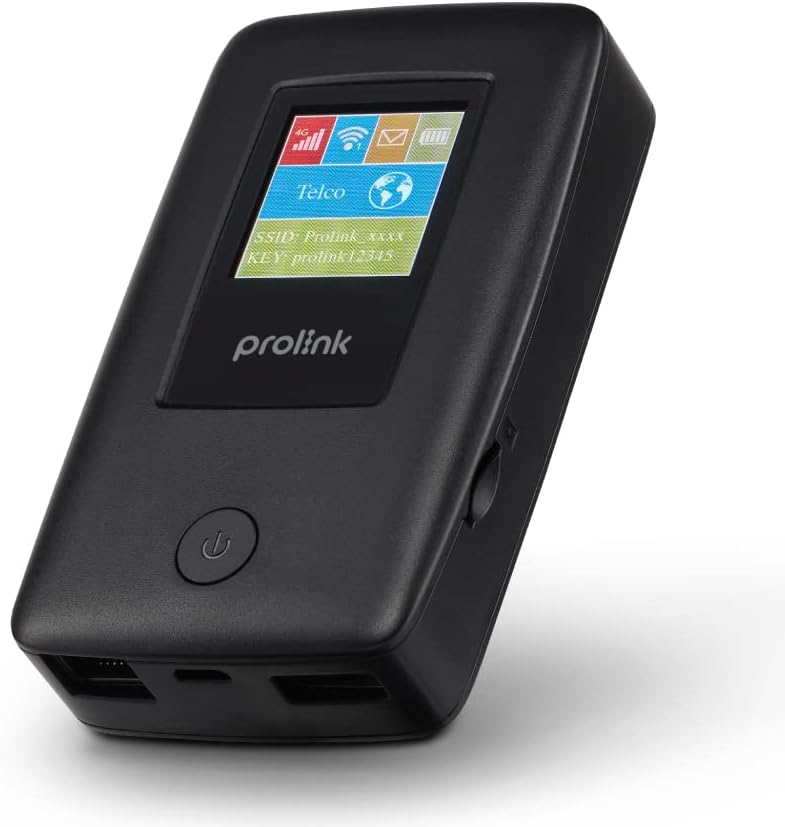
Figure 1.1: Prolink DL-7203E LTE Mobile Wi-Fi device.

Figure 1.2: Key features and capabilities of the Prolink DL-7203E.
Kontni pake
- Prolink DL-7203E LTE Mobile Wi-Fi Device
- USB Chaje Kab
- Gid pou kòmanse rapidman (pa enkli nan manyèl sa a)
2. Layout aparèy
Familiarize yourself with the various components and ports of your DL-7203E device.

Figi 2.1: Devan ak bò view of the Prolink DL-7203E with labeled components.
- LCD Screen Indicator: Displays signal strength, battery level, Wi-Fi status, and network information.
- Fant kat SIM: Mete kat Nano SIM ou a isit la.
- RJ45 LAN/WAN Port: For wired Ethernet connection to devices or an existing network.
- Pò chaje (USB-C): Connect the provided USB cable for charging the device.
- USB Type-A Port (Output): Used for the power bank function to charge other devices.
- Bouton pouvwa: Peze epi kenbe pou pouvwa sou / koupe aparèy la.
3. Gid Enstalasyon
3.1 Mete Kat SIM lan
- Asire w ke aparèy la etenn.
- Jwenn fant kat SIM lan sou bò aparèy la.
- Carefully insert your Nano SIM card into the slot until it clicks into place. Ensure the correct orientation as indicated on the device.
- Fèmen kouvèti fant kat SIM lan si sa aplikab.
3.2 Chaje Aparèy la
- Connect the provided USB charging cable to the USB-C charging port on the DL-7203E.
- Konekte lòt bout kab la nan yon adaptè kouran USB (pa enkli) oubyen nan yon pò USB òdinatè.
- The battery indicator on the LCD screen will show charging status. A full charge provides up to 25 hours of connectivity.
3.3 Limen/Etenyen
- Pou limen: Peze epi kenbe bouton pouvwa a jiskaske ekran LCD a limen.
- Pou etenn: Peze epi kenbe bouton Pouvwa a jiskaske aparèy la fèmen.

Figure 3.1: The Auto APN feature enables plug-and-play functionality in over 185 countries.
4. Operasyon
4.1 Konekte Aparèy atravè Wi-Fi
- Ensure the DL-7203E is powered on and has an active internet connection (indicated by the signal icon on the LCD).
- Sou aparèy ou ki gen Wi-Fi a (telefòn entelijan, òdinatè pòtab, tablèt), chèche rezo Wi-Fi ki disponib yo.
- Select the SSID (network name) displayed on the DL-7203E's LCD screen.
- Enter the Wi-Fi Key (password) also displayed on the LCD screen.
- Your device should now be connected to the internet. The DL-7203E supports up to 16 Wi-Fi devices simultaneously.

Figure 4.1: Share internet connection with up to 16 devices simultaneously.
4.2 Itilizasyon kòm yon Bank Pouvwa
The DL-7203E can double as a portable power bank to charge your mobile devices.
- Connect your mobile device's charging cable to the USB Type-A output port on the DL-7203E.
- The DL-7203E will begin charging your device.

Figure 4.2: The DL-7203E can charge your devices on the go.
4.3 Connecting via LAN/WAN Port
The RJ45 port allows for wired connectivity.
- Mòd LAN: Connect a device (e.g., laptop, desktop) to the DL-7203E via an Ethernet cable for a wired internet connection.
- WAN mòd: Connect the DL-7203E to an existing wired network (e.g., hotel Ethernet) to share that internet connection wirelessly.
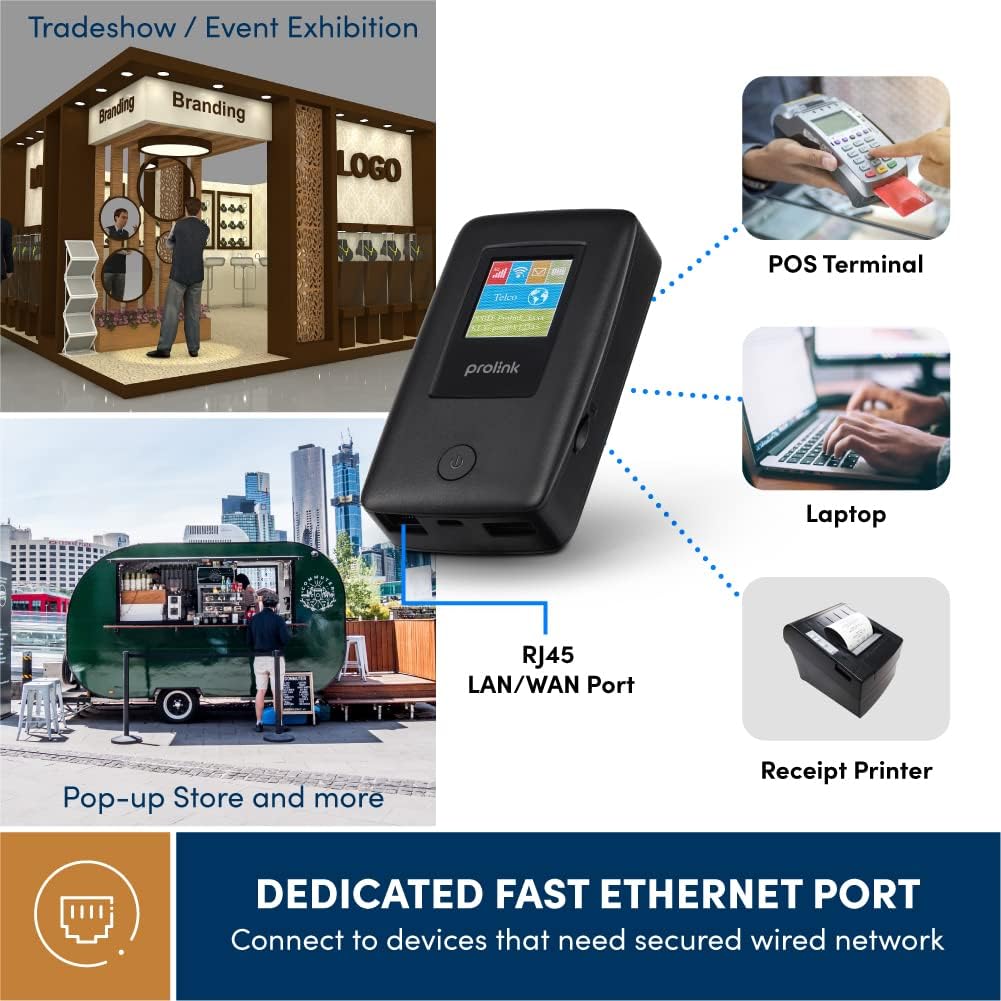
Figure 4.3: Utilize the dedicated Ethernet port for secured wired network connections.
4.4 File Sharing via MicroSD Card
The built-in microSD card slot supports up to 64GB, allowing for easy file pataje.
- Mete yon kat microSD nan plas yo deziyen an.
- Access the shared content wirelessly from connected devices through the device's web interface or the mProMifi App.

Figure 4.4: Share media content wirelessly across your network via a microSD card.
4.5 Using the mProMifi App
For enhanced control and monitoring, download the mProMifi App (available for devices with P/N: LTE-DL7203E-E, S/N starting from "265201" or later). The app allows you to manage settings, view connected devices, and monitor data usage.
5. Karakteristik kle
- Fast Connection: Enjoy high-speed connectivity of up to 150Mbps via LTE and up to 300Mbps via Wi-Fi hotspot.
- Pwolonje lavi batri: Equipped with a 5200mAh (or 6000mAh for updated models) battery, providing up to 25 hours of continuous connectivity.
- Multi-user Access: Share your internet connection with up to 16 Wi-Fi enabled devices simultaneously.
- Zanmitay vwayaj: Supports automatic APN configuration for over 185 countries, making it ideal for international travel.
- Fonksyon Bank pouvwa: Charge your smartphones and other USB-powered devices on the go.
- Ethernet Port: Provides a reliable wired connection for devices without wireless capabilities or for sharing an existing wired network.
- MicroSD Kat plas: Supports up to 64GB for convenient wireless file pataje.

Figure 5.1: Enjoy extended connectivity with up to 25 hours of battery life.

Figure 5.2: The compact design allows you to stay connected wherever you are.
6. Antretyen
- Netwayaj: Sèvi ak yon twal mou epi sèk pou netwaye aparèy la. Evite pwodui netwayaj likid oswa ayewosòl.
- Swen batri: To prolong battery life, avoid exposing the device to extreme temperatures. If storing for a long period, charge the battery to about 50% before storage.
- Depo: Sere aparèy la nan yon kote ki fre, sèk lwen limyè solèy la dirèk ak imidite.
NAN. Depanaj
Pwoblèm komen ak solisyon yo
| Pwoblèm | Kòz posib | Solisyon |
|---|---|---|
| Pa gen koneksyon entènèt | No SIM card inserted, SIM card not activated, poor signal, incorrect APN settings. | Ensure SIM is correctly inserted and active. Move to an area with better signal. The device has Auto APN, but if issues persist, check network provider settings. |
| Pa ka konekte ak Wi-Fi | Incorrect Wi-Fi password, device too far from router, Wi-Fi disabled. | Verify Wi-Fi password. Move closer to the DL-7203E. Ensure Wi-Fi is enabled on the device. |
| Battery Not Charging / Draining Quickly | Faulty cable/adapter, high usage, old battery. | Try a different USB cable and power adapter. Reduce the number of connected devices or usage time. Contact support if battery life significantly degrades. |
| Aparèy la bloke / li pa reponn | Pwoblèm lojisyèl. | Perform a soft reset by holding the power button until the device restarts. If persistent, a factory reset might be needed (refer to advanced settings via web koòdone). |
8. Espesifikasyon
| Karakteristik | Detay |
|---|---|
| Non modèl | DL-7203E (LTE-DL7203E) |
| Mak | Prolink |
| Kominikasyon san fil | 4G LTE, Wi-Fi (802.11ac) |
| Wi-Fi vitès | Jiska 300Mbps |
| Vitès LTE | Jiska 150Mbps |
| Kapasite batri | 5200mAh (updated models 6000mAh) |
| Lavi batri | Jiska 25 èdtan |
| Maksimòm Itilizatè Wi-Fi | 16 |
| Kalite kat SIM | Nano SIM |
| Pò | RJ45 LAN/WAN, USB-C Charging, USB Type-A Output |
| MicroSD Support | Jiska 64GB |
| Dimansyon (L x W x H) | 15.4 x 9.2 x 4.4 cm |
| Pwa | 161 g |
| Koulè | Nwa |
9. Garanti ak sipò
Prolink products come with a local warranty and technical support. For any inquiries or assistance, please contact Prolink support.

Figure 9.1: Prolink Official Store support information.
- Sipò Imèl: support@prolink2u.com
- Sipò telefòn: (65) 6357 0666
- For the most up-to-date support information, please visit the official Prolink website or your regional Prolink support page.