
Entwodiksyon
This manual provides essential information for the safe and efficient operation of your Westinghouse 43-inch 4K Ultra HD Certified Android LED TV, model WH43UD10. Please read these instructions thoroughly before using your television and retain them for future reference.
Enfòmasyon enpòtan sou sekirite
- Pa ekspoze televizyon an anba lapli oswa imidite pou evite dife oswa chòk elektrik.
- Pa louvri kabinè a. Refere sèvis yo bay pèsonèl ki kalifye sèlman.
- Asire bon vantilasyon. Pa bloke ouvèti vantilasyon yo.
- Pwoteje kòd kouran an pou yo pa mache sou oswa kwense.
- Dekonekte televizyon an pandan tanpèt zèklè oswa lè ou pa itilize li pou yon bon bout tan.
- Sèvi ak sèlman atachman/akseswa manifakti a espesifye.
Enstalasyon
Debale ak Premye Enspeksyon
Carefully remove the television and all accessories from the packaging. Inspect for any damage. Keep packaging materials for potential future transport.
Opsyon Montaj
Your television supports both table-top and wall-mount installations.
- Mòn tab la: Attach the included stands to the bottom of the TV using the provided screws. Ensure the TV is placed on a stable, level surface.
- Mi Mount: For wall mounting, use a VESA compatible bracket (200 x 200 mm). Consult a professional for wall mounting to ensure safety and proper installation.

Imaj: Devan ak bò view of the Westinghouse 43-inch TV with detailed dimensions in centimeters and inches.
Konekte periferik
Konekte aparèy ekstèn ou yo nan pò ki apwopriye yo sou televizyon an.
- HDMI: Connect up to 3 HDMI devices (e.g., set-top box, gaming console, Blu-ray player).
- USB: Connect USB storage devices for media playback (2 USB ports available).
- Ethernet: Pou yon koneksyon entènèt filaire.
- Oksilyè: Pou opinyon odyo.
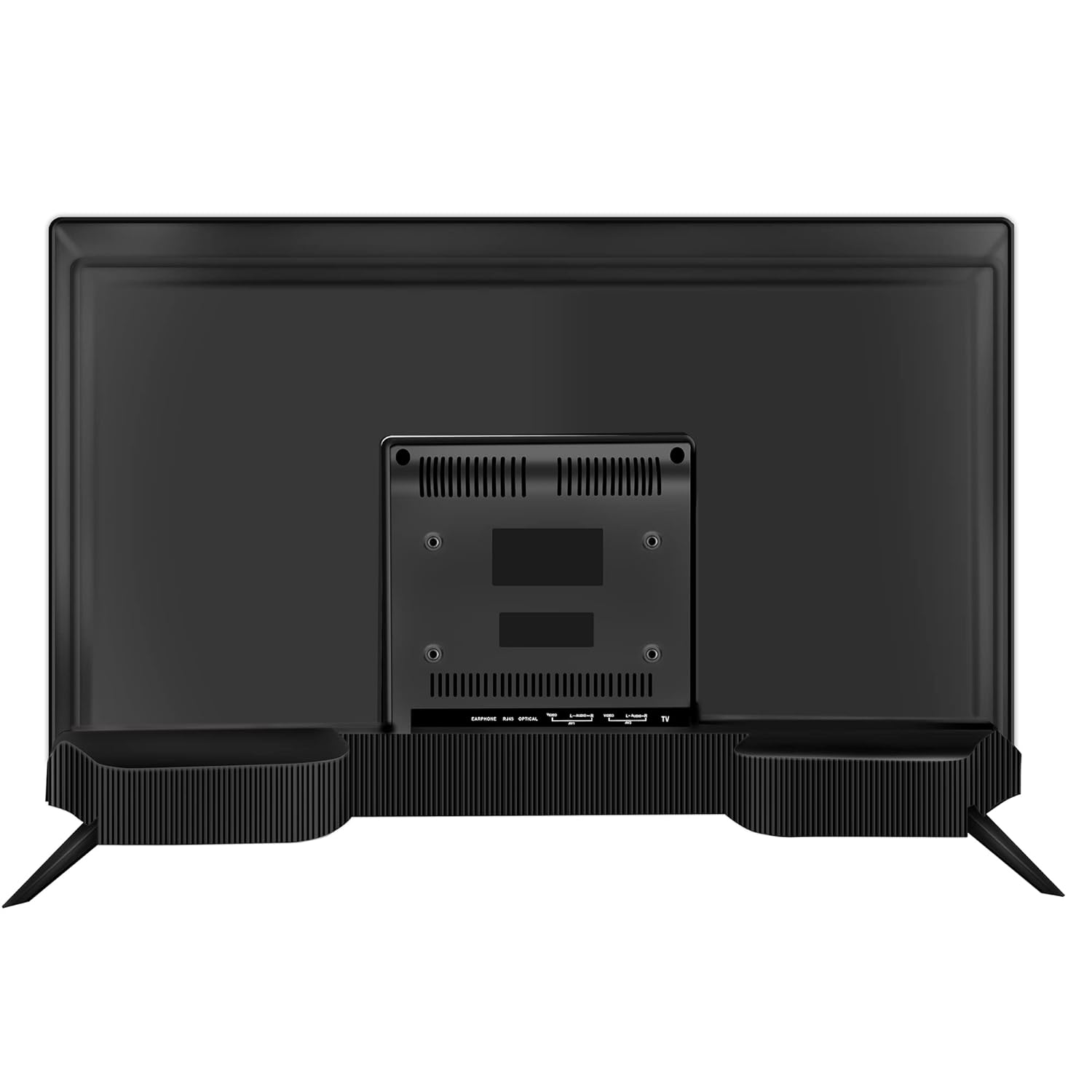
Imaj: Dèyè view of the Westinghouse 43-inch TV showing various input/output ports including HDMI, USB, and Ethernet.

Imaj: Bò kote view of the Westinghouse 43-inch TV highlighting the accessible HDMI and USB ports.
Enstalasyon kontwòl Remote
Insert the two AAA batteries (included) into the remote control, observing polarity. The remote supports both IR and Bluetooth connectivity. For Bluetooth functions like Google Voice Assistance, pair the remote with the TV during initial setup or via the TV's settings menu.
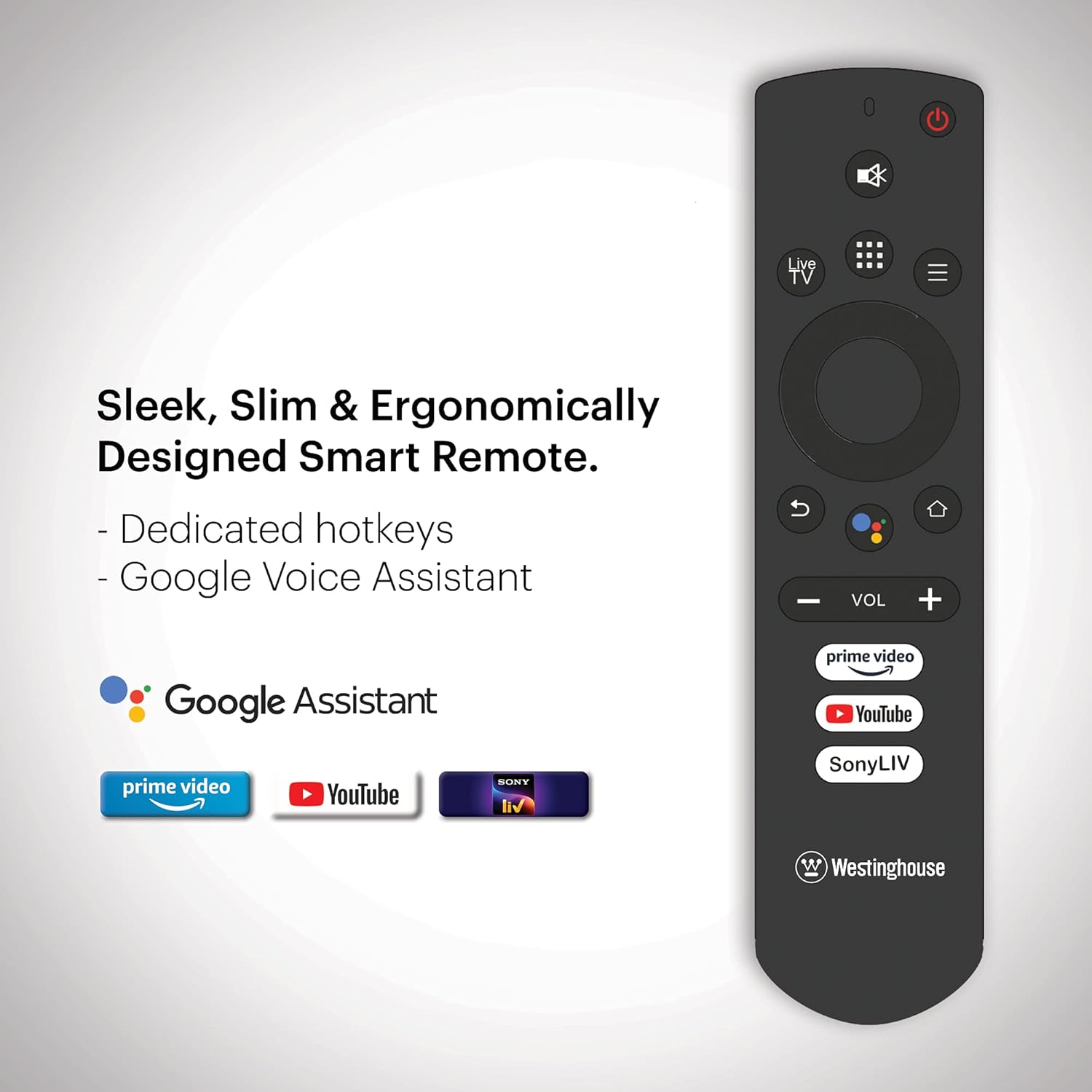
Image: Ergonomically designed smart remote control for the Westinghouse TV, featuring dedicated hotkeys for popular streaming services and Google Voice Assistant button.
Initial Power On and Android TV Setup
After connecting the power cord, press the power button on the remote or TV. Follow the on-screen instructions to complete the initial setup, which includes:
- Seleksyon lang.
- Koneksyon rezo (Wi-Fi oswa Ethernet).
- Google account sign-in for Android TV features.
- Ap chèche chanèl (si w ap itilize yon antèn).
- Pairing the Bluetooth remote control.
Enstriksyon Operasyon
Power On/Off
Peze a Pouvwa button on the remote control to turn the TV on or off. The TV enters standby mode when turned off.
Navigating Android TV
Sèvi ak pad direksyon an epi OK button on your remote to navigate the Android TV interface. The home screen provides access to installed apps, inputs, and settings.

Image: The Westinghouse Android TV home screen displaying various streaming applications and content recommendations.
Sèvi ak Google Assistant
Peze a Google Asistan button on your remote and speak into the microphone to control your TV, search for content, get answers, and more.
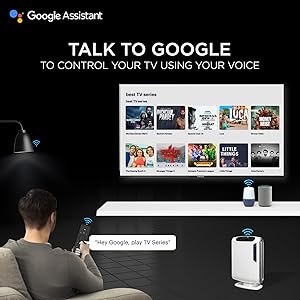
Image: A user interacting with the TV using Google Assistant voice commands via the remote control.
Applications and Streaming
Access a wide range of applications through the Google Play Store. Pre-installed applications include Amazon Prime Video, Sony Liv, Disney+Hotstar, Zee5, YouTube, and MX Player. You can download additional apps and games to enhance your entertainment experience.

Image: A collage of various popular streaming service logos and app icons available on the Android TV platform.
Chromecast Bati-an
Use the built-in Chromecast feature to cast content from your compatible mobile devices or computer directly to your TV screen.
Karakteristik odyo
The TV is equipped with powerful 40W speakers for an immersive audio experience. Adjust volume using the VOL +/- buttons on the remote. You can also connect external audio devices via Bluetooth for a personalized sound setup.

Image: A couple enjoying music from the TV, illustrating the powerful 40-watt speakers and immersive sound experience.
Antretyen
Netwaye televizyon an
- Ekran: Siye ekran an dousman avèk yon twal mou ki pa gen pousyè. Pou mak ki difisil pou retire, siye l yon ti kras.ampRense twal la avèk dlo oswa yon pwodui netwayaj ekran espesyalize. Pa flite likid dirèkteman sou ekran an.
- Kabinè: Siye kabinè televizyon an ak yon twal mou epi sèk. Evite itilize pwodui netwayaj abrazif oswa solvan.
Mizajou lojisyèl
Your Android TV may receive periodic software updates. Ensure your TV is connected to the internet to receive these updates, which can improve performance and add new features. You can check for updates manually in the TV's settings menu.
Swen Jeneral
- Evite mete televizyon an anba limyè solèy dirèk oswa toupre sous chalè.
- Pa mete objè lou sou televizyon an.
- Keep the TV away from strong magnetic fields.
Depanaj
| Pwoblèm | Solisyon posib |
|---|---|
| Pa gen pouvwa | Tcheke si kòd kouran an byen branche nan televizyon an ak nan priz miray la. Asire w ke priz miray la ap fonksyone. |
| Pa gen imaj, men gen son | Tcheke sous opinyon an. Asire w ke aparèy ki konekte a limen epi li fonksyone byen. Eseye yon lòt kab HDMI. |
| Pa gen son, men imaj la la | Check the volume level. Ensure the TV is not muted. Check audio settings and external audio connections. |
| Remote kontwòl pa travay | Replace batteries. Ensure there are no obstructions between the remote and the TV. Re-pair the Bluetooth remote if necessary. |
| Pwoblèm koneksyon rezo | Check your Wi-Fi router or Ethernet cable. Restart your router. Re-enter Wi-Fi password in TV settings. |
| Aplikasyon yo ralanti oswa yo ap plante | Clear app cache or data in TV settings. Ensure sufficient storage space. Restart the TV. |
Reset faktori
If issues persist, a factory reset may resolve them. This will erase all personal data and settings. Navigate to Anviwònman > Preferans Aparèy > Reyajiste epi swiv envit ki sou ekran yo.
Espesifikasyon
| Karakteristik | Detay |
|---|---|
| Mak | Westinghouse |
| Nimewo Modèl | WH43UD10 |
| Gwosè ekran | 43 pous (108 cm) |
| Teknoloji ekspozisyon | dirije |
| Rezolisyon | 4K Ultra HD |
| Rafrechisman pousantaj | 60 Hz |
| Sistèm operasyon | Android 9.0 Tat |
| Kapasite Depo memwa | 8 GB |
| Koneksyon Teknoloji | Ethernet, HDMI, USB, Wi-Fi, Bluetooth |
| Total pò HDMI | 3 |
| Total pò USB | 2 |
| Sòti odyo | 40 Watts (Speakers) |
| Tan repons | 8 Milisegond |
| Viewing Ang | 178 Degre |
| Dimansyon pwodwi (D x W x H) | 23P x 97W x 62H santimèt |
| Pwa atik | 6.4 Kilogram |
| Estanda Mòn VESA | 200 x 200 mm |
| Fòma HDR sipòte | IPS |
| Maximum Display Brightness | 500 Candela Per Square Meter |
| Pwopòsyon kontras | 5000:1 |
Garanti ak sipò
Enfòmasyon sou Garanti
This product comes with a 1-year warranty provided by the manufacturer from the date of purchase. Please retain your invoice as proof of purchase.
Sipò pou Kliyan
For assistance, please contact the brand's toll-free number: 1800-103-3036. When contacting support, provide the product's model name (WH43UD10) and the seller's details as mentioned on your invoice. The service center will schedule a convenient service slot.
Enfòmasyon pou kontakte manifakti: SPPL B-29,30&31 Sector 81 Noida UP-201305