
1. Entwodiksyon
This manual provides essential instructions for the proper use and maintenance of your LOTUS Smartwatch Model 50003/A. Please read this guide thoroughly before using your smartwatch to ensure optimal performance and longevity.
The LOTUS Smartwatch 50003/A features an intuitive interface and elegant design, offering a variety of smart functions. It is equipped with Bluetooth connectivity, allowing seamless synchronization with your mobile devices. This synchronization enables features such as call and message notifications, music control, and other practical functions for daily life.
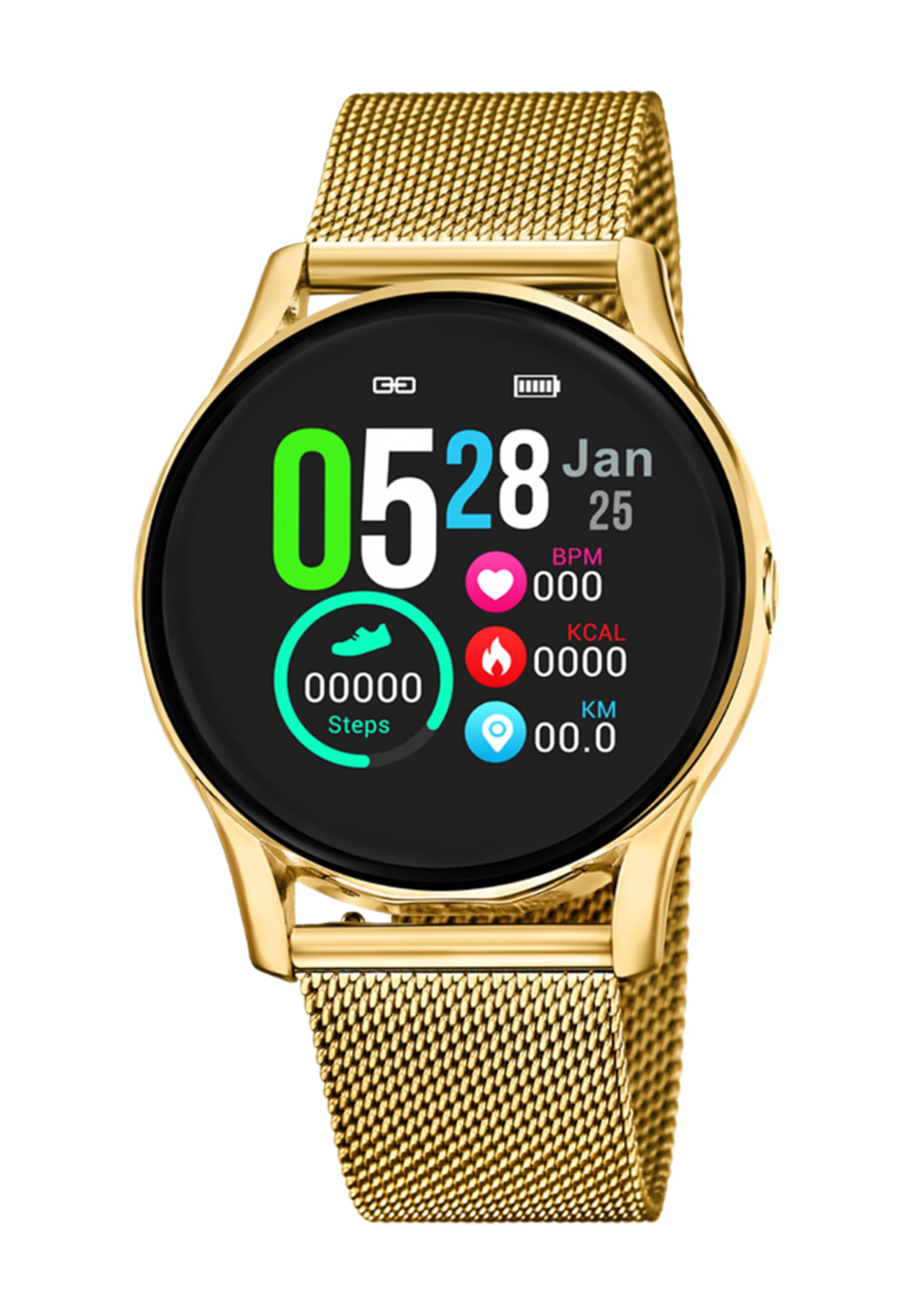
Imaj 1.1: Devan view of the LOTUS Smartwatch 50003/A.
2. Pake kontni
Please check the package contents upon unboxing. The standard package for the LOTUS Smartwatch 50003/A should include:
- LOTUS Smartwatch 50003/A
- Chaje kab
- Manyèl Itilizatè (dokiman sa a)
3. Gid Enstalasyon
3.1. Chaje mont entelijan an
Before initial use, fully charge your smartwatch.
- Konekte kab chaje a nan pò chaje ki dèyè mont entelijan an.
- Branche lòt bout kab chaje a nan yon adaptè kouran USB (pa enkli) oubyen nan yon pò USB òdinatè.
- Ekran mont lan ap endike eta chaj la. Kite apeprè 2-3 èdtan pou yon chaj konplè.
3.2. Enstale Aplikasyon Konpayon an
To unlock all features and synchronize your smartwatch with your smartphone, you need to install the official LOTUS Connected app.
- Scan the QR code provided in the watch packaging or search for "LOTUS Connected" in your smartphone's app store (Google Play Store for Android, Apple App Store for iOS).
- Telechaje epi enstale aplikasyon an.
- Swiv enstriksyon ki sou ekran yo pou kreye yon kont oswa konekte.

Image 3.2: Synchronizing the smartwatch with the companion app on a smartphone.
3.3. Konekte ak telefòn entelijan ou
Ensure Bluetooth is enabled on your smartphone and the smartwatch is charged.
- Open the LOTUS Connected app on your smartphone.
- Follow the app's instructions to add a new device.
- The app will search for available smartwatches. Select "LOTUS 50003/A" from the list.
- Confirm the pairing request on both your smartphone and smartwatch if prompted.
- Yon fwa li konekte, mont lan ap senkronize tan ak done yo ak telefòn ou.
4. Operasyon Enstriksyon
4.1. Navigasyon debaz
- Ekran tactile: Glise agoch/adwat, monte/anba pou navige nan meni ak fonksyon yo. Tape pou chwazi.
- Bouton bò: The smartwatch may have one or more physical buttons. Typically, one button serves as a power on/off, back, or home button. Refer to the on-screen prompts for specific button functions.

Imaj 4.1: Egzanpample of a smartwatch display showing activity data.
4.2. Karakteristik kle
- Notifikasyon: Receive alerts for incoming calls, messages, and app notifications directly on your wrist. Manage notification settings via the LOTUS Connected app.
- Kontwòl Mizik: Control music playback on your connected smartphone (play, pause, skip tracks, adjust volume).
- Suivi aktivite: Monitor steps, distance, calories burned, and sleep patterns. View detailed statistics in the companion app.
- Rezistans dlo: The smartwatch is water resistant. Avoid prolonged submersion or use in hot water/steam. Refer to specifications for exact water resistance rating.
5. Antretyen
5.1. Netwaye Smartwatch ou a
- Siye ekran an ak kò mont lan ak yon twal mou ki pa gen pousyè.
- Pou pousyè tè ki difisil pou retire, yon ti kras dampRense twal la avèk dlo. Evite pwodui chimik ki agresif oswa materyèl abrazif.
- Asire w ke kontak chaj yo pwòp epi sèk anvan ou chaje yo.
5.2. Swen batri
- Charge the smartwatch regularly. Avoid letting the battery completely drain for extended periods.
- Do not expose the smartwatch to extreme temperatures, as this can affect battery life and performance.
- Si ou pa pral itilize mont lan pou yon bon bout tan, chaje l a anviwon 50% anvan ou sere l.
NAN. Depanaj
6.1. Pwoblèm komen ak solisyon yo
- Mont lan pa limen: Asire w ke mont lan byen chaje. Konekte l nan plato a epi tann kèk minit anvan ou eseye limen l.
- Pa ka konekte ak telefòn entelijan an:
- Asire w ke Bluetooth aktive sou smartphone ou.
- Asire w ke mont entelijan an nan zòn telefòn ou an.
- Rekòmanse tou de smartphone ou ak smartwatch la.
- Eseye dekonekte epi konekte aparèy la ankò atravè aplikasyon an.
- Notifikasyon ki pa resevwa:
- Check notification settings in the LOTUS Connected app.
- Ensure the app has necessary permissions on your smartphone.
- Verify that the smartwatch is properly connected via Bluetooth.
- Kout lavi batri:
- Diminye klète ekran an.
- Dezaktive notifikasyon oswa fonksyonalite ki pa nesesè.
- Ensure the watch is fully charged before use.
6.2. Reset faktori
If issues persist, a factory reset may resolve them. This will erase all data on the smartwatch and restore it to its original settings.
- Navigate to the "Settings" menu on your smartwatch.
- Look for an option like "System," "Reset," or "Factory Reset."
- Konfime reset la lè yo mande.
- After resetting, you will need to re-pair the smartwatch with your phone and set it up again.
7. Espesifikasyon
| Karakteristik | Detay |
|---|---|
| Mak | LOTUS |
| Nimewo Modèl | 50003/A |
| Koulè | Nwa |
| Sistèm operasyon konpatibilite | Android, iOS |
| Gwosè ekran | 39.65 Milimèt |
| Karakteristik espesyal | Dlo rezistan |
| Aparèy konpatib | Smartphone |
| Konpozisyon batri | Lityòm metal |
| Disponibilite pyès rezèv | 5 Ane |
8. Garanti ak sipò
Your LOTUS Smartwatch 50003/A comes with a manufacturer's warranty. Please refer to the warranty card included in your product packaging for specific terms and conditions.
Pyès rezèv pou modèl sa a disponib pou jiska 5 ane apati dat acha a.
For technical support, service, or warranty claims, please contact LOTUS customer service through their official websit la oswa enfòmasyon kontak ki nan dokiman garanti ou a.