
SHARP YC-PS204AE-S
SHARP YC-PS204AE-S Microwave Oven User Manual
Model: YC-PS204AE-S
1. Enstriksyon Sekirite Enpòtan
Li tout enstriksyon yo ak anpil atansyon anvan ou itilize aparèy la. Kenbe manyèl sa a pou referans pita.
Sekirite jeneral
- Pa eseye sèvi ak fou sa a ak pòt la louvri paske sa ka lakòz ekspozisyon danjere a enèji mikwo ond lan.
- Pa mete okenn objè ant fas devan fou a ak pòt la oswa pa kite tè oswa rezidi netwayaj akimile sou sifas poze sele.
- Pa sèvi ak fou a si li domaje. Li patikilyèman enpòtan pou pòt fou a fèmen byen epi pou pa gen okenn domaj nan: (1) Pòt la (pliye), (2) Gon ak loket (kase oswa lach), (3) Joint pòt la ak sifas sele yo.
- Fou a pa ta dwe ajiste oswa repare pa nenpòt moun eksepte pèsonèl sèvis ki byen kalifye.
- Aparèy sa a fèt pou itilize nan kay la sèlman.
- Pa sèvi ak pwodui chimik korozif oswa vapè nan aparèy sa a.
- Pa estoke aparèy sa a deyò. Pa sèvi ak pwodui sa a toupre dlo.
- Pa plonje kòd oswa ploge nan dlo.
- Kenbe kòd la lwen sifas ki chofe.
- Pa kite kòd pandye sou kwen tab oswa kontwa.
- Pou diminye risk pou dife nan kavite fou a:
- Pa kwit manje twòp.
- Retire lyen tòde fil yo nan sache papye oswa plastik anvan ou mete sak nan fou a.
- Si materyèl ki andedan fou a ta dwe limen, kenbe pòt fou a fèmen, fèmen fou a, epi dekonekte fil elektrik la, oswa fèmen kouran nan panèl la fuzibl oswa disjoncteurs.
Sekirite elektrik
- Asire ke ekipman pou pouvwa a matche ak voltage espesifye sou etikèt klasman aparèy la.
- Toujou ploge aparèy la nan yon priz ki gen tè.
- Do not use extension cords unless absolutely necessary and ensure they are rated for the appliance's power consumption.
- Deploge aparèy la nan priz la lè ou pa itilize ak anvan netwaye.
2. Pwodwi souview
Familiarize yourself with the components and control panel of your SHARP YC-PS204AE-S microwave oven.
Eleman
- Kavite fou: Espas enteryè kote yo kwit manje a.
- Platin: Yon plato an vè ki ka vire pou asire yon kuit inifòm.
- Bag platin: Sipòte platin lan.
- Pòt: Ekipe ak yon sistèm bloke sekirite.
- Kontwòl Panel: Contains the display, buttons, and dial for operation.
- Dirije ekleraj enteryè: Li limen kavite fou a pandan l ap fonksyone.
Kontwòl Panel ak Display
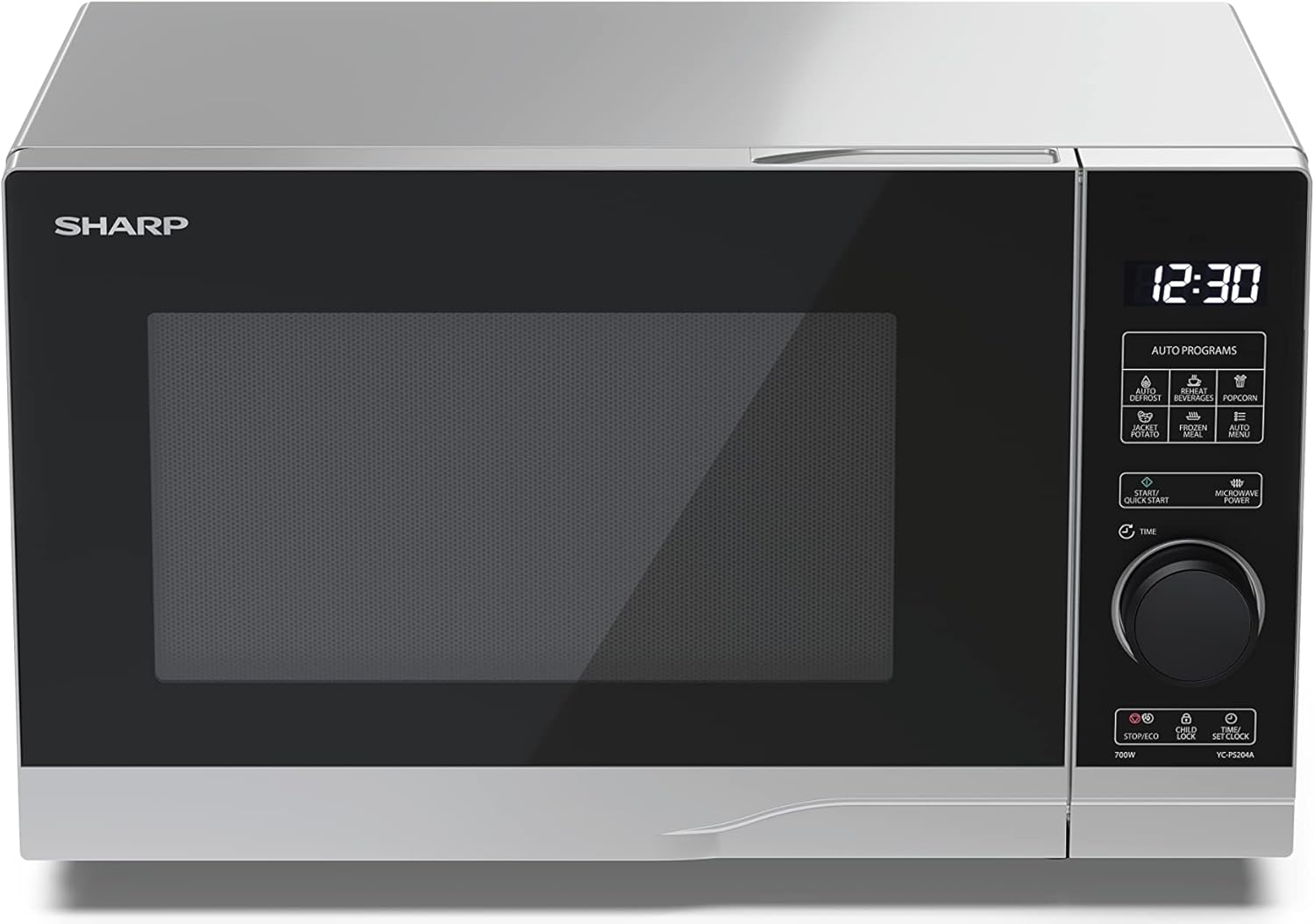
Imaj: Devan view of the Sharp YC-PS204AE-S microwave oven, highlighting the semi-digital control panel on the right side. The display shows "88:88" and various auto program icons are visible above the main dial.
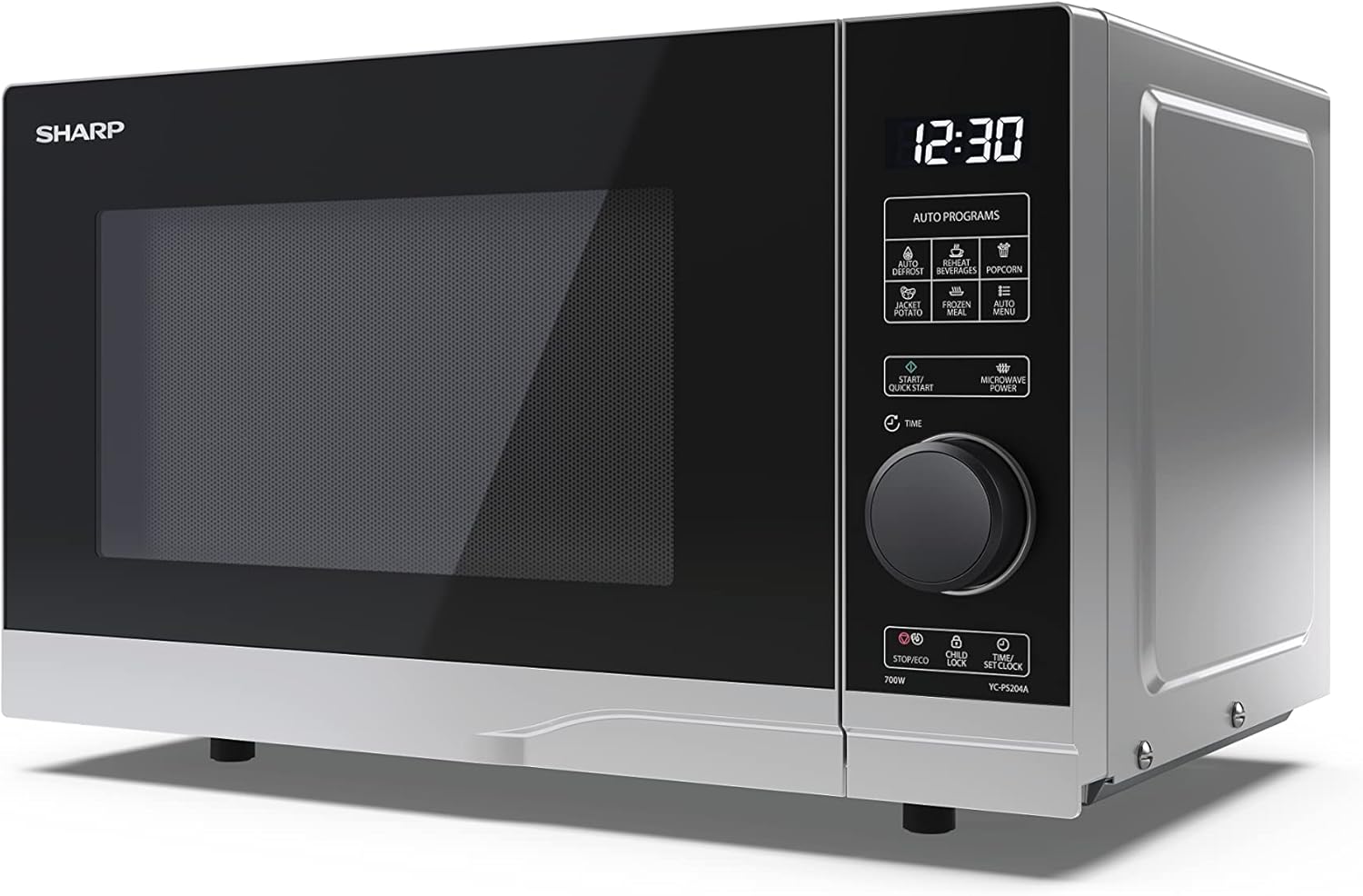
Imaj: Devan angilè view of the Sharp YC-PS204AE-S microwave, showing the sleek silver and black design. The control panel is clearly visible with its digital display and rotary knob.
The control panel features a digital display, a rotary dial for setting time and power, and several touch buttons for various functions and automatic programs.
- Ekspozisyon: Montre tan, paramèt pou kwit manje, ak endikatè pwogram yo.
- Rotary Dial: Used to set cooking time, weight, and adjust clock.
- Pwogram oto: Icons for Defrost, Reheat, Popcorn, Jacket Potato, Frozen Meal, Beverages, and Auto Menu.
- Start/Quick Start Button: Initiates cooking or starts quick cooking.
- Microwave Power Button: Selects power levels.
- Stop/Eco Button: Stops cooking or activates ECO mode.
- Bouton pou fèmen timoun: Activates/deactivates child lock.
- Time/Set Clock Button: Sets the clock or adjusts time.
3. Enstalasyon
Debake
- Retire fou mikwo ond lan ak tout materyèl anbalaj yo nan katon an avèk prekosyon.
- Tcheke fou a pou wè si li gen nenpòt domaj, tankou mak oswa yon pòt ki pa byen aliyen. Pa sèvi ak fou a si li domaje.
- Retire tout fim pwoteksyon ki sou sifas kabinè a.
- Ensure all accessories are present: glass turntable, turntable ring, and instruction manual.

Imaj: The interior of the Sharp YC-PS204AE-S microwave oven with the door open, showing the glass turntable and the stainless steel interior. This view is useful for understanding how to place food and clean the cavity.
Plasman
- Mete fou a sou yon sifas plat, ki stab ki ka sipòte pwa li ansanm ak manje ki pi lou ki gen chans pou yo kwit ladan l.
- Ensure adequate ventilation: leave a minimum of 20 cm (8 inches) of space above the oven, 10 cm (4 inches) at the rear, and 5 cm (2 inches) on each side.
- Pa bloke okenn ouvèti vantilasyon.
- Do not place the oven near heat sources such as radiators or stoves.
- Keep the oven away from radio and TV sets to avoid interference.

Imaj: A diagram showing the dimensions of the Sharp YC-PS204AE-S microwave oven, with measurements for height (273 mm), width (455 mm), and depth (334 mm). This helps users ensure proper placement and ventilation space.
Premye konfigirasyon
- Plug the power cord into a standard grounded electrical outlet (230V, 50Hz).
- The display will show "0:00" or "12:00".
- Mete revèy la:
- Press the "Time/Set Clock" button once. The hour digits will flash.
- Turn the rotary dial to set the hour (0-23 for 24-hour format).
- Press "Time/Set Clock" again. The minute digits will flash.
- Turn the rotary dial to set the minutes (0-59).
- Press "Time/Set Clock" a third time to confirm. The clock is now set.
4. Operasyon Enstriksyon
Kwit Manje Debaz nan Mikwo Ond
- Mete manje a nan yon veso ki ka ale nan mikwo ond sou plato a.
- Fèmen pòt fou a byen.
- Press the "Microwave Power" button repeatedly to select the desired power level (e.g., P100 for 100% power, P80 for 80%, etc. There are 10 levels).
- Turn the rotary dial to set the cooking time (up to 95 minutes).
- Press the "Start/Quick Start" button to begin cooking.
Fonksyon Quick Start
- Press the "Start/Quick Start" button repeatedly to cook at 100% power for 30-second intervals. Each press adds 30 seconds.
- The maximum quick start time is 10 minutes.
Fonksyon dekonjle
This function allows you to defrost food by weight.
- Mete manje ki konjele a sou plato tournante a.
- Press the "Defrost" button (usually indicated by a snowflake icon). The display will show "dEF1" or "dEF2" depending on the defrost mode.
- Turn the rotary dial to select the weight of the food (e.g., 100g to 2000g).
- Press "Start/Quick Start" to begin defrosting.
Automatic Programs (Auto Menu)
The microwave has 8 pre-set automatic programs for common food items.
- Press the "Auto Menu" button (often labeled with "Auto Programs" or specific icons).
- Turn the rotary dial to select the desired program (e.g., Popcorn, Potato, Pizza, Beverage, etc.). The display will show the program number (e.g., A-1, A-2).
- Press "Auto Menu" again to confirm the program.
- Turn the rotary dial to select the weight or quantity (if applicable for the program).
- Press "Start/Quick Start" to begin.
Fonksyon Lock Timoun
To prevent unintended operation, especially by children.
- Pou aktive: Press and hold the "Child Lock" button (often combined with "Stop/Eco") for 3 seconds. A lock icon will appear on the display.
- Pou dezaktive: Press and hold the "Child Lock" button for 3 seconds again. The lock icon will disappear.
ECO Mode
To save energy, the display can be turned off when the oven is not in use.
- Pou aktive: In standby mode, press the "Stop/Eco" button once. The display will turn off.
- Pou dezaktive: Peze nenpòt bouton oubyen ouvri pòt la pou reaktive ekran an.
5. Antretyen ak netwayaj
Netwayaj ak antretyen regilye ap asire lonjevite ak pèfòmans optimal fou mikwo ond ou a.
Netwaye enteryè fou a
- Toujou deploge fou a anvan w netwaye.
- Siye kavite enteryè a apre chak itilizasyon ak yon anons.amp twal ak detèjan twò grav.
- For stubborn stains, place a bowl of water with lemon juice inside and heat for 2-3 minutes. The steam will loosen the residue.
- Do not use abrasive cleaners or metal brushes, as they can damage the interior surface.
Netwaye platin ak bag la
- Ou ka retire platin an vè a ak bag platin an pou netwaye yo.
- Lave yo nan dlo tyèd savon oubyen nan machin pou lave asyèt la.
- Asire w ke yo byen sèk anvan ou mete yo tounen nan fou a.
Netwaye Eksteryè a
- Siye sifas eksteryè yo ak yon mou, damp twal.
- Evite pou dlo pa antre nan ouvèti vantilasyon yo.
- Netwaye pòt la ak sele pòt yo regilyèman pou asire bon fèmen epi pou anpeche mikwo ond lan koule.
NAN. Depanaj
Si ou rankontre pwoblèm ak fou mikwo ond ou a, gade pwoblèm ak solisyon komen sa yo.
| Pwoblèm | Kòz posib | Solisyon |
|---|---|---|
| Fou a pa kòmanse. | Kòd kouran an pa branche; Fuzib la boule oswa disjonktè a deklanche; Pòt la pa byen fèmen. | Branche nan priz la; Ranplase fizib la oubyen retabli disjonktè a; Fèmen pòt la byen fèm. |
| Manje a pa kwit egalman. | Manje a pa brase oswa vire; Plato vire a pa vire. | Stir or turn food halfway through cooking; Ensure turntable and ring are correctly placed and clean. |
| Etensèl anndan fou a. | Metal or foil in the oven; Dish not microwave-safe; Food residue. | Remove any metal; Use microwave-safe dishes; Clean oven cavity thoroughly. |
| Ekspozisyon montre kòd erè. | Defo entèn. | Debranche fou a pou kèk minit, apresa branche l ankò. Si erè a pèsiste, kontakte sèvis kliyan. |
| Limyè fou a pa mache. | Anpoul la bezwen ranplasman. | Kontakte pèsonèl sèvis kalifye pou ranplase anpoul la. |
If the problem persists after trying these solutions, please contact SHARP customer support.
7. Espesifikasyon
Technical specifications for the SHARP YC-PS204AE-S Microwave Oven.
| Karakteristik | Detay |
|---|---|
| Nimewo Modèl | YC-PS204AE-S |
| Kapasite | 20 lit |
| Sòti pouvwa mikwo ond | 700 Watts |
| Nivo pouvwa | 10 |
| Kalite kontwòl | Semi-digital |
| Pwodwi Dimansyon (W x H x D) | 45.5 cm x 27.4 cm x 33.4 cm |
| Pwa | 10.5 Kilogram |
| Koulè | Ajan |
| Materyèl enteryè | Nerjaveèi asye |
| Dyamèt platin | 245 mm |
| Karakteristik espesyal | Child Lock, ECO Function, Defrost System, LED Interior Lighting, 8 Auto Programs |
| Pwovizyon pou pouvwa | 230 Volts |
| Konpozan ki enkli | 1x Microwave SHARP YC-PS204AE-S, Glass Turntable, Multilingual Operating Instructions, Warranty Card |
8. Garanti ak sipò
SHARP provides a warranty for this product. Please refer to the warranty card included in the packaging for specific terms and conditions.
Sipò pou Kliyan
For technical assistance, troubleshooting beyond this manual, or warranty claims, please contact SHARP customer service.
- Vizite sit ofisyèl SHARP la website for support contact information in your region.
- Have your model number (YC-PS204AE-S) and purchase date ready when contacting support.
Ask a question about this manual
Ask about setup, troubleshooting, compatibility, parts, safety, or missing instructions. Manuals+ will review the question and use this page’s manual context to help answer it.