
1. Entwodiksyon
The XTAR BC8 is an advanced 8-slot battery charger designed for both 1.5V Li-ion and 1.2V Ni-MH AA/AAA rechargeable batteries. This charger provides a versatile and efficient solution for powering various electronic devices, supporting environmental sustainability through the use of rechargeable cells. It allows for simultaneous charging of different battery types and sizes.

Image: The XTAR BC8 charger with multiple batteries inserted, illustrating its 8-slot capacity and mixed-charging capability.
2. Pake kontni
Lè w ap ouvri pake a, tanpri verifye si tout bagay sa yo ladan l:
- 1 x XTAR BC8 Battery Charger
- 8 x XTAR 1.5V AA 3300mWh Rechargeable Li-ion Batteries
- 2 x Battery Storage Cases
- 1 x USB-C kab
- 1 x Manyèl Itilizatè (dokiman sa a)

Image: A visual representation of all items included in the XTAR BC8 Battery Charger package.
3. Enstriksyon Sekirite
To ensure safe operation and prolong the life of your charger and batteries, please adhere to the following safety guidelines:
- Use only compatible batteries (1.5V Li-ion and 1.2V Ni-MH AA/AAA).
- Pa eseye chaje pil ki pa rechargeable.
- Ensure correct battery polarity (+/-) when inserting batteries into the charger slots.
- Evite ekspoze plato a nan dlo, imidite ki wo, oswa tanperati ekstrèm.
- Pa demonte oswa modifye plato a.
- Kenbe plato a lwen timoun ak bèt kay.
- Unplug the charger from the power source when not in use or during cleaning.
- The charger features built-in protections against over-voltage, over-current, short-circuit, and over-charge to ensure safety during operation.

Image: Diagram illustrating the XTAR BC8's multiple safety protections and hollowed-out design for effective heat dissipation.
4. Enstalasyon
Follow these steps to set up your XTAR BC8 Battery Charger:
- Unpack the XTAR BC8 charger and all accessories.
- Connect the provided USB-C cable to the input port on the charger.
- Plug the other end of the USB-C cable into a compatible power adapter (QC3.0 18W recommended for optimal performance, not included).
- Chargeur a pare pou itilize kounye a.
5. Operasyon Enstriksyon
5.1 Mete batri yo
The XTAR BC8 features 8 independent charging slots compatible with both AA and AAA size batteries. Each slot can accommodate either a 1.5V Li-ion or a 1.2V Ni-MH battery.
- Carefully insert batteries into the charging slots, ensuring the positive (+) and negative (-) terminals align correctly with the markings on the charger.
- The charger supports mixed charging, allowing you to charge different types and sizes of compatible batteries simultaneously.
5.2 Charging Process and Indicators
Once batteries are correctly inserted and the charger is powered, the charging process will begin automatically.
- Each charging slot has an individual indicator light.
- A limyè wouj indicates that the battery in that slot is currently charging.
- A limyè vèt indicates that the battery in that slot is fully charged.
- Charging time for a full top-up is approximately 1.5 hours for 1.5V AA 3300mWh batteries, with all 8 slots charging in under 2 hours.

Image: The XTAR BC8 charger demonstrating its intelligent mix-charging capability, with various batteries inserted and indicator lights showing charging status.

Image: Illustration highlighting the fast charging capability of 500mA per slot on the XTAR BC8 charger.
6. Antretyen
Proper maintenance ensures the longevity and optimal performance of your XTAR BC8 charger and batteries:
- Netwayaj: Use a soft, dry cloth to clean the charger. Do not use abrasive cleaners or solvents.
- Depo: Sere chajè a ak pil yo nan yon kote ki fre epi sèk, lwen limyè solèy dirèk ak tanperati ekstrèm.
- Swen batri: For optimal battery life, avoid fully discharging Li-ion batteries frequently. Store batteries in the provided cases when not in use.

Image: Visual representation of the XTAR BC8's design for improved heat dissipation, crucial for charger longevity.
NAN. Depanaj
If you encounter issues with your XTAR BC8 charger, refer to the following common problems and solutions:
| Pwoblèm | Kòz posib | Solisyon |
|---|---|---|
| Battery not charging (no indicator light or red light doesn't appear) |
|
|
| Vitès chaje dousman |
|
|
| Chargeur a chofe pandan l ap fonksyone | Normal operation, especially when charging multiple batteries. | Ensure adequate ventilation around the charger. If it becomes excessively hot, discontinue use and contact support. |
8. Espesifikasyon
| Antre | QC3.0 18W Type-C |
| Constant Charging Current | 0.5A x 8 slots |
| Tanperati travay | 0℃ ~ 40℃ (32℉ ~ 104℉) |
| Koupe Voltage | ≤ 100mA |
| Pwa | 118g (apeprè 4.16 ons) |
| Dimansyon (L x W x H) | 153mm x 76.5mm x 27.6mm (approximately 6 x 3 x 1.1 inches) |
| Batri Konpatib | XTAR 1.5V Li-ion AA/AAA Batteries & All 1.2V Ni-MH AA/AAA Batteries |
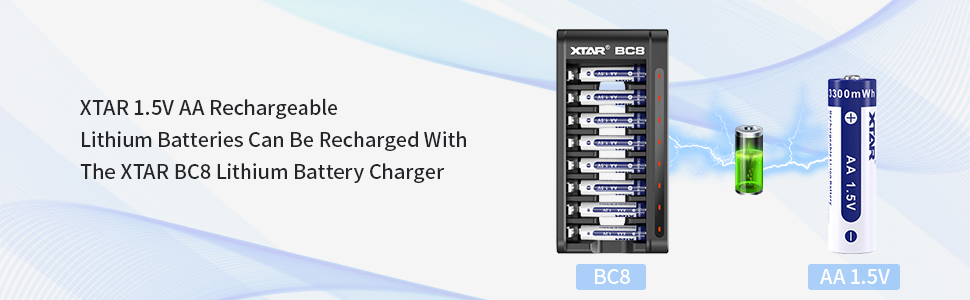
Image: A detailed table summarizing the technical specifications of the XTAR BC8 charger.
9. Garanti ak sipò
For warranty information, technical support, or further inquiries, please refer to the official XTAR website or contact their customer service directly. Details are typically provided on the product packaging or the manufacturer's official online resources.