
1. Entwodiksyon
Mèsi pou acha aasing the SIMATE 6.5-inch Self-Balancing Hoverboard. This manual provides essential information for the safe operation, maintenance, and troubleshooting of your device. Please read this manual thoroughly before using the hoverboard to ensure a safe and enjoyable experience. Keep this manual for future reference.

Image 1.1: The SIMATE 6.5-inch Self-Balancing Hoverboard, showcasing its design and LED lights.
2. Enfòmasyon sou Sekirite
Your safety is paramount. Operating a hoverboard carries inherent risks. Adhere to all safety guidelines to prevent injury or damage.
- UL2272 Safety Certified: This hoverboard has passed UL2272 safety certification, ensuring compliance with U.S. safety regulations for electrical systems.
- Ekipman pwoteksyon: Toujou mete yon kas, pwoteksyon jenou, pwoteksyon koud, ak pwoteksyon ponyèt lè w ap monte bisiklèt.
- Limit Laj ak Pwa: This product is recommended for users within the specified age and weight ranges. Refer to the specifications section for details.
- Kondisyon anviwònman: Do not ride in wet conditions, on uneven terrain, or near traffic. Avoid steep inclines.
- Konsyantizasyon: Be aware of your surroundings, pedestrians, and obstacles.
- Kontwòl vitès: Operate at a safe speed. The hoverboard has built-in over-speed protection.
- Plasman pye: Always place your feet firmly on the non-slip footpads.

Image 2.1: Visual representation of the hoverboard's key performance and safety features, including UL2272 certification, max speed, max distance, max weight, and solid rubber wheels.
3. Pake kontni
Verifye ke tout atik yo prezan nan pakè a:
- SIMATE 6.5-inch Self-Balancing Hoverboard
- Pouvwa Charger
- Manyèl itilizatè
4. Pwodwi souview
Familiarize yourself with the different parts of your SIMATE hoverboard.

Image 4.1: Labeled diagram of the hoverboard, indicating the Non-Slip Footpad, Battery Indicator light, 360° Rotation Axis, LED Front Light, Switch and Charging port, and 6.5" Wheel with LED Lights.
- Non-Slip Footpad: Provides grip for your feet during operation.
- Limyè endikatè batri: Montre nivo batri aktyèl la.
- 360° Rotation Axis: Allows for smooth turns and maneuvers.
- Dirije limyè devan: Enhances visibility and adds to the aesthetic.
- Switch and Charging Port: Power button and port for connecting the charger.
- 6.5" Wheel with LED Lights: Solid rubber wheels with integrated LED lighting.
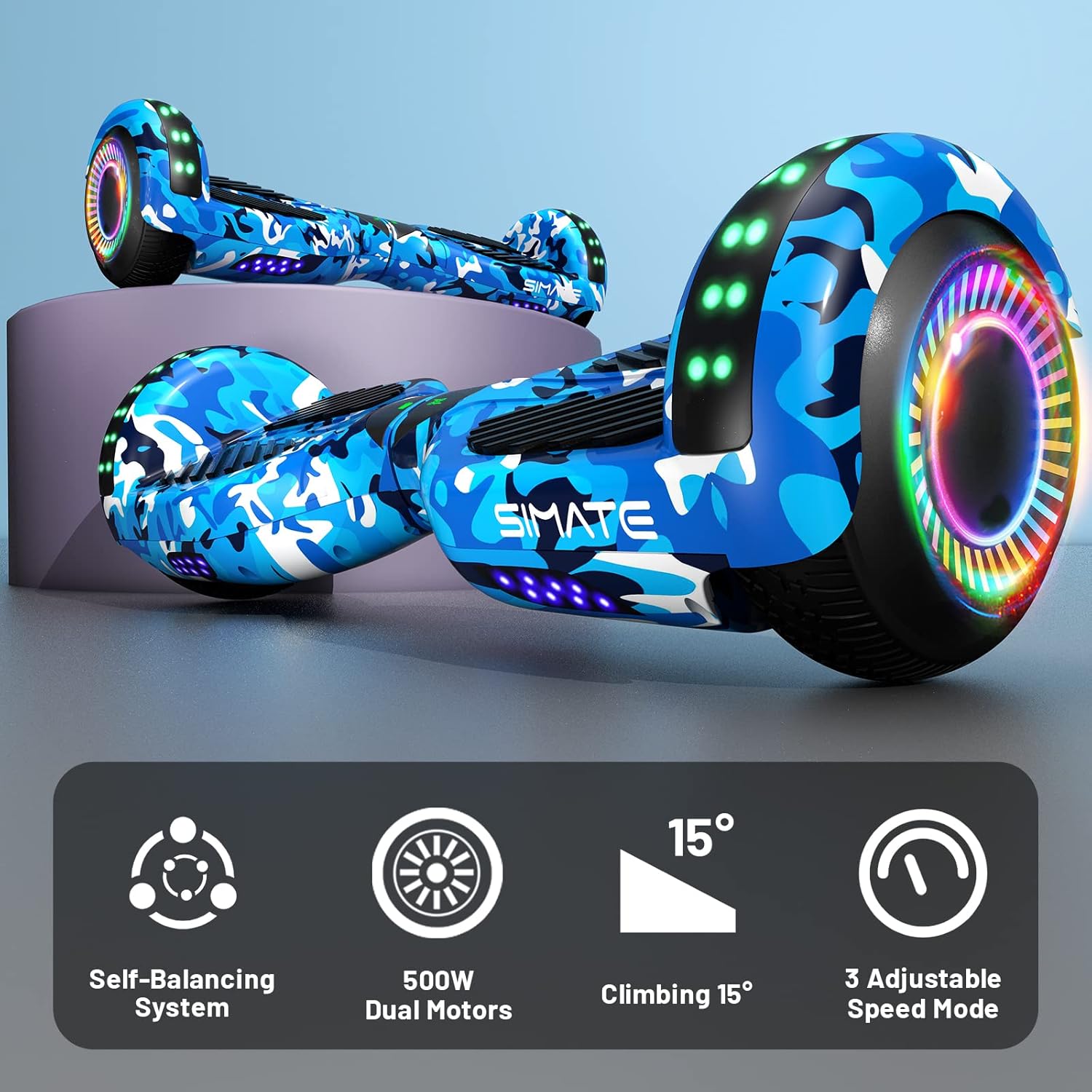
Image 4.2: Icons illustrating key features: Self-Balancing System, 500W Dual Motors, 15° Climbing capability, and 3 Adjustable Speed Modes.
5. Enstalasyon
5.1 Premye chaj
- Asire w ke hoverboard la etenn.
- Connect the charger to the charging port on the hoverboard.
- Ploge plato a nan yon priz elektrik estanda.
- The battery indicator light will show charging status. Charge until the indicator shows a full charge (typically 2-3 hours).
- Pa chaje batri a twòp. Dekonekte chajè a yon fwa li fin chaje nèt.
5.2 Calibration (First Use)
For optimal performance, it is recommended to calibrate the hoverboard before its first use or if it seems unbalanced.
- Mete hoverboard la sou yon sifas plat e nivo.
- Asire w ke hoverboard la etenn.
- Peze epi kenbe bouton pouvwa a pou apeprè 5-10 segonn jiskaske limyè endikatè yo flache.
- Release the power button. The hoverboard is now calibrated.
- Power off and then power on the hoverboard normally before riding.
6. Operasyon Enstriksyon
6.1 Monte Hoverboard la
- Power on the hoverboard. The self-balancing system will activate.
- Place one foot on a footpad, ensuring the hoverboard remains level.
- Quickly step onto the other footpad with your second foot. Maintain a relaxed posture.
- Panche yon ti kras pi devan pou avanse, epi panche yon ti kras pa dèyè pou ralanti oswa pou fè bak.
- To turn, apply gentle pressure with one foot (e.g., press left footpad down to turn right).
- Pou desann, desann yon pye alafwa, epi asire w ke hoverboard la rete stab.
6.2 Fonksyon Oratè Bluetooth
The hoverboard features a built-in Bluetooth speaker for audio playback.
- Ensure the hoverboard is powered on.
- Aktive Bluetooth sou telefòn entelijan ou oswa aparèy odyo ou.
- Chèche pou available Bluetooth devices and select "SIMATE Hoverboard" (or similar name).
- Once paired, you can play audio through the hoverboard's speakers.

Image 6.1: The hoverboard's integrated Bluetooth speaker and LED lights, enhancing the riding experience.
6.3 dirije limyè
The hoverboard is equipped with bright LED lights on the front and wheels. These lights activate automatically when the hoverboard is powered on, providing increased visibility and a dynamic appearance during use.
6.4 mòd vitès
The SIMATE hoverboard offers 3 adjustable speed modes. Consult the specific instructions provided with your hoverboard for details on how to switch between these modes, typically involving a sequence of power button presses or an associated mobile application if available.
7. Antretyen
7.1 Netwayaj
- Power off the hoverboard before cleaning.
- Sèvi ak yon mou, damp cloth to wipe down the exterior. Avoid using harsh chemicals or abrasive cleaners.
- Do not spray water directly onto the hoverboard, as this can damage electronic components.
7.2 Swen Batri
- Chaje batri a konplètman anvan premye itilize.
- Avoid completely draining the battery. Recharge it regularly, even if not in frequent use.
- Store the hoverboard in a cool, dry place away from direct sunlight and extreme temperatures.
7.3 Depo
When storing the hoverboard for extended periods, ensure it is fully charged and stored in a dry environment. Periodically charge the battery (e.g., every 2-3 months) to maintain battery health.
NAN. Depanaj
If you encounter issues with your SIMATE hoverboard, refer to the following common problems and solutions:
| Pwoblèm | Kòz posib | Solisyon |
|---|---|---|
| Hoverboard not turning on | Batri fèb; Bouton pouvwa a pa byen peze | Charge the hoverboard; Ensure power button is pressed firmly. |
| Hoverboard is unbalanced or beeping | Bezwen kalibrasyon; Pwoblèm detèktè | Perform calibration as described in Section 5.2. If issue persists, contact support. |
| Limyè pa travay | Loose connection; LED malfunction | Ensure hoverboard is powered on. If issue persists, contact support. |
| Bluetooth pa konekte | Hoverboard not in pairing mode; Device Bluetooth off | Ensure hoverboard is on. Check device Bluetooth settings. Try re-pairing. |
| Kout lavi batri | Batri a pa chaje nèt; Batri fin vye | Ensure full charge. Battery performance may degrade over time. |
For issues not listed here or if troubleshooting steps do not resolve the problem, please contact SIMATE customer support.
9. Espesifikasyon
Detailed technical specifications for the SIMATE 6.5-inch Self-Balancing Hoverboard:
| Karakteristik | Spesifikasyon |
|---|---|
| Non modèl | SIMATE Hoverboard (P6) |
| Dimansyon pwodwi | 55.88 x 17.78 x 17.78 cm |
| Pwa pwodwi | 6.35 kg |
| Gwosè wou | 6.5 inches (Solid Rubber Wheels) |
| Pouvwa motè | Dual 250W motors (Total 500W) |
| Vitès maksimòm | 7.5 Miles per Hour (approx. 12 km/h) |
| Maksimòm Range | 7.5 Miles (approx. 12 km) |
| Chaj maksimòm | 220 liv (apeprè 100 kg) |
| Angle k ap grenpe | Jiska 15 degre |
| Kalite batri | Lithium (1 A battery included) |
| Sètifikasyon sekirite | UL2272 sètifye |
| Karakteristik espesyal | Built-In Bluetooth speaker, LED Lights, Light Up Wheels, Self-Balancing System, 3 Adjustable Speed Modes |
| Itilizasyon Rekòmande | Andedan kay la, deyò |
| Materyèl | Aluminum frame and solid rubber wheels |
10. Garanti ak sipò
For warranty information, please refer to the documentation included with your purchase or contact the retailer. For technical support, replacement parts, or any other inquiries, please reach out to SIMATE customer service through their official channels.