
EKSA EM100
Manyèl Itilizatè Sourit Jwèt EKSA EM100
Modèl: EM100
1. Entwodiksyon
The EKSA EM100 Gaming Mouse is a high-performance wired ergonomic gaming mouse designed for PC gamers. It features 7 programmable buttons, customizable Chroma RGB lighting, and an adjustable optical sensor with up to 8000 DPI. This manual provides detailed instructions for setting up, operating, and maintaining your EM100 Gaming Mouse to ensure optimal performance and longevity.
2. Pake kontni
Tanpri verifye ke tout atik yo prezan nan pakè a:
- 1 x EKSA EM100 Gaming Mouse
- 1 x manyèl itilizatè
- 1 x Bwat Kado (anbalaj)
- 1 x 1.5m/59in Cable (integrated)

Figure 2.1: Contents of the EKSA EM100 Gaming Mouse package, including the mouse, user manual, and gift box.
3. Pwodwi Features
- 7 bouton pwogramasyon: Customize functions for Left, Right, Scroll, DPI, Forward, Backward, and RGB Light buttons.
- DPI reglabl: 6-level DPI settings (800/1600/2400/3200/4800/8000) for precise control.
- Chroma RGB Backlighting: 6 backlight modes with 16 million customizable colors, including "Breathing and Streamer" effects.
- Konsepsyon ergonomique: Shaped for comfort during extended use, with non-slip sides to reduce hand sweat and improve grip.
- Kab dirab: 5-inch flexible braided cable designed to minimize drag and interference.
- Lajè konpatibilite: Supports Windows 2000/XP/Vista/7/8/10/11 for programmable features and macOS for normal use. Compatible with Laptops, PCs, and MacBooks.

Figi 3.1: Plis paseview of key features including 7 functional buttons, RGB lighting, ergonomic design, 8000 DPI, and parachute cord.
4. Enstalasyon
- Depake Sourit la: Carefully remove the EKSA EM100 Gaming Mouse and its accessories from the packaging.
- Konekte ak òdinatè: Insert the USB plug of the mouse cable into an available USB port on your computer (PC, Laptop, or MacBook).

Figure 4.1: The USB plug and braided cable of the EKSA EM100 Gaming Mouse.
- Driver Installation (Windows): For programmable features and advanced customization on Windows operating systems, it is recommended to download and install the official EKSA EM100 driver. Refer to the official EKSA website for the latest driver software. For macOS, the mouse functions normally without additional drivers, but programmable features are not available.

Figi 4.2: Egzample of the programmable software interface for the EKSA EM100 Gaming Mouse.
- Plasman: Place the mouse on a flat, clean surface, preferably a mouse pad, for optimal tracking performance.
5. Operasyon Enstriksyon
5.1 Fonksyon bouton
The EKSA EM100 Gaming Mouse features 7 buttons, each with a default function. These can be customized via the driver software on Windows.
- Bouton Goch: Prensipal fonksyon klike sou.
- Dwa bouton: Fonksyon klike segondè (meni kontèks).
- Scroll Button (Middle Click): Activates middle click, often used for opening links in new tabs or auto-scrolling.
- Bouton DPI: Chanje nan paramèt DPI yo.
- Bouton Avant: Navige pi devan nan web navigatè oswa file eksploratè.
- Bouton dèyè: Navige bak nan web navigatè oswa file eksploratè.
- Limyè bouton: Cycles through RGB lighting modes or turns lights off.

Figure 5.1: Diagram illustrating the location and default function of each button on the EKSA EM100 Gaming Mouse.
5.2 Ajiste Paramèt DPI yo
The mouse offers 6 adjustable DPI levels, allowing you to change cursor sensitivity on the fly. Press the DPI bouton located behind the scroll wheel to cycle through the following settings:
- 800 DPI (Green)
- 1600 DPI (Purple)
- 2400 DPI (Blue)
- 3200 DPI (Red)
- 4800 DPI (Cyan)
- 8000 DPI (Yellow)
Each DPI level is indicated by a specific color on the mouse's lighting, providing visual feedback for your current setting.
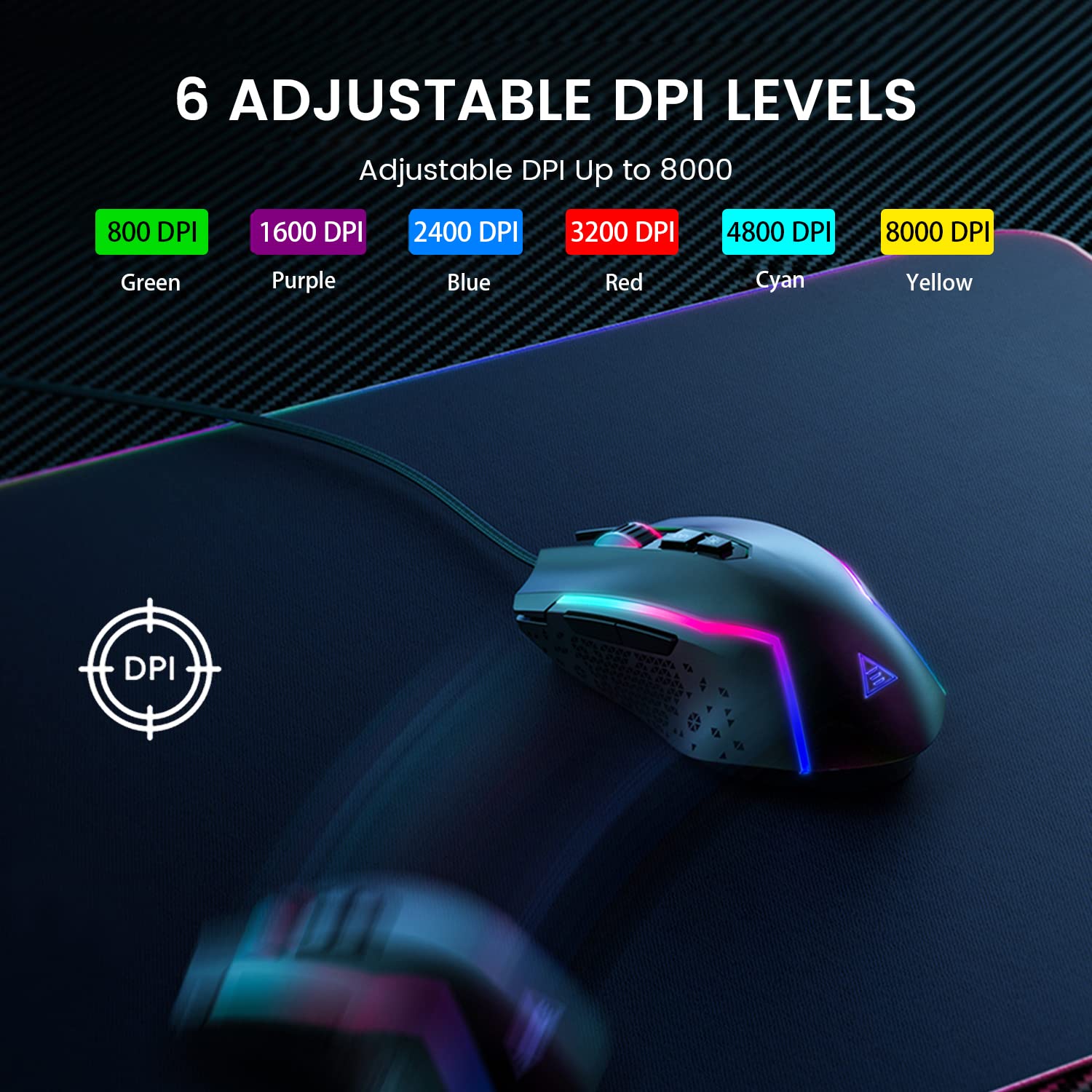
Figure 5.2: Visual representation of the 6 adjustable DPI levels and their corresponding indicator colors.
5.3 Pèsonalizasyon ekleraj dèyè RGB a
The EKSA EM100 features dynamic Chroma RGB backlighting with 6 distinct modes and 16 million color options. Press the Limyè bouton (located near the DPI button) to cycle through the available lighting effects, including "Breathing" and "Streamer" modes, or to turn the lights off.

Figure 5.3: The EKSA EM100 Gaming Mouse showcasing its vibrant RGB backlight effects.
6. Antretyen
Proper maintenance ensures the longevity and optimal performance of your EKSA EM100 Gaming Mouse.
- Netwayaj: Sèvi ak yon twal mou epi sèk pou siye sifas sourit la. Pou pousyè tè ki difisil pou retire, siye yon ti kras.ampRense twal la avèk dlo oswa yon solisyon netwayaj dou. Evite itilize pwodui chimik ki agresif oswa materyèl abrazif.
- Swen Capteur: Kenbe detèktè optik ki anba sourit la pwòp epi san pousyè oswa debri. Sèvi ak yon ti sèvyèt koton oswa lè konprese si sa nesesè.
- Jesyon kab: Avoid sharp bends or excessive pulling on the braided cable to prevent internal damage.
- Depo: Lè w pa itilize sourit la pou yon bon bout tan, sere l nan yon anviwònman pwòp epi sèk, lwen limyè solèy dirèk ak tanperati ekstrèm.
NAN. Depanaj
| Pwoblèm | Kòz posib | Solisyon |
|---|---|---|
| Sourit la pa reponn. | Koneksyon USB ki lach, pò USB ki defektye, pwoblèm chofè. |
|
| Mouvman kurseur a pa regilye oswa li sote. | Capteur optik sal, sifas ki pa apwopriye, entèferans lojisyèl. |
|
| RGB lights are not working or stuck. | Software glitch, light mode setting. |
|
| Programmable buttons not working (Windows). | Driver not installed or corrupted, incorrect software settings. |
|
8. Espesifikasyon
| Karakteristik | Detay |
|---|---|
| Mak | EKSA |
| Modèl | EM100 |
| Koneksyon | Branche (USB) |
| Kalite Capteur | Optik |
| Nivo DPI | 800 / 1600 / 2400 / 3200 / 4800 / 8000 |
| Bouton pwogramasyon | 7 |
| Ekleraj | Chroma RGB (6 modes, 16 million colors) |
| Longè kab | 1.5 mèt (59 pous) |
| Kalite kab | Trese |
| Oryantasyon men | Anbidextr |
| Dimansyon pwodwi (L x W x H) | 11.5 x 5.5 x 17.5 cm |
| Pwa atik | 150 g |
| Sistèm operasyon konpatib | Windows 2000/XP/Vista/7/8/10/11, macOS (normal use) |
| Platfòm pyès ki nan konpitè | PC/Mac/Linux/Unix |
| Peyi orijin | Lachin |
9. Garanti ak sipò
EKSA products are designed for reliability and performance. For warranty information, technical support, or to download the latest drivers and software for your EM100 Gaming Mouse, please visit the official EKSA websit:
Please retain your proof of purchase for any warranty claims. For specific regional support or inquiries, refer to the contact information provided on the EKSA websit.
Ask a question about this manual
Ask about setup, troubleshooting, compatibility, parts, safety, or missing instructions. Manuals+ will review the question and use this page’s manual context to help answer it.