
1. Entwodiksyon ak souview
The Alienware X17 R2 is a high-performance VR Ready Gaming Laptop designed for demanding tasks such as gaming, video editing, and graphic design. It features a 17.3-inch Full HD display with a 360Hz refresh rate and 1ms response time, powered by a 12th Gen Intel Core i7-12700H processor and NVIDIA GeForce RTX 3070 Ti graphics with 8GB GDDR6 memory. This manual provides essential information for setting up, operating, maintaining, and troubleshooting your device.
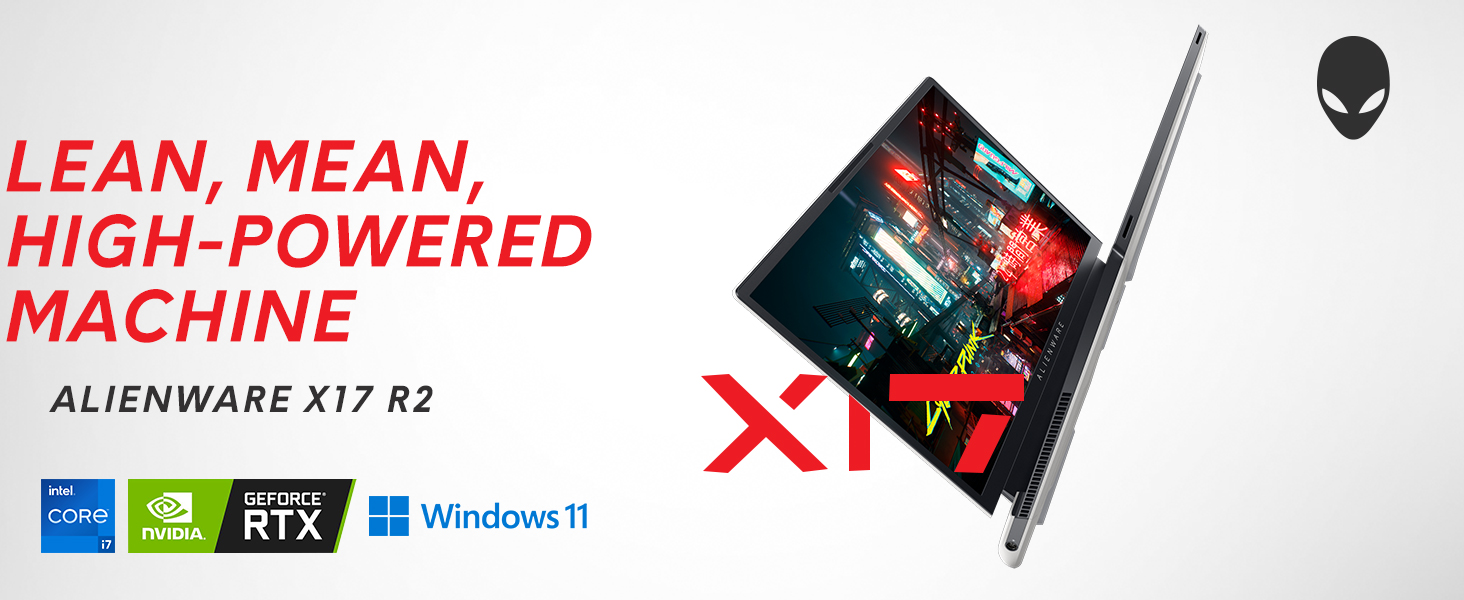
Image: Alienware X17 R2 showcasing its powerful components and sleek design.
2. Ki sa ki nan bwat la
Upon unboxing your Alienware X17 R2, ensure all the following components are present:
- Alienware X17 R2 Notebook
- Power Adapter (240W Small Form Factor)
- Kòd pouvwa
- Dokimantasyon (ki gen ladan manyèl sa a)
3. Enstalasyon
3.1 Premye pouvwa-sou
- Connect the power adapter to the laptop's power/DC-in port and then to a power outlet.
- Louvri kouvèti laptop la.
- Press the Alienware head power button located on the keyboard deck to turn on the laptop.
- Swiv enstriksyon ki sou ekran an pou konplete konfigirasyon Windows 11 Home la.
3.2 Konekte periferik
Utilize the various ports available for connecting external devices:
- USB 3.2 Jen 1 Kalite-A: Pou aparèy USB estanda yo.
- USB 3.2 Gen 2 Type-C with Power Delivery: For high-speed data transfer and charging compatible devices.
- Thunderbolt 4 / USB 3.2 Gen 2 Type-C with Power Delivery: For ultra-fast data transfer, display output, and power delivery.
- HDMI2.1: Connect to external displays or TVs.
- Mini Display Port 1.4: Connect to external displays.
- Killer E3100 RJ-45 2.5G Ethernet: Pou koneksyon rezo filaire.
- Global Headset Jack: Pou antre/soti odyo.
- Mikwo SD kat plas: Pou elaji depo oswa transfè files.
Imaj: Detaye view of the Alienware X17 R2's rear and side ports.
4. Kijan pou itilize òdinatè pòtab ou a
4.1 Ekspozisyon Karakteristik
The 17.3-inch Full HD display offers a 360Hz refresh rate and 1ms response time for smooth visuals. It also features ComfortView Plus technology to reduce blue light emissions, enhancing viewing comfort during extended use. Dolby Vision support provides an authentic visual experience with enhanced color profiles.
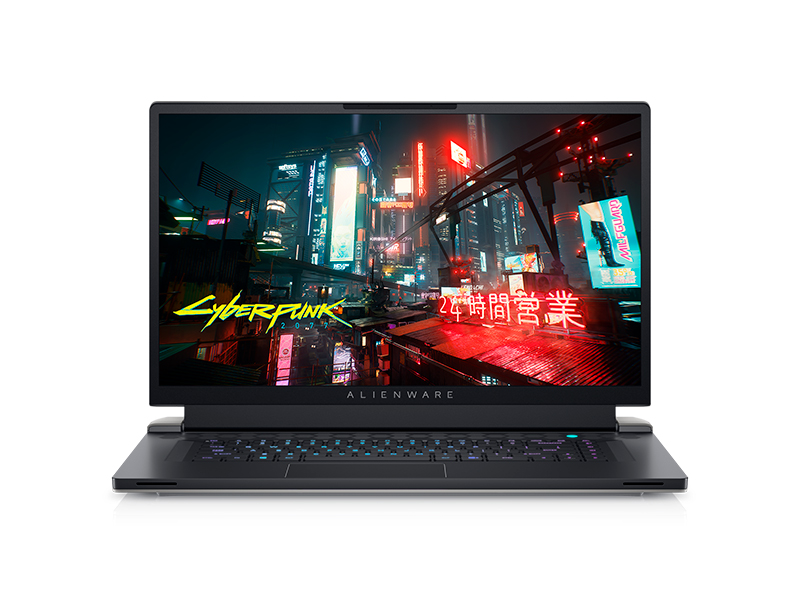
Image: Laptop screen showing vibrant game graphics with Dolby Vision and Atmos branding.
4.2 Keyboard and Lighting
The Alienware X17 R2 features an AlienFX keyboard with customizable backlighting, supporting 16.8 million colors. You can personalize the lighting effects, including wave patterns or solid colors, through the Alienware Command Center software. The power button, shaped like the Alienware head, also illuminates and can be customized.
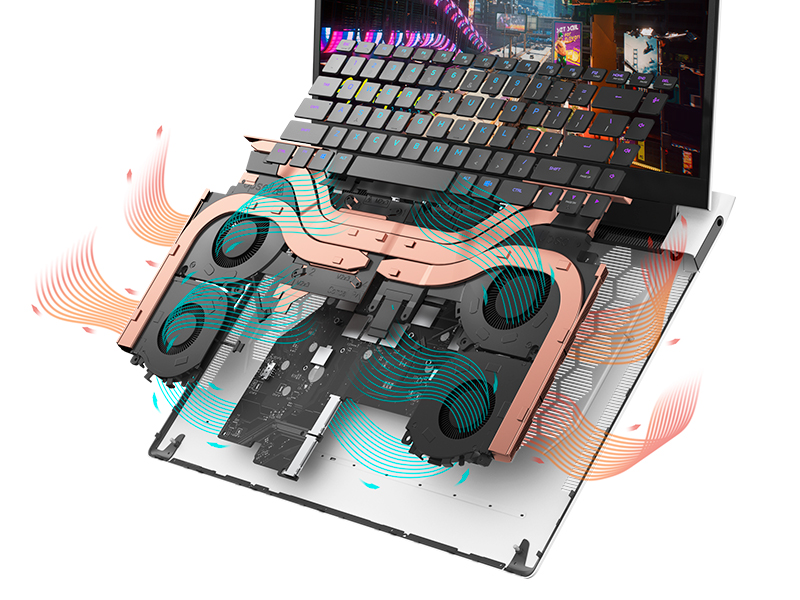
Image: The Alienware X17 R2 keyboard with customizable RGB lighting.
4.3 Sistèm Audio
The laptop is equipped with stereo speakers, including two 2W tweeters and two 2W woofers, totaling 8W for rich audio output. Dolby Atmos support further enhances the immersive sound experience.
4.4 Koneksyon
Enjoy high-speed wireless connectivity with Wi-Fi 6 (802.11ax) and Bluetooth. The USB 3.2 Gen 2 Type-C ports offer data transfer speeds up to 40Gbps, ensuring rapid file transfers and peripheral performance.

Imaj: Dèyè view of the Alienware X17 R2 showing connectivity options and lighting.
5. Antretyen
5.1 Jesyon tèmik
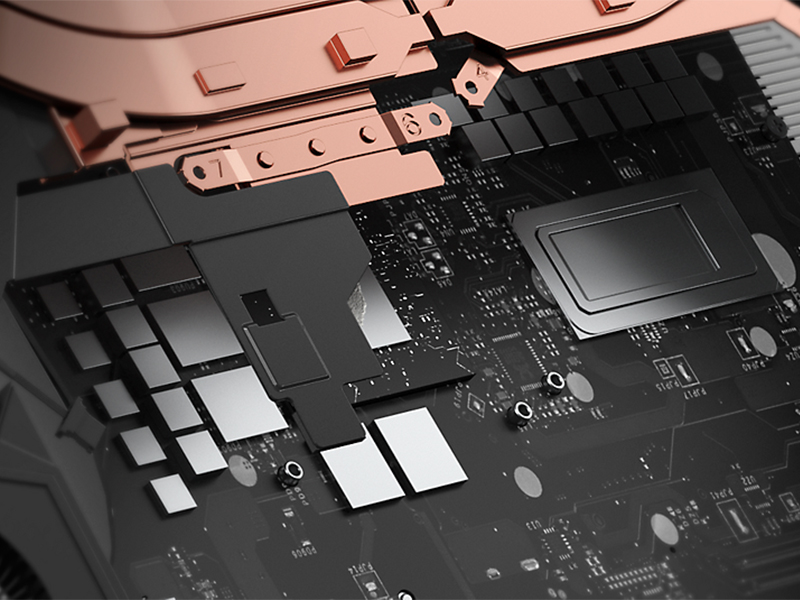
The Alienware X17 R2 features an advanced thermal design utilizing Element 31, an encapsulated gallium-silicone thermal interface material. This system maximizes airflow by expelling warm air through side vents and drawing in cooler air from the top of the keyboard, helping to keep the laptop cool during intensive use.

Imaj: Entèn view of the Alienware X17 R2's cooling technology.
5.2 Netwayaj ak swen
- Regularly clean the screen with a soft, lint-free cloth and a screen-safe cleaning solution.
- Use compressed air to clear dust from the keyboard and ventilation ports.
- Avoid placing heavy objects on the laptop or exposing it to extreme temperatures.
NAN. Depanaj
If you encounter issues with your Alienware X17 R2, consider the following general troubleshooting steps:
- Pa gen pouvwa: Ensure the power adapter is securely connected to both the laptop and the power outlet. Try a different outlet if necessary.
- Pwoblèm ekspozisyon: If the screen is black, try connecting an external monitor to determine if the issue is with the laptop's display or graphics card. Restart the laptop.
- Ralentissement pèfòmans: Close unnecessary applications, check for background processes, and ensure your system drivers are up to date. Overheating can also cause slowdowns; ensure vents are clear.
- Pwoblèm koneksyon: Pou pwoblèm Wi-Fi, rekòmanse routeur ou a ak laptop la. Pou Bluetooth, asire w ke aparèy la detektab epi li nan pòte li.
- Pwoblèm lojisyèl: Restart the laptop. If problems persist, check for Windows updates or consider reinstalling problematic software.
For more detailed troubleshooting or persistent issues, refer to the official Alienware support websit oswa kontakte sèvis kliyan.
7. Espesifikasyon
| Karakteristik | Spesifikasyon |
|---|---|
| Kanpe Screen Display Size | 17.3 pous |
| Rezolisyon ekran | 1920 x 1080 piksèl |
| Rezolisyon ekran maksimòm | 1920x1080 piksèl |
| Processeur | 4.7 GHz fanmi core_i7 (Intel Core i7-12700H) |
| RAM | 16 GB DDR5 (4800 MHz) |
| Disk Drive | 1 TB SSD (M.2 PCIe NVMe) |
| Koprosesè grafik | NVIDIA GeForce RTX 3070 Ti |
| Gwosè RAM Kat grafik | 8 GB GDDR6 |
| Kalite san fil | 802.11ax (Wi-Fi 6), Bluetooth |
| Kantite USB 3.0 pò | 3 |
| Sistèm operasyon | Windows 11 Kay |
| Pwa atik | 6.82 liv |
| Dimansyon pwodwi | 11.79 x 15.72 x 0.82 pous |
| Koulè | Limyè Linè |
| Sous pouvwa | Batri Powered |
| Batri | 1 pil ityòm Ion obligatwa (enkli) |
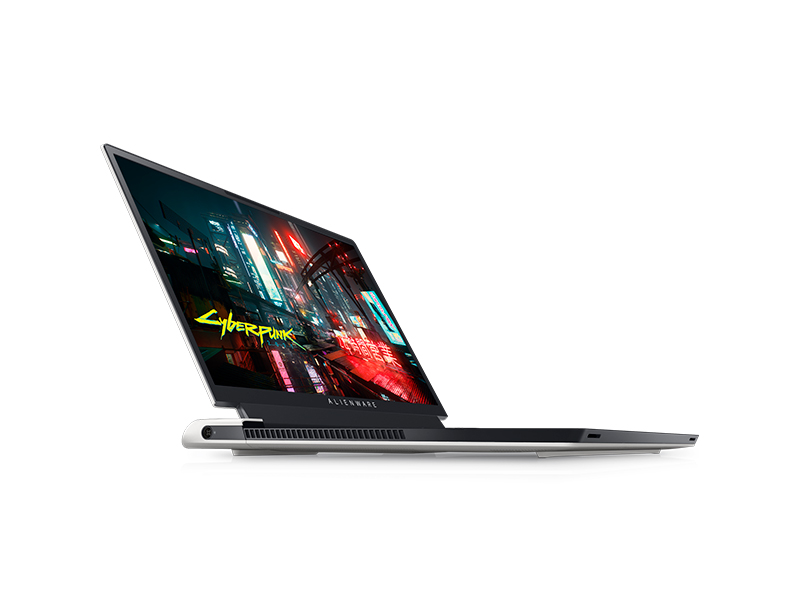
Image: Key specifications of the Alienware X17 R2.
8. Garanti ak sipò
Your Alienware X17 R2 laptop comes with a manufacturer's warranty. Please refer to the included warranty documentation for details on coverage, terms, and conditions. For technical support, driver downloads, or service requests, visit the official Alienware support websit oswa kontakte depatman sèvis kliyan yo.