
DOQAUS HM1
DOQAUS Indoor Thermometer Hygrometer HM1 User Manual
Model: HM1 | Brand: DOQAUS
Entwodiksyon
Thank you for choosing the DOQAUS Indoor Thermometer Hygrometer HM1. This device provides accurate and rapid measurements of indoor temperature and humidity, helping you maintain a comfortable and healthy environment. Its compact design and clear LCD display make it suitable for various indoor settings.
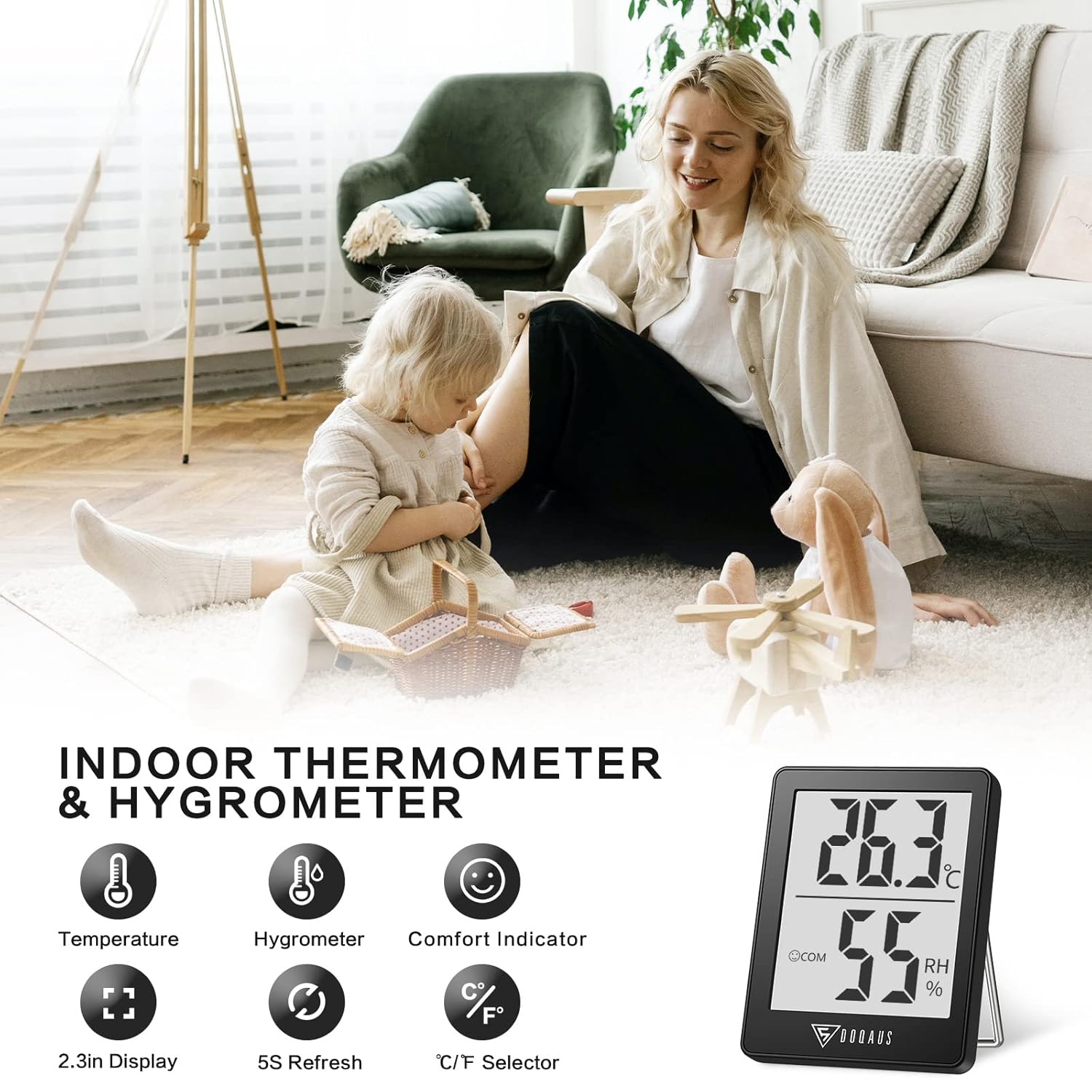
Image: The DOQAUS Indoor Thermometer Hygrometer HM1 displaying temperature and humidity readings on its screen.

Image: The DOQAUS HM1 thermometer hygrometer shown in diverse application environments, including a living room, school, office, and warehouse.
Karakteristik kle
- Fast Response & High Precision: Updates readings every 5 seconds for accurate temperature and humidity monitoring.
- Lajè ranje mezi: Temperature range of -50°C to 70°C (-58°F to 158°F) and humidity range of 10%RH to 99%RH.
- Endikatè konfò: Displays DRY, COM (Comfort), or WET icons to quickly indicate ambient conditions.
- Inite Chanjab: Easily switch between Celsius (°C) and Fahrenheit (°F) with a single button.
- Ekspozisyon LCD klè: Large, bright LCD screen for easy readability from a distance.
- Opsyon montaj versatile: Features a table stand, wall-hanging hole, and magnetic back for flexible placement.
- Kontra enfòmèl ant ak pòtab: Small and lightweight design for space-saving and easy transport.

Image: The comfort indicator feature on the DOQAUS HM1, illustrating DRY, COM, and WET icons based on humidity levels.

Image: A graph demonstrating the fast 5-second response time of the DOQAUS HM1 when measuring humidity changes.
Kontni pake
Lè w ap debale, tanpri asire w ke tout bagay yo la:
- 1 x DOQAUS Indoor Thermometer Hygrometer HM1
- 1 x CR2032 Battery (pre-installed in the device)
- 1 x manyèl itilizatè
Enstalasyon
1. Enstalasyon batri
The DOQAUS HM1 comes with a CR2032 battery pre-installed. If the display is not active, or if you need to replace the battery:
- Jwenn lòj batri a sou do aparèy la.
- Sèvi ak yon ti tournevis pou ouvri kouvèti konpatiman batri a.
- Mete yon nouvo batri CR2032 ak bò pozitif (+) anlè.
- Fèmen kouvèti lòj batri a byen.
2. Opsyon Plasman
The device offers multiple placement options for your convenience:
- Tab kanpe: Extend the integrated stand on the back to place the device on any flat surface, such as a desk or shelf.
- Mi pann: Use the hanging hole on the back to mount the device on a wall using a nail or hook.
- Atachman mayetik: The strong magnet on the back allows you to attach the device to metallic surfaces like refrigerators.

Image: Illustrations of the DOQAUS HM1's versatile mounting options, including a hanging hole, strong magnet, and a 45-degree table stand.
Enstriksyon Operasyon
1. Power On
Once the battery is correctly installed, the device will automatically power on and begin displaying temperature and humidity readings. The indoor temperature will adjust automatically within 30 seconds after power-on.
2. Chanje Inite Tanperati (°C/°F)
To switch between Celsius (°C) and Fahrenheit (°F), press the "°C/°F" button located on the back of the device. The display will instantly change to the selected unit.
3. Understanding the Comfort Indicator
The device features a comfort indicator with three icons to represent the current humidity level:
- SECHE: Imidite a pi ba pase 40%.
- COM (Comfort): Imidite a se ant 40% ak 60%.
- MOUYE: Imidite se pi wo pase 60%.
This indicator provides a quick visual reference for indoor air quality.
Antretyen
- Netwayaj: Regularly clean the product with a soft, dry cloth. Do not use abrasive cleaners or immerse the device in water.
- Ranplasman batri: Replace the CR2032 battery when the display becomes dim or stops functioning. Refer to the "Battery Installation" section for instructions.
- Depo: If storing the device for an extended period, remove the battery to prevent leakage. Store in a cool, dry place.
Depanaj
| Pwoblèm | Kòz posib | Solisyon |
|---|---|---|
| Pa gen ekspozisyon oswa ekspozisyon fèb | Batri a mouri oswa li mal enstale. | Replace the CR2032 battery or ensure it is installed correctly with the positive (+) side up. |
| Lekti kòrèk | Device placed near heat/cold sources or in direct sunlight. | Relocate the device to a central area away from direct sunlight, vents, or extreme temperature sources. Allow 30 minutes for readings to stabilize. |
| Ekspozisyon siyman | Batri fèb oswa aparèy la pa fonksyone byen. | Ranplase pil la. Si pwoblèm nan pèsiste, kontakte sèvis kliyan. |
Espesifikasyon
| Karakteristik | Detay |
|---|---|
| Nimewo Modèl | HM1 |
| Dimansyon (L x W x H) | 4.5 x 1.8 x 5.8 cm (1.77 x 0.71 x 2.28 pous) |
| Pwa | 40 gram (1.41 ons) |
| Sous pouvwa | 1 x CR2032 Battery (DC 3V) |
| Ranje Tanperati | -50 ° C a 70 ° C (-58 ° F a 158 ° F) |
| Presizyon Tanperati | ±0.5°C (±1°F) for 10°C to 40°C (50°F to 104°F); ±1°C (±1.8°F) outside this range. |
| Rezolisyon Tanperati | 0.1°C (0.1°F) |
| Range imidite | 10% RH a 99% RH |
| Presizyon imidite | ±3% RH for 40% to 80% RH; ±5% RH outside this range (20%-40% RH or 80%-95% RH). |
| Imidite Rezolisyon | 1% RH |
| Rafrechisman pousantaj | Chak 5 segonn |
| Ekspozisyon | LCD |

Image: Multiple DOQAUS HM1 units undergoing accuracy testing in a controlled environment, showing consistent readings.
Garanti ak sipò
DOQAUS products are designed for reliability and performance. For warranty information or technical support, please refer to the warranty card included with your product or visit the official DOQAUS websit.
If you encounter any issues not covered in the troubleshooting section, please contact DOQAUS customer service for assistance.
Ask a question about this manual
Ask about setup, troubleshooting, compatibility, parts, safety, or missing instructions. Manuals+ will review the question and use this page’s manual context to help answer it.