
Entwodiksyon
Thank you for choosing the OTL Technologies Pro G4 Batman DC Comic Gaming Headset. This manual provides essential information for setting up, operating, and maintaining your new gaming headset. Designed for immersive gaming, this headset features comfortable ear pads, a detachable microphone, and inline controls for an optimal audio experience across various gaming platforms.
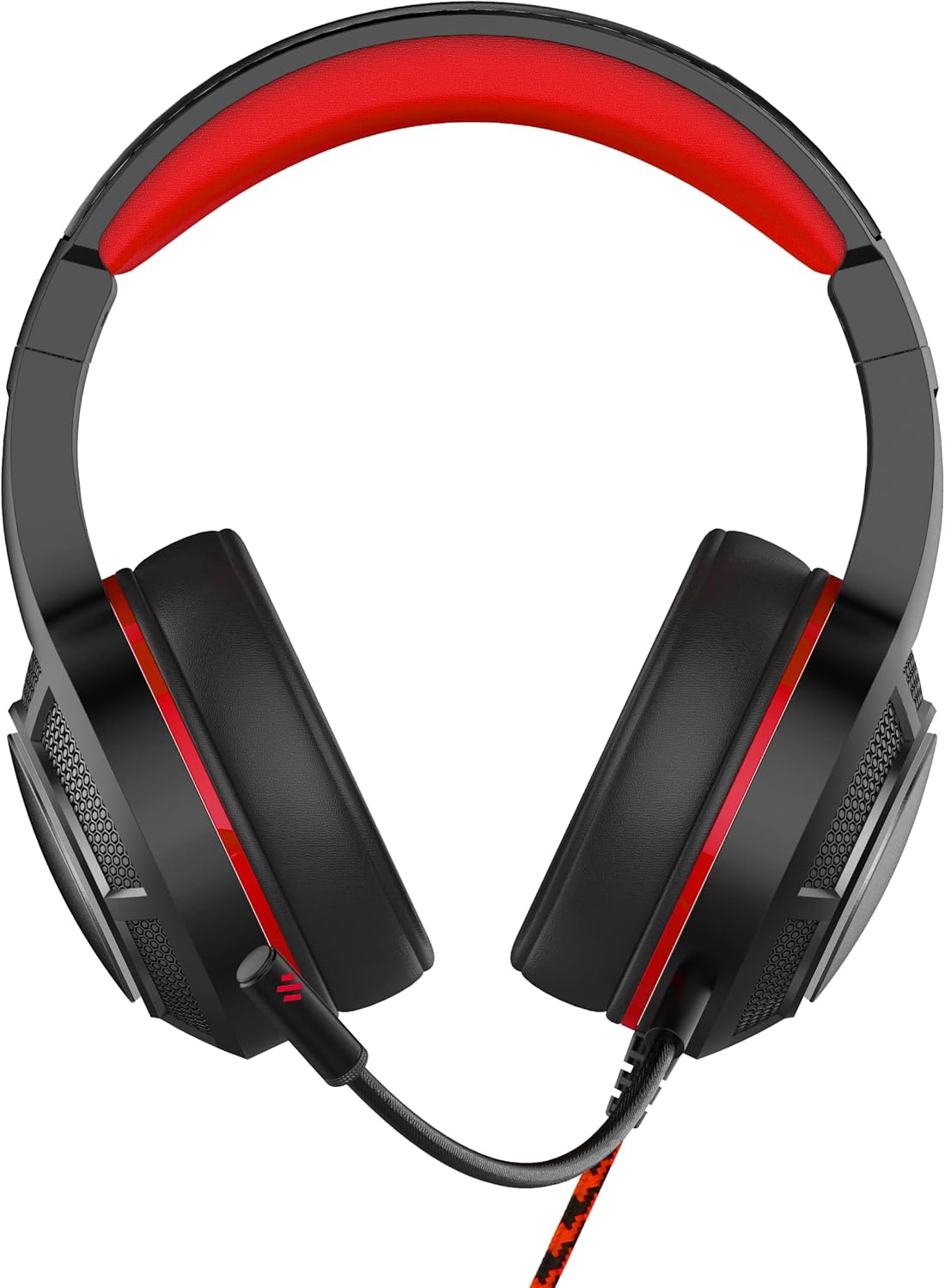
Imaj: Devan view of the OTL Technologies Pro G4 Batman DC Comic Gaming Headset, showcasing its design and earcups.
Kontni pake
Tanpri asire w ke tout atik yo prezan nan pakè a:
- OTL Technologies Pro G4 Batman DC Comic Gaming Headset
- Mikwofòn detachable

Image: The product packaging, clearly indicating the presence of a detachable boom microphone.
Enstriksyon Enstalasyon
- Konekte mikwofòn la: Locate the microphone input port on the left earcup of the headset. Insert the detachable microphone firmly into this port until it clicks into place.
- Ajiste anfòm kas ekoutè a: Extend or retract the headband to ensure a comfortable and secure fit over your head. The super padded PU headband and memory foam ear pads are designed for extended comfort.
- Konekte ak aparèy: Plug the 3.5mm audio jack from the headset cable into the corresponding audio port on your gaming console controller, PC, or other compatible device.

Imaj: Anlè view of the headset showing the detachable microphone securely attached to the left earcup.
Enstriksyon Operasyon
- Kontwòl Volim: Use the inline volume control wheel located on the headset cable to adjust the audio output level to your preference. Rotate the wheel up to increase volume and down to decrease it.
- Mikwofòn bèbè: The inline controller also features a microphone mute switch. Slide the switch to the "ON" position to enable the microphone, and to the "OFF" position to mute it.
- Kalite Audio: The 50mm on-ear speakers provide powerful, premium sound quality and passive sound isolation, enhancing your gaming experience.
- Konpatibilite: This headset is compatible with all devices using a standard 3.5mm audio jack, including PlayStation 4, PlayStation 5, Xbox One, and PCs.

Image: Close-up of the inline controller, showing the volume adjustment wheel and the microphone mute switch for easy access during gameplay.
Antretyen
- Netwayaj: Gently wipe the headset with a soft, dry cloth. Do not use liquid cleaners or abrasive materials.
- Depo: Sere kas ekoutè a nan yon kote ki fre epi sèk, lwen limyè solèy dirèk ak tanperati ekstrèm. Evite mete objè lou sou kas ekoutè a.
- Rezistans dlo: Headset sa a se PA rezistan a dlo. Avoid exposure to liquids to prevent damage.
- Swen kab: Avoid sharp bends or excessive pulling on the cable to prevent internal wire damage.
Depanaj
- Pa gen son soti nan Headset:
- Ensure the 3.5mm audio jack is fully inserted into your device.
- Check the inline volume control and increase the volume.
- Verify your device's audio settings to ensure output is directed to the headset.
- Teste kas ekoutè a ak yon lòt aparèy pou elimine pwoblèm espesifik ak aparèy la.
- Mikwofòn pa travay:
- Ensure the detachable microphone is securely attached.
- Check the inline microphone mute switch and ensure it is in the "ON" position.
- Verify your device's microphone input settings.
- Teste mikwofòn nan avèk yon lòt aplikasyon oswa yon lòt aparèy.
- Kalite son pòv:
- Ensure the audio jack is clean and free of debris.
- Adjust the volume to an appropriate level; excessively high volume can cause distortion.
- Tcheke pou nenpòt koneksyon ki lach.
Espesifikasyon
| Karakteristik | Detay |
|---|---|
| Non modèl | PRO G4 DC Comic Batman (DC0905) |
| Koneksyon Teknoloji | Branche |
| Ekoutè Jack | 3.5mm Jack |
| Kontwòl bri | Izolasyon son |
| Repons Frekans | 20 Hz (Minimum) |
| Konpozan ki enkli | Detachable Mic |
| Kalite kontwòl | Kontwòl Volim |
| Metòd kontwòl | Remote (Inline) |
| Kab Karakteristik | Detachable |
| Pwa atik | 200 gram (7.1 ons) |
| Nivo rezistans dlo | Pa reziste dlo |
| Materyèl | Plastik |
| Plasman Zòrèy | Sou Zòrèy |
| Enpedans | 32 Ohms |
| Dimansyon pwodwi | 7.09 x 2.76 x 6.3 pous |
Enfòmasyon sou Garanti
OTL Technologies products are manufactured to high standards. For specific warranty details, please refer to the warranty card included with your product or visit the official OTL Technologies websit la. Kenbe prèv acha ou a pou nenpòt reklamasyon garanti.
Sipò
If you encounter any issues not covered in this manual or require further assistance, please contact OTL Technologies customer support. Contact information can typically be found on the product packaging or the official OTL Technologies websit.